


















devintern
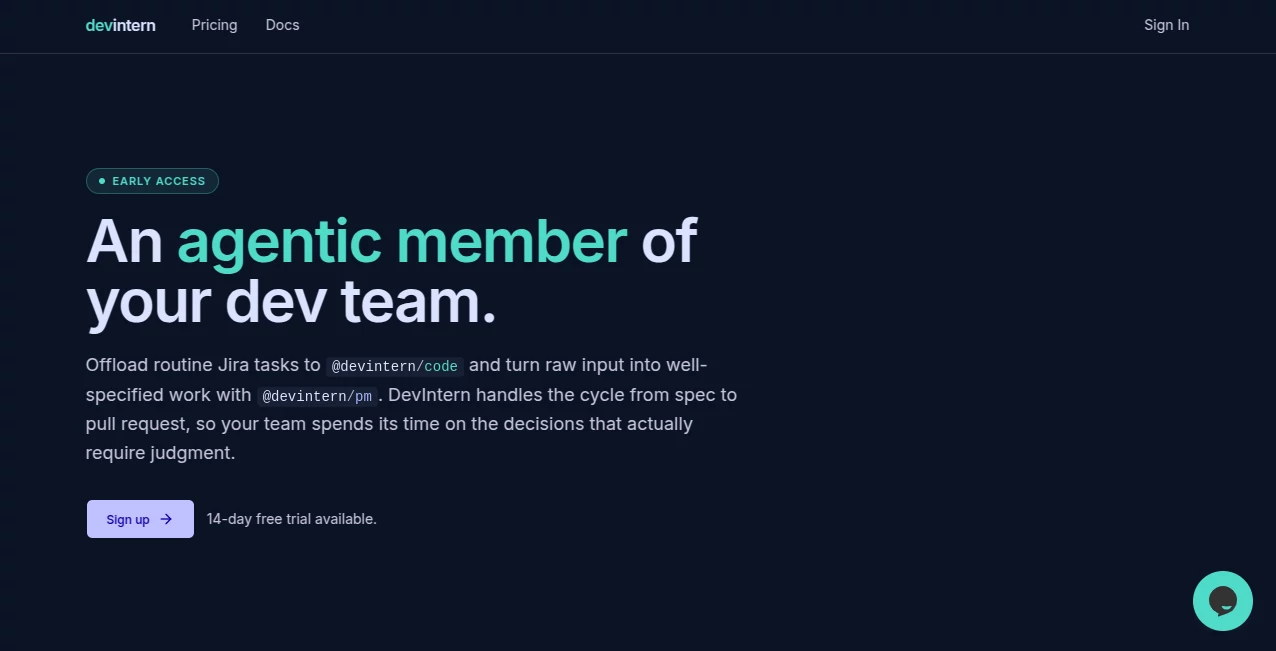
What is devintern?
There’s a special kind of relief when you watch a vague ticket turn into a clean, reviewed pull request while you were busy with something else. This platform delivers exactly that feeling. It combines two smart agents—one that turns messy ideas, Figma files, or logs into solid specs, and another that actually writes the code, opens the PR, and even handles basic review feedback. I’ve spoken with engineering leads who say it’s the first AI tool that didn’t just save a few minutes but genuinely moved real tickets through their workflow without constant babysitting. It compresses the boring, time-draining parts of development so humans can focus on the decisions that matter.
Introduction
Most teams already use AI to help write code, but the real slowdowns happen before and after the coding: understanding the task, finding the right files, writing specs, triaging bugs, and responding to review comments. DevIntern tackles the full cycle. The planning agent (@devintern/pm) creates detailed, codebase-aware tickets. The execution agent (@devintern/code) turns those tickets into draft PRs, runs tests, fixes lint issues, and even pushes fixes based on reviewer feedback. The human stays in the loop exactly where they should be—at the important decisions. It’s not about replacing engineers; it’s about giving them superpowers so more meaningful work gets done every sprint.
Key Features
User Interface
The experience is refreshingly practical. You interact with the agents directly in your existing tools—Linear, Jira, GitHub, etc. No new fancy dashboard you have to learn from scratch. The planning agent takes rough inputs (prompts, Figma links, logs) and returns structured tickets. The code agent then works through the backlog, opens PRs in your repo, and notifies you when it’s ready for review. Everything feels like an extension of your current workflow rather than something bolted on top.
Accuracy & Performance
The agents are grounded in your actual codebase—they read files, understand patterns, and avoid the usual hallucinated nonsense. Specs come out detailed and realistic. PRs land with passing tests and sensible changes. Teams report median tickets turning into draft PRs in around 12 minutes. That speed, combined with solid accuracy on real codebases, is what makes it feel reliable rather than experimental.
Capabilities
It handles the full loop: turning rough ideas into specs, executing those specs into code changes, self-reviewing diffs, responding to human feedback, and looping back if the spec needs adjustment. It works with your existing tracker and repo—no rip-and-replace. You can run it on-demand or use the server addon for 24/7 backlog drainage. It supports both individual contributors who want to move faster and whole teams looking to multiply output without hiring more people.
Security & Privacy
You bring your own AI keys and models, so usage stays under your own contracts and governance. The agents operate within your environment where possible, and sensitive data never leaves your control unnecessarily. For engineering organizations that care about compliance and security, this “bring your own” approach is a big plus.
Use Cases
A product manager drops a customer complaint and a log snippet into the planner and gets a well-written ticket with acceptance criteria minutes later. An engineer picks up a ticket, lets the code agent draft the PR, and spends their time reviewing instead of typing boilerplate. A small startup with 5 engineers clears their backlog faster than they ever could manually. Engineering managers see more tickets completed per sprint while their team focuses on higher-value work. It shines especially for maintenance work, bug fixes, and standard features where the heavy lifting can be automated.
Pros and Cons
Pros:
- Actually compresses the full development cycle, not just the coding part.
- Integrates with tools you already use—no painful migration.
- Brings real, measurable time savings (hours per engineer per week).
- Human stays in control of decisions while AI handles the drudgery.
- Perpetual licenses instead of never-ending subscriptions.
Cons:
- Best results come when your codebase is reasonably well-organized.
- Complex architectural changes still need strong human guidance.
- Initial setup (especially the server addon) takes some configuration.
Pricing Plans
Pricing is based on seats (engineers and PMs) with volume discounts as teams grow. Licenses are one-time perpetual purchases rather than recurring subscriptions, plus an optional server addon for 24/7 operation. Many teams find the ROI is extremely high—often recovering the cost many times over within the first year through reclaimed engineering hours.
How to Use DevIntern
Start by connecting your task tracker and repository. For a quick win, drop a rough idea or bug report into the planning agent and watch it turn into a structured ticket. Once you have tickets ready, the code agent can pick them up and draft PRs. Review the PR as usual, leave comments, and the agent will push fixes where appropriate. For continuous operation, set up the server addon to run in the background. The loop is simple: think → plan → execute → review → ship.
Comparison with Similar Tools
Many AI coding assistants only help while you’re typing. Others require massive platform overhauls. This one focuses on the entire ticket-to-PR pipeline while working inside your existing tools. It stands out by handling both planning and execution with meaningful autonomy, yet keeping humans firmly in the driver’s seat for final decisions. For teams that want real velocity gains without chaos, it hits a sweet spot few others reach.
Conclusion
Engineering velocity isn’t just about writing code faster—it’s about moving good ideas from concept to production without losing weeks to overhead. This platform quietly removes a huge chunk of that overhead. When your team starts shipping more while working more reasonable hours, you realize how much time was being wasted on repetitive tasks. For any engineering organization serious about becoming AI-native without the pain of a full transformation, this is one of the most practical and effective steps available right now.
Frequently Asked Questions (FAQ)
How much time can we realistically save?
Teams typically recover 10–16 hours per person per week once fully running.
Do we need to change our current tools?
No. It works with GitHub, Jira, Linear, Bitbucket, and similar platforms you already use.
Is it suitable for small teams or only large orgs?
It works great for small teams (even solo engineers) and scales beautifully to larger organizations.
Who owns the code it generates?
You do—100%. It’s your codebase, your rules, your IP.
AI Workflow Management , AI Code Assistant , AI Code Generator , AI Developer Tools .
These classifications represent its core capabilities and areas of application. For related tools, explore the linked categories above.

devintern Alternatives Product

freellm.net

Tate-A-Tate

Workik

Sendmux

UpMocker

Blackbox AI

Klyra AI

Youfiliate

Online White…
