

















Discord Timestamp Generator
What is Discord Timestamp Generator?
Managing events inside Discord communities can become surprisingly difficult when members live across different countries and time zones. A meeting announced at 8 PM for one user may appear at a completely different hour for another. This tool solves that problem with a clean and practical approach by generating dynamic timestamp codes that automatically adapt to every viewer’s local time.
Instead of manually converting time zones or relying on bots, users can generate ready-to-use Discord timestamp formats in seconds. Whether you run gaming servers, communities, educational groups, or large online events, having timestamps displayed correctly for everyone creates a smoother experience. It removes confusion and keeps communication precise.
One of the strongest impressions many users mention after trying timestamp utilities is the amount of time saved. What once required searching, conversions, and repeated explanations becomes a simple copy-and-paste action.
Key Features
User Interface
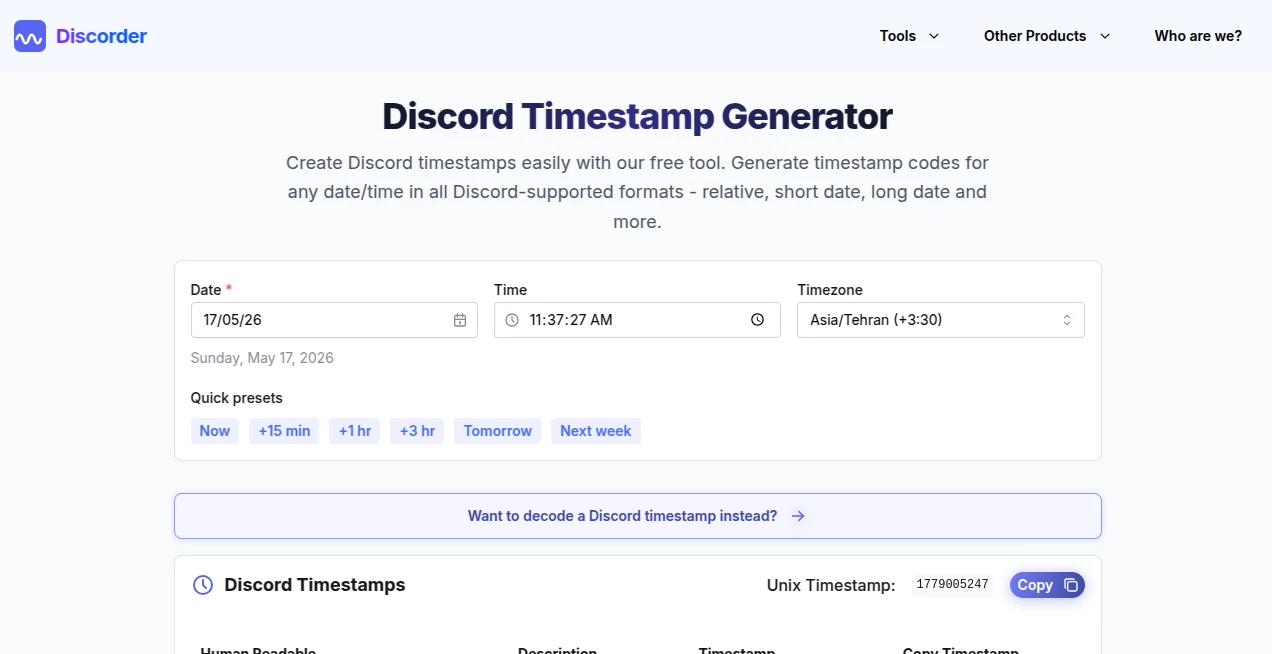
The interface feels straightforward from the first interaction. Users can select a date, choose a preferred time, and instantly receive multiple Discord-ready formats. There are no unnecessary distractions or complex menus. Everything appears exactly where users expect it.
The simplicity is especially useful for moderators and community managers who often need quick results while handling active servers.
Accuracy & Performance
Discord timestamps rely on Unix time formatting, and precision matters. Generated outputs are designed to match Discord’s native syntax so dates and times appear correctly for users regardless of their geographic location.
Because the conversion process happens instantly, users receive results without delays. Relative countdowns, complete date displays, and time-specific outputs appear immediately.
Capabilities
- Generate multiple Discord timestamp styles
- Create short and long date formats
- Generate relative time displays
- Copy codes with minimal effort
- Display timestamps that automatically localize for viewers
- Support event planning and scheduling
- Create dynamic countdown formats
Relative timestamps are particularly useful because they continuously update. A message can display "in 3 hours" or "2 days ago" without manual editing.
Security & Privacy
Privacy matters even for simple utilities. Since tools of this type generally do not require account registration or personal data submission, users can generate timestamps quickly without sharing sensitive information.
For community managers and moderators who value lightweight browser-based tools, that creates a frictionless experience.
Use Cases
- Scheduling gaming tournaments across regions
- Planning Discord community events
- Coordinating livestream launches
- Managing study groups and online classes
- Posting countdown announcements
- Creating reminders for global teams
- Organizing giveaway deadlines
Imagine announcing a community event for users in Europe, North America, and Asia simultaneously. Instead of posting several regional times, a single timestamp adjusts itself automatically for everyone viewing the message.
Pros and Cons
Pros
- Fast generation process
- Beginner-friendly experience
- No manual timezone calculations
- Supports multiple timestamp styles
- Helpful for international communities
- Works naturally with Discord formatting
Cons
- Limited by Discord's supported timestamp formats
- Advanced scheduling options may not exist
- Some users may initially be unfamiliar with Discord syntax
Pricing Plans
Tools in this category are commonly offered as free browser utilities. That makes them ideal for casual users, moderators, and server administrators who need practical functionality without subscriptions or complicated onboarding.
How to Use Discord Timestamp Generator
Using the platform is refreshingly simple.
- Select your preferred date
- Choose the desired time
- Pick a timestamp style
- Copy the generated code
- Paste it directly into Discord
Discord automatically transforms the generated syntax into localized dates and times for each user viewing the message.
Comparison with Similar Tools
Many timestamp generators provide similar functionality, but usability often becomes the deciding factor. Some alternatives overload users with excessive controls, advertisements, or unnecessary configuration options.
A cleaner workflow creates a noticeably better experience. Fast copying, clear previews, and accessible formatting options can make a utility feel significantly more polished during everyday use.
For active moderators handling announcements daily, even saving a few clicks matters.
Conclusion
Time coordination sounds simple until a Discord server grows beyond one country or one time zone. Suddenly, every announcement becomes an opportunity for confusion. Dynamic timestamps solve that challenge elegantly.
With a smooth workflow, multiple display styles, and automatic localization, this type of utility becomes one of those surprisingly useful tools people end up using repeatedly. Small feature, huge impact.
Frequently Asked Questions (FAQ)
What are Discord timestamps?
They are special formatting codes that automatically display dates and times according to each user's local settings.
Do timestamps adjust for time zones automatically?
Yes. Users see dates and times converted according to their own region and device settings.
Can timestamps be used inside any Discord server?
Yes. They work across servers, private messages, and communities.
What is relative timestamp format?
Relative formatting displays dynamic text such as "in two hours" or "three days ago" that updates automatically.
Do I need a Discord bot?
No. Timestamp formatting is a native Discord feature and works without additional bots.