
















Resize Image for Facebook
What is Resize Image for Facebook?
Creating great visual content is only part of the job. Uploading an image with the wrong dimensions can result in unwanted cropping, blurry quality, or poor presentation on Facebook. This online tool removes that frustration by providing ready-made presets for every major Facebook format, allowing anyone to prepare images quickly without installing software or learning complex editing techniques.
Whether you are managing a business page, running advertising campaigns, publishing stories, or simply updating a personal profile, the platform helps you generate correctly sized images within seconds. Everything works directly in the browser, making the process both fast and convenient while keeping image quality intact. It also supports multiple popular image formats and allows batch processing, making it useful for individuals and marketing teams alike.
Key Features
User Interface
The interface is refreshingly simple. Users only need to upload one or multiple images, choose the desired Facebook template, preview the result, and download the optimized version. Clear layout, drag-and-drop support, and predefined templates make the workflow easy even for first-time visitors.
Accuracy & Performance
Every preset is designed around Facebook's recommended image dimensions for posts, profile pictures, cover photos, stories, reels, events, groups, and advertisements. Images are processed almost instantly inside the browser, helping users avoid unnecessary compression issues while maintaining excellent visual quality.
Capabilities
- Ready-to-use Facebook size presets.
- Supports JPG, PNG, WebP, and additional popular image formats.
- Resize multiple images in a single session.
- Crop, fit, stretch, or contain options for different layouts.
- Preview images before downloading.
- Choose output format according to your needs.
- No software installation required.
- Works on desktop, tablet, and mobile browsers.
- Fast browser-based image processing.
- Free to use without creating an account.
Security & Privacy
Privacy is one of the strongest advantages. Image processing happens locally within the browser, meaning uploaded files remain on the user's device instead of being transferred to external servers. This approach provides extra confidence when working with personal photographs or business assets while also delivering faster processing speeds.
Use Cases
- Preparing professional Facebook page cover photos.
- Optimizing profile pictures without distortion.
- Creating perfectly sized Facebook Stories and Reels.
- Designing images for advertising campaigns.
- Batch resizing social media content calendars.
- Helping freelancers and agencies manage multiple client accounts.
- Preparing event banners and group cover images.
- Making marketplace product images fit recommended dimensions.
Pros and Cons
Pros
- Free to use.
- No registration required.
- Fast browser-based processing.
- Supports multiple Facebook image formats.
- Bulk resizing saves considerable time.
- Simple interface suitable for beginners.
- Strong privacy thanks to local processing.
Cons
- Focused mainly on Facebook image optimization.
- Advanced graphic editing features are intentionally limited.
- Requires a modern browser with JavaScript enabled.
Pricing Plans
The service is available free of charge. Users can resize images without creating an account, paying subscription fees, or dealing with watermarks, making it an attractive solution for both occasional and frequent use.
How to Use Resize Image for Facebook
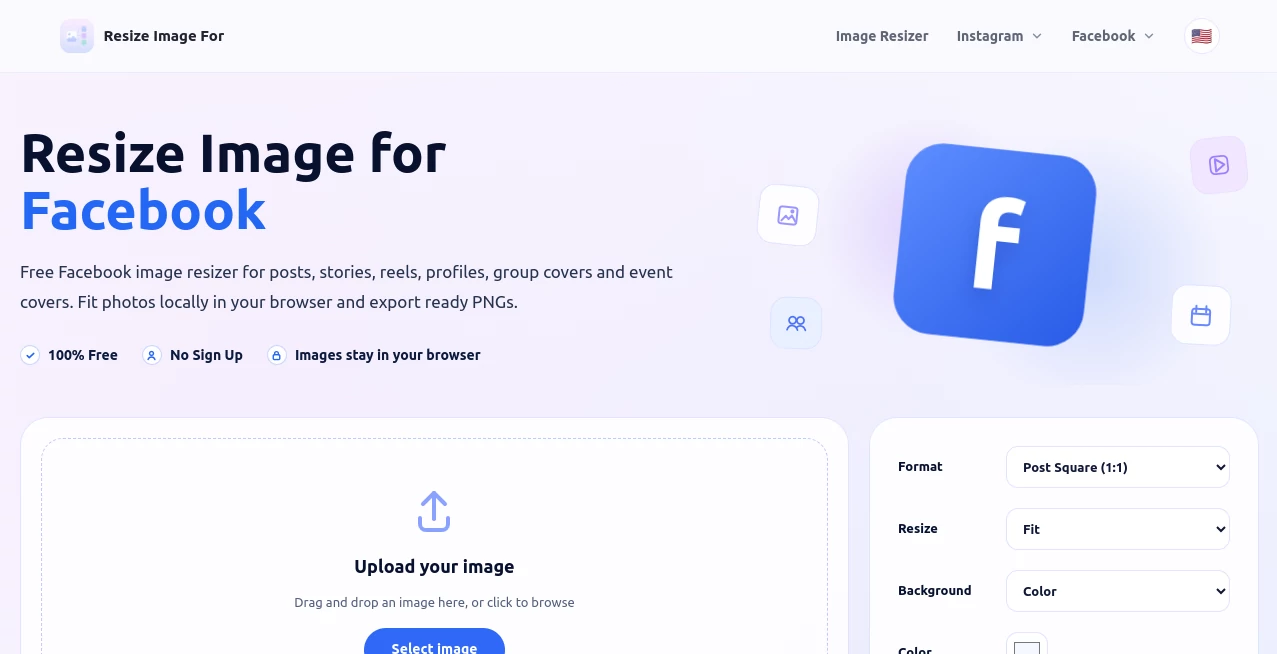
Start by uploading one or several images directly from your device. Select the Facebook format that matches your goal, such as a post, cover photo, profile picture, story, reel, or advertisement. Review the preview, adjust the fitting method if necessary, and download the finished image. The optimized file is immediately ready for publishing on Facebook.
Comparison with Similar Tools
Many online image editors provide generic resizing features, but they often require users to manually enter pixel dimensions or calculate aspect ratios. This solution eliminates the guesswork by offering dedicated Facebook templates that reflect recommended image sizes. Batch processing, browser-based editing, privacy-focused design, and the absence of mandatory registration make it especially convenient for creators who regularly publish visual content.
Conclusion
Preparing images for Facebook should not be complicated. This tool delivers an efficient workflow that combines speed, simplicity, privacy, and reliable sizing presets into one practical solution. Whether someone manages a personal profile, a growing business page, or multiple marketing campaigns, it offers a dependable way to produce clean, professional-looking images without wasting time on manual adjustments. Its straightforward experience and thoughtful feature set make it an excellent choice for anyone who values both quality and convenience.
Frequently Asked Questions (FAQ)
Does the tool support multiple Facebook image formats?
Yes. It includes presets for profile pictures, posts, stories, reels, cover photos, event covers, group covers, advertisements, and several other Facebook placements.
Can multiple images be resized at once?
Yes. Batch processing allows several images to be resized using the same preset, saving significant time.
Do I need to create an account?
No. The service can be used immediately without registration.
Will my uploaded images remain private?
Yes. Image processing takes place locally in the browser, helping keep files on the user's own device rather than uploading them to remote servers.
Is the tool suitable for professional marketing work?
Absolutely. The predefined Facebook dimensions and bulk resizing features make it practical for businesses, agencies, and content creators managing frequent social media campaigns.