
docAnalyzer
What is docAnalyzer?
Managing large collections of documents can quickly become overwhelming. Whether you are reviewing legal agreements, analyzing research papers, processing financial reports, or organizing internal business records, finding the right information often takes more time than expected. This platform transforms that experience by turning static files into an intelligent workspace where information becomes searchable, understandable, and actionable.
Built for professionals who work with complex documentation every day, the platform goes beyond simple text extraction. It understands context, identifies relationships between information, and provides accurate answers based on the content users upload. Instead of manually scanning hundreds of pages, users can ask questions, generate summaries, extract data, and automate repetitive analysis tasks in a matter of seconds.
What makes the solution particularly impressive is its ability to handle large document collections while maintaining source-based responses. Every insight remains connected to the original content, helping users work with confidence and verify information when needed.
Key Features
User Interface
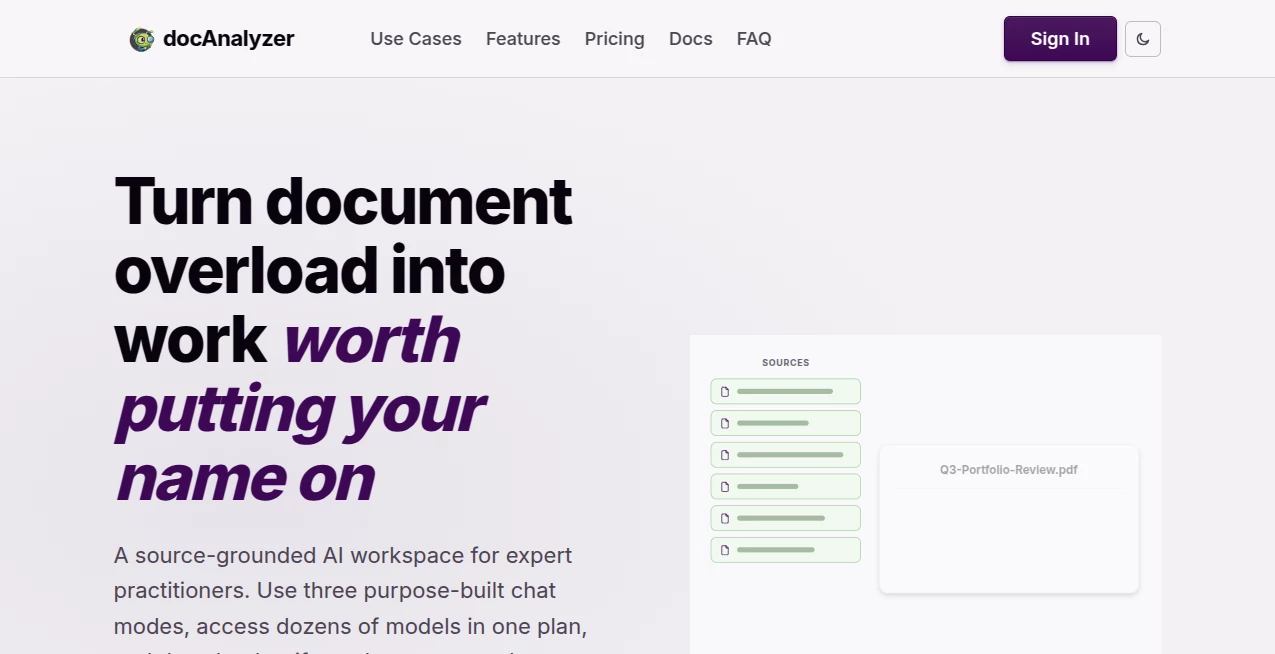
The interface is designed for simplicity without sacrificing power. Uploading files is straightforward, and conversations can begin immediately after processing. Documents, notes, labels, and datasets can be organized into dedicated workspaces, making navigation effortless even when dealing with large projects.
Users can chat with a single document or multiple files simultaneously, creating a seamless research and analysis experience. The layout remains clean and intuitive, allowing professionals to focus on their work rather than learning complicated software.
Accuracy & Performance
One of the strongest aspects of the platform is its emphasis on source-grounded responses. Rather than generating generic answers, it analyzes uploaded materials and provides insights directly connected to the underlying content. This significantly reduces the risk of misleading results.
Advanced retrieval methods, contextual understanding, and multi-stage analysis help deliver reliable outputs even when working with lengthy reports, technical manuals, or extensive datasets. OCR capabilities further improve performance by making scanned documents searchable and accessible.
Capabilities
The platform supports a wide range of document formats, including PDFs, Word files, spreadsheets, presentations, HTML files, EPUB documents, and more. Users can ask questions, generate summaries, extract structured data, compare documents, identify inconsistencies, and automate recurring workflows.
Custom AI agents provide additional flexibility for specialized tasks. Teams can create tailored workflows for compliance reviews, contract analysis, academic research, financial reporting, and operational documentation. Multi-document conversations make it possible to discover connections and insights across entire libraries of information.
- Document question answering
- AI-powered summarization
- Structured data extraction
- Multi-document analysis
- Custom AI agents
- OCR support for scanned files
- Workflow automation
- API integration capabilities
- Multilingual document support
- Downloadable reports and outputs
Security & Privacy
Privacy is treated as a core feature rather than an afterthought. Uploaded documents are protected through secure processing practices, and user data is not used to train external AI models. This approach makes the platform particularly attractive for organizations handling confidential information, legal documents, financial records, or sensitive business data.
The system also provides workspace isolation and controlled access options, helping teams collaborate while maintaining strong data governance standards.
Use Cases
The platform serves a wide variety of professional environments and industries.
- Reviewing contracts and legal agreements
- Analyzing research papers and academic publications
- Extracting financial information from reports
- Performing due diligence during business transactions
- Managing compliance and regulatory documentation
- Comparing multiple documents for inconsistencies
- Building searchable knowledge bases for teams
- Automating repetitive document processing workflows
- Creating summaries for lengthy reports and manuals
- Supporting customer-facing document chat experiences
Pros and Cons
Pros
- Supports a large variety of document formats
- Reliable source-based responses
- Advanced OCR functionality
- Powerful multi-document analysis
- Custom AI agent support
- Strong privacy and security practices
- API available for integrations
- Multilingual capabilities
Cons
- Advanced features may require a learning period for new users
- Some enterprise-focused capabilities may exceed the needs of casual users
- Higher-volume workflows may require premium plans
Pricing Plans
The platform offers a free starting option that allows users to explore core functionality before committing to a paid subscription. Additional plans are designed for professionals, teams, and organizations requiring larger document capacities, advanced automation, collaboration tools, and expanded usage limits.
As pricing structures may change over time, users should review the official pricing page for the most current information and feature availability.
How to Use docAnalyzer
Getting started is remarkably simple.
- Upload one or multiple documents.
- Allow the platform to process and index the files.
- Ask questions about the content in natural language.
- Generate summaries, reports, or structured data outputs.
- Use AI agents to automate recurring analysis tasks.
- Export results and integrate them into existing workflows.
Many users find immediate value after their first upload, especially when working with lengthy reports that would normally require hours of manual review.
Comparison with Similar Tools
Many document-focused AI solutions concentrate primarily on basic PDF conversations. While those tools can answer questions from individual files, they often struggle when projects involve large document collections, advanced workflows, or cross-document analysis.
This platform stands out through its combination of AI agents, automation features, extensive file support, source-grounded responses, and multi-document intelligence. The ability to switch between numerous AI models while preserving document context also creates a more flexible experience than many competing solutions.
For professionals who need more than simple document chat, the platform provides a deeper and more scalable approach to document analysis and knowledge management.
Conclusion
Organizations generate and manage enormous volumes of information, yet much of that knowledge remains locked inside documents. This platform helps unlock that value by transforming files into an interactive, intelligent workspace capable of answering questions, extracting insights, and automating complex workflows.
Its combination of accuracy, flexibility, privacy, and automation makes it an excellent choice for professionals who depend on reliable document analysis. Whether used for legal review, research, compliance, finance, or business operations, it delivers a practical and efficient way to work with information at scale.
Frequently Asked Questions (FAQ)
What file formats are supported?
The platform supports PDFs, Word documents, spreadsheets, presentations, HTML files, EPUB files, markdown documents, text files, and several other common formats.
Can it analyze multiple documents at the same time?
Yes. Users can conduct conversations across multiple files simultaneously and discover insights that span entire document collections.
Does it support scanned documents?
Yes. Built-in OCR technology extracts text from scanned and image-based documents, making them searchable and analyzable.
Is user data used to train AI models?
No. Uploaded content is not used to train external AI models, helping maintain user privacy and confidentiality.
Who can benefit most from this platform?
Legal professionals, researchers, analysts, consultants, compliance teams, financial experts, educators, and businesses that regularly work with large volumes of documents can benefit significantly.
AI Document Extraction , AI PDF , AI Documents Assistant , AI Research Tool .
These classifications represent its core capabilities and areas of application. For related tools, explore the linked categories above.

docAnalyzer Alternatives Product

LocaFlow

TO MD

The #1 Text …

Markdown to …

Grok

IntoTheBlock

Startup Read…

Semantic SEO…

Debate Tello…