


















Docusplit AI
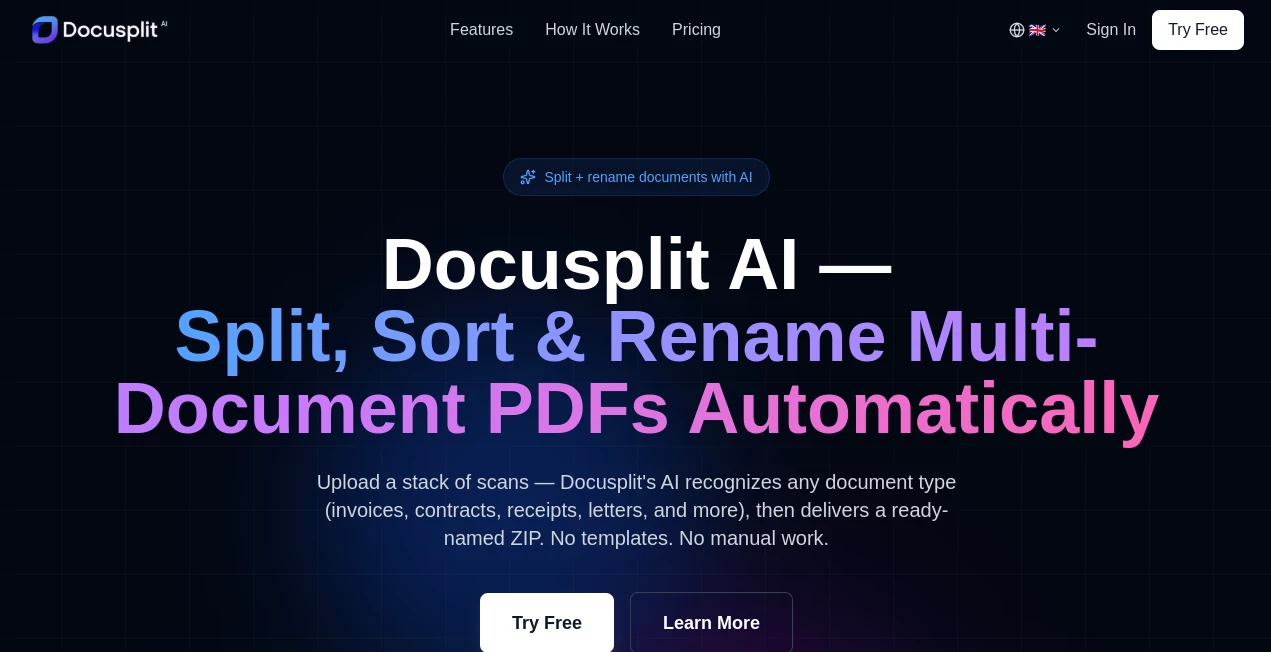
What is Docusplit AI?
Managing large documents can quickly become overwhelming, especially when you need to extract specific sections or reorganize content for workflows. This platform is designed to simplify that process by intelligently breaking down documents into structured, usable parts. Instead of manually scanning pages or copying text, users can rely on a streamlined system that helps turn unstructured files into clear, actionable segments.
It feels less like a traditional file tool and more like a quiet assistant that understands how information should be organized. Whether you're dealing with reports, contracts, research papers, or internal documents, the experience stays smooth and focused on saving time.
Key Features
User Interface
The interface is clean and minimal, avoiding unnecessary complexity. Users can upload documents and immediately start working without a steep learning curve. Everything is arranged in a way that feels intuitive, even for first-time users.
Accuracy & Performance
The system is built to handle structured and unstructured documents efficiently. It identifies logical sections, separates content intelligently, and maintains formatting consistency where needed. Performance remains stable even with large files, which makes it suitable for professional workloads.
Capabilities
Beyond simple splitting, the platform supports extracting meaningful segments from documents. This includes paragraphs, sections, and key information blocks. It is especially useful when working with dense material that requires reorganization or repurposing.
Security & Privacy
Document handling is treated with care, ensuring uploaded files are processed securely. The system is designed to minimize unnecessary data exposure, making it suitable for business and personal use where confidentiality matters.
Use Cases
- Breaking down long business reports into digestible sections
- Extracting key clauses from legal documents
- Organizing academic research papers for study or citation
- Preparing structured content for content creation or publishing
- Managing internal company documentation more efficiently
Pros and Cons
Pros
- Simplifies complex document handling
- Fast processing for large files
- Clean and beginner-friendly interface
- Useful for both personal and professional workflows
Cons
- Advanced customization options may be limited for power users
- Requires internet connection for processing tasks
Pricing Plans
The platform typically follows a flexible pricing structure, offering a free tier for basic usage and premium plans for users who need higher limits or advanced features. This makes it accessible for individuals while still supporting enterprise-level needs.
How to Use This Tool
Getting started is straightforward. Users upload their document, select the desired operation such as splitting or extracting sections, and let the system process the file. Once completed, results are displayed in a structured format that can be reviewed, copied, or exported depending on the workflow.
Comparison with Similar Tools
Compared to traditional document editors, this solution focuses specifically on segmentation and extraction rather than general editing. While many tools offer basic PDF or document viewing, few provide the same level of structured breakdown and automation. This makes it more specialized for users who regularly work with large volumes of text-heavy files.
Conclusion
For anyone dealing with complex or lengthy documents, this platform offers a practical way to reduce manual effort and improve workflow efficiency. It doesn’t try to replace full document editors but instead complements them by focusing on structure, clarity, and usability. The result is a smoother experience when handling information-heavy tasks.
Frequently Asked Questions (FAQ)
What types of documents can be processed?
It supports common document formats used in business, education, and personal workflows, especially text-heavy files.
Is it suitable for professional use?
Yes, it is designed to handle professional workloads such as reports, contracts, and research material.
Does it require technical skills?
No, the interface is built to be simple and accessible for all users.
Can extracted content be reused?
Yes, users can typically copy or export structured outputs for use in other applications.
AI Document Extraction , AI Documents Assistant , AI Productivity Tools , AI Files Assistant .
These classifications represent its core capabilities and areas of application. For related tools, explore the linked categories above.

Docusplit AI Alternatives Product

ShipBoost

jpg to excel

Jamy.ai | Au…

WhatIsThisMo…

BetterAntisp…

Remove My Me…

VisualGPT

David One

Your Own AI
