


















Dokie AI
What is Dokie AI?
Building a polished presentation usually takes hours. From arranging layouts to rewriting bullet points and fixing design inconsistencies, the process can quickly become exhausting. This platform changes that experience completely by turning simple text prompts, notes, PDFs, or outlines into visually refined slide decks within minutes.
What makes this presentation assistant stand out is the balance between speed and quality. Instead of producing generic slides with awkward formatting, it focuses on creating business-ready presentations that actually look usable in real meetings, pitches, reports, and classroom sessions. The AI handles the structure, design logic, visual hierarchy, and even speaker notes, allowing users to focus on the message instead of endless formatting work.
For startup founders preparing investor decks, students building project presentations, or marketing teams creating campaign reports, this tool feels surprisingly practical. The workflow is smooth, beginner-friendly, and flexible enough for professional use.
Key Features
User Interface
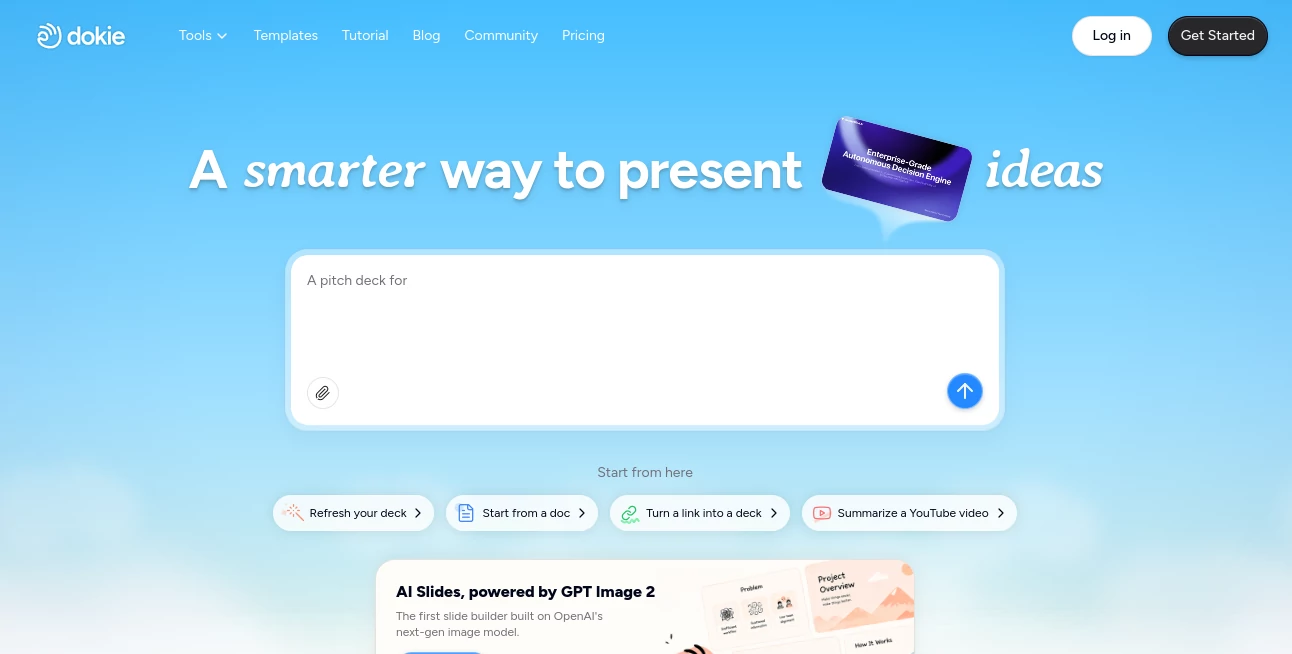
The interface is clean and distraction-free. Users can start by typing a topic, uploading a document, or converting existing materials into slides. Navigation feels intuitive even for first-time users, and the real-time editing experience makes presentation building feel closer to editing a modern document rather than struggling with traditional slide software.
One particularly useful detail is the live preview system. Instead of generating slides blindly, users can review layouts instantly, make edits, and adjust structure before exporting the final PPTX file.
Accuracy & Performance
The AI performs impressively well when organizing information into logical slide sequences. Long documents are summarized clearly, while complex topics are broken down into digestible sections that make sense during presentations.
In testing scenarios such as business reports, training materials, and educational topics, the generated slides maintained strong consistency in tone and visual structure. The platform also handles charts, headlines, and content spacing far better than many lightweight presentation generators currently available.
Capabilities
- Generate complete presentations from text prompts
- Convert PDFs, Word files, and documents into slide decks
- Create AI-powered speaker notes automatically
- Beautify existing PowerPoint presentations
- Generate charts and structured visual elements
- Support editable PPTX exports
- Produce presentation-ready layouts in minutes
- Suggest relevant visuals and formatting improvements
Security & Privacy
The platform includes enterprise-focused infrastructure and account-based project management features, which is important for teams working with confidential reports or business materials. Users maintain control over exported files, while cloud-based editing simplifies collaboration across devices.
For companies handling client presentations or internal documentation, having browser-based editing combined with export flexibility offers a convenient and secure workflow.
Use Cases
- Startup pitch decks for investors
- Marketing campaign presentations
- Sales reporting and business reviews
- Educational lectures and classroom slides
- Training documentation for teams
- Conference presentations and keynote preparation
- Internal company updates and strategic planning
- Client proposals and consulting reports
Pros and Cons
Pros
- Extremely fast slide generation
- Professional visual quality
- Beginner-friendly interface
- Supports document-to-slide conversion
- Editable exports for PowerPoint users
- Strong layout consistency
- Useful speaker note generation
Cons
- Advanced customization may still require manual editing
- Credit-based usage can limit heavy users on free plans
- Internet connection is required for cloud functionality
Pricing Plans
The platform offers a freemium structure with free starter credits for new users. Daily bonus credits are also available, making it accessible for casual projects and experimentation.
Paid plans unlock larger monthly credit allowances, advanced AI features, and higher generation limits for professional users and teams. Enterprise options are also available for organizations needing dedicated support and custom security requirements.
How to Use Dokie AI
Getting started is refreshingly simple:
- Create an account and access the dashboard
- Choose between generating slides from text, uploading files, or enhancing existing presentations
- Enter a topic or upload your source material
- Allow the AI to structure and design the presentation
- Review slides in the live editor
- Edit layouts, text, visuals, or speaker notes if needed
- Export the final presentation as a PPTX file
Even users with minimal design experience can produce polished presentations without spending hours on formatting adjustments.
Comparison with Similar Tools
Compared to many AI slide generators that prioritize speed over quality, this platform focuses heavily on presentation usability. Some competitors generate visually inconsistent decks that still require extensive cleanup afterward. Here, the layouts feel more refined and presentation-ready from the beginning.
The document conversion workflow is another advantage. Instead of simply copying text into slides, the AI reorganizes information intelligently, making long reports easier to present. The built-in beautification tools also provide additional value for users who already have existing PowerPoint files.
Another standout feature is the balance between automation and editability. Users are not trapped inside rigid templates and can continue refining slides manually whenever needed.
Conclusion
Creating presentations no longer needs to be a slow and frustrating task. This AI-powered presentation assistant dramatically reduces the time spent designing slides while still delivering results that feel polished, structured, and professional.
Whether someone needs a quick investor pitch, a classroom presentation, or a detailed business report, the platform provides a practical solution that combines smart automation with high-quality output. Instead of fighting with layouts and formatting, users can finally focus on storytelling, communication, and delivering ideas with confidence.
For professionals who regularly build presentations, this tool can easily become part of the everyday workflow.
Frequently Asked Questions (FAQ)
Can presentations be exported to PowerPoint?
Yes, presentations can be exported as editable PPTX files for further customization.
Does the platform support document uploads?
Yes, users can upload PDFs, text documents, and existing presentation files for AI-assisted conversion and enhancement.
Is it suitable for business presentations?
Absolutely. The generated slides are designed to look professional enough for meetings, reports, and investor presentations.
Can beginners use it easily?
Yes, the interface is designed for users with little or no design experience.
Does it include speaker note generation?
Yes, the AI can automatically generate speaker notes and talking points for presentations.
AI Documents Assistant , AI Productivity Tools , AI Team Collaboration , AI Presentation Generator .
These classifications represent its core capabilities and areas of application. For related tools, explore the linked categories above.

Dokie AI Alternatives Product

Black Screen

Schedpilot

CapyQR

Kaamfu

Zivy

eesel AI

ekstrakt

Betula AI

AfterSession
