

















Dragon Notes
What is Dragon Notes?
Dragon Notes is a voice-first note-taking tool designed for people who have more conversations than they can realistically remember. Instead of treating every recording as an isolated transcript, it captures meetings, calls, appointments, voice notes, and everyday conversations while keeping track of the people, topics, and context involved.
What makes the experience particularly interesting is its focus on memory. A useful conversation does not always end when the call finishes. A decision may matter weeks later, advice from a mentor may become relevant to a new project, or a detail from an appointment may need to be recalled much later. This tool is built around keeping those connections accessible rather than simply producing another page of meeting notes.
Key Features
- Instant notes from meetings, calls, appointments, and everyday conversations.
- Speaker-aware context that helps identify who said what.
- Long-term connections between people, topics, decisions, and conversations.
- Searchable memory for previously captured spoken information.
- On-device recording and live transcription on iPhone.
- Encrypted synchronization for notes.
- Support for iOS and Android with additional desktop support.
- Mac recording support, with Windows and Apple Watch companion support in development.
User Interface
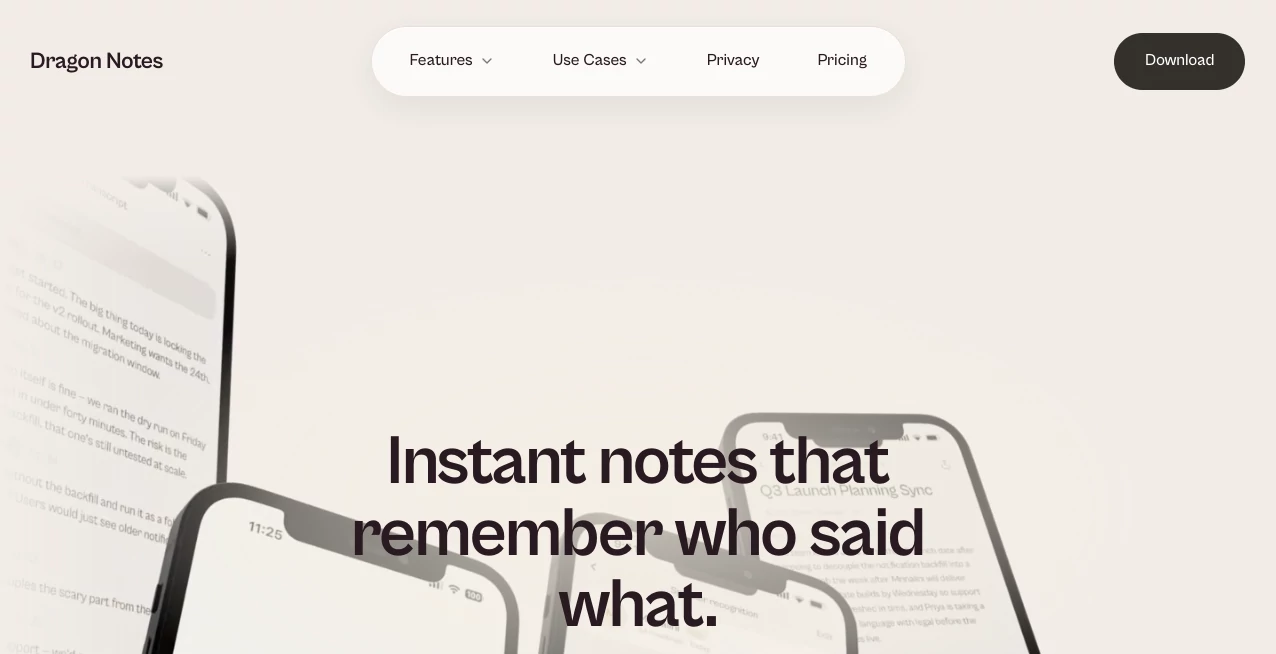
The interface is designed around a straightforward idea: start capturing a conversation and let the application handle the organization afterward. That makes it suitable for situations where stopping to organize notes would interrupt the conversation itself.
The mobile-first approach also makes sense for spontaneous moments. A quick conversation over coffee, a phone call, an appointment, or a formal meeting can all become part of the same searchable collection. The experience feels less like maintaining a traditional notebook and more like building a personal memory layer around spoken information.
Accuracy & Performance
Live recording and transcription are designed to run locally on the iPhone, which can make the capture process practical when privacy and responsiveness matter. The service focuses on turning spoken conversations into clean notes quickly rather than leaving users with raw audio that they have to review manually.
The bigger performance advantage is the way information can remain useful after the initial transcription. Remembering people, recurring topics, decisions, and related conversations gives the resulting notes more context than a standalone transcript. For anyone who regularly revisits conversations, that difference can save considerable time.
Capabilities
The platform goes beyond conventional meeting summaries by connecting information across time. It can remember names, roles, relationships, and recurring context, helping future notes become more relevant to the person using them.
This makes the tool useful outside conventional business meetings. A founder can keep track of discussions with potential partners, a consultant can remember client conversations, and a busy professional can retain details from appointments without relying entirely on memory. Even everyday conversations can become useful reference points later.
Security & Privacy
Privacy is one of the strongest parts of the product's positioning. Recording and live transcription run locally on the iPhone, and the service states that meeting audio does not need to reach its servers. Notes can then sync to the user's account in encrypted form.
This approach is particularly valuable for conversations that contain sensitive or personal information. Users should still follow applicable laws and obtain consent when recording other people, especially during professional or health-related conversations.
Use Cases
Work and meetings: Capture meetings, client calls, decisions, feedback, and follow-up details without constantly switching between listening and typing.
Consulting and coaching: Consultants and coaches can preserve important details from recurring conversations and refer back to previous discussions when preparing for the next session.
Ideas and networking: Conversations with mentors, potential partners, colleagues, and new contacts can contain valuable information that is easy to forget. Keeping those discussions searchable gives users a practical reference later.
Appointments: Important details from doctors, trainers, specialists, or other appointments can be easier to revisit when they have been captured in an organized format.
Everyday life: The tool can also be used for errands, family discussions, reminders, landlord conversations, personal ideas, and other situations where spoken information needs to be remembered.
Pros and Cons
Pros
- Designed for more than traditional business meetings.
- Connects people, conversations, and context over time.
- Local recording and transcription can provide a strong privacy advantage.
- Simple approach to capturing spontaneous conversations.
- Affordable Pro subscription compared with many specialized meeting-note services.
- Works across professional and personal scenarios.
Cons
- Some platform support is still being developed.
- The experience is primarily mobile-first.
- Users who only need basic meeting summaries may not need its broader memory features.
- Recording other people may require consent depending on the situation and local regulations.
Pricing Plans
The service offers a free starting option with the first five meetings available at no cost and without requiring a credit card. This gives new users an opportunity to understand the workflow before committing to a subscription.
The Pro plan costs $1.99 per month and provides unlimited meetings and the full experience. There is also a yearly option priced at $19.99, equivalent to about $1.67 per month and representing a 16% saving compared with monthly billing.
How to Use It
Getting started is straightforward. First, install the application on a supported mobile device. When a conversation begins, start a recording and let the application capture the discussion. The recording and live transcription can be processed on the device, after which the resulting note can be synchronized securely to the user's account.
Once several conversations have been captured, the real value becomes more apparent. Instead of searching through unrelated documents, users can revisit information connected to particular people, subjects, decisions, and previous conversations. For someone who has a busy schedule, this can turn scattered spoken information into a much more manageable personal reference system.
Comparison with Similar Tools
Many AI note-taking applications concentrate primarily on meetings: record the conversation, create a transcript, generate a summary, and provide a list of action items. That workflow is useful, especially for teams, but it often treats each meeting as a separate event.
This product takes a broader approach. Its central idea is that conversations are connected. A discussion with one person can influence a later decision, and a detail mentioned during an appointment may become relevant weeks afterward. By emphasizing people, relationships, recurring context, and long-term connections, it offers a different experience from a conventional meeting summarizer.
For users who simply need concise summaries after workplace meetings, a standard meeting assistant may be enough. For people who want to build a searchable memory around the conversations happening throughout their professional and personal lives, the broader approach is considerably more compelling.
Conclusion
For anyone who frequently thinks, “I remember we talked about that, but I can't remember exactly what was said,” this tool offers a thoughtful solution. Its strength is not simply turning speech into text; it is the attempt to make those conversations remain useful after the moment has passed.
The combination of instant notes, speaker context, long-term connections, mobile accessibility, and privacy-focused local processing gives it a distinctive place among modern note-taking tools. The five-meeting free tier also makes it easy to test the workflow without an upfront commitment.
Whether the goal is keeping track of client conversations, remembering advice from a mentor, organizing appointment details, or simply giving everyday conversations a reliable memory, this is an appealing option for people who want their spoken world to become easier to search and understand.
Frequently Asked Questions (FAQ)
What can I record?
You can capture meetings, phone calls, appointments, voice notes, and everyday conversations. The service is designed for both professional and personal situations rather than workplace meetings alone.
Can it remember people and previous conversations?
Yes. The platform is designed to remember names, roles, relationships, recurring context, and connections between conversations so that information can remain useful over time.
Is the audio stored on remote servers?
The service states that recording and live transcription run locally on iPhone and that meeting audio does not touch its servers. Notes can synchronize to the user's account in encrypted form.
Is there a free plan?
Yes. New users can capture their first five meetings for free without entering credit card details.
How much does the Pro plan cost?
The Pro subscription costs $1.99 per month or $19.99 per year. The annual option works out to approximately $1.67 per month and offers a 16% saving compared with the monthly plan.
Which platforms are supported?
The service is mobile-first and supports iOS and Android. Mac support is also available, while Windows and Apple Watch companion support are listed as being in development.
AI Recording , AI Meeting Assistant , AI Speech to Text , AI Notes Assistant .
These classifications represent its core capabilities and areas of application. For related tools, explore the linked categories above.
Dragon Notes details
Website unavailable — View Alternatives
Pricing
- Free
Apps
- Web App
- iOS App
- Android App
Categories

Dragon Notes Alternatives Product

Riverside.fm

Rabbitholes …

Meet-Ting

Speech Notes

AI Voice Clo…

Meet Submind

TrySchedule
Linkflare

Skywork Supe…
