

















TrySchedule
What is TrySchedule?
Booking meetings shouldn’t feel like a part-time job. Yet so many of us still waste time going back and forth with “What time works for you?” emails. This tool cuts through that noise. It looks at everyone’s calendars, understands preferences, finds the best slots, and even sends polite follow-ups if needed. I’ve used it with clients who are always traveling and with teams spread across time zones—the difference in how quickly meetings actually happen is noticeable. It feels less like software and more like a very organized assistant who never drops the ball.
Introduction
Modern work is full of meetings, but coordinating them remains surprisingly painful. TrySchedule was built to fix that frustration. Instead of endless email threads, it intelligently reads availability, respects working hours, handles time zones automatically, and books meetings in one smooth flow. Whether you’re a solo freelancer juggling clients or part of a growing team, it removes the friction so you can focus on the actual work instead of the scheduling dance. What stands out most is how natural it feels—people actually reply faster because the process is simple and respectful of everyone’s time.
Key Features
User Interface
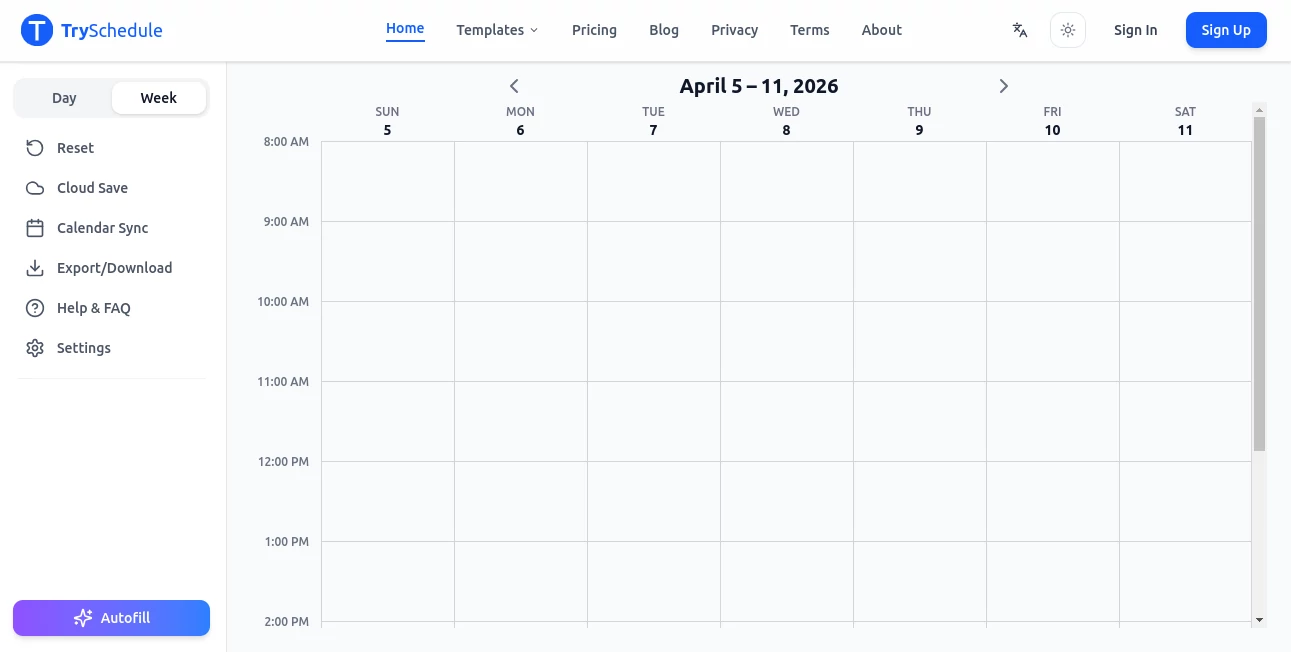
The design is refreshingly clean. You create a scheduling link once, customize your availability and meeting types, and then just share the link. Recipients see a clear calendar with only the times you’re actually free. No back-and-forth. The dashboard shows upcoming meetings, pending requests, and a nice overview of how your week is shaping up. Everything feels intuitive—most people get it in under a minute without needing a tutorial.
Accuracy & Performance
It syncs reliably with Google Calendar, Outlook, and others, respecting your existing events and working hours. Time zone handling is excellent—no more accidental 3 AM meetings. The AI suggests optimal slots based on everyone’s preferences and past behavior. In practice, it dramatically reduces the average time it takes to get a meeting on the calendar, and the accuracy of availability is consistently high.
Capabilities
You can create different meeting types (30-min intro calls, 60-min deep dives, team syncs), set buffer times, limit bookings per day, and add custom questions for guests. It supports round-robin scheduling for teams, automated reminders, and follow-up sequences. The tool also works beautifully for one-on-one meetings, group bookings, and even recurring appointments. Everything is designed to make scheduling feel effortless rather than exhausting.
Security & Privacy
Your calendar data stays secure with proper authentication. Guests only see the times you choose to make available—no full calendar access is ever granted. The platform follows standard security practices so both you and the people you meet with can feel comfortable. It’s the kind of thoughtful privacy setup that builds trust from day one.
Use Cases
Freelancers use it to let clients book discovery calls without the usual email tennis. Sales teams create polished booking links that feel professional and convert better. Coaches and consultants set up recurring client sessions with automatic reminders. Recruiting teams coordinate multiple interviewers without the usual chaos. Even busy parents use it to schedule family calls or doctor appointments more smoothly. It adapts naturally to almost any situation where people need to meet.
Pros and Cons
Pros:
- Significantly reduces scheduling emails and back-and-forth.
- Clean, professional booking pages that impress clients.
- Smart time zone and buffer handling.
- Works well for both individuals and teams.
- Generous free plan for getting started.
Cons:
- Advanced team features and analytics are in higher plans.
- Requires calendar integration to work at full potential.
Pricing Plans
The free plan is solid for individuals and light users, offering core scheduling features without cost. Paid plans unlock team features, custom branding, more meeting types, advanced analytics, and priority support. Pricing is reasonable and scales with your needs—many users find the upgrade pays for itself quickly through saved time and better client experience.
How to Use TrySchedule
Connect your calendar, set your general availability and working hours, then create different meeting types with their own durations and questions. Customize your booking page if you want it to match your brand. Share your personal link or embed it on your website. When someone books, everything syncs automatically and reminders go out. You can review upcoming meetings from the dashboard and make adjustments anytime. The whole setup takes about 10-15 minutes the first time, and then it mostly runs itself.
Comparison with Similar Tools
Some scheduling tools feel rigid or overly complicated. Others are simple but lack smart features like buffer times or round-robin. This one strikes an excellent balance—powerful enough for growing teams yet simple enough for solo users. The clean design and respectful approach to everyone’s time often make it the preferred choice over more corporate-feeling alternatives.
Conclusion
Time is precious, and scheduling shouldn’t waste it. TrySchedule turns what used to be a frustrating chore into a smooth, professional experience that respects everyone involved. It’s one of those tools that quietly improves your day by removing small frictions you didn’t realize were draining you. Whether you’re running a business, managing a team, or simply trying to organize your own calendar better, it delivers real relief and better results. Sometimes the best tools are the ones that just make life simpler—and this one does exactly that.
Frequently Asked Questions (FAQ)
How long does it take to set up?
Most people are fully set up in 10-15 minutes, including calendar connection.
Can multiple team members use the same link?
Yes—round-robin and team scheduling features make it easy to share availability across the team.
Does it work with my existing calendar?
It integrates smoothly with Google Calendar, Outlook, and most major providers.
Can I customize the booking page?
Yes—add your logo, colors, and message so it feels like part of your brand.
Is there a free version?
Yes, the free plan is quite capable for individuals and small use cases.