
DreamFlow
What is DreamFlow?
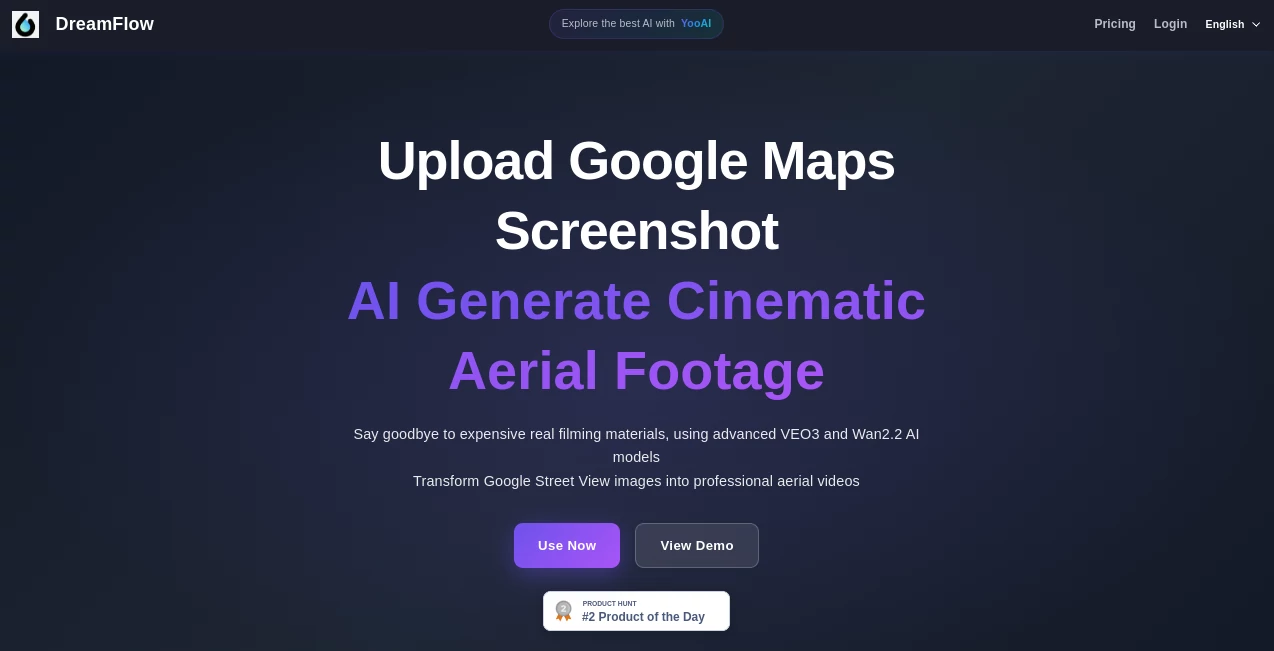
Imagine spotting a breathtaking location on Google Maps, taking a quick screenshot, and minutes later watching a smooth, professional aerial video fly over that exact spot — complete with cinematic camera moves, beautiful lighting, and film-like quality. No drone, no permits, no travel expenses. That’s the kind of creative freedom this tool delivers. I’ve seen travel creators, real estate marketers, and filmmakers light up when they realize they can generate stunning aerial footage from anywhere in the world with Street View coverage. It feels almost like cheating — in the best possible way.
Introduction
Traditional aerial filming is expensive, complicated, and often impossible. Drones need licenses, weather cooperation, and access to locations that many places simply don’t allow. DreamFlow removes all those barriers. Using advanced AI models (including Google’s Veo 3 and Alibaba’s Wan 2.2), it transforms ordinary Google Street View screenshots into smooth, cinematic aerial videos. What used to require a crew, equipment, and significant budget now happens in minutes from your laptop. It’s not just convenient — it opens up locations that were previously unreachable and gives creators unlimited creative control to try different angles, times of day, and moods.
Key Features
User Interface
The process is delightfully straightforward. Search for any location, capture the Street View screenshot, choose your preferred AI model and style, then generate. The interface stays clean and focused — no overwhelming options or technical jargon. You see clear steps: Capture → Configure → Generate. Previews load quickly so you can iterate fast. Even first-time users usually create their first impressive aerial clip within a few minutes.
Accuracy & Performance
The AI understands real geography and terrain, producing camera movements that feel natural and grounded in the actual location. Temporal consistency is strong — buildings, roads, and landscapes stay coherent as the camera flies through the scene. Generation speed is impressive given the quality, and the output often looks closer to professional drone footage than typical AI video. It handles famous landmarks as well as obscure neighborhoods with impressive realism.
Capabilities
You can create cinematic push-ins, orbiting shots, rising aerials, and dramatic pans. Choose different visual styles, weather conditions, and times of day. The tool supports both Street View screenshots and direct text prompts for more creative freedom. Results are high enough quality for social media, client presentations, film pre-visualization, and even commercial use. It’s particularly strong at turning static map views into dynamic, storytelling footage.
Security & Privacy
Your screenshots and generated videos are processed securely. The platform focuses on letting you create without forcing unnecessary accounts or data collection. For professionals working on client projects or location scouting, that respectful approach to privacy is appreciated.
Use Cases
Travel creators generate jaw-dropping aerial reels of destinations without leaving home. Real estate agents create compelling property overview videos showcasing neighborhoods and surroundings. Filmmakers use it for location scouting and pre-visualization, testing aerial shots before expensive shoots. Marketers build promotional videos for hotels, tourism boards, or events in minutes instead of days. Educators bring geography lessons to life with beautiful aerial perspectives of historical or natural sites.
Pros and Cons
Pros:
- Eliminates the cost, complexity, and restrictions of real drone filming.
- Access to virtually any location with Street View coverage.
- Fast iteration — try different angles and styles quickly.
- Cinematic quality that looks professional enough for most commercial needs.
- Environmentally friendly alternative to actual flights.
Cons:
- Quality still depends on the clarity of the original Street View capture.
- Some highly restricted or very remote areas may have limited Street View data.
- Longer, more complex sequences may need multiple generations.
Pricing Plans
The platform offers accessible entry points so creators can test the quality first. Free or low-cost credits let you experiment, while paid plans unlock higher resolutions, faster generation, longer clips, and more frequent use. Pricing is positioned as a smart investment compared to the cost of real aerial production — many users find it pays for itself after just one or two solid projects.
How to Use DreamFlow
Go to the tool, search for your desired location in the map, switch to Street View, and capture a clear screenshot. Upload it, choose your AI model (Veo 3 for premium quality or Wan 2.2 for speed), select video style and camera movement, then generate. Review the result — if needed, tweak the prompt or try a different angle. Download the finished aerial video and use it anywhere. The whole process is intuitive enough that most people get great results on their first or second try.
Comparison with Similar Tools
While other AI video tools generate generic scenes from text, DreamFlow is grounded in real locations thanks to Google Maps integration. This gives the footage authenticity and geographic accuracy that purely imaginative generators can’t match. Compared to hiring a drone operator, it’s dramatically faster, cheaper, and more flexible. It sits in a unique space — combining real-world reference data with powerful cinematic AI in a way few others currently do.
Conclusion
DreamFlow represents a genuine leap in how we create aerial content. It removes the biggest barriers — cost, access, and technical skill — while delivering results that feel exciting and professional. Whether you’re a solo creator dreaming up travel content, a business owner showcasing your location, or a filmmaker exploring possibilities, it gives you superpowers that simply didn’t exist a short time ago. The future of aerial storytelling isn’t just more accessible — it’s more fun.
Frequently Asked Questions (FAQ)
How realistic do the videos look?
Surprisingly realistic — especially with good Street View input. Many clips look close to actual drone footage.
Can I use any location in the world?
Any place with decent Google Street View coverage works best. Famous landmarks usually produce excellent results.
Is the quality good enough for commercial use?
Yes — many users successfully use it for social media, marketing, and pre-production work.
How long are the generated videos?
Typically 5–10 seconds, perfect for social media and promotional use. Multiple clips can be combined for longer sequences.
Do I need advanced skills to use it?
Not at all. The process is designed to be simple and intuitive for anyone.
AI Animated Video , AI Image to Video , AI Video Generator , AI Text to Video .
These classifications represent its core capabilities and areas of application. For related tools, explore the linked categories above.

DreamFlow Alternatives Product
Seedance 2.0

Sora-2.co

Kling 3.0

HappyHorse AI

Sora AI Vide…

AI Motion Co…

ARKADS

Veo 4

brainrotkit