
EasyMusic AI
What is EasyMusic AI?
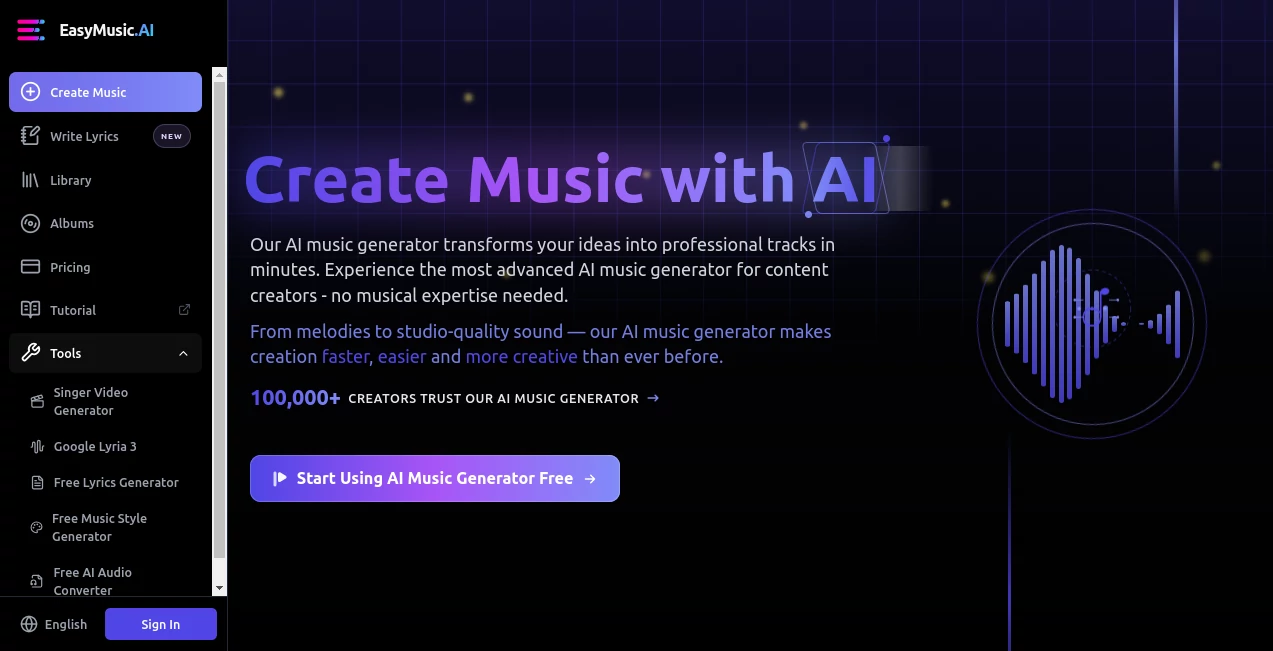
Creating a good piece of music can take hours of experimenting with melodies, lyrics, vocals, arrangement, and production. EasyMusic.AI takes a much simpler approach: describe the kind of song you want, adjust the creative details, and let AI turn the idea into a finished track. The platform is designed for both people who have never produced music and experienced creators who want a faster way to develop ideas.
What makes the platform particularly useful is the balance between quick generation and deeper control. Beginners can use a simple workflow to get a song started, while more advanced users can work with lyrics, music styles, AI models, and editing options. It is also useful beyond traditional songwriting, with applications ranging from social media videos and podcasts to games, advertising, and educational content.
Key Features
- AI-powered song generation from text descriptions
- Custom lyrics and music-style controls
- Multiple AI music models for different creative needs
- Song generation with vocals
- Music extension for creating longer arrangements
- AI-assisted song editing
- Vocal and instrumental separation
- Multi-track separation for elements such as piano, drums, guitar, and bass
- MP3, WAV, and MP4 export options on supported plans
- Music Persona creation for a more consistent creative identity
- Album creation and organization
- AI singer video generation
- Google Lyria 3 generation support
- Uploaded voice creation on eligible plans
User Interface
The interface is built around the actual music-making process rather than complicated production software. A new user can start with a straightforward generation workflow, while creators who want more control can move into advanced settings and specify details such as genre, mood, lyrics, style, and model.
This separation between simple and advanced creation is one of the more practical design choices. Someone looking for background music does not need to understand music production terminology before getting started, while an experienced creator can gradually take more control over the result.
Accuracy & Performance
Music generation is naturally subjective, so performance is better judged by how consistently the generated track follows the creative direction. The latest generation updates focus on stronger prompt adherence, cleaner vocals, more stable arrangements, and smoother transitions when extending an existing song.
The platform currently offers several generation models, including V7.0 Fusion, V6.0 Harmony, and V5.0 Melody. Depending on the model, generated songs can reach several minutes in length, with the newer model supporting tracks of up to eight minutes.
The editing improvements are particularly useful when the first result is close but not quite right. Instead of throwing away the entire song, creators can revise sections or extend an existing piece while maintaining more of its original rhythm, melody, and arrangement.
Capabilities
The main strength is its range. A creator can start with a simple description such as “a cinematic electronic track with a slow build and atmospheric vocals” and use that idea as the foundation for a complete song. More detailed projects can include custom lyrics, style instructions, model selection, and structural preferences.
There is also a strong production-oriented side to the platform. Supported plans include vocal separation and more advanced stem separation, allowing users to work with individual musical elements. This can be valuable for remixing, learning, editing, or preparing music for another production.
Another interesting addition is the AI singer video feature, which allows a song and portrait to be combined into a polished singer-style video. That makes the platform more relevant to creators who want to publish music alongside visual content rather than producing audio alone.
Security & Privacy
The service provides its music creation experience through its website and advises users not to enter their account credentials into unofficial websites or applications. Account and subscription information is handled through the service and its payment providers, while the platform also provides legal and privacy information for users who want to understand how their data and generated content are handled.
Creators should still review the applicable terms and licensing conditions before using generated material commercially, particularly because usage rights depend on the subscription plan.
Use Cases
- Content creators: Produce original background music for YouTube videos, Reels, TikTok content, and other social media projects.
- Musicians and producers: Quickly explore melodies, arrangements, lyrics, and production ideas before developing a track further.
- Game developers: Create atmospheric music and soundtracks for games, prototypes, and interactive projects.
- Filmmakers: Build custom musical backgrounds for short films, promotional videos, and visual storytelling.
- Podcasters: Create intros, transitions, background tracks, and other audio elements.
- Marketers: Develop original music for advertisements, brand videos, campaigns, and promotional content.
- Educators: Make practice tracks and engaging musical material for lessons or educational media.
- Independent creators: Experiment with music production without needing a traditional recording studio or extensive technical setup.
Pros and Cons
Pros
- Simple enough for beginners while offering advanced controls for experienced creators
- Supports custom lyrics and detailed style instructions
- Several AI music models are available
- Useful editing and song extension features
- Vocal and instrumental separation adds practical production value
- Supports commercial usage on eligible paid plans
- Includes music video creation features alongside audio generation
- Offers album organization and persistent music storage
Cons
- The most advanced commercial features require a paid subscription
- Results can vary depending on the prompt and musical style
- Users seeking detailed manual control may still prefer a traditional digital audio workstation
- Commercial rights differ between subscription levels, so creators need to check the applicable license before publishing commercially
Pricing Plans
A free option is available for users who want to experiment with AI music creation for personal projects. Paid subscriptions are structured around credits and the amount of music a creator expects to produce.
The monthly Basic plan is listed at $12.80 per month and includes 1,000 credits, with the service advertising capacity for up to 200 songs. It includes features such as songs of up to eight minutes, MP3, WAV, and MP4 exports with supported separation features, editing and extension tools, Music Persona creation, album organization, Google Lyria 3 generation, and AI singer videos.
The annual plan is listed at $6.40 per month when billed annually, providing 12,000 credits and up to 2,400 songs. It adds benefits aimed at professional creators, including a lifetime commercial license, uploaded voice creation, AI singer videos of up to 120 seconds, and the ability to use credits for professional AI lyric writing.
A quarterly option is also available at $10.27 per month, billed at $38.50 for the quarter, with 3,000 credits and capacity advertised for up to 600 songs. Pricing and included features can change, so users should check the current plan details before subscribing.
How to Use the Tool
- Create an account and open the music creation workspace.
- Choose a simple generation workflow if you want to create a song quickly, or use the advanced mode for greater control.
- Describe the desired genre, mood, instrumentation, tempo, vocal direction, or overall musical style.
- Add custom lyrics if you want the song to follow your own words and structure.
- Select an appropriate AI music model when multiple models are available.
- Generate the track and listen to the result.
- Edit or extend the song if a section needs improvement or additional length.
- Use separation and export features when you need individual audio elements or a finished file for another project.
Comparison with Similar Tools
There are many AI music generators available, but they do not all approach music creation in the same way. Some focus almost entirely on generating a song from a short prompt, while others concentrate on instrumental background music or professional audio production.
This platform sits somewhere between those approaches. It offers the convenience of prompt-based generation while giving creators more room to work with lyrics, styles, models, editing, extensions, and audio separation. The addition of album organization and singer video creation also makes it useful for creators building complete content around their music.
For someone who simply needs a quick soundtrack, a lightweight music generator may be enough. For users who want to generate a song and continue refining it within the same creative environment, the broader feature set can be a stronger fit.
Conclusion
AI music creation becomes much more interesting when generation is only the beginning. This platform gives users a practical path from a rough musical idea to a downloadable song, while still leaving room for experimentation and refinement. The combination of custom lyrics, style controls, multiple models, song extension, editing, stem separation, and video creation makes it suitable for a wide range of creative projects.
It is especially appealing to independent creators who want professional-sounding musical material without spending hours setting up a traditional production workflow. Whether the goal is a soundtrack for a video, an early demo, a podcast intro, game music, or a complete original song, it provides a convenient environment for turning a written idea into something listeners can actually hear.
Frequently Asked Questions (FAQ)
Can beginners use the platform?
Yes. The service provides a simpler generation workflow for beginners, while advanced controls are available for users who want to specify lyrics, musical style, and other details.
Can I create music from a text prompt?
Yes. Users can describe the desired music using text, and the AI can generate a song based on the supplied creative direction.
Can I use my own lyrics?
Yes. Custom lyrics are supported, giving creators more control over the words, structure, and theme of a song.
Can generated music be used commercially?
Commercial usage depends on the subscription plan and its applicable license. Paid plans provide commercial usage rights under their stated terms, while free usage is intended for personal use.
Can I edit or extend an AI-generated song?
Yes. The platform provides song editing and extension features, allowing creators to revise sections or continue an existing track rather than starting from scratch.
Does it support vocal and instrumental separation?
Yes. Supported plans provide vocal and instrumental separation, while more advanced separation can extract individual elements such as piano, drums, guitar, and bass.
AI Text to Music , AI Music Video Generator , AI Music Generator .
These classifications represent its core capabilities and areas of application. For related tools, explore the linked categories above.

EasyMusic AI Alternatives Product

Klyra AI

Custom Gift …

AI Makes Song

Happy Horse …

MakeBestMusic

Lyria 3
Lyria 3 AI M…

TonesMatch
Musikalis AI…