
Emailchaser
What is Emailchaser?
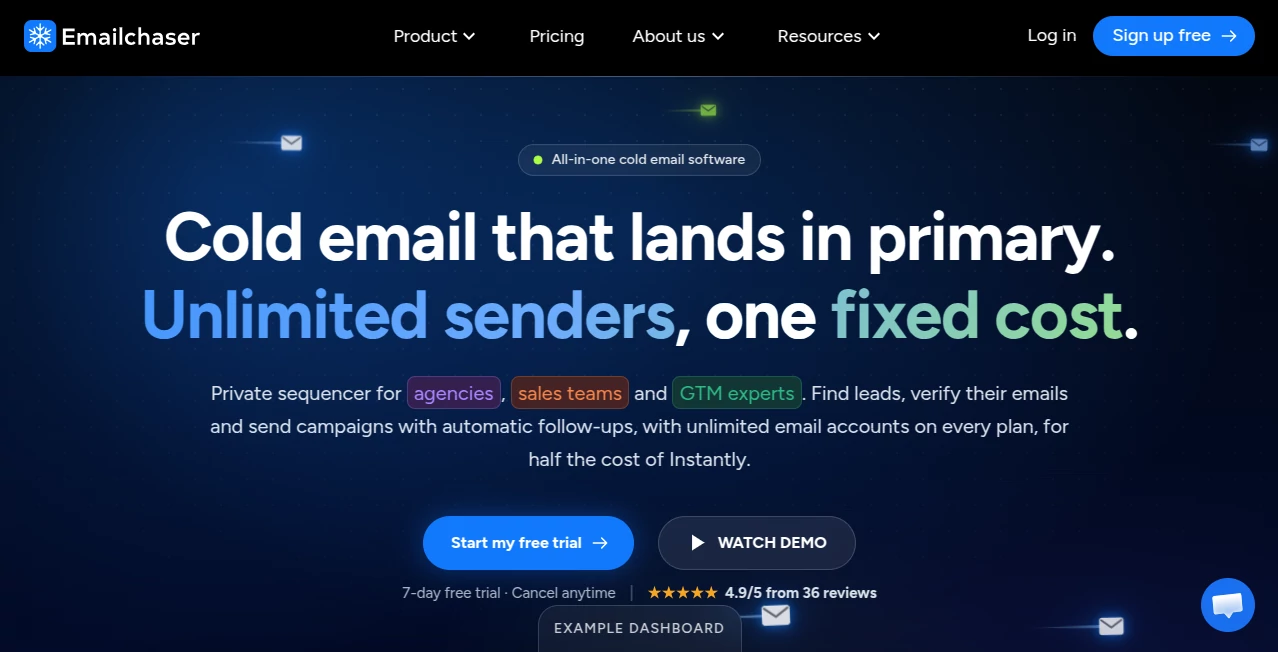
Emailchaser is an all-in-one cold email platform built for sales teams, agencies, founders, and go-to-market professionals who need to find prospects, verify contact details, launch campaigns, and manage replies without jumping between several tools. Instead of treating email sending as a standalone task, the platform brings prospecting, campaign automation, deliverability controls, follow-ups, and sales management into one workspace.
What makes the platform particularly appealing is its focus on practical cold outreach. Users can connect multiple sending accounts, rotate inboxes, gradually increase sending volume, personalize messages with AI, and manage responses from a central Sales CRM. For a small team trying to build a repeatable outbound process, having these pieces together can remove a surprising amount of day-to-day work.
The service also provides a collection of free outreach utilities, including an email finder, email verifier, email permutator, company email format checker, spam word checker, SPF record generator, follow-up generator, and subject line tester. These extras make it useful even for people who are not ready to commit to a full cold email platform.
Key Features
- Cold email campaigns with automated follow-ups.
- Multiple email sending accounts managed from one subscription.
- Inbox rotation for distributing sending activity across connected accounts.
- Gradual email ramp-up designed to support better deliverability.
- AI-powered spintax for adding variation to email subjects, messages, and signatures.
- Lead Finder for extracting prospects and email addresses from LinkedIn Sales Navigator.
- Double email verification using two independent providers.
- Centralized Master Inbox and Sales CRM for managing replies and leads.
- Campaign analytics for monitoring sending and response performance.
- A/B testing for multiple subject line and email body variations.
- Webhooks and integrations with platforms such as Make.com, Slack, HubSpot, and Salesforce.
- Import functionality for moving campaigns, sequences, leads, and schedules from Instantly.
- Website-to-ICP and lead-list automation through Autopilot.
- MCP server support for working with outbound campaigns through compatible AI coding tools.
User Interface
The interface is designed around the workflow of an outbound sales operator rather than a complicated marketing suite. Campaigns, leads, replies, CRM information, and analytics can be accessed from a shared workspace, which makes the learning curve relatively manageable for teams that are new to cold email software.
The centralized inbox is particularly useful when several sending accounts are involved. Instead of checking a collection of separate mailboxes throughout the day, sales representatives can review conversations and respond from one place. Lead records can also contain notes and conversation history, which is handy when a prospect takes several weeks to move toward a deal.
Accuracy & Performance
Deliverability is one of the main areas of focus. The platform gradually increases sending activity for campaigns, rotates messages between connected inboxes, and provides email verification before outreach. Its double-verification feature uses two different providers to reduce the chance of sending to invalid addresses.
Campaign analytics provide a practical view of performance, including the number of leads contacted, responses, and positive replies. These numbers can help a sales team identify whether the problem is the prospect list, the message, or the follow-up sequence rather than simply assuming that more emails will produce better results.
It is worth remembering that no cold email platform can guarantee inbox placement. Domain reputation, mailbox configuration, authentication records, message quality, targeting, sending behavior, and recipient engagement all influence deliverability.
Capabilities
The platform goes beyond basic email sequencing. A typical workflow can start with identifying an ideal customer profile, finding potential prospects, verifying their addresses, preparing personalized messaging, launching a sequence, and monitoring replies.
AI spintax is another useful addition. Instead of sending exactly the same wording repeatedly, users can generate variations across the subject, body, and signature. For teams running larger campaigns, this can make repetitive outreach feel less mechanical while giving marketers more flexibility when testing different messaging.
The Sales CRM also adds a useful layer after the email is sent. Interested prospects can be prioritized, notes can be recorded, and previous conversations can be reviewed without leaving the workspace. A/B testing and campaign analytics then provide additional insight into which messages are producing better responses.
Security & Privacy
The service states that it complies with major privacy regulations, including GDPR and the California Consumer Privacy Act. It also states that EU and UK data transfers are handled under Standard Contractual Clauses, with a Data Processing Agreement available on request.
For businesses conducting outbound campaigns, compliance still depends on how the platform is used. Teams should make sure their prospecting practices, messaging, consent or lawful basis where required, unsubscribe handling, and data-management procedures match the regulations applicable to their markets.
Use Cases
- B2B sales: Build prospect lists, verify business email addresses, and run structured outbound sequences.
- Lead generation agencies: Manage multiple campaigns and sending accounts for different clients or markets.
- Founders: Handle early-stage outbound sales without assembling a large collection of separate tools.
- Sales development teams: Automate repetitive follow-ups while keeping conversations organized in one CRM.
- Recruiting: Reach potential candidates or business contacts with personalized outbound campaigns.
- Marketing agencies: Run prospecting campaigns while keeping multiple mailboxes and client workflows organized.
- High-volume outreach: Distribute sending activity across multiple accounts and monitor campaign performance from one dashboard.
Pros and Cons
Pros
- Combines lead discovery, verification, sending, follow-ups, and CRM functionality.
- Unlimited email accounts are included in the listed plans.
- Inbox rotation and gradual ramp-up are built into the outreach workflow.
- Double email verification can help reduce invalid-address risk.
- AI spintax provides a convenient way to create message variations.
- Useful analytics and A/B testing are available for campaign optimization.
- Offers integrations and webhooks for connecting outbound activity with other business systems.
- Includes several free cold outreach utilities.
Cons
- The platform is primarily focused on cold outbound email rather than broader multichannel marketing.
- New users may need time to understand deliverability, inbox rotation, authentication, and campaign ramp-up.
- Results still depend heavily on lead quality and the relevance of the messaging.
- Businesses with very simple outreach requirements may not need the full range of available features.
Pricing Plans
The current pricing structure uses a fixed monthly subscription rather than charging separately for every connected inbox. The Starter plan is listed at $23 per month and includes 5,000 emails per month and 1,000 active contacts. The Pro plan is $47 per month with 125,000 emails and 25,000 active contacts. The Max plan is $179 per month with 500,000 emails and 100,000 active contacts.
All three displayed plans include unlimited email accounts, while higher tiers provide greater sending and contact capacity. A seven-day free trial is also offered, allowing teams to test the workflow before committing to a subscription.
How to Use It
- Connect the email accounts that will be used for outbound campaigns.
- Prepare or import a relevant prospect list.
- Use the Lead Finder or other prospecting tools when additional contacts are needed.
- Verify email addresses before adding them to a campaign.
- Create an outreach sequence with an initial message and automated follow-ups.
- Personalize the messaging and use AI spintax when appropriate.
- Review the email preview before launching the campaign.
- Allow sending activity to ramp up gradually and monitor deliverability.
- Track replies and positive responses through the central inbox and CRM.
- Review campaign analytics and use A/B testing to improve future sequences.
Comparison with Similar Tools
There are plenty of cold email platforms available, but they do not all approach the problem in the same way. Some focus heavily on sending infrastructure, others emphasize lead databases, and some concentrate on personalization or multichannel outreach.
This platform takes a more integrated approach. Lead finding, email verification, sequencing, inbox rotation, AI-assisted personalization, CRM functionality, and campaign analytics are combined in the same environment. That can be especially attractive to a sales team that would otherwise need several subscriptions to cover the complete outbound workflow.
Its fixed-price model is another important distinction. Instead of increasing the subscription simply because a team connects more sending accounts, the listed plans include unlimited email accounts. For organizations operating several mailboxes, that structure can make budgeting easier.
For example, a small founder-led business may find the Starter tier sufficient for targeted outreach, while an agency managing much larger campaigns can move toward Pro or Max as contact and sending requirements grow.
Conclusion
Cold email works best when prospect quality, message relevance, sending discipline, and follow-up timing are handled together. This platform does a good job of bringing those responsibilities into one place instead of forcing sales teams to stitch together separate tools for every stage.
The strongest part of the offering is the combination of campaign automation and deliverability-focused features. Add lead discovery, double verification, AI-assisted message variation, CRM functionality, analytics, and multiple sending accounts, and it becomes a serious option for teams that depend on outbound sales.
It is not a magic button for generating meetings. A weak list or generic message will still produce weak results. But for businesses that already have a clear target market and want a more organized way to scale their outreach, the combination of tools, automation, and straightforward pricing makes it worth considering.
Frequently Asked Questions (FAQ)
What is this platform used for?
It is used to find prospects, verify business email addresses, create cold email campaigns, automate follow-ups, manage multiple sending accounts, monitor replies, and track campaign performance.
Does it support multiple email accounts?
Yes. The current plans include unlimited email accounts, allowing teams to distribute campaign sending across multiple inboxes.
Does it have a lead finder?
Yes. The Lead Finder can extract leads and email addresses from LinkedIn Sales Navigator, making it possible to combine prospect discovery and outreach in the same workflow.
Can it automatically follow up with prospects?
Yes. Users can create sequences containing automated follow-up emails, reducing the need to manually remember when each prospect should receive the next message.
Does it verify email addresses?
Yes. The platform offers double email verification using two different providers, with the goal of reducing the number of invalid addresses entering a campaign.
Does it use AI?
Yes. AI can add spintax to email subjects, message bodies, and signatures, creating variations that can make large-scale outreach less repetitive.
Is there a CRM?
Yes. The built-in Sales CRM lets users manage leads, review conversation history, add notes, and prioritize prospects based on their engagement.
Is there a free trial?
Yes. The service currently advertises a seven-day free trial, allowing users to explore the platform before choosing a paid plan.
Who is it best for?
It is particularly well suited to founders, B2B sales teams, agencies, sales development representatives, and other businesses that rely on structured cold email outreach.
AI Lead Generation , AI Email Marketing , AI Email Assistant , AI CRM Assistant .
These classifications represent its core capabilities and areas of application. For related tools, explore the linked categories above.
Emailchaser details
Website unavailable — View Alternatives
Pricing
- Freemium
Apps
- Web App
Categories

Emailchaser Alternatives Product

TranAI

Jotform AI A…

LeadCanvas

TokTools

BetterAntisp…

Recruit CRM

Trimless for…
Plainpaper

Toflow AI