


















ExpenseBot
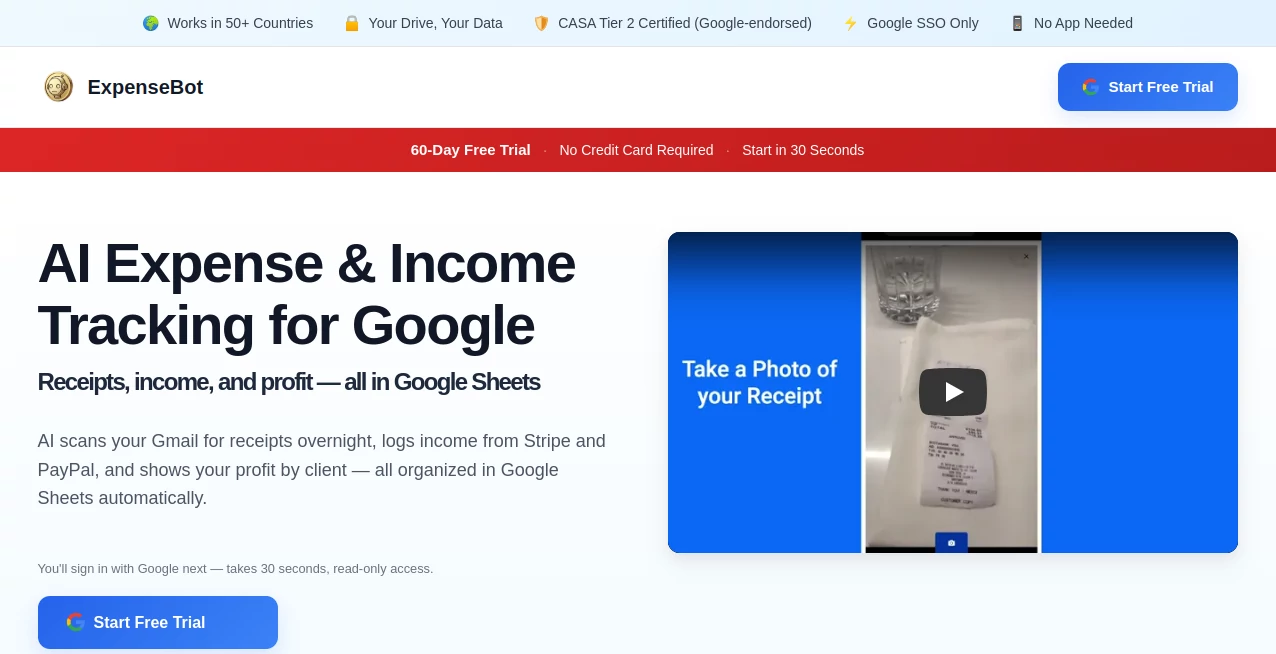
What is ExpenseBot?
Managing business expenses can quickly become overwhelming, especially when receipts are scattered across email inboxes, cloud storage, mobile devices, and paper folders. This platform brings order to financial chaos by automatically collecting, organizing, and categorizing expenses directly within familiar Google tools. Instead of forcing users to learn another accounting system, it works seamlessly with Google Workspace and transforms everyday financial records into structured, accountant-ready data.
Designed for freelancers, consultants, small businesses, finance teams, and accountants, the solution automates repetitive expense management tasks while maintaining full ownership of financial records. By combining AI-powered receipt extraction, income tracking, mileage monitoring, and accounting exports, it creates a practical workflow that saves time and reduces manual effort throughout the year.
Key Features
User Interface
One of the strongest aspects of the platform is its familiar environment. Rather than introducing a complex dashboard that requires training, financial information is organized directly inside Google Sheets and Google Drive. Users can continue working with tools they already understand, making adoption remarkably simple for both individuals and teams.
The setup process is straightforward, requiring only a Google account connection. Once configured, expense data begins flowing automatically into organized spreadsheets without disrupting existing workflows.
Accuracy & Performance
The AI engine extracts critical information from receipts, invoices, PDFs, email confirmations, and uploaded images with impressive consistency. Vendor names, dates, taxes, totals, categories, and payment information are captured automatically and structured for reporting purposes.
A particularly useful capability is the ability to scan years of historical email receipts, helping businesses recover records that would otherwise remain buried in inboxes. This feature can significantly reduce the time required to prepare tax reports and year-end summaries.
Capabilities
- Automatic Gmail receipt scanning and organization
- AI-powered receipt and invoice extraction
- Income tracking from multiple payment sources
- Profit and loss reporting by client
- Mileage tracking through calendar integration
- Credit card reconciliation and transaction matching
- Bulk receipt uploads for historical records
- Tax deduction identification and reporting
- Export support for popular accounting platforms
- Custom tagging and project-based expense reporting
These capabilities create a complete financial management workflow that extends beyond simple receipt scanning and supports broader business reporting requirements.
Security & Privacy
Privacy is often a concern when financial documents are processed by cloud software. A notable advantage here is the emphasis on data ownership. Financial records remain stored within the user's own Google Drive environment rather than being locked inside proprietary systems. This approach gives businesses greater control over their information while simplifying access and collaboration.
The platform also integrates directly with Google Workspace infrastructure, providing a familiar security model that many organizations already trust for daily operations.
Use Cases
- Freelancers tracking business expenses and tax deductions
- Consultants managing expenses across multiple clients
- Small businesses monitoring income and profitability
- Accounting firms handling records for numerous clients
- Remote teams managing company spending
- Agencies generating client-specific profit reports
- Professionals preparing tax documentation throughout the year
- Organizations seeking automated receipt management workflows
Pros and Cons
Pros
- Works directly with Google Workspace tools
- Automates receipt collection from Gmail
- Supports historical receipt discovery
- Simple setup process with minimal learning curve
- Strong reporting and tax preparation capabilities
- Flexible export options for accountants
- Centralizes expenses, income, and profitability tracking
- Keeps data under user control within Google Drive
Cons
- Most valuable features are tied to the Google ecosystem
- Organizations using alternative productivity suites may see fewer benefits
- Advanced accounting requirements may still require specialized financial software
Pricing Plans
The platform offers a generous free trial period that allows businesses to explore its automation features before committing. The primary subscription plan includes receipt scanning, Gmail automation, reconciliation tools, mileage tracking, reporting, and accounting exports for a single monthly fee.
Accounting professionals and bookkeepers benefit from a dedicated offering that provides extensive client-management capabilities, making it particularly attractive for firms handling multiple businesses.
How to Use ExpenseBot
Getting started is simple:
- Connect your Google account
- Allow access to Gmail and Google Drive resources
- Let the AI scan historical and incoming receipts
- Review categorized expenses inside Google Sheets
- Track income from supported payment sources
- Apply tags for projects, clients, or trips
- Generate reports and profitability summaries
- Export financial records to your preferred accounting software
Most users can begin processing expenses within minutes of setup, with automation handling the majority of repetitive tasks afterward.
Comparison with Similar Tools
Compared with traditional expense management platforms, this solution differentiates itself through its deep integration with Google Workspace and its focus on user-owned data storage. While many competitors require businesses to work inside proprietary ecosystems, this approach keeps records accessible through familiar Google tools.
It also extends beyond receipt capture by combining income tracking, profit reporting, mileage monitoring, reconciliation, and tax preparation capabilities within a single workflow. For organizations already operating heavily within Google services, this creates a more natural and efficient experience than many standalone alternatives.
Conclusion
This platform delivers a thoughtful blend of automation, simplicity, and financial visibility. By removing the burden of manual receipt entry and organizing financial information where users already work, it helps businesses stay focused on growth rather than paperwork.
Whether the goal is recovering lost tax deductions, monitoring profitability, streamlining bookkeeping, or preparing accountant-ready reports, the solution offers a practical and highly efficient approach to modern expense management. Its emphasis on automation and data ownership makes it particularly appealing for professionals who value both convenience and control.
Frequently Asked Questions (FAQ)
What types of receipts can be processed?
The platform can extract information from emailed receipts, uploaded PDFs, scanned documents, photos, and various digital purchase confirmations.
Can it track income as well as expenses?
Yes. Users can monitor income sources alongside expenses, making it easier to understand profitability and business performance.
Does it support accounting software exports?
Yes. Financial data can be exported to several popular accounting and bookkeeping platforms for streamlined reporting.
Is it suitable for accountants?
Absolutely. Features such as client management, reporting, reconciliation, and export functionality make it valuable for accounting professionals.
Where is the financial data stored?
Records are primarily maintained within the user's Google Drive environment, giving businesses direct access and ownership of their information.
AI Accounting Assistant , AI Productivity Tools , AI Documents Assistant , Business .
These classifications represent its core capabilities and areas of application. For related tools, explore the linked categories above.

ExpenseBot Alternatives Product

Rename files…

Whisper Web

Alai

JSON to Excel

LongTerMemory

Construction…

Certificate …

Magpie

TruthSpine
