

















Whisper Web
What is Whisper Web?
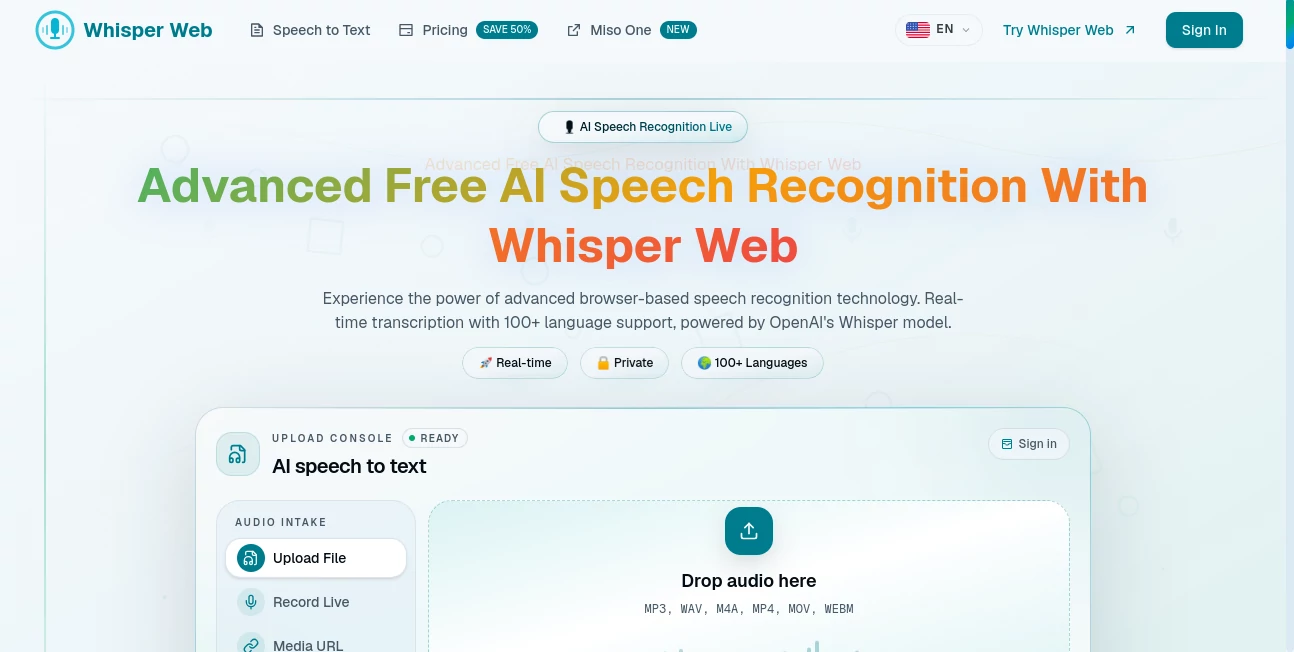
Turning spoken words into accurate text should be fast, private, and effortless. This browser-based transcription platform delivers exactly that by processing audio locally without requiring software installation. Whether you are transcribing meetings, interviews, lectures, or video recordings, it offers an impressive combination of speed, multilingual support, and privacy for both casual users and professionals.
Key Features
User Interface
The interface is clean and beginner-friendly. Users can upload audio or video files, record directly from a microphone, and begin transcription in just a few clicks. Everything is organized clearly, making it easy to edit and export completed transcripts.
Accuracy & Performance
Built on OpenAI's Whisper model with browser-based WebGPU acceleration, the platform delivers highly accurate speech recognition across more than 100 languages. Real-time processing feels responsive, even when handling longer recordings, making it a dependable option for everyday transcription tasks.
Capabilities
- Speech-to-text conversion in over 100 languages
- Real-time transcription
- Support for multiple audio and video formats
- Speaker labels and timestamps
- Transcript editing and AI-powered summaries
- Export to TXT, PDF, DOCX, SRT, VTT, JSON, and more
Security & Privacy
Privacy is one of its strongest advantages. Audio processing happens locally inside the browser whenever possible, helping users keep sensitive conversations on their own devices instead of uploading them to external servers.
Use Cases
- Creating meeting notes
- Transcribing podcasts and interviews
- Generating subtitles for videos
- Converting lectures into searchable text
- Supporting multilingual communication
Pros and Cons
Pros
- Works directly in the browser
- Excellent multilingual accuracy
- No complicated setup
- Strong privacy-focused approach
- Multiple export formats
Cons
- Advanced AI features require a paid subscription
- Performance depends on browser and device capabilities
Pricing Plans
A free tier includes a limited amount of transcription time for new users. Paid Starter, Pro, and Max plans unlock larger transcription quotas, AI summaries, transcript editing, translation, speaker identification, private storage, and additional productivity features.
How to Use Whisper Web
Open the website, upload an audio or video file or record directly from your microphone, choose the desired language if needed, and start transcription. After processing, review the transcript, make edits, and export it in the preferred format.
Comparison with Similar Tools
Compared with traditional cloud transcription services, this solution stands out through its browser-first design and privacy-focused workflow. It combines multilingual accuracy with an installation-free experience, making it especially attractive for users who value convenience without sacrificing data security.
Conclusion
This platform is an excellent choice for anyone looking for reliable AI transcription without unnecessary complexity. Its combination of fast performance, broad language support, local processing, and professional export options makes it suitable for creators, students, businesses, and remote teams alike.
Frequently Asked Questions (FAQ)
Is it free to use?
Yes. A free plan is available with limited transcription minutes, while premium plans provide additional features and higher usage limits.
How many languages are supported?
It supports transcription in more than 100 languages.
Can I export transcripts?
Yes. Transcripts can be exported in several popular formats, including TXT, DOCX, PDF, SRT, VTT, and JSON.
Does it require software installation?
No. Everything works directly inside a modern web browser.
Is my audio kept private?
The platform emphasizes local browser processing to help protect user privacy and keep sensitive recordings secure.