


















EZFigure
What is EZFigure?
Creating professional methodology diagrams for research papers can take hours of manual work. This platform simplifies the entire process by converting written methods, research workflows, experimental protocols, and AI model architectures into clean, publication-ready visuals. Instead of drawing every element from scratch, users can focus on explaining their ideas while the system handles the structure and layout. It is especially valuable for researchers, students, educators, and technical teams who need clear figures for papers, presentations, and academic posters.
Key Features
User Interface
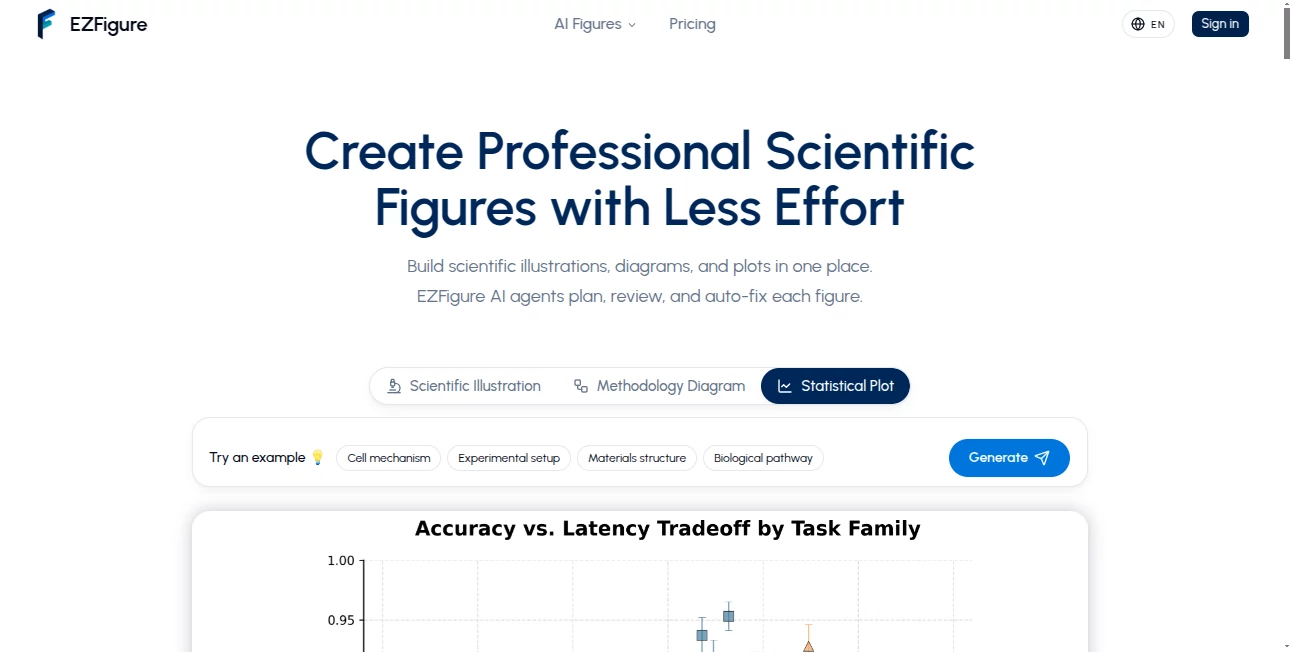
The workspace is simple and well organized. Users only need to paste a methodology, describe the purpose of the figure, and choose the preferred format. The generated diagram is easy to review, refine, and export without requiring graphic design experience.
Accuracy & Performance
The generated diagrams follow the logical flow of the provided content, producing organized layouts with readable labels, consistent spacing, and clear connections between workflow steps. This helps transform complex scientific processes into visuals that are easier to understand.
Capabilities
- Convert research methods into methodology diagrams.
- Create AI model architecture illustrations.
- Generate scientific workflow and protocol diagrams.
- Build data processing and analysis pipelines.
- Export figures for papers, presentations, and posters.
Security & Privacy
Research data often contains valuable information, so privacy is important. Users can review every generated figure before exporting, making it easier to verify scientific accuracy and maintain control over their content.
Use Cases
- Preparing figures for journal publications.
- Visualizing experimental workflows.
- Creating machine learning architecture diagrams.
- Designing academic presentations.
- Explaining complex research processes to students.
Pros and Cons
- Pros
- Fast generation of scientific diagrams.
- No graphic design skills required.
- Clean and publication-friendly layouts.
- Supports research workflows and AI architectures.
- Easy refinement before export.
- Cons
- Focused mainly on scientific and academic content.
- Final diagrams may still benefit from minor manual adjustments.
Pricing Plans
A free trial is available for new users, while premium plans provide additional generation capacity and advanced features for frequent research and professional use.
How to Use EZFigure
Paste your research method, workflow, or protocol into the editor. Describe the goal of the figure, generate the diagram, review the output, make any necessary adjustments, and export the final illustration for use in publications or presentations.
Comparison with Similar Tools
Unlike traditional diagram editors that require building every element manually, this solution automatically understands scientific workflows and transforms them into structured figures. Compared with general-purpose AI image generators, it is specifically designed for research communication and publication-quality methodology diagrams.
Conclusion
Researchers often spend valuable time designing figures instead of improving their work. This platform removes much of that effort by turning detailed methods into professional scientific diagrams within minutes. The combination of automation, clarity, and research-focused design makes it an excellent choice for anyone preparing academic publications or technical presentations.
Frequently Asked Questions (FAQ)
Who is this tool designed for?
It is ideal for researchers, graduate students, educators, and technical professionals.
Can it create AI model architecture diagrams?
Yes. It supports architecture diagrams, research workflows, and experimental protocols.
Can generated figures be used in publications?
Yes. The exported diagrams are intended for research papers, posters, and presentations.
Do I need design experience?
No. The platform is built for users without graphic design skills.
Can diagrams be edited after generation?
Yes. Users can review and refine layouts, labels, and structure before exporting.
AI Diagram Generator , AI Education Assistant , AI Research Tool , AI Productivity Tools .
These classifications represent its core capabilities and areas of application. For related tools, explore the linked categories above.

EZFigure Alternatives Product

Vurge

Video To Text

Semantic SEO…

CoinIQ

Gizmo

Sovi.AI

Empiriolabs …

Instantly Id…

Metal
