ezscreenshots
What is ezscreenshots?
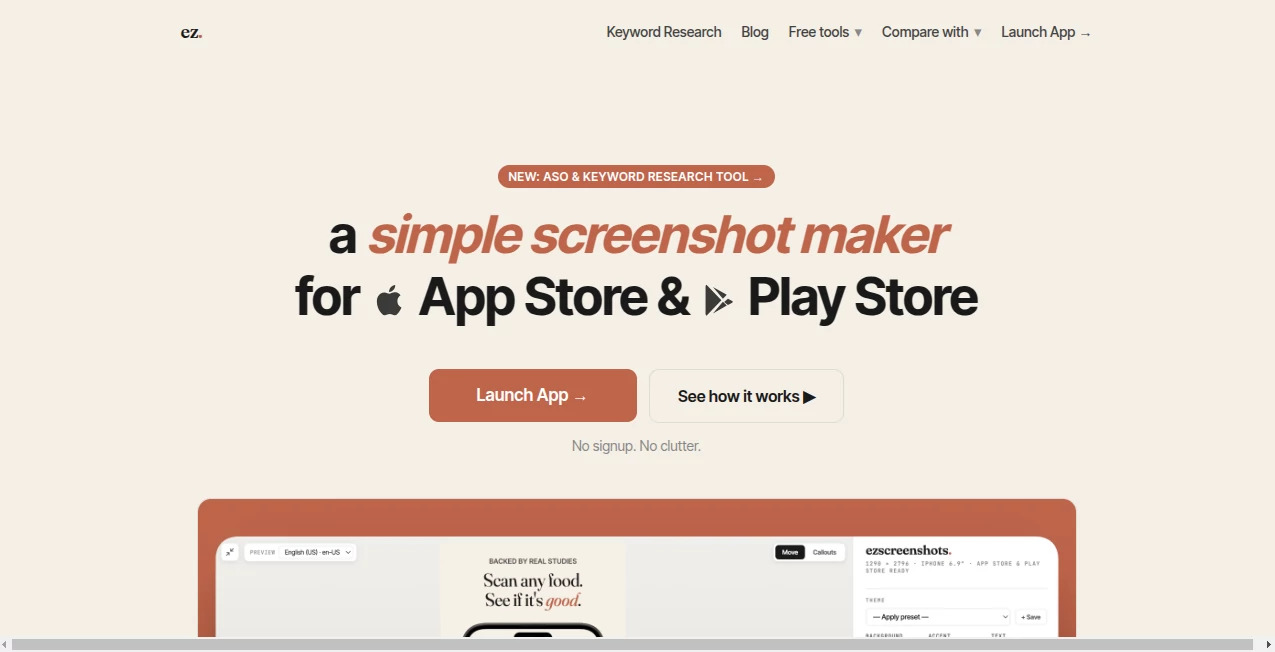
Creating polished App Store and Google Play screenshots often becomes one of the most time-consuming parts of launching an app. Designers spend hours adjusting layouts, resizing assets, and preparing localized versions before every release. This platform removes that frustration with a focused editor built specifically for mobile app marketing.
Instead of offering a complex design workspace filled with unnecessary controls, it provides a clean workflow that lets developers, indie makers, startups, and marketing teams build professional-looking store screenshots in just a few minutes. Everything happens directly inside the browser, making the experience fast, lightweight, and accessible from anywhere.
Whether you are preparing your first application launch or updating screenshots for an established product, the editor makes it easy to create attractive visuals that meet App Store and Google Play requirements while keeping the entire process simple.
Key Features
- Pixel-perfect device frames for iPhone, iPad, Android, Mac, and Apple Watch.
- Browser-based editor with no installation required.
- AI-powered caption localization for multiple languages.
- Multi-screen editing and ZIP export.
- Zoom callouts for highlighting important interface elements.
- 3D perspective adjustments for dynamic presentations.
- Custom font uploads for brand consistency.
- Emoji overlays and award-style badges.
- Reusable projects and design themes.
- ASO keyword research tools.
- Client-side processing that keeps screenshots on your device.
User Interface
The interface is refreshingly minimal. Users simply upload a screenshot, write a headline, choose a background, and fine-tune the layout with intuitive controls. Everything updates instantly, allowing quick experimentation without navigating complicated menus. The streamlined workflow is particularly valuable for developers who want professional marketing assets without learning advanced graphic design software.
Accuracy & Performance
The editor generates screenshots using dimensions optimized for major mobile app marketplaces. Device frames are carefully prepared to match official store requirements, helping reduce manual adjustments before submission. Even projects containing multiple screens remain responsive, making repeated app releases much faster than traditional design workflows.
Capabilities
Beyond creating attractive screenshots, the platform supports multilingual app launches with AI-powered localization, reusable themes across releases, batch exports, custom typography, visual callouts, perspective effects, and marketing badges. It also includes App Store Optimization research features that allow teams to improve both presentation and discoverability during product launches.
Security & Privacy
Privacy is one of the strongest advantages. Screenshot editing happens entirely inside the browser, meaning uploaded images remain on the user's own device instead of being processed on external servers. This approach gives developers greater confidence when working with unreleased applications or confidential product interfaces. :contentReference[oaicite:0]{index=0}
Use Cases
- Preparing App Store screenshots before a product launch.
- Generating Google Play marketing assets.
- Localizing screenshots for international audiences.
- Creating promotional images for app updates.
- Highlighting new features using zoom callouts.
- Building branded screenshot templates for future releases.
- Producing assets for client presentations.
- Supporting ASO optimization campaigns.
Pros and Cons
Pros
- Very easy to learn.
- Clean browser-based workflow.
- No signup required for the free plan.
- Fast multi-screen export.
- Excellent localization capabilities.
- Modern device frame collection.
- Strong privacy through client-side processing.
- Affordable professional pricing.
Cons
- Advanced localization requires a Pro subscription.
- Focused mainly on app store marketing rather than general graphic design.
- Some premium visual features are available only in paid plans.
Pricing Plans
A generous free plan allows users to create and export real screenshots without registration or watermarks, making it easy to evaluate the editor before upgrading. The Pro subscription unlocks unlimited exports, AI localization, multi-screen ZIP exports, custom fonts, advanced effects, and additional productivity features at an affordable annual or monthly price. :contentReference[oaicite:1]{index=1}
How to Use ezscreenshots
Open the browser editor and upload your application screenshot. Add a marketing headline, select a background, choose the desired device frame, and customize colors or typography to match your brand. If needed, generate localized captions for multiple markets, preview every screen, and export assets that are ready for App Store Connect or Google Play Console.
Comparison with Similar Tools
Many screenshot generators rely on complicated template systems or expensive subscriptions. This solution takes a different approach by emphasizing speed, simplicity, and purpose-built functionality. Instead of overwhelming users with countless editing panels, it focuses on the workflow required for publishing mobile applications. Features such as AI localization, browser-only processing, zoom callouts, reusable themes, and multi-screen exports make it particularly attractive for indie developers and small software teams looking for efficiency. :contentReference[oaicite:2]{index=2}
Conclusion
Preparing professional App Store graphics no longer needs to consume hours of design work. By combining an intuitive interface, practical automation, localization tools, modern device frames, and privacy-focused browser processing, this editor offers an efficient solution for developers and marketing teams alike. It strikes an excellent balance between simplicity and powerful functionality, making it a valuable addition to any mobile app publishing workflow.
Frequently Asked Questions (FAQ)
Is there a free version available?
Yes. A free plan allows users to create and export real screenshots without creating an account.
Can screenshots be translated into multiple languages?
Yes. The Pro version includes AI-powered localization for numerous App Store locales.
Are screenshots uploaded to external servers?
No. Screenshot processing takes place locally inside the browser, helping keep project assets private.
Which devices are supported?
The editor supports iPhone, iPad, Android devices, Mac, and Apple Watch with store-ready dimensions.
Who is this platform best suited for?
It is ideal for indie developers, software companies, startup founders, publishers, designers, and ASO professionals who regularly prepare screenshots for mobile application stores.
AI App Builder , AI Design Assistant , AI Graphic Design , AI Image to Image .
These classifications represent its core capabilities and areas of application. For related tools, explore the linked categories above.
ezscreenshots details
Website unavailable — View Alternatives
Pricing
- Freemium
Apps
- Web App
Categories

ezscreenshots Alternatives Product
Card Maker AI

ColorPalette…
picremake
Ernie Image

ModelsLab
SurgePix

Artguru

Avatarka AI
Edit Stamp