


















EzSignly
What is EzSignly?
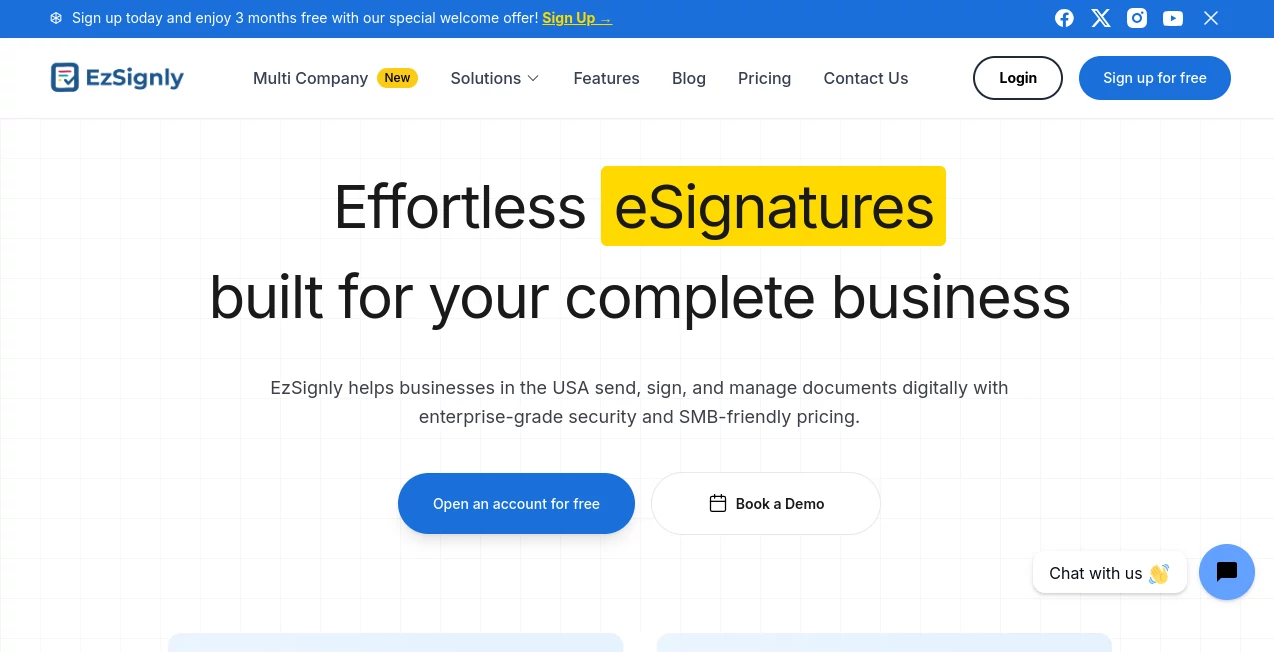
Managing agreements should never slow down a growing business. Modern teams expect documents to move quickly, signatures to be collected securely, and every step to remain transparent. This platform delivers exactly that by replacing manual paperwork with an intuitive digital signing experience designed for organizations of every size.
From HR onboarding and legal contracts to sales proposals and vendor agreements, the platform simplifies every stage of the document lifecycle. Users can upload files, assign recipients, monitor signing progress in real time, and securely store completed agreements without relying on paper or complicated workflows. The result is a faster, more organized, and professional document management process that helps businesses save valuable time while maintaining compliance with modern electronic signature standards.
What makes this solution particularly appealing is its balance between enterprise-level capabilities and affordable pricing. Instead of overwhelming users with unnecessary complexity, it focuses on features that genuinely improve productivity, making digital signing accessible for startups, small businesses, and expanding organizations alike.
Key Features
User Interface
The dashboard is thoughtfully organized, allowing users to upload documents, create reusable templates, assign signing roles, and track every document from one centralized workspace. Drag-and-drop fields make document preparation simple even for first-time users, while recipients can sign directly from their browser without installing any software.
Accuracy & Performance
Documents are delivered quickly, signatures are collected efficiently, and every action is tracked in real time. Automated reminders reduce delays, while bulk sending allows businesses to distribute the same document to multiple recipients simultaneously. The streamlined workflow significantly reduces administrative effort compared to traditional paper-based processes.
Capabilities
- Legally compliant electronic signatures.
- Bulk document distribution.
- Reusable document templates.
- Sequential and multi-party signing workflows.
- Real-time document tracking.
- Role-based permissions.
- Automatic reminders for pending signatures.
- Multi-account management for larger organizations.
- Cloud-based document storage.
- Audit trails for every signed document.
Security & Privacy
Security is treated as a core feature rather than an afterthought. Documents are protected with encryption, tamper-evident technology, detailed audit logs, and access controls. Every signature action is recorded, helping organizations maintain compliance while providing confidence that sensitive agreements remain protected throughout the signing process.
Use Cases
- Employee onboarding and HR documentation.
- Sales proposals and customer contracts.
- Legal agreements requiring verified audit trails.
- Real estate documentation and approvals.
- Vendor contracts and procurement paperwork.
- Business partnership agreements.
- Internal approval workflows.
- Remote document signing for distributed teams.
Pros and Cons
- Pros
- Easy to learn and navigate.
- Affordable plans for growing businesses.
- Free plan available for light usage.
- Strong security with encrypted document storage.
- Bulk sending saves significant administrative time.
- Real-time status tracking improves visibility.
- No software installation required for recipients.
- Reusable templates accelerate recurring workflows.
- Cons
- Free plan includes limited monthly envelopes.
- Some advanced collaboration features require paid plans.
- Organizations with highly specialized enterprise requirements may need premium options.
Pricing Plans
A free plan allows users to experience the platform with a limited number of monthly envelopes and reusable templates. Paid subscriptions introduce higher document limits, unlimited templates, bulk sending, automatic reminders, expanded team collaboration, and unlimited envelopes for growing businesses. Pricing remains competitive, making the platform attractive for startups as well as established organizations.
How to Use EzSignly
Create an account and upload your PDF or document file. Add signature, date, text, or checkbox fields using the drag-and-drop editor. Assign recipients and determine the signing order if multiple approvals are required. Send the document via secure email and monitor its progress from the dashboard. Once everyone has signed, download the completed file together with its legally compliant audit trail for future reference.
Comparison with Similar Tools
Many electronic signature platforms provide secure document signing, but this solution distinguishes itself by combining affordability, ease of use, flexible templates, bulk document distribution, and enterprise-grade security in a single package. While some competitors focus primarily on large corporations, this platform offers features that remain practical and accessible for startups, small businesses, legal professionals, HR departments, and expanding teams without introducing unnecessary complexity.
Conclusion
Digital signatures have become an essential part of modern business operations, and choosing the right platform can dramatically improve efficiency. This solution delivers an impressive combination of security, usability, workflow automation, and transparent pricing. Whether managing employee paperwork, legal agreements, customer contracts, or recurring business documents, it offers a dependable environment that reduces paperwork while helping organizations move faster with confidence.
Frequently Asked Questions (FAQ)
Is electronic signing legally valid?
Yes. Documents are supported by legally compliant electronic signature workflows and include audit trails for verification.
Do recipients need an account?
No. Recipients can review and sign documents directly from their web browser without creating an account or installing software.
Can multiple people sign the same document?
Yes. Documents can be configured for sequential or multi-party signing with customized signing orders.
Does the platform support reusable templates?
Yes. Frequently used contracts and forms can be saved as templates to accelerate future workflows.
Is it suitable for small businesses?
Absolutely. Its combination of affordable pricing, intuitive workflows, and enterprise-grade security makes it an excellent choice for startups and growing businesses.
AI Workflow Management , AI Productivity Tools , AI Team Collaboration , AI Contract Management .
These classifications represent its core capabilities and areas of application. For related tools, explore the linked categories above.

EzSignly Alternatives Product

Enji

Sourcetable

Standard Com…

ShipBoost

Flitz AI
Trimless for…

Notion

Luffy

Vibe Coding …
