


















FigPad
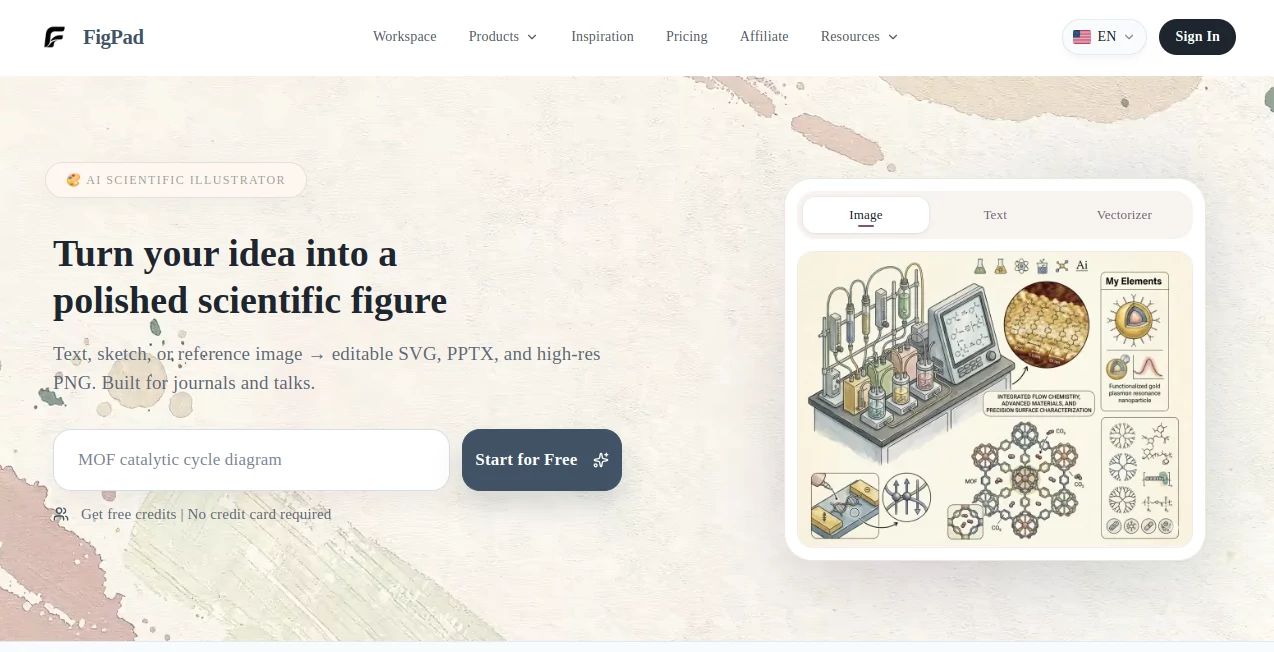
What is FigPad?
Modern teams and creators often struggle with turning scattered ideas into structured, visual thinking. This platform is designed to bridge that gap by combining an intuitive canvas with AI-powered assistance. It helps users brainstorm, organize thoughts, and build diagrams or structured visuals without friction.
Instead of switching between note apps, whiteboards, and diagram tools, everything happens in one unified space. The experience feels natural, almost like sketching ideas on a digital board that quietly understands and supports your thinking process.
Key Features
User Interface
The interface is built around a clean, infinite canvas where users can freely place elements, connect ideas, and restructure content. It avoids unnecessary complexity and focuses on fluid interaction, making it accessible even for non-technical users.
Accuracy & Performance
AI assistance responds quickly, helping users generate diagrams, expand ideas, or reorganize content in real time. The system is optimized for smooth performance even when working with large boards or complex visual structures.
Capabilities
- AI-assisted brainstorming and ideation
- Diagram and flow creation from simple prompts
- Visual note-taking and structured mapping
- Real-time collaboration for teams
- Flexible canvas for mixed content types (text, shapes, connections)
Security & Privacy
The platform is designed with modern cloud security practices, ensuring that user-generated content remains protected. Collaboration features are managed with controlled access, making it suitable for both personal and team environments.
Use Cases
- Product teams planning workflows and user journeys
- Students organizing complex study topics visually
- Startups brainstorming business models and strategies
- Designers mapping UI/UX structures before execution
- Writers and creators structuring content ideas
Pros and Cons
Pros
- Highly intuitive visual workspace
- Strong AI support for ideation and structuring
- Suitable for both individuals and teams
- Flexible canvas for multiple content types
Cons
- May require time to fully explore advanced features
- Advanced collaboration tools may depend on plan type
Pricing Plans
The platform typically follows a flexible pricing model that may include a free tier for basic usage and paid plans for advanced collaboration, storage, and AI capabilities. Premium tiers usually unlock enhanced performance and team-oriented features.
How to Use the Platform
Getting started is straightforward. Users begin by opening a new canvas and typing or placing their initial idea. From there, AI assistance can help expand concepts, generate structured diagrams, or reorganize content automatically. Teams can invite collaborators and work together in real time, refining ideas as they evolve.
Comparison with Similar Tools
Compared to traditional note-taking apps, this solution offers a far more visual and interactive experience. Unlike rigid diagram tools, it provides flexibility and AI-driven support that adapts to the user’s thinking style. It sits between brainstorming boards and structured design platforms, combining the strengths of both.
Conclusion
This platform stands out as a modern thinking environment where ideas are not just written but visually shaped. Its blend of AI assistance and flexible canvas design makes it a strong choice for individuals and teams who want to move from scattered thoughts to structured outcomes with ease and clarity.
Frequently Asked Questions (FAQ)
Is it suitable for beginners?
Yes, the interface is designed to be simple enough for beginners while still powerful for advanced users.
Can teams collaborate in real time?
Yes, multiple users can work on the same workspace simultaneously.
Does it require design experience?
No, it is built for both technical and non-technical users.
What makes it different from traditional note apps?
It focuses on visual thinking and AI-assisted structuring rather than linear note-taking.
Is it cloud-based?
Yes, it operates in the cloud for easy access and collaboration.
AI Workflow Management , AI Diagram Generator , AI Productivity Tools , AI Notes Assistant .
These classifications represent its core capabilities and areas of application. For related tools, explore the linked categories above.

FigPad Alternatives Product

Grok 4

Productivity…

Unix Timesta…

WhispriNote

Ryne AI

Skywork Supe…

MachineTrans…

Receipt AI

YouMind
