
FinanceIQ
What is FinanceIQ?
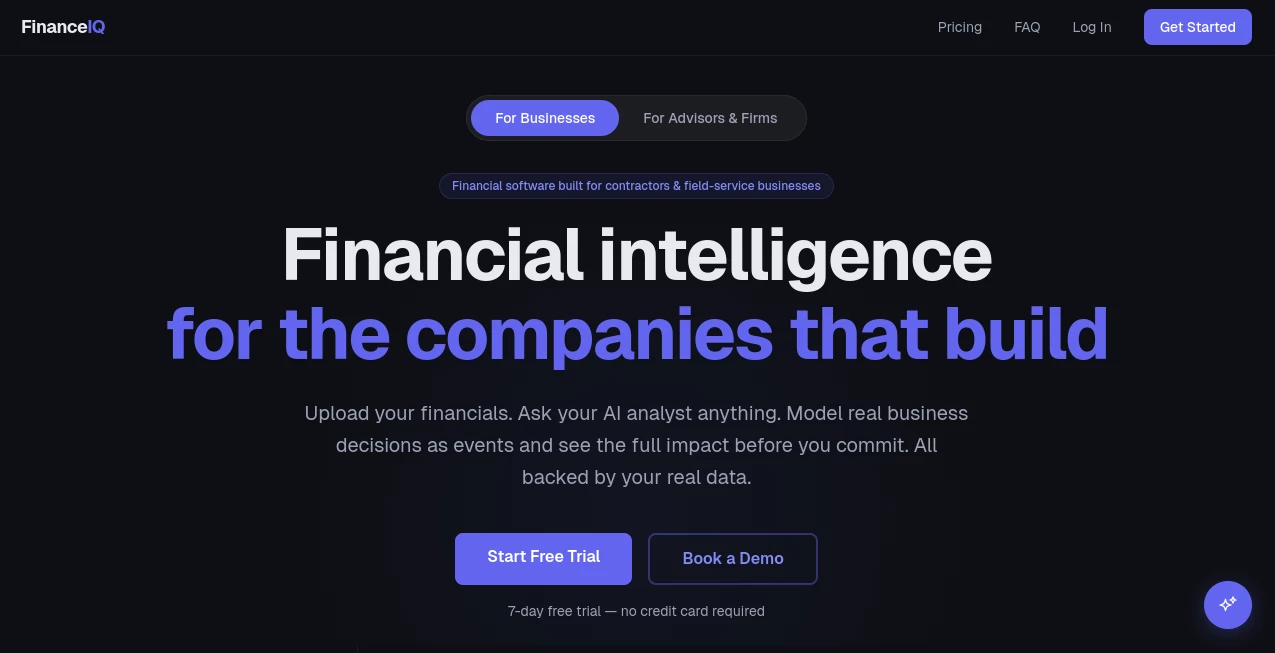
Managing the financial side of a construction or field-service business is rarely straightforward. Between tracking cash flow, monitoring project profitability, reviewing financial statements, and planning future investments, business owners often spend more time searching for answers than making decisions. This platform changes that experience by bringing financial data, AI-powered analysis, and business forecasting into one intuitive workspace.
Built specifically for contractors, construction companies, excavation businesses, mining operations, and trade professionals, the platform transforms uploaded financial reports into meaningful insights. Instead of manually reviewing spreadsheets, users can ask questions in plain English, explore performance metrics, generate executive reports, and model future business scenarios with confidence. The result is a faster, more informed decision-making process backed by real financial data rather than assumptions.
Key Features
User Interface
The dashboard is designed with clarity in mind. Revenue, cash balance, EBITDA, gross profit, net income, and financial health scores are displayed in an organized layout that is easy to understand even for users without a finance background. Interactive charts, KPI cards, recent activities, and customizable reports make financial monitoring feel much less overwhelming.
Accuracy & Performance
The platform analyzes uploaded accounting data from QuickBooks exports, Excel spreadsheets, and CSV files to generate insights based on actual business performance. Financial metrics, variance reports, and projections update as new information becomes available, helping teams work with current numbers instead of outdated reports. AI-generated responses are supported by the uploaded financial records, providing context-rich answers while encouraging users to validate important business decisions.
Capabilities
- Upload financial statements from multiple supported formats.
- Track more than twenty financial KPIs in real time.
- Ask financial questions using natural language.
- Create AI-generated executive summaries and financial reports.
- Build financial projections for future planning.
- Compare projected performance against actual business results.
- Model hiring, equipment purchases, pricing changes, and other business scenarios.
- Generate charts and tables automatically from company data.
- Analyze profitability, margins, cash flow, and operational performance.
- Create lender-ready and board-ready financial reports.
Security & Privacy
Financial information is protected using encrypted data transmission, company-level data isolation, and secure authentication practices. Every business operates within its own protected environment, helping organizations maintain privacy while working with sensitive financial information. Administrative actions that modify financial scenarios require user approval before changes are applied.
Use Cases
- Construction companies monitoring project profitability.
- Contractors reviewing monthly financial performance.
- Trade businesses planning equipment investments.
- Business owners forecasting future cash flow.
- Financial advisors preparing executive reports for clients.
- Management teams comparing projected budgets with actual results.
- Companies seeking better visibility across multiple business divisions.
Pros and Cons
Pros
- Purpose-built for contractors and field-service businesses.
- Natural language AI assistant simplifies financial analysis.
- Comprehensive KPI dashboard with actionable insights.
- Scenario modeling supports strategic planning.
- Supports QuickBooks, Excel, and CSV financial data.
- Professional report generation saves significant time.
- Free onboarding and financial data setup.
Cons
- Industry focus may be less suitable for businesses outside construction and field services.
- Best results depend on accurate financial data uploads.
- AI-generated recommendations should complement professional financial advice rather than replace it.
Pricing Plans
The platform offers a seven-day free trial without requiring a credit card. Paid plans begin at approximately $55 per month, with multiple subscription options available for individual contractors, growing businesses, and financial advisory firms. Annual billing provides additional savings.
How to Use FinanceIQ
Start by creating an account and uploading financial reports from supported accounting software or spreadsheet files. Once the information is processed, the dashboard automatically presents key financial metrics and business health indicators. Users can then ask questions through the AI analyst, explore financial trends, generate reports, build projections, compare different scenarios, and monitor performance over time. The platform also assists with visualizing revenue, expenses, profitability, and operational KPIs to support more confident business decisions.
Comparison with Similar Tools
Unlike general accounting software that primarily records transactions, this platform focuses on interpreting financial information and transforming it into practical business intelligence. Traditional reporting tools often require manual analysis and spreadsheet work, while the integrated AI assistant provides conversational access to financial insights, automated visualizations, scenario planning, KPI monitoring, and executive reporting within a single environment. Its specialization in construction and field-service industries also gives it an advantage over more generic financial analytics solutions.
Conclusion
For contractors and construction companies that want greater financial visibility without spending hours inside spreadsheets, this solution delivers a refreshing approach. Combining AI-driven analysis with real financial data, interactive dashboards, forecasting tools, and scenario modeling creates an environment where business owners can focus on strategic decisions instead of manual reporting. Whether the goal is improving profitability, planning expansion, or simply understanding financial performance more clearly, it provides a practical and thoughtfully designed toolkit for modern businesses.
Frequently Asked Questions (FAQ)
Can financial data be imported from accounting software?
Yes. The platform supports QuickBooks exports as well as Excel and CSV financial files.
Is it suitable for small contractors?
Yes. It is designed for businesses of various sizes, from individual contractors to larger construction companies and financial advisory firms.
Does the AI provide investment or tax advice?
No. The AI delivers financial analysis and business insights based on uploaded data, but it should not replace professional accounting, legal, tax, or investment advice.
Can reports be shared with stakeholders?
Yes. Users can generate professional financial reports suitable for management, lenders, boards, and business partners.
Does it support financial forecasting?
Yes. Users can create projections, model business scenarios, compare forecasts with actual performance, and evaluate the financial impact of future decisions.
AI Accounting Assistant , AI Research Tool , AI Business Ideas Generator , AI Analytics Assistant .
These classifications represent its core capabilities and areas of application. For related tools, explore the linked categories above.

FinanceIQ Alternatives Product

Diploria AI

Sorank

Fina Money

Grok 4

Prelight

PromptZerk

SciFig

Elicit

Construction…