

















Flixly
What is Flixly?
I still remember the first time I typed a simple scene description and watched it turn into a smooth, cinematic clip with proper lighting, camera movement, and emotional tone. It felt like magic. This tool makes that kind of creation possible without needing a film crew or months of editing. You describe what you want, and it delivers video that actually feels directed — not random or robotic. Whether you’re making social media content, storyboards, or full short films, it turns ideas into watchable moments faster than most people expect.
Introduction
Creating video has always been one of the most time-consuming and expensive parts of storytelling. Flixly changes the game by letting anyone go from text prompt to polished video in minutes. It focuses on cinematic quality — thoughtful camera work, consistent characters, natural motion, and atmosphere that matches your vision. It’s become a favorite for creators who want professional-looking results without the professional budget or timeline. The best part is how approachable it feels. You don’t need technical skills or fancy equipment — just a good idea and a few well-chosen words.
Key Features
User Interface
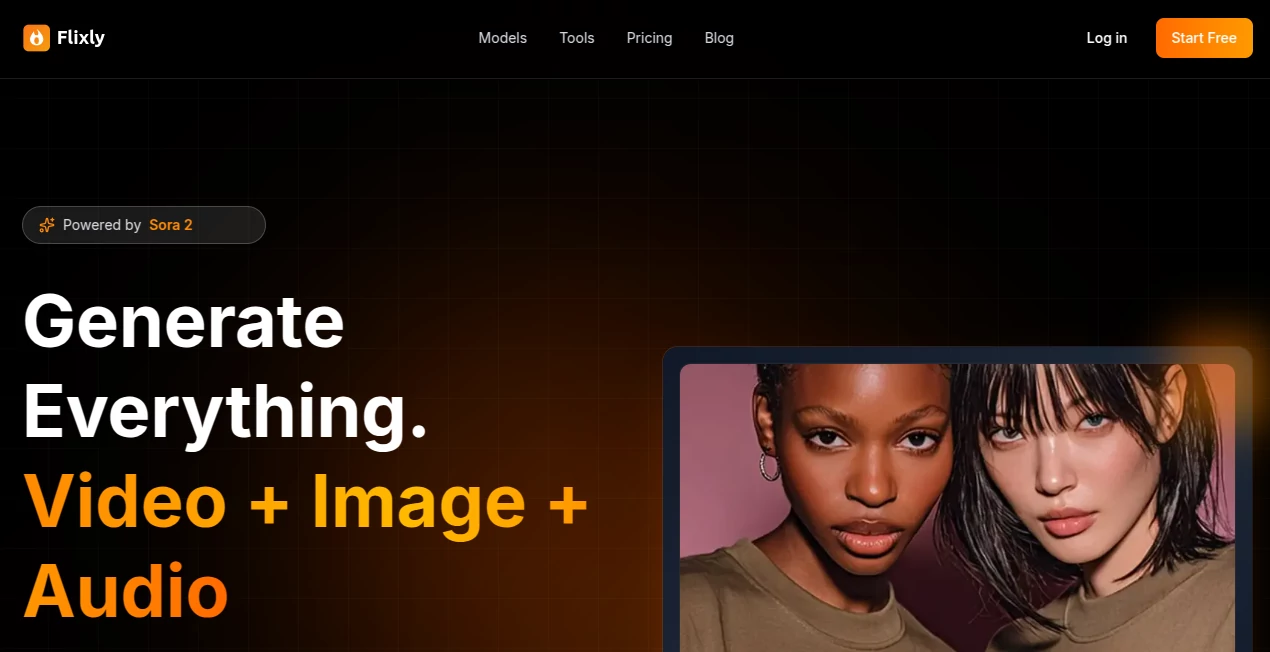
The dashboard is clean and inviting. A large prompt box sits front and center where you describe your scene, with helpful examples and style suggestions nearby. You can add reference images, choose aspect ratio, and adjust mood or pacing with simple sliders. Previews load quickly so you can iterate without frustration. It never overwhelms you with options — everything feels purposeful and easy to understand, even on your first try.
Accuracy & Performance
What impresses most is how well it understands intent. Characters stay consistent across shots, lighting feels natural, and camera movements serve the story rather than distract from it. Generation speed is solid for the quality it delivers, and the results rarely need heavy editing afterward. I’ve tested prompts ranging from simple product shots to emotional dialogue scenes, and it consistently delivers usable, high-quality footage that feels intentional.
Capabilities
It supports text-to-video, image-to-video, and hybrid prompts that combine both. You can create single clips or build multi-shot sequences with good continuity. Style control is strong — from realistic to stylized anime, cinematic, or commercial looks. Features like motion guidance, camera direction prompts, and duration control give creators real steering power. The output quality is suitable for social media, presentations, storyboarding, and even client previews.
Security & Privacy
Your prompts and generated videos are handled securely. The platform focuses on delivering great results without unnecessary data collection or long-term storage of your creative work. For creators who value ownership and privacy, this respectful approach builds confidence.
Use Cases
A social media creator turns product descriptions into beautiful lifestyle videos that perform better than traditional ads. A filmmaker uses it to quickly visualize key scenes before shooting, saving time and money during pre-production. A marketer builds short brand stories with consistent characters and tone across multiple clips. Teachers create engaging educational animations from simple text explanations. The possibilities feel almost endless because the tool is flexible enough for both quick experiments and more ambitious projects.
Pros and Cons
Pros:
- High cinematic quality with natural motion and lighting.
- Strong character consistency across shots.
- Fast generation that supports real creative iteration.
- Intuitive controls that don’t require technical expertise.
- Great value for the quality of output.
Cons:
- Longer, more complex scenes may need to be built in segments.
- Very specific or unusual styles can sometimes need prompt refinement.
Pricing Plans
It offers a generous free tier so you can test the quality with real prompts before committing. Paid plans unlock higher resolution, longer clips, faster generation, and more monthly credits. The pricing feels fair — many creators find that one paid month pays for itself by saving hours of traditional production time.
How to Use Flixly
Start by typing a clear scene description in the prompt box. Add any reference images if you want stronger visual control. Choose your preferred aspect ratio and style direction. Hit generate and review the preview. Tweak the prompt or settings if needed and create variations. Once happy with the result, download in your chosen resolution. For longer videos, generate multiple connected scenes and combine them in your favorite editor. The whole process stays fast and enjoyable from idea to final clip.
Comparison with Similar Tools
While many AI video tools produce short, impressive clips, Flixly stands out with its focus on cinematic quality and storytelling coherence. It handles motion and consistency better than most competitors, and the user experience feels more polished and intentional. It’s less about raw technical power and more about helping creators tell better visual stories quickly.
Conclusion
Video creation used to be reserved for those with big budgets and technical skills. Tools like this are quietly democratizing that process, giving storytellers of all kinds the ability to bring their ideas to life with speed and quality. Whether you’re creating for fun, business, or personal passion projects, it removes the biggest barriers and leaves you free to focus on what matters most — the story itself. If you’ve ever wanted to see your ideas move, this is one of the most exciting options available right now.
Frequently Asked Questions (FAQ)
How long are the generated videos?
Most clips range from a few seconds to around 10–15 seconds, with longer content possible by combining multiple generations.
Do I need video editing experience?
Not at all. The tool is designed to be accessible even if this is your first time making video.
Can I use the videos commercially?
Yes, videos generated on paid plans are available for commercial use.
How consistent are characters across scenes?
Very consistent compared to most tools — especially when using reference images.
AI Animated Video , AI Image to Video , AI Video Generator , AI Text to Video .
These classifications represent its core capabilities and areas of application. For related tools, explore the linked categories above.

Flixly Alternatives Product

Seedance 2 V…

ltx 2.3

Sora-2.co
seedance2-pro
Meigen AI

Kling 5.0

Spark Robin

seedream 5

Seedance 2.0…
