
















Spark Robin
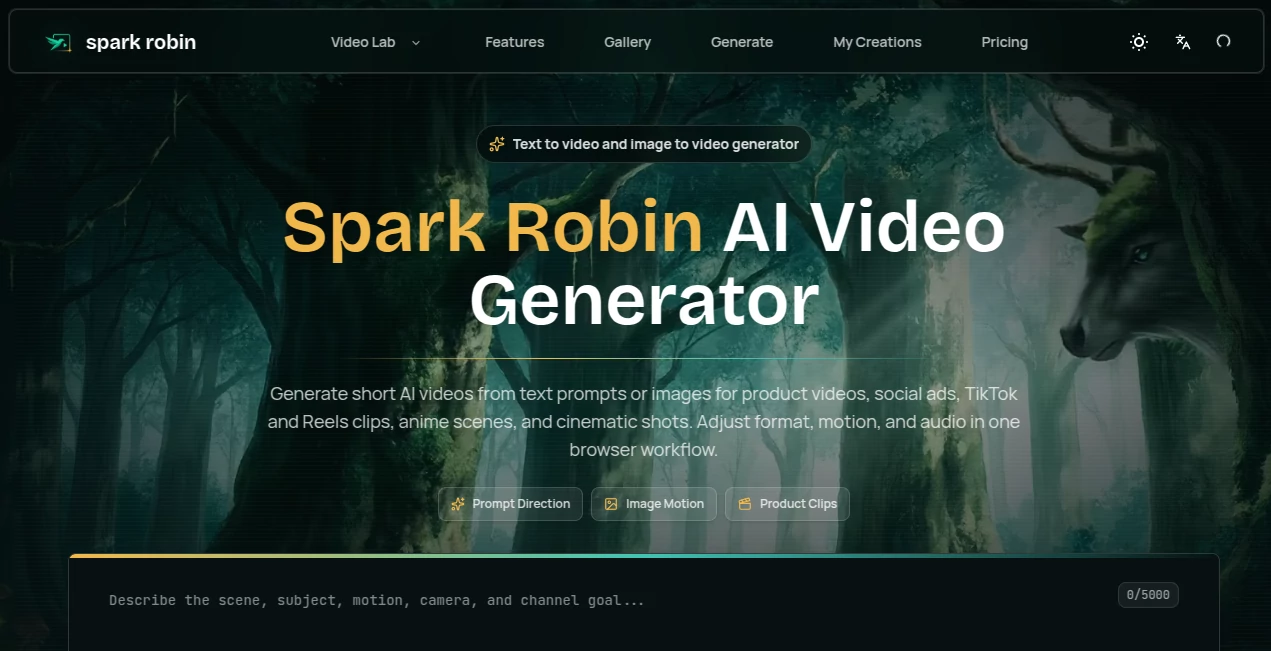
What is Spark Robin?
Let’s be real for a second. Traditional video editing is a headache. You have to juggle timelines, hunt for the perfect footage, and spend hours rendering. Who has time for that anymore? Especially when you need content for TikTok, Instagram Reels, or YouTube Shorts yesterday.
This is where the magic happens. This platform completely rewrites the rulebook on how we produce short-form content. You don’t need to be a professional editor or a motion graphics expert. You just need an idea. Whether you type it out as a sentence or upload a static photo, this tool breathes life into it within seconds. It feels like having a full production studio right inside your browser, minus the high costs and steep learning curves. For marketers scrambling to stay relevant or creators fighting burnout, this isn't just a tool—it’s a lifesaver.
Key Features
What makes this platform stand out in the crowded AI space isn't just one feature, but how seamlessly they all work together. It is built specifically for speed and accessibility. Let’s break down the core components that actually make a difference when you’re racing against a deadline.
User Interface
Honestly, the first time I opened it, I was relieved. There are no confusing menus or buried settings. The interface is clean, minimal, and puts the creative process first. You are greeted with a simple text box and an upload button. That’s it. It feels modern and responsive, without any of the bloat that usually slows down browser-based tools. Navigation is intuitive, meaning you can go from login to exporting your first video in under two minutes.
Accuracy & Performance
AI can be unpredictable, but this model has surprised me with its consistency. When you feed it a prompt, it understands context surprisingly well. Ask for a "cinematic shot of a neon-lit city in the rain," and it delivers moody, atmospheric visuals rather than a generic stock clip. Performance-wise, it’s snappy. Generation times are fast enough that you don't lose your creative flow waiting for a progress bar. The output quality holds up well on mobile screens, maintaining crisp details even with fast motion.
Capabilities
The versatility here is the real selling point. You have two primary superpowers at your disposal. First, the Text-to-Video engine allows you to write a script or a scene description, and it visualizes it for you. Perfect for those days when writer's block hits, and you need a visual starting point. Second, the Image-to-Video animator is a game changer for brands. You can take a product photo or a flat logo and turn it into a dynamic, moving advertisement. It removes the friction between static design and motion graphics.
Security & Privacy
I know a lot of creators worry about their assets being used to train public models. That is a valid concern. While you should always check the fine print, platforms like this are increasingly prioritizing user ownership. Generally speaking, the content you generate is yours. This is crucial for businesses producing proprietary marketing material or artists developing a unique style. You want a tool that works for you, not one that steals your homework.
Use Cases
This isn't just for "creators." It’s for anyone who needs to communicate visually. Let me paint you a picture of who actually benefits from this:
- Social Media Managers: Need 10 pieces of content for different platforms? Generate faceless videos for TikTok, animated quotes for Instagram, and product demos for Facebook in one sitting.
- E-commerce Owners: Stop using boring static images. Take your product shots and animate them into lifestyle clips that show the product in use or just add a shiny, eye-catching effect to boost click-through rates on ads.
- Digital Marketers: Turn a blog post headline into a short, punchy video summary. It’s a fast way to repurpose written content for video-first platforms without hiring an editor.
- Storytellers & Musicians: Create a visualizer for a song lyric or a rough animatic for a storyboard. It bridges the gap between a script and a proof-of-concept video.
Pros and Cons
No tool is perfect, but this one gets a lot right. Let’s keep it honest about where it shines and where it might still need a little polish.
What Works Well (The Pros):
- Lightning Fast Output: Generates clips in seconds, not hours. Perfect for fast-paced trends.
- Zero Learning Curve: If you can type a sentence, you can make a video.
- Browser-Based Freedom: No software downloads. Use it on a PC, Mac, or Chromebook.
- Ideal for Shorts/Reels/TikToks: The aspect ratios and pacing are tuned for vertical video consumption.
Where It Has Limits (The Cons):
- Short Clips Only: Currently optimized for quick bursts of content, not 10-minute documentaries.
- Consistency Across Shots: If you generate multiple clips for one story, the character or style might shift slightly between generations.
- Internet Dependent: Since it runs in the cloud, a spotty connection will slow you down.
Pricing Plans
You are likely looking for a free option to test the waters, and the good news is that access is usually structured to let you try before you buy. While specific pricing tiers update frequently, the model typically follows a freemium path. A free plan allows you to generate a limited number of videos per month, often with a watermark or lower resolution cap. This is perfect for testing the vibe.
For power users, the paid subscriptions unlock higher resolution exports, faster processing queues, and—most importantly—commercial usage rights and removal of watermarks. For the volume a marketing agency requires, the investment is a fraction of what you would pay a freelance editor for a single project.
How to Use Spark Robin AI
You want to get started right now. Here is the straight path to your first AI video. It’s a three-step dance, and it’s very easy to learn.
Step 1: Choose Your Fuel
Decide if you want to start from scratch with text or use an existing asset. Type a descriptive prompt (e.g., "A drone shot flying over a futuristic Tokyo street at night") or upload a clear image file you own.
Step 2: Let the Engine Work
Hit the generate button. This is where the Spark Robin model does its heavy lifting. You might see a loading spinner for 30 to 60 seconds. Use that time to grab a coffee.
Step 3: Refine and Export
Review the result. Sometimes you hit the jackpot on the first try; other times, you might tweak the prompt and run it again. Once you love it, hit export. Download the MP4 file directly to your device, and upload it straight to your social scheduler.
Comparison with Similar Tools
How does this stack up against the giants like Runway or Pika? Honestly, the difference comes down to focus. Many other tools try to be all-in-one editing suites, which makes them powerful but complex. This tool strips away the complexity.
Runway ML is like a Swiss Army knife—it can do rotoscoping, inpainting, and green screen. It is professional-grade. This platform is more like a "laser sword"—it does one thing (short-form generation) exceptionally well and with zero friction. For a YouTuber making long-form documentaries, you might still need other software. But for a brand manager who needs 20 engaging TikToks ready by noon, this workflow is significantly faster and more user-friendly. It prioritizes speed and ease over granular control.
Conclusion
The era of struggling with complex software is ending. We are moving into the age of the prompt, where your imagination is the only limit. This video generation platform captures that spirit perfectly. It isn't trying to replace Hollywood directors; it is trying to empower the small business owner, the solo creator, and the tired marketer.
If you find yourself stuck because you can’t afford a videographer or lack the technical skill to edit, give this a shot. The quality is solid, the pace is exhilarating, and the potential for growth is massive. Stop letting "hard" stop you from being "seen." Let the AI handle the heavy lifting while you focus on the message.
Frequently Asked Questions (FAQ)
Do I need a powerful computer to use this?
Not at all. Since all the processing happens on remote servers, you could run this on a basic tablet or an old laptop. All you need is a modern web browser and a stable internet connection.
Can I use the generated videos for my YouTube channel?
Generally, yes, especially for content like faceless channels, background B-roll, or visualizers. Always check the specific commercial terms on the pricing page to be safe, but most plans allow for social media monetization.
How long are the videos?
The tool is currently tailored for the short-form market, typically generating clips ranging from 4 to 10 seconds. This is intentionally designed to align with Instagram Reels, TikTok, and YouTube Shorts algorithms.
What is the best way to write a prompt?
Be descriptive but not a novelist. Focus on the subject, action, lighting, and mood. For example: "A slow-motion close-up of water splashing on a red apple, studio lighting, 4k quality."