

















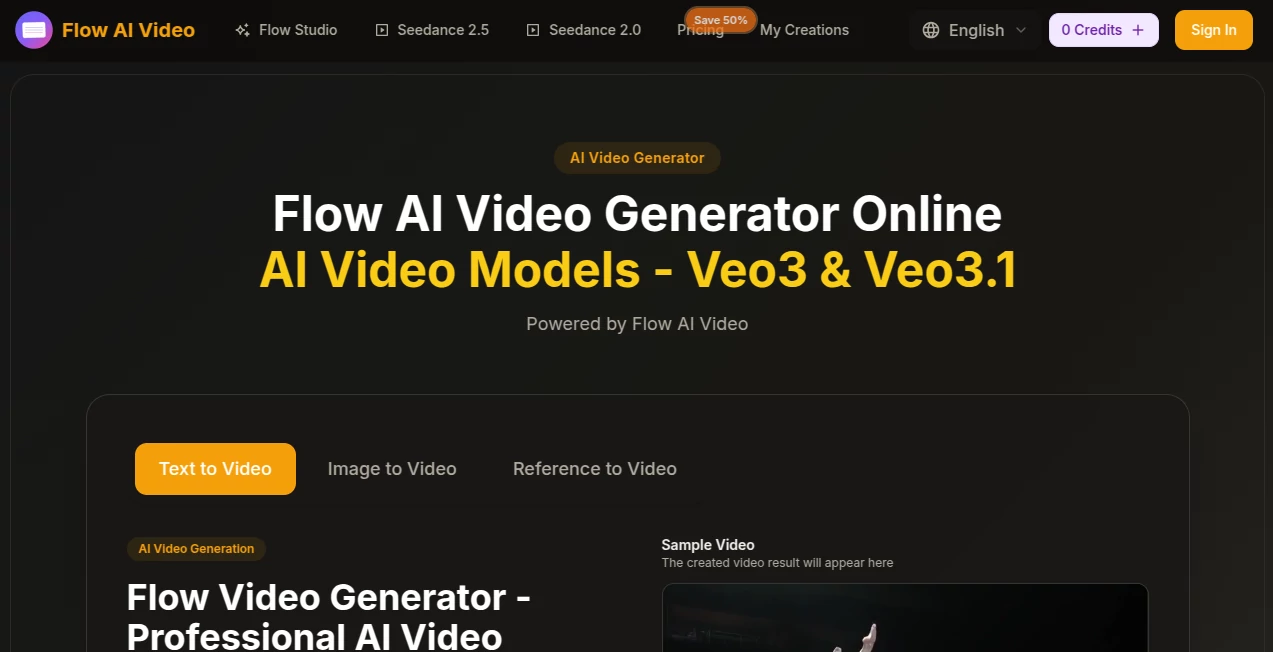
What is flow ai video?
Flow AI Video Generator Online is a browser-based AI video creation platform designed for turning written ideas and images into polished video content. It supports text-to-video, image-to-video, and reference-based workflows, giving creators a practical way to experiment with cinematic scenes without relying on a traditional production setup.
The platform is particularly interesting for creators who want to move quickly from an idea to a visual result. A short description, a product image, or a creative reference can become the starting point for a generated video. The available controls also make it easier to choose an aspect ratio, output quality, and video duration before starting a generation.
For someone working on social content, advertising concepts, product visuals, or creative experiments, this kind of workflow can save considerable preparation time. Instead of opening a full video editor for every small idea, users can generate an initial version and decide what deserves further refinement.
Key Features
User Interface
The interface keeps the main generation workflow relatively straightforward. Users can enter a prompt, select an AI model, choose an aspect ratio such as 16:9 or 9:16, and select available video quality and duration options.
The prompt field supports descriptions of up to 2,000 characters, which leaves enough room for specifying a subject, environment, action, camera movement, lighting, and visual style. The workflow is especially convenient for users who prefer experimenting directly in a browser instead of managing complicated desktop software.
The platform also presents examples of generated work, covering areas such as photography, architecture, people, and creative concepts. These examples can be useful when deciding how to structure a prompt or what type of visual result is realistic to expect.
Accuracy & Performance
Video generation quality naturally depends on the model, prompt, input image, and complexity of the requested scene. The platform focuses on prompt understanding, motion synthesis, and maintaining visual consistency across generated scenes.
One of its more notable features is multi-shot storytelling. The service states that it can maintain characters, visual style, and atmosphere across scene transitions, which is useful when a project needs more than a single isolated clip.
Generation speed is another focus. The service describes its processing as fast, although actual generation time can vary according to the selected model, resolution, duration, and current workload. This makes it sensible to treat rapid generation as a workflow advantage rather than a guarantee for every request.
Capabilities
- Text-to-video generation from detailed written prompts
- Image-to-video generation for animating static images
- Reference-based video creation
- Support for different AI video models
- Multiple aspect ratios, including landscape and vertical formats
- 720p and 1080p video quality options in the generation interface
- Short video durations suitable for social content and creative testing
- Multi-shot storytelling with an emphasis on visual consistency
- Different visual styles ranging from photorealistic scenes to animation-inspired concepts
- Additional image-generation and image-enhancement features
- AI image background removal
- Watermark-free downloads on paid plans
Security & Privacy
The platform provides dedicated Privacy Policy and Terms of Service pages, but users should review those documents directly before uploading confidential, personal, or commercially sensitive material.
This is particularly important for businesses working with unreleased products, customer imagery, internal documents, or proprietary campaign concepts. As with any cloud-based AI generation service, users should understand how uploaded files and generated content are handled before using the platform for sensitive production work.
The service also states that it is independently operated and is not affiliated with Google. This distinction is worth keeping in mind when evaluating references to Google-related video models or technology on the website.
Use Cases
Social Media Content: Vertical video generation can be useful for short-form content designed for platforms such as TikTok, Instagram, and YouTube Shorts. A creator can start with a simple concept and quickly test several visual directions.
Product Marketing: Product photographs can become animated promotional clips, helping ecommerce brands create more engaging visual material without arranging a complete video shoot for every product.
Advertising Concepts: Marketers can generate early versions of ad ideas before investing in professional production. This makes it easier to compare hooks, visual styles, scenes, and creative directions.
Creative Prototyping: Filmmakers, designers, and independent creators can use generated clips to explore an idea before committing to a larger production. For example, a filmmaker could test the atmosphere of a scene before building a complete storyboard.
Architecture and Visualization: Visual concepts involving buildings, spaces, landscapes, and environments can be turned into moving scenes, making the platform useful during early-stage presentation and concept development.
Image Animation: A static photograph does not always need to remain static. Image-to-video generation can add camera movement and other visual motion, giving existing creative assets a second life.
Pros and Cons
Pros
- Simple browser-based video generation workflow
- Supports both text-to-video and image-to-video creation
- Multiple aspect ratios for different content formats
- Access to several AI video models
- Useful controls for quality and video duration
- Multi-shot storytelling is designed around visual consistency
- Paid plans include watermark-free downloads
- Additional image-generation and image-editing tools are available
- Suitable for marketing, social media, product content, and creative experimentation
Cons
- Video generation consumes credits
- Actual generation speed can vary depending on workload and selected model
- Complex scenes may still require several prompt iterations
- Users working with sensitive material should review the privacy terms before uploading assets
- Advanced video production workflows may still require a dedicated editor after generation
Pricing Plans
The platform uses a credit-based subscription model. The Basic plan is listed at $19.90 per month and includes 800 credits, with up to 40 videos per month according to the advertised allowance. It also includes access to supported video and image models, priority generation, permanent history, and watermark-free downloads.
The Pro plan costs $39.90 per month and provides 2,000 credits, with an advertised allowance of up to 200 videos per month. It is positioned toward creators and professionals who need more frequent generation.
The Enterprise plan is listed at $99.90 per month and includes 6,000 credits, with an advertised allowance of up to 600 videos per month. It is aimed at teams and businesses and includes a commercial-use license, priority generation, and priority customer support.
Because credit consumption can depend on factors such as video duration and output requirements, users should check the current pricing page before subscribing and compare the credit cost with their expected monthly workload.
How to Use It
- Choose a generation workflow: Start with text-to-video, image-to-video, or another available reference-based workflow depending on the type of content you want to create.
- Write a detailed prompt or upload an image: Describe the subject, action, environment, camera movement, lighting, and visual style. If you already have a suitable image, use it as the starting point for an animated clip.
- Select the output settings: Choose an appropriate aspect ratio, video quality, duration, and available model for the project.
- Generate the video: Start the generation process and wait for the resulting clip to be processed.
- Review the result: Check motion, composition, subject consistency, and whether the generated scene matches your original idea.
- Refine the prompt: If something feels wrong, adjust the description rather than settling for the first result. Small changes to camera direction, movement, lighting, or subject positioning can make a noticeable difference.
- Download and edit: Once the result meets your needs, download the video and use a dedicated editor if additional trimming, sound design, subtitles, or compositing is required.
Comparison with Similar Tools
The AI video market includes a wide range of services, from simple image-animation tools to advanced cinematic generation platforms. This platform sits closer to the multi-model generation category because it provides access to several models and combines text, image, and reference-based workflows.
Its strongest advantage is the combination of generation controls and supporting creative tools in one browser-based environment. A user can start with an image, experiment with motion, try a different model, and then continue refining the concept without building the entire workflow from scratch elsewhere.
However, professional users should compare model availability, credit consumption, output resolution, commercial licensing, generation limits, and editing capabilities before choosing a long-term platform. The best option depends heavily on whether the priority is cinematic experimentation, high-volume marketing content, product videos, or short-form social media production.
Conclusion
Flow AI Video Generator Online offers a practical approach to AI-assisted video creation by bringing text-to-video, image-to-video, reference workflows, multiple models, and supporting image tools into one web-based workspace. Its combination of generation controls and creative flexibility makes it appealing to creators who want to test ideas quickly without setting up a traditional production workflow.
The platform is particularly well suited to marketing teams, social media creators, ecommerce businesses, designers, and independent artists who regularly need fresh visual content. Its credit-based plans also provide different levels of capacity, allowing users to choose a package according to their expected production volume.
It is not a replacement for every part of professional video production. Generated footage may still need editing, sound, captions, color work, or additional creative direction. But as a tool for turning concepts and static assets into moving visuals, it provides an efficient starting point and plenty of room for experimentation.
Frequently Asked Questions (FAQ)
What can I create with this AI video generator?
You can create AI-generated clips from text prompts and images, including creative scenes, product visuals, marketing concepts, social media videos, architectural concepts, and other short-form visual content.
Can I create a video from an image?
Yes. The platform supports image-to-video generation, allowing users to transform static images into animated video content with generated motion.
Does it support text-to-video generation?
Yes. Users can enter a written prompt describing the scene they want to create and generate a video from that description.
Which video quality options are available?
The main generation interface lists 720p HD and 1080p Full HD options. The website also promotes high-resolution and cinematic video generation, although the exact output can depend on the selected model and plan.
How does the credit system work?
Video generation uses credits, with the amount required depending on factors such as the generation settings. Subscription plans provide a monthly credit allowance, while the advertised plans offer different levels of video-generation capacity.
Is it useful for social media videos?
Yes. The availability of vertical 9:16 output makes it suitable for short-form content intended for platforms where portrait video is commonly used.
Can businesses use generated videos commercially?
The Enterprise plan specifically lists a commercial-use license. Users planning commercial production should review the current licensing terms and the terms associated with their selected plan before publishing generated material.
Do I need professional video editing experience?
No. The core generation workflow is designed to be accessible through a browser. However, basic editing skills can still be helpful when you want to combine generated clips, add sound, create subtitles, or prepare a finished campaign.