
Flozari
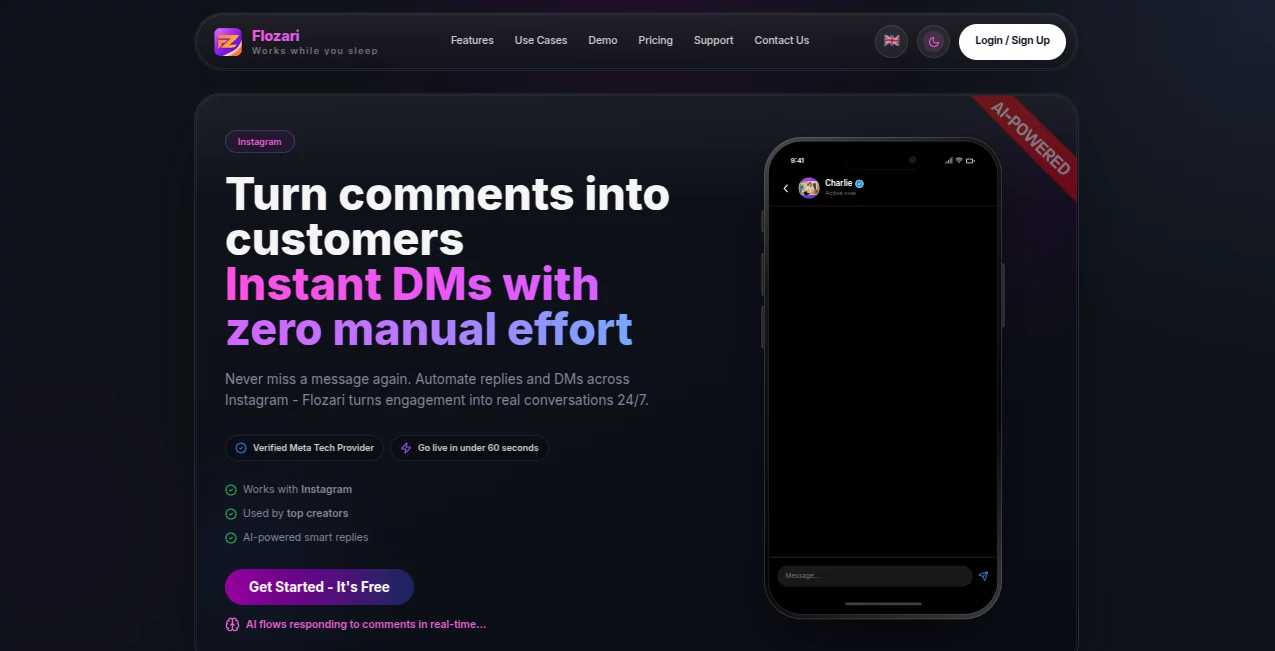
What is Flozari?
Instagram engagement can become difficult to manage once comments, direct messages, questions, and customer requests start arriving throughout the day. Flozari is built to make that process easier by connecting Instagram comments, DMs, automated conversations, and lead capture in one workflow.
The platform focuses heavily on turning public interactions into private conversations. For example, someone can comment a keyword such as “Link” on a post, receive an instant DM, and continue through a guided conversation without requiring the account owner to manually handle every step. This makes it particularly useful for creators, e-commerce businesses, coaches, educators, musicians, and agencies.
What stands out is the balance between automation and control. Users can create structured flows, define keywords, use templates for important messages, and bring AI into conversations when a more flexible response is needed.
Key Features
- Instagram comment-to-DM automation for keyword-based interactions.
- Automated DMs triggered by comments, story mentions, keywords, and incoming messages.
- AI-powered replies designed to provide contextual responses.
- Visual flow builder for creating multi-step conversations.
- Follow gates that can request a follow before unlocking a link or resource.
- Lead capture for collecting useful customer information during conversations.
- Activity analytics for monitoring triggers, messages, replies, clicks, and conversion trends.
- Broadcast capabilities for eligible Instagram conversations.
- Team inbox features with assignments, approvals, and human handoff.
- Sentiment analysis for identifying positive, negative, question-based, or spam interactions.
- Integrations with services such as Shopify, Google Sheets, Kit, Mailchimp, and Calendly.
- Automatic comment hiding for spam and negative interactions.
User Interface
The interface is designed around visual workflows rather than complicated technical configuration. After connecting an Instagram Business or Creator account, users can create flows by selecting triggers, setting keywords, choosing a response method, and defining what happens next.
This approach is especially practical for people who want to build automation without learning programming. A creator could create one flow for people asking for a product link and another for followers requesting a free resource. Each conversation can follow its own path instead of forcing every person through the same message.
Accuracy & Performance
Automation is most useful when the response happens at the right moment. The platform is designed to monitor Instagram activity continuously and react to configured triggers without requiring the account owner to stay online.
Keyword targeting also gives users a predictable way to control when an automation should start. For more open-ended conversations, AI-powered replies can add flexibility, while predefined templates remain useful when an exact answer is important.
Its analytics layer adds another useful dimension. Users can review triggers, messages, replies, clicks, and conversion trends to identify which automations are actually producing results rather than simply generating activity.
Capabilities
The strongest capability is the ability to connect several stages of an Instagram conversation into a single flow. A comment can trigger a DM, the DM can ask a question, the user can be guided through quick replies, and a qualified lead can then be passed toward the next step.
For an online store, this could mean automatically sending a product link after someone comments on a post. For a course creator, the same structure could deliver course information. An agency can use team features to let automation handle routine interactions while employees take over conversations that need a personal response.
The knowledge base and sentiment-related features are also useful for organizations that receive a large volume of inquiries. Instead of treating every message identically, the workflow can be designed around different customer needs and conversation types.
Security & Privacy
The service states that its Instagram automation works through Meta's official APIs rather than unofficial scraping or mobile automation methods. This is an important distinction for businesses that depend on their social accounts for customer acquisition.
Users should still review the platform's privacy, terms, data usage, and Meta-related policies before connecting a business account, particularly when conversations contain customer information or other sensitive business data.
Use Cases
- E-commerce: Automatically send product links when customers comment on posts and turn social engagement into potential sales conversations.
- Creators: Deliver resources, links, downloads, and other information without answering the same questions repeatedly.
- Coaches: Respond to program inquiries and guide prospects toward the appropriate next step.
- Educators: Share course information and resources through automated Instagram conversations.
- Marketing Agencies: Manage automation and conversations across multiple client accounts with team-oriented features.
- Musicians: Share music links and respond to audience requests automatically.
- Customer Support: Use automated responses for common questions while allowing human agents to handle more complicated cases.
Pros and Cons
- Pros: Strong focus on Instagram automation, visual flow building, AI replies, comment-to-DM workflows, lead capture, analytics, team collaboration, sentiment analysis, and useful integrations.
- Pros: A free plan makes it possible to test the core workflow before committing to a paid subscription.
- Pros: Flat-plan positioning can be attractive for accounts that experience large fluctuations in engagement.
- Pros: Official Meta API usage is a positive point for businesses concerned about unofficial automation methods.
- Cons: The platform is primarily centered around Instagram workflows, so businesses looking for a broad multi-channel messaging platform may need additional tools.
- Cons: Advanced capabilities such as larger AI reply allowances, multiple Instagram pages, team features, broadcasts, sentiment analysis, and deeper integrations are reserved for higher plans.
- Cons: Users with very simple automation needs may find some of the advanced workflow and analytics features unnecessary.
Pricing Plans
A free plan is available for users who want to test the platform. It includes one Instagram page, 1,000 DM credits per month, three active automations, one team member, limited contacts, and a limited number of AI replies and flow-builder generations.
The Creator plan is aimed at individual creators and small businesses and adds unlimited DM credits and active automations, more AI replies, unlimited contacts, story and Instagram Live automation, follow gates, lead capture, link tracking, CSV export, and removal of platform branding. The site currently advertises a launch discount for this plan.
The Growth plan is designed for more established creators, coaches, and direct-to-consumer brands. It expands account and team limits and adds features such as broadcasts, follow-up campaigns, sentiment analysis, inbox intelligence, knowledge-base functionality, segmentation, A/B testing, moderation, advertising automation, and additional integrations.
The Agency plan is intended for agencies and larger teams managing several client accounts. It increases the number of Instagram pages, team members, client workspaces, AI replies, and flow-builder generations while adding advanced knowledge-base functionality, Shopify integration, team inbox tools, approval workflows, and priority support.
How to Use It
Start by connecting an Instagram Business or Creator account. Once the account is connected, create an automation and decide what should trigger it. This could be a specific keyword in a comment, a story interaction, or an incoming message.
Next, create the conversation flow. Choose whether the response should use a predefined template, an AI-generated reply, a quick-reply option, or another action. You can also add follow gates, links, lead capture steps, and additional branches depending on the purpose of the automation.
Before activating the workflow, test the conversation and make sure important information such as pricing, policies, product details, and links is accurate. Once everything looks right, activate the automation and monitor the results through the analytics area.
Comparison with Similar Tools
ManyChat is one of the better-known alternatives in the social messaging automation space and offers broader multi-channel support. Its strength is particularly useful for businesses that want Instagram alongside channels such as WhatsApp, Messenger, or SMS.
This platform takes a more Instagram-first approach. Its combination of comment-to-DM automation, AI replies, visual flows, sentiment analysis, team inbox functionality, lead capture, and Instagram-focused engagement tools makes it appealing to creators and brands that primarily acquire customers through Instagram.
The right choice depends on the workflow. Someone who needs a focused Instagram automation system may prefer this approach, while a company building a larger multi-channel messaging operation may benefit from a broader platform.
Conclusion
For creators and businesses that receive a steady stream of Instagram comments and DMs, automation can remove a surprising amount of repetitive work. The platform brings comment triggers, direct-message automation, AI responses, lead capture, analytics, and team collaboration into a single environment.
Its biggest advantage is the connection between engagement and action. Instead of simply responding to comments, a business can design a complete journey from the first public interaction to a private conversation and eventually a qualified lead.
The free plan also provides a practical way to explore the core features before moving to a paid tier. For Instagram-focused brands, creators, coaches, and agencies, it is a strong option worth considering when manual replies are starting to consume too much time.
Frequently Asked Questions (FAQ)
What is this tool mainly used for?
It is primarily designed for Instagram comment automation, DM automation, AI-powered replies, lead capture, and structured customer engagement workflows.
Can it automatically send DMs after Instagram comments?
Yes. Users can create keyword-based comment triggers that automatically start a direct-message conversation.
Does it support AI-generated replies?
Yes. AI-powered replies can create contextual responses for conversations where fixed templates may not be sufficient.
Can businesses capture leads through Instagram conversations?
Yes. Lead-capture functionality can be included in conversation flows to help businesses turn Instagram interactions into potential customer opportunities.
Is there a free plan?
Yes. The free plan provides a limited set of automation, DM, contact, AI, and account features so new users can test the service.
Can teams manage Instagram conversations?
Yes. Higher plans include team inbox functionality, assignments, approvals, and human handoff features designed for collaborative customer communication.
Does it work with Instagram Business accounts?
Yes. The service is designed to connect with Instagram Business and Creator accounts.
Can it be used by e-commerce businesses?
Yes. E-commerce is one of its intended use cases, particularly for automatically sharing product links and turning Instagram engagement into sales conversations.
AI Instagram Assistant , AI Social Media Assistant , AI Lead Generation , AI Customer Service Assistant .
These classifications represent its core capabilities and areas of application. For related tools, explore the linked categories above.

Flozari Alternatives Product

Customer Fee…

Reachara

Weblo AI

Quso AI

Meet Lea

LeadCanvas

PostingCat

BetterAntisp…

Leado.co