
FreeUpscaler
What is FreeUpscaler?
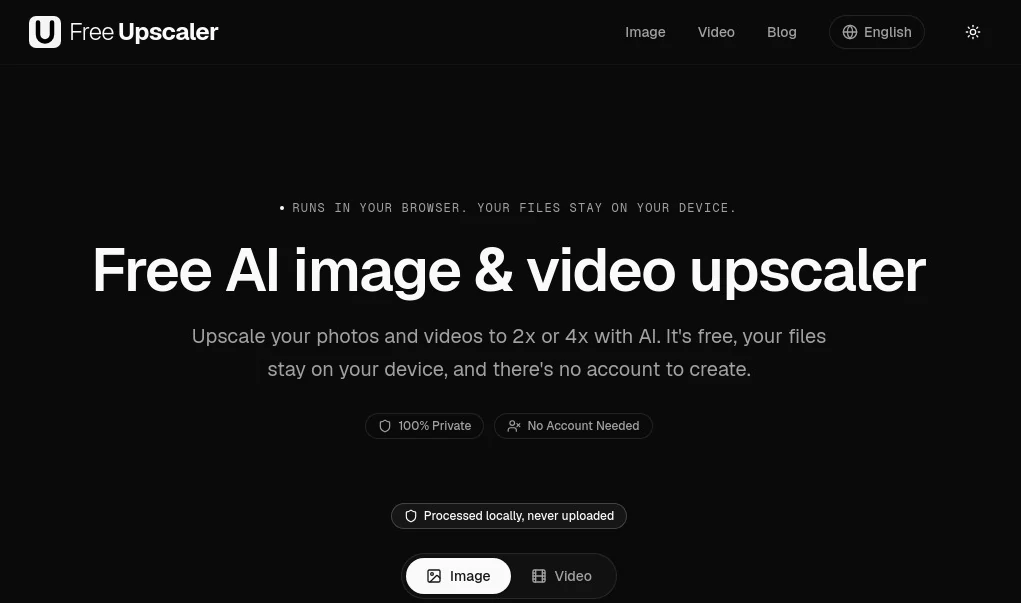
Improving the quality of low-resolution photos and videos often requires expensive desktop software or cloud services that ask users to upload personal files. This browser-based solution takes a refreshing approach by performing AI-powered upscaling directly on your own device. There are no sign-ups, no uploads, and no watermarks, making it an excellent choice for creators, photographers, businesses, and anyone who values privacy.
Instead of relying on remote servers, the AI model runs locally through modern browser technology, allowing images and videos to be enhanced while remaining on the user's computer. Whether you're restoring an old family photo, preparing product images for an online store, or improving AI-generated artwork, the experience is simple, fast, and remarkably convenient.
Key Features
User Interface
The interface is intentionally minimal and beginner-friendly. Users simply drag and drop an image or video, choose either 2× or 4× enhancement, and download the improved result. There are no complicated settings, unnecessary menus, or account requirements, making the workflow accessible for both casual users and professionals.
- Clean drag-and-drop interface.
- No registration or login required.
- Supports both images and videos.
- Quick selection between 2× and 4× scaling.
- Runs entirely inside a modern web browser.
Accuracy & Performance
Rather than simply enlarging pixels, the AI reconstructs fine details such as edges, textures, and patterns to produce sharper, more natural-looking results. Since processing takes place on the user's own GPU, performance depends on the device, but repeated visits become faster as AI assets are cached locally. Images are enhanced without visible watermarks, while videos preserve their original audio during processing.
Capabilities
- AI-powered image upscaling.
- AI-powered video enhancement.
- Supports JPG, PNG, and WebP images.
- Supports common video formats including MP4, WebM, and MOV.
- Produces clean high-resolution outputs.
- Ideal for restoring old photos.
- Improves AI-generated artwork.
- Enhances screenshots and UI captures.
- Perfect for e-commerce product images.
- No usage limits.
- No watermarks.
Security & Privacy
Privacy is one of the strongest advantages of this platform. Every enhancement is processed locally inside the browser, meaning files never leave the user's device. Since media is not uploaded to remote servers, sensitive business documents, personal photographs, client projects, and confidential assets remain under the owner's control throughout the entire process.
Use Cases
- Restore old family photographs for printing.
- Improve low-resolution product images for online stores.
- Enhance AI-generated illustrations before publishing.
- Create higher-quality thumbnails for social media.
- Upgrade gameplay recordings and screen captures.
- Prepare marketing visuals for advertisements.
- Improve scanned documents and archived materials.
- Increase image quality before presentations or printing.
Pros and Cons
- Pros
- Completely free to use.
- No account creation required.
- No watermark on exported files.
- Local browser processing improves privacy.
- Supports both images and videos.
- Simple and intuitive workflow.
- Unlimited usage without credits.
- Cons
- Processing speed depends on the user's hardware.
- Large video files require more processing time.
- Modern browser support is recommended for the best experience.
Pricing Plans
The platform is completely free. Users can upscale both images and videos without subscriptions, premium tiers, hidden costs, or usage credits. There are no watermarks, and no payment information is required to access its core functionality.
How to Use Free AI Image & Video Upscaler
Open the website in a compatible browser, choose an image or video by dragging it into the upload area, select either the 2× or 4× enhancement option, and allow the AI to process the media locally on your device. Once processing is complete, simply download the enhanced version. No installation, registration, or cloud upload is necessary.
Comparison with Similar Tools
Many AI upscaling services rely on cloud infrastructure, requiring users to upload files before enhancement. Some limit free usage, apply watermarks, or restrict output quality behind paid subscriptions. This solution stands out by combining unlimited free access with local browser processing, allowing users to maintain complete control over their files while avoiding lengthy upload times and privacy concerns. Its straightforward workflow also makes it one of the easiest options available for users who simply want better image and video quality without unnecessary complexity.
Conclusion
This browser-based AI upscaler demonstrates that high-quality enhancement does not have to come at the expense of privacy or convenience. By processing everything locally, it offers an experience that feels secure, efficient, and refreshingly simple. The combination of unlimited free access, support for both images and videos, watermark-free exports, and an intuitive interface makes it an excellent choice for creators, businesses, photographers, students, and anyone looking to improve visual content without sacrificing control over their files.
Frequently Asked Questions (FAQ)
Does it require an account?
No. Users can begin enhancing media immediately without creating an account.
Are uploaded files stored online?
No. Files remain on the user's own device throughout the entire process.
Can both images and videos be enhanced?
Yes. The platform supports AI enhancement for both images and videos.
Are there any watermarks?
No. Downloaded files are provided without watermarks.
Is it suitable for commercial projects?
Yes. It is well suited for improving marketing assets, product photos, creative projects, and business media before publication.
Photo & Image Editor , AI Photo Enhancer , AI Image to Image , AI Video Enhancer .
These classifications represent its core capabilities and areas of application. For related tools, explore the linked categories above.

FreeUpscaler Alternatives Product

Retro Image …

Blur & Unblu…

Uni-1

MAGIK FACE

Caricature A…

FLUX 2

RoomStaging

seedream 6

Photoshoot A…