
















happyhorsevideo
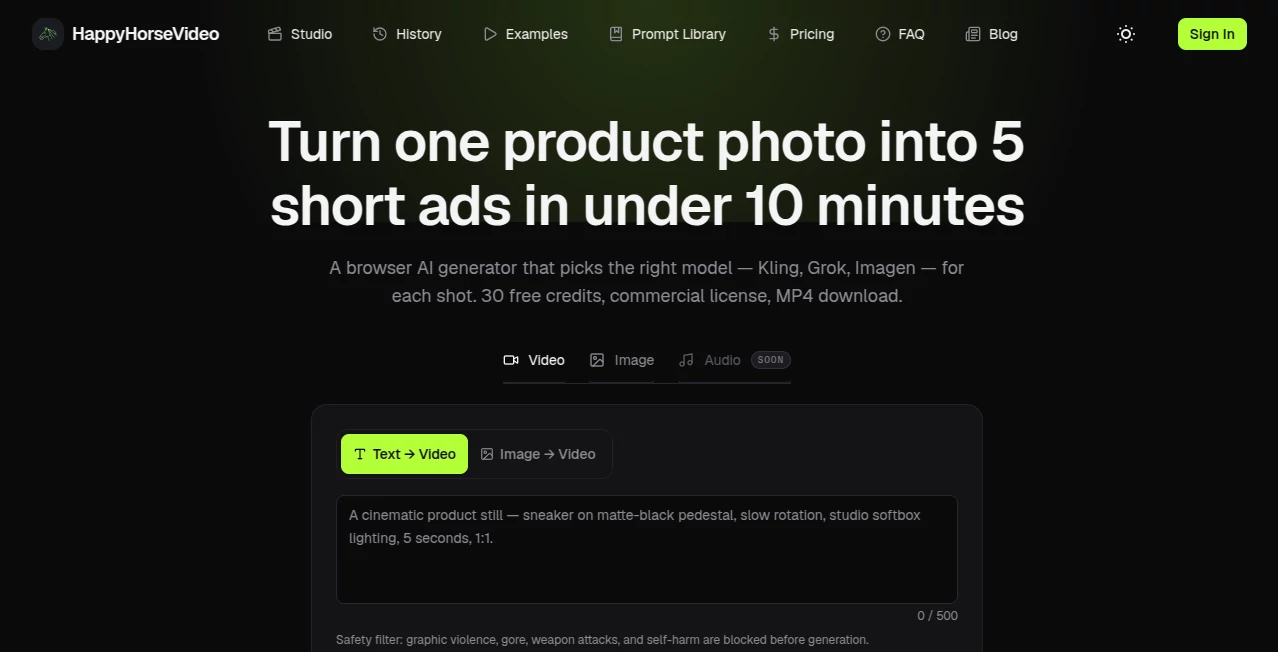
What is happyhorsevideo?
Let’s be honest for a second. Most AI-generated videos have that same glossy, dreamy, slightly weird look. You know the one—where everything feels a bit too smooth and nothing quite obeys the laws of physics. It works for abstract art, sure. But what if you're trying to tell a real story? What if you need a thirty-second ad that actually feels like film, or a short scene where a character delivers a line of dialogue without looking like a badly dubbed movie from the seventies?
That gap between "AI slop" and actual usable footage has been frustrating creators for months. Then, something shifted. A new model appeared out of nowhere, topped every leaderboard, and quietly started changing what people expect from automated video. The secret is out, and it's already being called a genuine game-changer for anyone who needs high-quality footage without the Hollywood budget. This is the tool that puts genuine storytelling power back into the hands of the creator.
Key Features
What makes this platform stand out isn't just one clever trick. It is the combination of raw visual fidelity with something most AI models completely ignore: narrative logic. You aren't just throwing prompts at a black box anymore.
The architecture here is fundamentally different. Instead of generating a silent video and trying to stitch audio on top later, the model handles both visuals and sound in a single pass. For anyone who has ever spent hours manually syncing dialogue, that is nothing short of a miracle. The result is footage where lip movements actually match the spoken words across multiple languages, from English to Mandarin and Japanese. It finally feels like the machine understands the assignment.
User Interface
Getting started feels intuitive. You don't need a degree in machine learning to figure this out. The platform strips away the technical clutter and gets straight to the creative process. You have options for text-to-video, where you type what you want to see, or image-to-video, where you upload a reference photo and let the tool bring it to life.
There is a distinct lack of jargon. You adjust camera movements like pans, dollies, and push-ins using plain language. Want a slow zoom into a character's eyes while rain hits a window? Just type that. The interface is responsive, and the generation speed is surprisingly quick for the quality you get. We are talking about a clip in under a minute on good hardware, which keeps your creative flow from being interrupted by endless loading bars.
Accuracy & Performance
This is where the hype gets real. In blind tests on the Artificial Analysis Video Arena, this model didn't just win; it dominated the competition across both video and audio categories . For a tool to dethrone established players that quickly, the performance has to be exceptional.
The visual authenticity is striking. We are talking about filmic 1080p output that handles shallow depth of field beautifully. Backgrounds blur into soft, cinematic color blocks. Skin textures look like skin, not painted wax. Hair moves in the wind naturally. Even tricky elements like smoke or water mist are rendered with a fidelity that catches you off guard. However, it is not perfect. The model still struggles with complex physics like a bowling ball hitting pins or a glass shattering . For character-driven narratives and mood pieces, it excels. For explosive action with multiple moving parts, it can still get confused.
Capabilities
You can generate clips up to fifteen seconds long, which is the sweet spot for social media reels, TikTok content, or short ad spots . The multi-shot narrative ability is a standout feature. You can create a sequence that includes a wide shot, a close-up, and a reaction shot, and the model maintains logical consistency between the cuts. That is incredibly rare.
One of the most useful features for marketers is the "Image to Video" function. You can take a static product shot from your e-commerce store and turn it into a smooth, rotating video showcase with just a few words. The platform preserves the exact colors and branding of the product, which means no weird AI hallucinations adding extra handles to your coffee mug . You also get multiple aspect ratio support (16:9, 9:16, 1:1) so you don't have to crop your masterpiece.
Security & Privacy
Running under the umbrella of a major tech conglomerate, there is a baseline level of security you can rely on. The API is accessible via the cloud platform, meaning enterprise-grade security protocols are in place for data handling. For the average user, the standard web app provides a secure environment where your generated content stays yours. Just be aware of the terms of service regarding training data, as this is always a moving target with generative AI.
Use Cases
The real-world applications here are vast. If you are a digital marketer, you can generate five different ad variations for a product in the time it used to take to storyboard one. The platform allows for rapid iteration on creative assets without hiring a full animation team.
Short film creators and indie directors will find the cinematic quality liberating. You can shoot that "impossible" scene—the dream sequence, the flashback, the epic wide shot you couldn't afford to travel for—right from your desk. It is an incredible pre-visualization tool, and often, the final render is good enough to drop right into the edit.
Social media managers dealing with short-form content will love the efficiency. Turning a blog post into a narrated video with dynamic b-roll used to take days. Now, it takes minutes. Whether it is a motivational quote with a moving landscape or a product teaser with a cinematic camera push, the workflow is seamless.
For e-commerce owners, the "Image to Video" feature is a profit center. Static catalog images feel obsolete when you can animate them in seconds. A dress that hangs limply on a mannequin can be rendered flowing in the wind. A watch can slowly rotate to catch the light .
Pros and Cons
What works brilliantly: The visual realism is top-tier, especially for human faces and natural environments. The lip-sync accuracy for multiple languages is currently best-in-class, which is a massive win for global content. The speed to generate a 1080p clip is fast enough to keep you in the zone. The pricing, while not free, is accessible enough for prosumers.
Where it stumbles: Complex action sequences or fast-moving sports can result in "jittery" limbs or weird warping . Physics understanding is a known weakness; don't ask it to drop a ball and have it bounce realistically just yet. The clip length, while good, is capped at fifteen seconds, so long-form storytelling isn't possible without stitching clips together.
Pricing Plans
You get some free credits to test the waters when you sign up, which is always appreciated. Once you are ready to commit, the pricing is consumption-based. The standard rate for a 720p video is about $0.90 per second, and 1080p runs around $1.60 per second .
However, the smart money is on the monthly membership. If you plan on generating more than just a few tests, the discount is significant. With the current limited-time offers, a professional membership brings the cost of 720p down to roughly $0.44 per second and 1080p to $0.78 per second . That means a ten-second ad spot costs less than five dollars. For business owners, that math is impossible to ignore.
How to Use This AI Video Tool
Getting started takes about two minutes. Head to the official website and create an account. You will be greeted with a clean dashboard. For your first test, keep it simple. Go to the "Text to Video" section.
Type something descriptive but not overwhelming. Instead of "a man walking," try, "Close up shot of a weary traveler in a neon-lit Tokyo alley at night, light rain falling, shallow depth of field, cinematic color grading." Select your aspect ratio (choose 9:16 if you are posting to Instagram Reels or TikTok). Hit generate and wait roughly thirty to forty seconds.
Once the video renders, watch it on full screen. Look at the lighting. Look at the skin texture. If it needs tweaking, adjust your prompt. Add motion commands like "slow dolly in" or "pan left." Once you are happy, download the 1080p MP4 and drop it straight into your editing timeline.
Comparison with Similar Tools
How does this stack up against the heavy hitters like Kling 3.0 or Seedance 2.0? The consensus from side-by-side tests is interesting. For raw, explosive realism and physics handling, you still might give the edge to the competitors . They handle complex motion slightly better.
But where this tool wins is in narrative cohesion and visual taste. Other models often produce clips that feel like "tech demos." This tool produces clips that feel like "movies." The way it handles lighting, atmosphere, and character presence is simply more sophisticated. Plus, the native audio generation and lip-sync give it a massive advantage for dialogue-heavy scenes. If you need a monster fighting a dragon, look elsewhere. If you need a person giving an emotional speech, this is the best tool for the job.
Conclusion
AI video has officially entered a new phase. We are moving past the era of "wow, a computer made this" and into the era of "wow, this is actually usable." This model makes high-end video production accessible to the solo creator, the small business owner, and the scrappy marketing team.
It is not perfect yet—physics and long narratives remain a hurdle. But the trajectory is undeniable. The visuals are stunning, the controls are intuitive, and the price is right. If you are serious about creating content that stands out in a sea of generic noise, you owe it to yourself to take this tool for a spin. It might just change how you think about video production forever.
Frequently Asked Questions (FAQ)
Is this tool really free to use? You receive a certain amount of free credits upon registration, allowing you to test the features without paying. Once those run out, the platform operates on a paid credit or subscription model.
Can I use these videos for my business commercially? Yes, the standard license for paid plans typically includes commercial usage rights, meaning you can use the generated footage in ads, YouTube videos, or product listings. Always double-check the specific terms on the pricing page.
Does it work well for fast action scenes? This is the current weak point. The model excels at human movement, talking heads, and slow cinematic pans. It struggles with very fast action, sports, or complex object interactions like bouncing or shattering.
What languages does the lip sync support? The model supports several major languages natively, including English, Mandarin, Cantonese, Japanese, and Korean, making it a powerful tool for localizing marketing content .
How long does it take to generate a video? Speed depends on server load, but generally, a 5-second 720p clip renders in under a minute. 1080p clips take slightly longer but are still impressively fast compared to previous generation tools.