Harker
What is Harker?
Harker is a private voice-to-text application designed to help Mac users write faster by turning natural speech into accurate text instantly. Instead of slowing down ideas with a keyboard, users can simply speak and have their words appear directly inside the app they are already using. The tool focuses on speed, simplicity, and privacy by processing voice locally on the device.
Built for people who think faster than they type, this voice-powered productivity solution creates a smoother way to write emails, documents, notes, AI prompts, code comments, and everyday messages. It removes the friction between having an idea and putting it into words, making digital work feel more natural and efficient.
Key Features
User Interface
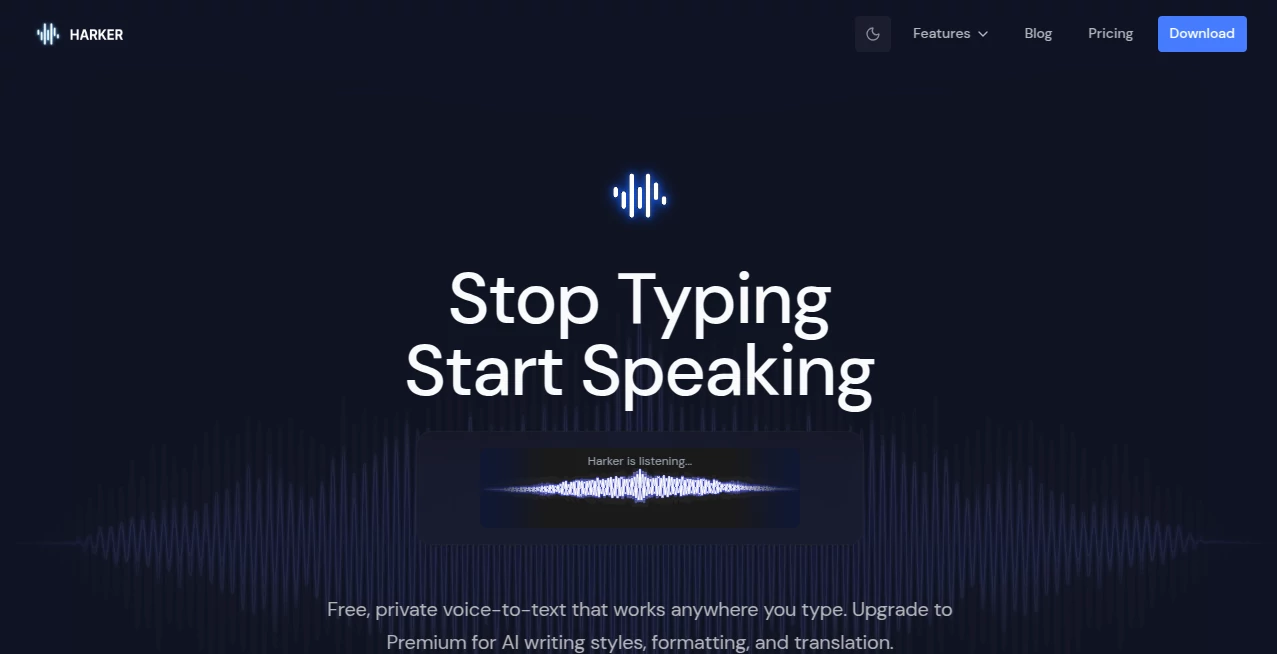
The application is designed around a simple workflow. Users can activate voice input with a global keyboard shortcut, speak naturally, and watch the text appear wherever the cursor is located. There is no need to switch between applications, copy transcripts, or manage complicated settings.
The lightweight interface stays out of the way while working in email clients, writing tools, browsers, messaging apps, development environments, and other software. This makes the experience feel like an extension of the operating system rather than another application to manage.
Accuracy & Performance
The tool uses advanced speech recognition models to convert spoken language into text with strong accuracy. It understands natural conversations, punctuation, and multiple languages while allowing users to choose between different model sizes depending on their preference for speed or precision.
Because voice processing happens locally, users can continue working without depending on an internet connection. This approach also helps reduce delays and keeps the workflow responsive during long writing sessions.
Capabilities
The platform goes beyond basic dictation by offering AI-powered text improvements through its premium features. Users can transform spoken thoughts into polished writing with different styles, formatting options, grammar corrections, and translation capabilities.
- Unlimited voice-to-text transcription
- Speech input directly into any application
- Local AI transcription on Mac devices
- Support for multiple languages
- Custom keyboard shortcuts
- AI writing style transformation
- Email and document formatting
- Grammar and punctuation improvements
- AI-powered translation
- Custom instructions for personalized output
Security & Privacy
Privacy is one of the strongest advantages of this solution. Voice data is processed directly on the user's device, meaning recordings do not need to be uploaded to external servers for transcription. This makes it suitable for professionals handling private notes, client information, business ideas, or confidential projects.
For premium AI transformations, only the resulting text is processed for improvements, while the original audio remains protected on the user's machine.
Use Cases
This voice productivity tool can improve workflows across many industries and personal activities. Writers can create drafts faster by speaking their ideas instead of typing every sentence. Developers can describe code changes, create prompts, and write documentation without leaving their editor.
- Writers: Create articles, stories, emails, and drafts at speaking speed.
- Developers: Dictate coding notes, technical explanations, and AI prompts.
- Students: Turn spoken thoughts into study notes, summaries, and essays.
- Professionals: Write reports, messages, and business documents faster.
- Content Creators: Capture ideas immediately before they disappear.
Pros and Cons
Pros
- Private on-device voice processing
- Free unlimited transcription option
- Works inside almost any application
- No account required for the free version
- Fast workflow with keyboard shortcut activation
- Useful for writing, coding, studying, and productivity tasks
Cons
- Currently focused on Mac users
- Advanced AI writing features require a premium plan
- Performance depends on device hardware
Pricing Plans
The platform offers a free plan that includes unlimited local transcription, multiple transcription models, shortcut activation, and basic voice typing features.
The premium plan adds AI-powered enhancements such as writing style changes, smart formatting, grammar correction, translation, and custom instructions. Premium access is available through a subscription model with a free trial option.
How to Use Harker
Getting started is simple. After installing the application, users select their preferred shortcut and activate voice input whenever they want to write. They can then speak naturally, and the converted text appears directly at the active cursor location.
- Install the application on a supported device.
- Choose a preferred keyboard shortcut.
- Open any writing field or application.
- Activate voice input and start speaking.
- Edit or enhance the generated text if needed.
Comparison with Similar Tools
Many traditional dictation solutions rely heavily on cloud processing, which can create privacy concerns and require constant internet access. This tool takes a different approach by prioritizing local transcription and giving users more control over their voice data.
Compared with basic built-in dictation systems, it provides a more flexible experience with AI-powered writing improvements, customizable workflows, and deeper integration with everyday applications.
Conclusion
For anyone who regularly writes, codes, studies, or creates content, voice input can become a powerful productivity upgrade. By combining accurate transcription, privacy-focused technology, and optional AI writing enhancements, this solution creates a faster and more natural way to turn thoughts into finished text.
It is especially valuable for users who want the convenience of modern AI tools without giving up control over their personal voice data. Whether drafting a quick message or developing a larger project, speaking instead of typing can make the entire creative process smoother.
Frequently Asked Questions (FAQ)
Is this tool free to use?
Yes. The free version provides unlimited local voice transcription without requiring an account. Additional AI writing features are available through the premium plan.
Does it work offline?
Yes. Voice transcription can run locally on the device, allowing users to continue working without an internet connection.
Does it support multiple languages?
Yes. The application supports multilingual voice transcription and can recognize different languages automatically.
Is voice data stored online?
No. Voice processing is designed to happen locally, keeping audio on the user's device.
Who can benefit from using this tool?
Writers, developers, students, professionals, and anyone who wants to convert spoken ideas into text faster can benefit from this workflow.
AI Productivity Tools , AI Voice Assistants , AI Speech to Text , AI Writing Assistants .
These classifications represent its core capabilities and areas of application. For related tools, explore the linked categories above.

Harker Alternatives Product

Voice Art

MaxAEO

ace.me

AHelp

gpt-plus.ai

Vibebot.gg
Linkflare

Audio Convert

Seedance 2.5