

















Audio Convert
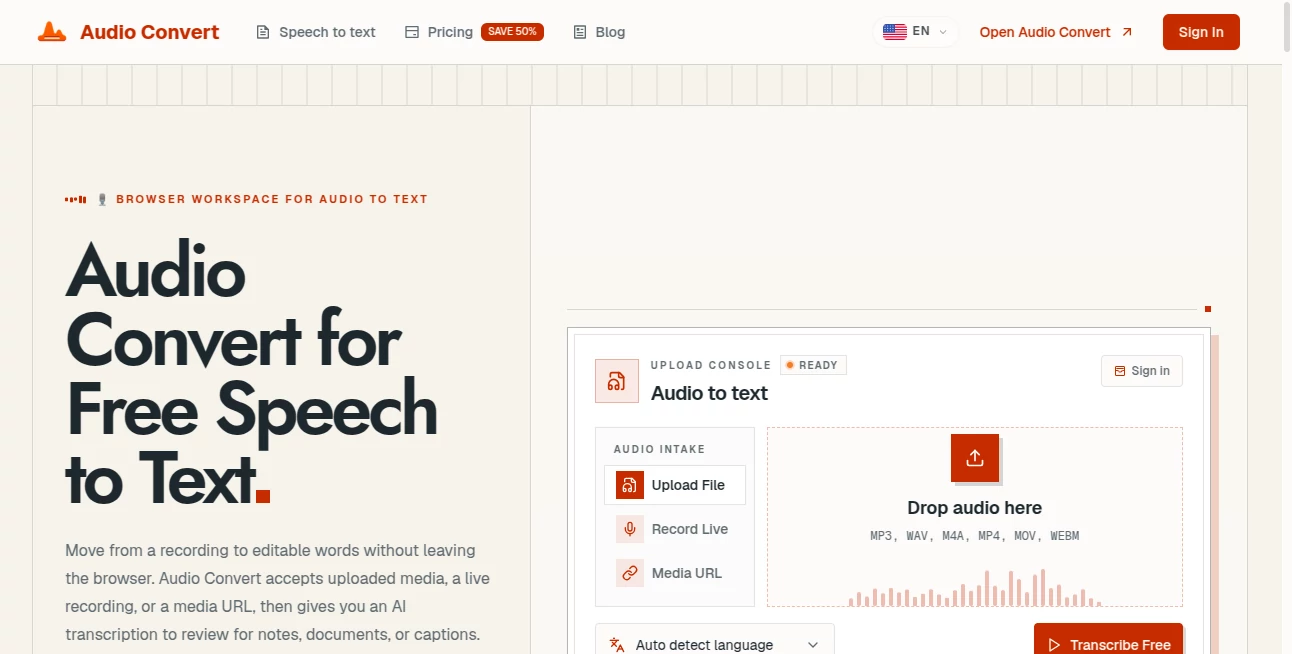
What is Audio Convert?
Converting audio files should be simple, secure, and fast. This browser-based solution makes that possible by allowing users to change audio formats without installing software or uploading files to remote servers. Everything happens directly on your device, giving you complete control over your content while keeping the conversion process quick and reliable.
Whether you're a musician preparing tracks, a podcaster organizing recordings, a student converting lectures, or simply someone who needs a different audio format, the platform provides an effortless workflow. With support for popular formats and high-quality output, it removes the frustration often associated with online conversion services.
One of its biggest strengths is its privacy-first approach. Since files are processed locally in the browser using modern technologies, sensitive recordings remain on your computer instead of being transferred across the internet. This combination of convenience, speed, and security makes it an excellent choice for everyday audio conversion tasks.
Key Features
- Browser-based audio conversion with no installation required.
- Local processing for improved privacy.
- Supports popular formats including MP3, WAV, FLAC, AAC, OGG, M4A, WEBM, and WMA.
- Batch conversion for multiple files.
- ZIP download for converted files.
- Custom quality settings.
- Fast conversion powered by modern browser technologies.
- No account registration required.
- Works across desktop, tablet, and mobile devices.
- Unlimited free usage.
User Interface
The interface is clean and intentionally minimal. Uploading files takes only a few clicks, while the available conversion settings remain easy to understand even for first-time users. Progress indicators provide useful feedback during larger conversion jobs, making the experience smooth from start to finish.
Accuracy & Performance
The conversion engine delivers high-quality output while preserving audio clarity across supported formats. Since processing happens directly in the browser, users avoid upload delays and often complete conversions significantly faster than with traditional cloud-based services.
Capabilities
The platform handles single-file and batch conversions with equal ease. Users can convert music libraries, podcasts, interviews, lectures, sound effects, and voice recordings between multiple audio formats while adjusting quality settings to match storage or playback requirements.
Security & Privacy
Privacy is one of the strongest advantages of the service. Audio files remain on the user's device because conversions are performed locally inside the browser using WebAssembly and FFmpeg technologies. No registration is required, and there is no need to upload personal recordings to external servers. :contentReference[oaicite:0]{index=0}
Use Cases
- Convert podcast recordings into multiple distribution formats.
- Prepare audio for video editing projects.
- Create compatible files for smartphones and portable players.
- Transform lossless recordings into compressed formats for sharing.
- Archive music collections in preferred formats.
- Convert lecture recordings for easier playback.
- Process multiple client audio files in one session.
- Prepare sound effects for creative projects.
Pros and Cons
- Pros
- Completely free to use.
- No software installation.
- Excellent privacy through local processing.
- Supports many common audio formats.
- Batch conversion support.
- Fast performance.
- Works on almost any modern browser.
- Cons
- Focused solely on audio conversion rather than advanced editing.
- Requires a modern browser for the best experience.
- Very large files may depend on available device resources.
Pricing Plans
The platform is completely free to use without subscriptions, premium tiers, or mandatory account creation. All major conversion features are available to every user. :contentReference[oaicite:1]{index=1}
How to Use AudioConvert
Open the website in your browser and select one or more audio files from your device. Choose the desired output format and adjust quality settings if needed. Start the conversion process and wait for completion. Once finished, download the converted files individually or as a ZIP archive for convenient storage.
Comparison with Similar Tools
Many online audio converters require users to upload files to remote servers before processing begins. This platform takes a different approach by performing conversions directly inside the browser, which improves privacy while reducing waiting time. The combination of local processing, broad format support, unlimited free usage, and batch conversion makes it an attractive alternative for users who value both convenience and security.
Conclusion
For anyone looking for a dependable online audio converter, this solution offers an impressive balance of simplicity, speed, and privacy. It eliminates unnecessary complexity while providing professional-quality conversions across a wide range of audio formats. Whether handling occasional file conversions or managing larger collections, it delivers a smooth experience that is accessible to beginners and experienced users alike.
Frequently Asked Questions (FAQ)
Is the converter free?
Yes. All core conversion features are available without payment or registration.
Are my files uploaded to external servers?
No. Audio processing is performed locally inside your browser, helping protect your privacy.
Which audio formats are supported?
It supports popular formats including MP3, WAV, FLAC, AAC, OGG, M4A, WEBM, and WMA.
Can multiple files be converted at once?
Yes. Batch conversion is supported, allowing several files to be processed together.
Does it work on mobile devices?
Yes. It works on modern desktop and mobile browsers without requiring additional software.