
Pilea
What is Pilea?
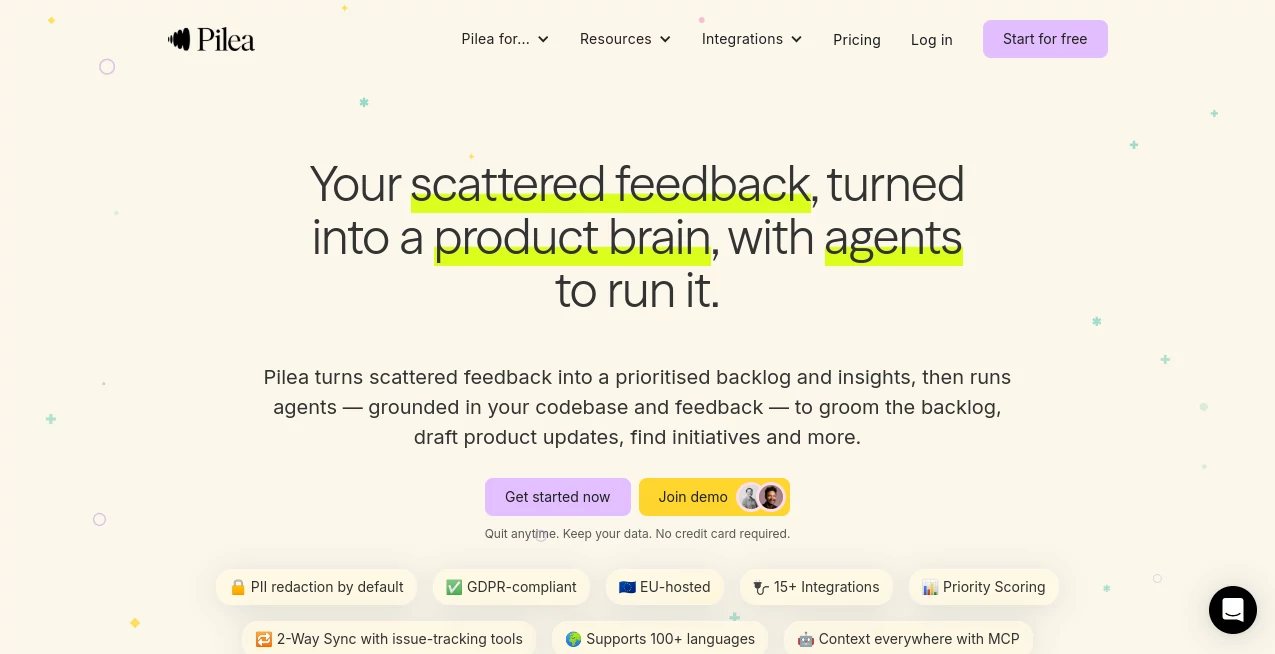
I’ve sat through too many product meetings where someone says “customers want this” with nothing to back it up except a few Slack messages and gut feeling. It’s exhausting. This platform cuts through that noise. It pulls feedback from everywhere your team already works — Slack, Intercom, Zendesk, surveys, calls — organizes it intelligently, scores what actually matters, and even deploys agents that help turn insights into real work. The first time a team I know used it, they stopped guessing and started shipping features their customers were actually asking for. That shift from opinion to evidence feels like finally getting solid ground under your feet.
Introduction
Customer feedback is everywhere, but making sense of it is hard. Notes in Slack, tickets in Zendesk, comments in surveys, recordings from calls — it all piles up fast. Pilea brings it together into one clear view, automatically scores items using frameworks like WSJF, and lets smart agents handle the repetitive work: grooming backlogs, drafting updates, spotting bigger initiatives. It’s built for real product teams who want to move faster without losing sight of what customers actually need. No more “I think customers want…” — just clear, traceable signals driving your roadmap.
Key Features
User Interface
The dashboard is clean and focused. Feedback flows in automatically from your tools and lands in organized views. You can slice data by theme, urgency, or framework without digging through spreadsheets. Agents appear as helpful collaborators you can chat with directly. Everything feels calm and purposeful — no overwhelming charts or unnecessary complexity. Teams tell me they actually enjoy opening it because it surfaces what matters instead of burying them in noise.
Accuracy & Performance
It reads context remarkably well — understanding not just keywords but intent, sentiment, and urgency across 100+ languages. Scoring is consistent and defensible, pulling from real customer language rather than assumptions. Updates happen continuously as new signals arrive. In practice, teams report saving dozens of hours per week on manual synthesis and prioritization.
Capabilities
Automatic capture from Slack, HubSpot, Intercom, Zendesk and more with PII redaction by default. Intelligent organization using your team’s frameworks. Priority scoring with WSJF or custom models. Smart agents (Pilea, Lily, Basil) that draft updates, groom backlogs, suggest initiatives, and even reference your codebase. Two-way sync with Jira and Linear. Research summarization from calls, surveys, and notes. It turns raw signals into actionable, evidence-backed work your whole team can trust.
Security & Privacy
GDPR-compliant, EU-hosted, and built with strong privacy defaults including automatic PII redaction. Your data stays yours — you can quit anytime and keep everything. For companies handling sensitive customer information, that level of care and transparency builds real confidence.
Use Cases
A product manager finally sees which feature requests keep coming up across support tickets and sales calls, then uses agents to draft a clear PRD backed by real quotes. A customer success team spots churn risks early by connecting feedback patterns across accounts. A development team gets prioritized tickets with customer context already attached, so they build the right things first. Marketing pulls authentic customer language for new campaigns. It fits naturally into any role that touches the customer voice.
Pros and Cons
Pros:
- Brings scattered feedback from many tools into one trustworthy view.
- Agents handle repetitive work so humans can focus on strategy.
- Strong privacy and compliance focus, especially valuable for EU teams.
- Two-way sync with the tools you already use (Jira, Linear, Slack, etc.).
- Fast, actionable insights instead of months of manual analysis.
Cons:
- Best results come when you connect multiple feedback sources.
- Teams with very unique processes may need some initial setup time.
Pricing Plans
It starts with a plan generous enough for smaller teams to see real value quickly. As you grow and connect more sources or want advanced agent capabilities, paid tiers unlock unlimited usage, deeper analytics, and team workspaces. Many teams say the time saved on synthesis and prioritization more than justifies the investment — especially when they start shipping features with clear customer evidence behind them.
How to Use Pilea
Connect your existing tools (Slack, Intercom, Zendesk, Jira, etc.) — it only takes a few minutes. Start sending feedback through normal channels and watch it flow into organized views. Review the automatically scored backlog, chat with agents to draft updates or summaries, then push prioritized items into your issue tracker. Use the research tools to turn raw notes and calls into polished insights. The more sources you connect, the smarter and more useful it becomes.
Comparison with Similar Tools
Many feedback tools are basically fancy inboxes or basic tagging systems. This one goes further by scoring, organizing by real frameworks, and deploying agents that actively help move work forward. It’s less about collecting data and more about turning it into decisions and shipped features with minimal manual effort. The combination of privacy focus, agent capabilities, and seamless integrations makes it stand out for serious product teams.
Conclusion
Building the right thing shouldn’t depend on who shouted loudest in the last meeting. This platform helps teams listen better, prioritize smarter, and move faster with real customer evidence behind every decision. It turns the messy reality of feedback into something clear, actionable, and trustworthy. For any team tired of guessing what to build next, it’s the kind of tool that quietly becomes essential.
Frequently Asked Questions (FAQ)
How long does it take to set up?
Most teams are connected and seeing value within the first day.
Can I bring in data from anywhere?
Yes — Slack, support tools, surveys, call recordings, spreadsheets, and more.
Is my customer data safe?
Very — GDPR compliant, EU hosted, with PII redaction by default.
Do agents actually write useful stuff?
Yes — grounded in your data, tone of voice, and playbooks.
Can I sync with my issue tracker?
Yes, two-way sync with Jira, Linear, and others.
AI Workflow Management , AI Productivity Tools , AI Research Tool , AI Notes Assistant .
These classifications represent its core capabilities and areas of application. For related tools, explore the linked categories above.

Pilea Alternatives Product

DidYouSEO

TutuoAI

AllInOneTools

Enji

Syncity AI

Markdown to …

PurityRadar

Luffy

SalaryHow