


















GhostInterview
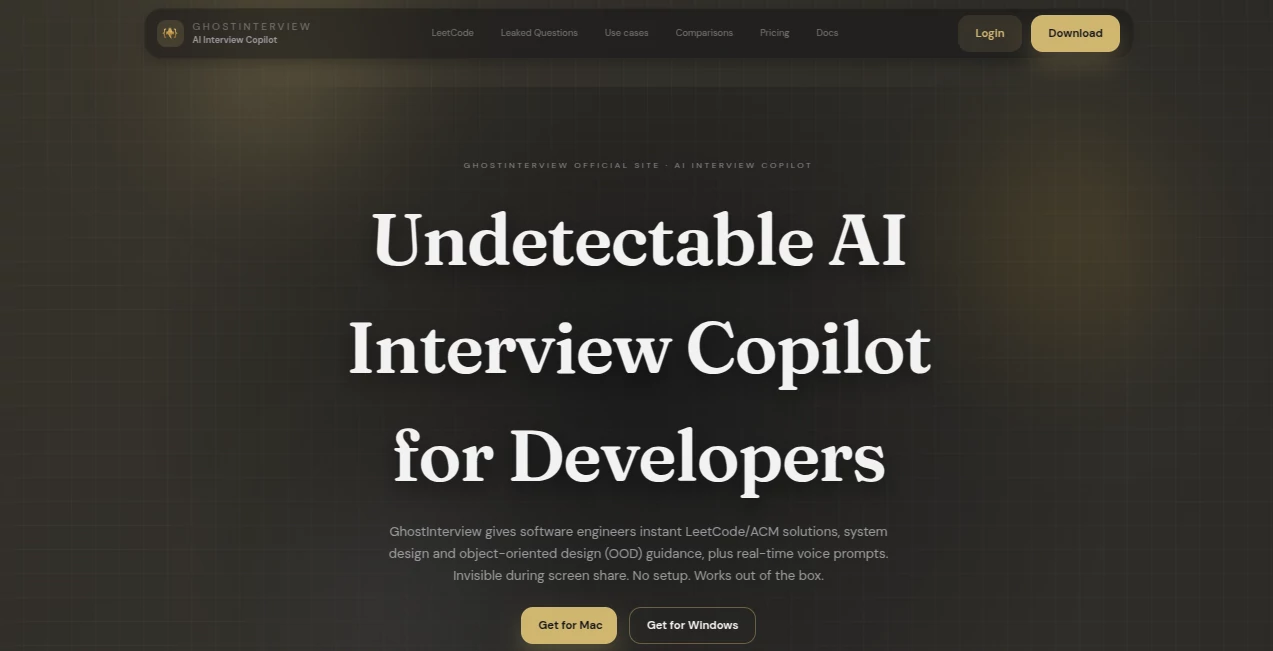
What is GhostInterview?
Technical interviews can feel like high-pressure performance tests. One minute you're solving algorithms, the next you're explaining system architecture under a ticking clock. Many developers prepare for weeks, yet still freeze when faced with real-time coding challenges. This platform approaches the problem differently by acting as a live interview companion built specifically for software engineers.
Rather than functioning as another practice app, it focuses on active assistance during coding sessions, system design rounds, and object-oriented design discussions. What immediately stands out is how naturally the workflow fits into existing interview environments. Voice capture, screenshots, and real-time guidance create a smooth experience that feels surprisingly practical during fast-paced conversations.
For developers preparing for competitive roles, having instant reasoning, complexity analysis, and architecture guidance available can change the way interviews are approached.
Key Features
User Interface
The desktop experience is refreshingly straightforward. There is no long setup process or complicated configuration stage. Users can install the application and begin quickly. The overlay system is designed to remain lightweight and unobtrusive, allowing guidance to appear without disrupting workflow.
Hotkeys and click-through functionality also create a cleaner interaction model. During intense coding sessions, even small usability decisions matter.
Accuracy & Performance
Speed matters in interviews. Delays of even a few seconds can interrupt concentration. The system focuses on fast prompt extraction and immediate structured responses. Whether input comes through voice recognition or screenshots, responses are organized with reasoning, edge cases, and complexity analysis.
For coding scenarios, the guidance extends beyond final answers and explains the thought process behind them. That creates a more natural interview flow because candidates can explain decisions instead of memorizing outputs.
Capabilities
- Real-time coding interview guidance
- Support for LeetCode-style challenges
- System design assistance with architectural reasoning
- Object-oriented design support
- Voice transcription and prompt extraction
- Screenshot-based question recognition
- Complexity analysis and trade-off explanations
- Multi-language support
One particularly useful aspect is the flexibility between interview styles. A developer might encounter live coding during one interview and architecture discussions during another. Instead of requiring separate tools, multiple workflows are covered in one environment.
Security & Privacy
Privacy and operational behavior receive considerable attention. The application uses multiple visibility-management techniques designed around screen-sharing workflows. It also includes local processing elements and setup verification recommendations for supported environments.
The platform encourages users to validate their own setup rather than relying on broad claims, which feels practical and realistic for interview preparation.
Use Cases
- Preparing for software engineering interviews
- Live coding sessions on interview platforms
- LeetCode-style problem solving
- Senior-level system design discussions
- Object-oriented design interviews
- Remote technical interviews with screen sharing
- Time-sensitive coding assessments
Pros and Cons
Pros
- Fast setup process
- Supports multiple interview formats
- Real-time guidance instead of static preparation
- Voice and screenshot inputs available
- Structured answers with reasoning
- Desktop support for Windows and macOS
Cons
- Primarily designed for software engineering interviews
- Some workflows depend on platform compatibility
- Users should verify setup before important sessions
Pricing Plans
A free plan is available for users who want to test the experience before upgrading. The entry option includes limited usage credits while keeping access to core functionality. Paid plans expand usage and provide monthly credit allocations for more frequent interview preparation.
How to Use GhostInterview
Start by downloading and installing the desktop application.
- Create an account
- Select voice mode or screenshot mode
- Launch your interview environment
- Capture prompts through speech or screenshots
- Receive structured guidance instantly
- Review explanations and complexity notes
- Use hotkeys to manage overlays efficiently
A realistic practice session before a live interview can help create familiarity and improve confidence.
Comparison with Similar Tools
Many interview tools concentrate heavily on practice questions or simulated mock sessions. Those solutions often help before interviews but become less useful during live situations.
This approach feels more dynamic because it focuses on active guidance while discussions are happening. It combines prompt understanding, coding logic, design reasoning, and workflow flexibility into one experience.
Developers handling multiple interview rounds may appreciate that broader coverage.
Conclusion
Technical interviews can become mentally exhausting because they test problem-solving, communication, and decision-making at the same time. Having support that understands coding patterns, architecture discussions, and design logic creates a very different preparation experience.
What makes this platform stand out is not just the technology itself, but how naturally it fits into a developer's workflow. Instead of feeling like another study resource, it feels closer to a practical assistant built around real interview pressure.
For software engineers aiming for competitive roles, it introduces a faster and more structured way to navigate difficult interview rounds.
Frequently Asked Questions (FAQ)
Can it support coding interviews?
Yes. It provides real-time guidance, reasoning, and structured problem-solving support during coding rounds.
Does it work with system design interviews?
Yes. Architecture discussions, trade-offs, scaling concepts, and design explanations are supported.
Can prompts be captured through screenshots?
Yes. Screenshot-based extraction is available for coding tasks and written assessments.
Is voice recognition included?
Yes. Voice mode can capture interview questions and generate responses automatically.
Is there a free plan?
Yes. Users can begin with a limited free tier before upgrading.
AI Coaching , AI Education Assistant , AI Interview Assistant , AI Developer Tools .
These classifications represent its core capabilities and areas of application. For related tools, explore the linked categories above.

GhostInterview Alternatives Product

Peanut AI

GetFIT App

Screenshot t…

langextract.…

HY Motion

AgentOne

tanship

UpMocker

Vurge
