


















Glean
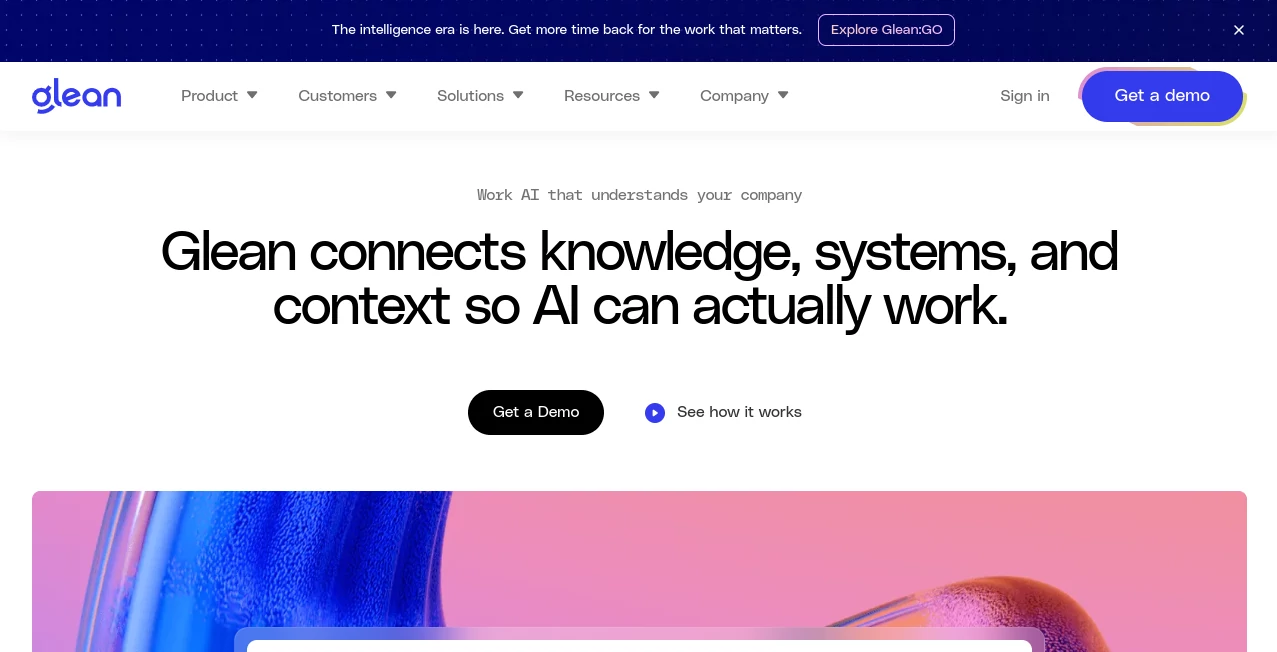
What is Glean?
Modern companies rarely have a knowledge problem. They have a knowledge access problem. Important information is spread across documents, conversations, project systems, cloud storage, customer platforms, and countless other business applications. Finding the right answer can take far longer than doing the work itself.
Glean brings that scattered knowledge into a single AI-powered workplace experience. It connects company information, systems, people, and context so employees can search for answers, explore internal knowledge, create content, conduct research, and move from a question to an action without constantly jumping between applications.
The platform is designed around enterprise work rather than generic chatbot conversations. It can search across connected business applications, understand natural-language questions, personalize results according to the employee and available permissions, and use company knowledge to produce more relevant answers.
Key Features
- Enterprise search across a wide range of workplace applications.
- AI answers grounded in company knowledge and current information.
- Knowledge graph technology that connects people, content, and business activity.
- AI assistance for research, analysis, content creation, and everyday work.
- AI agents for automating multi-step business tasks and workflows.
- More than 250 app connectors for bringing enterprise information together.
- Support for multiple large language models through its model ecosystem.
- Permission-aware results that respect existing access controls.
User Interface
The experience is built to feel familiar to employees rather than requiring them to learn a complicated enterprise system. A central search experience lets users ask questions in ordinary language instead of trying to remember where a particular document or conversation was stored.
For example, an employee could ask where a particular project stands, look for an internal policy, find information buried in a previous conversation, or ask for a summary of several company documents. The goal is to make the first step simple: ask for what you need and let the system work out where the relevant information lives.
The broader workplace experience also brings together recommended and recently accessed content, helping users discover information without starting every task with a manual search.
Accuracy & Performance
Accuracy is particularly important for an enterprise AI system because an impressive answer is not useful if it is based on the wrong internal information. The platform uses semantic search, enterprise context, and a knowledge graph to understand relationships between content, people, and activity.
Its search system is designed to work with natural-language queries and retrieve information from connected applications rather than relying solely on keyword matching. Real-time indexing and permission-aware retrieval also help employees work with current information while maintaining the access rules already established by their organization.
This approach is especially useful when an answer requires context from several sources. Instead of asking an employee to manually open a document, search a chat history, check a project system, and compare the results, the AI can bring those pieces together into a more useful response.
Capabilities
The platform extends well beyond traditional workplace search. Its AI assistant can find information across company tools, reason through a request, conduct additional research, and consolidate the results into a finished response.
Research and analysis capabilities can help teams turn large amounts of internal information into useful insights. Content creation features can also help employees produce material based on trusted company knowledge rather than starting with a blank page.
Another important capability is agent building. Organizations can create AI agents designed for particular business processes, allowing repetitive or multi-step work to be handled across connected systems. This makes the product useful not only for finding information but also for turning that information into action.
Security & Privacy
Security is a central part of the enterprise experience. Search results and AI responses are designed to respect the permissions attached to the underlying information, meaning employees should only receive content they are authorized to access.
The company also highlights enterprise security and governance capabilities, including SOC 2 Type II, ISO 27001, ISO 42001, GDPR, HIPAA, and TX-RAMP Level 2-related compliance credentials and standards on its current platform materials.
For organizations dealing with sensitive internal information, this permission-aware approach is one of the most important distinctions between an enterprise workplace AI platform and a general-purpose consumer chatbot.
Use Cases
Enterprise knowledge discovery: Employees can search across documents, conversations, project systems, and other connected applications without remembering exactly where information was stored.
Employee onboarding: New team members can use natural-language questions to learn about internal processes, projects, policies, and company knowledge instead of repeatedly asking colleagues for basic information.
Research and analysis: Teams can gather information from multiple internal sources and turn it into summaries, insights, reports, or recommendations.
Customer support: Support teams can locate internal product knowledge, policies, previous discussions, and relevant documentation more quickly while working with customers.
Sales: Sales teams can research accounts, find internal expertise, prepare for meetings, and locate relevant company information without searching through multiple systems manually.
Engineering and IT: Technical teams can find documentation, project discussions, code-related knowledge, and internal procedures from a unified search experience.
HR and People teams: Employees can quickly locate company policies, benefits information, onboarding resources, and other internal guidance.
Workflow automation: AI agents can be built to handle recurring business processes and coordinate actions across connected systems.
Pros and Cons
Pros
- Strong focus on enterprise knowledge and workplace search.
- Connects information from many business applications.
- Natural-language search makes internal information easier to access.
- Personalized and permission-aware results are well suited to large organizations.
- Combines search, AI assistance, research, content creation, and agents in one platform.
- Useful across departments rather than being limited to one business function.
Cons
- The product is primarily aimed at organizations rather than casual individual users.
- Setting up a large collection of enterprise connectors can require planning and administration.
- The breadth of features may be more than a small team needs.
- Organizations looking for a simple consumer chatbot may find the enterprise focus unnecessary.
- Pricing is not presented as a simple public self-service plan, so businesses generally need to discuss their requirements with the vendor.
Pricing Plans
Pricing is handled primarily through an enterprise sales process rather than a straightforward public monthly subscription table. Businesses can request a demo and discuss their organization, users, data sources, security requirements, and desired capabilities.
This approach makes sense for a platform that can span hundreds of employees, multiple departments, and a large number of business systems. The final cost is therefore better evaluated in relation to the size and complexity of the organization rather than as a simple per-user consumer subscription.
How to Use Glean
Start by connecting the workplace applications that contain the information your organization wants employees to search and use. The platform supports a large collection of enterprise connectors, allowing information from different systems to become part of the organization's searchable knowledge environment.
Once the relevant sources are connected, employees can ask questions using natural language. Instead of remembering whether a piece of information is in a document, chat message, project-management system, or another application, they can describe what they need.
For more complex requests, the AI assistant can research across available sources, gather context, refine its approach, and produce a consolidated response. Teams can also explore AI agents when they want to automate recurring processes or connect AI-driven reasoning with actions across business systems.
A practical way to get started is to choose a few high-value use cases first. For example, an organization might begin with internal knowledge search and employee onboarding before expanding into research, customer support, content creation, and workflow automation.
Comparison with Similar Tools
There are several ways to approach workplace AI, but this platform occupies a distinctive position between enterprise search, knowledge management, AI assistants, and agent automation.
Traditional enterprise search tools generally focus on helping users locate documents and records. General-purpose AI assistants are excellent at generating and transforming information but may lack deep access to an organization's internal context. Knowledge bases provide structured information but often require employees to know where and how to look.
The advantage here is the combination of these experiences. Search helps employees locate information, the AI assistant can interpret and summarize it, the knowledge graph adds organizational context, and agents can take the next step by performing work across connected systems.
For a company that already uses many SaaS applications and wants AI to work with its existing knowledge rather than operating separately from it, that combination can be considerably more useful than adding another standalone chatbot.
Conclusion
For organizations struggling with scattered information, endless application switching, and the growing complexity of workplace software, Glean offers a compelling way to make company knowledge more accessible.
Its strongest quality is not simply the ability to answer questions. It is the connection between enterprise data, people, context, search, AI assistance, and action. Employees can start with a question and move toward an answer, an insight, a piece of content, or an automated workflow without treating every business application as a separate island.
The enterprise-first design, extensive integrations, permission-aware search, knowledge graph, and agent capabilities make it particularly interesting for medium-sized and large organizations. For teams willing to invest in connecting their existing systems and defining meaningful AI use cases, it can become a central layer for getting more value from the information they already have.
Frequently Asked Questions (FAQ)
What is Glean used for?
It is used for enterprise search, workplace knowledge discovery, AI assistance, research, content creation, data analysis, and AI-powered workflow automation.
Can it search across multiple business applications?
Yes. The platform supports a large number of enterprise connectors and is designed to search information across different workplace applications from a unified experience.
Does it respect employee permissions?
Yes. Permission-aware retrieval is a core part of the enterprise search experience, helping ensure employees only receive information they are authorized to access.
Can it create AI agents?
Yes. Organizations can build and manage AI agents for specific tasks and workflows, including processes that require interaction with connected enterprise systems.
Is it suitable for small businesses?
It can be useful for smaller organizations with substantial amounts of distributed knowledge, but its enterprise orientation and broad feature set are likely to be most valuable when a company has multiple teams, systems, and information sources.
Does it support different AI models?
Yes. The current platform supports a broad model ecosystem and states that it works with more than 35 unique large language models.
Is pricing publicly listed?
No simple public pricing table is presented for the enterprise platform. Businesses are directed toward a demo and sales conversation to determine the appropriate setup.
What makes it different from a regular AI chatbot?
A regular chatbot primarily works from the information provided within its conversation or from its general model knowledge. This platform is designed around enterprise context, connecting company information and systems so AI can answer questions using the organization's own knowledge while respecting existing permissions.
AI Knowledge Management , AI Productivity Tools , AI Knowledge Base , AI Search Engine .
These classifications represent its core capabilities and areas of application. For related tools, explore the linked categories above.

Glean Alternatives Product

AI Fruit

Monkey Eatin…

Sparqo AI

Clay Read

PineBill

Create Filla…

Nifty

Mentor

Futurwise
