GlowVideo
What is GlowVideo?
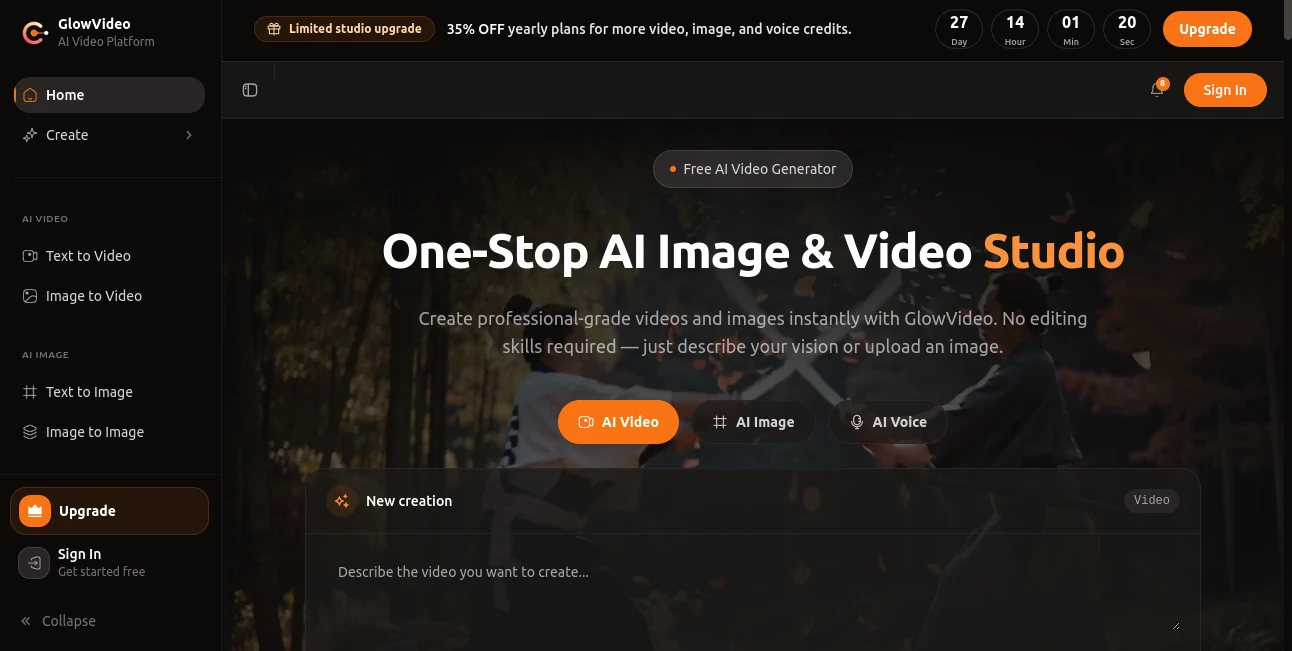
Creating professional-quality visual content no longer requires advanced editing skills or expensive production software. This platform brings together cutting-edge AI video, image, and voice generation models in one workspace, allowing creators to move from an idea to a finished result within minutes. Whether you want to transform text into cinematic videos, animate still images, generate original artwork, or produce realistic voice content, everything is available through a unified creative experience.
Instead of managing multiple subscriptions for different AI providers, users can access a broad collection of industry-leading models using a single account and one shared credit balance. This approach makes experimentation simple while giving creators the freedom to choose the model that best fits each project. From marketing campaigns and educational videos to social media content and creative storytelling, the platform offers a practical solution for individuals, agencies, and businesses alike.
One of its strongest advantages is accessibility. Beginners can produce polished results without technical knowledge, while experienced creators benefit from advanced model selection, multiple output resolutions, and flexible creative controls. The combination of speed, quality, and simplicity makes it an attractive choice for modern content production.
Key Features
User Interface
The dashboard is clean, organized, and designed for efficiency. Users can quickly switch between text-to-video, image-to-video, text-to-image, image editing, voice generation, and speech tools without navigating multiple applications. The workflow remains intuitive, making it easy for first-time users to start creating immediately.
- Simple prompt-based creation workflow.
- Image upload with optional motion instructions.
- Multiple aspect ratios for different platforms.
- Centralized project history.
- Unified credit management.
Accuracy & Performance
The platform supports numerous state-of-the-art AI generation models, allowing users to select the engine that best matches their creative goals. Video generation delivers realistic motion, cinematic camera movement, and high-quality rendering while image generation produces detailed visuals suitable for commercial projects. Fast processing and priority queues in premium plans help maintain an efficient production workflow.
Capabilities
- Create videos directly from text prompts.
- Animate existing images with realistic movement.
- Generate high-resolution AI images.
- Edit images using natural language instructions.
- Create AI voice content and speech synthesis.
- Convert speech into text.
- Generate sound effects using AI.
- Support HD and 4K output depending on the selected plan.
- Access multiple leading AI models through one subscription.
Security & Privacy
Privacy receives considerable attention throughout the workflow. Uploaded source files are temporarily stored and automatically removed after a short retention period, while generated content remains under user control and can be deleted whenever desired. Payment processing is handled by established third-party providers, and prompts are forwarded only to the selected AI model provider rather than being used to train an internal model.
Use Cases
- Creating social media videos.
- Producing marketing campaigns.
- Generating product demonstrations.
- Designing promotional advertisements.
- Creating YouTube content.
- Building educational materials.
- Developing business presentations.
- Producing animated storytelling videos.
- Creating AI-generated artwork.
- Enhancing e-commerce product visuals.
Pros and Cons
- Pros
- Access to numerous leading AI models from one account.
- Unified credit system simplifies billing.
- Supports video, image, voice, and audio generation.
- Suitable for both beginners and professionals.
- Multiple output resolutions including 4K on higher plans.
- Free credits allow new users to explore the platform.
- Cons
- High-end video models consume more credits.
- Some advanced capabilities require premium subscriptions.
- Rendering speed varies depending on the selected AI model and server demand.
Pricing Plans
A free plan includes starter credits for testing the platform. Paid subscriptions increase monthly credits, unlock premium AI models, provide higher output resolutions, remove watermarks on eligible plans, and offer faster processing with priority generation queues. Additional credit packs are also available for users with larger production needs.
How to Use GlowVideo
- Sign up and receive the available starter credits.
- Select a creation mode such as text-to-video, image-to-video, or image generation.
- Write a detailed prompt or upload an image.
- Choose the preferred AI model, aspect ratio, resolution, and duration.
- Generate the content.
- Review, download, or refine the result by adjusting the prompt.
Comparison with Similar Tools
Many AI creative platforms focus on a single generation model or one specific task. This solution stands out by bringing together multiple leading AI video and image engines under one interface with a shared credit system. Instead of maintaining separate accounts for different providers, creators can compare outputs, experiment with various models, and complete entire multimedia projects from one workspace. The addition of voice generation, speech recognition, image editing, and sound effect creation further expands its usefulness for complete content production.
Conclusion
For creators looking to simplify AI-powered content production, this platform delivers an impressive balance of flexibility and convenience. Its unified ecosystem removes much of the complexity involved in switching between different AI providers while still offering access to modern generation technologies. Whether producing short marketing videos, professional presentations, animated social media content, or creative visual projects, it provides an efficient workflow that scales from personal experimentation to commercial production.
Frequently Asked Questions (FAQ)
Can beginners use this platform?
Yes. The interface is designed for users with little or no video editing experience.
Does it support both text and image prompts?
Yes. Users can create videos from text descriptions or animate existing images.
Can generated content be used commercially?
Commercial usage depends on the selected subscription plan and compliance with the service terms.
Is there a free version?
Yes. New users receive free credits that allow them to explore the core features before upgrading.
Does it support high-resolution exports?
Yes. Higher subscription plans provide HD and 4K output for supported generation models.
AI Image to Video , AI Text to Video , AI Video Generator , AI Voice & Audio Editing .
These classifications represent its core capabilities and areas of application. For related tools, explore the linked categories above.

GlowVideo Alternatives Product

Veo4

VidiOne
RightAI

Seedance 2.0…

Spark Robin
Render of Dr…

Seedance 2 P…

Vidmix

Seedance Art