
















Seedance 2.0 AI Video
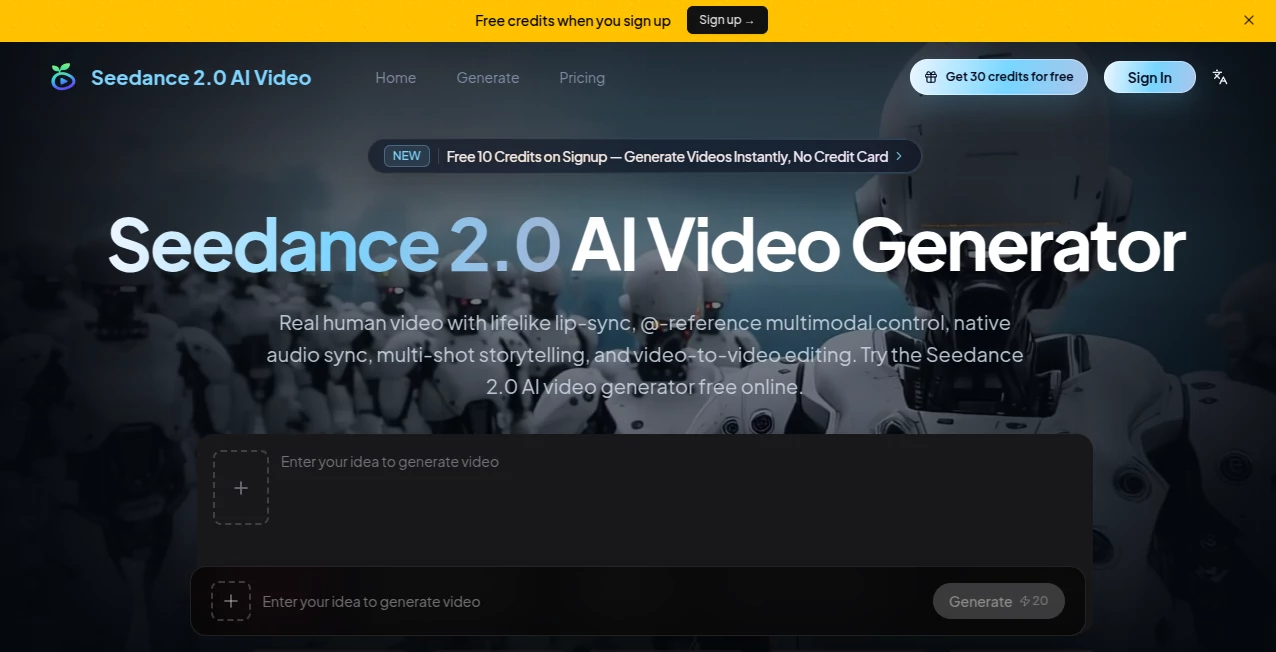
What is Seedance 2.0 AI Video?
Everyone remembers the first time they saw an AI-generated clip that didn’t feel like AI. The lighting looked intentional. The character didn’t melt into the background. And the audio—surprisingly—matched every lip movement. That’s exactly what happened when Seedance 2.0 quietly entered the scene. Developed by the team behind some of the most advanced visual technology out there, this tool doesn’t just generate clips. It builds short cinematic stories from scratch.
What makes it different? Most video generators treat sound and visuals as separate tasks. They create the video first, then awkwardly stitch audio on top. This one handles both at the exact same time. The result is footage that feels less like a deepfake experiment and more like a real production. Whether it’s a product demo, a brand commercial, or a creative short film, the output moves naturally. No robotic pauses. No mismatched sound effects. Just fluid, watchable content that actually makes sense.
Key Features
This tool shines because it puts creative control back where it belongs—in the hands of the person directing the scene. You’re not just typing a wish into a black box. You’re feeding it actual references that guide every frame.
User Interface
Nobody wants to fight with a confusing dashboard when they’re trying to bring an idea to life. The interface here keeps things surprisingly clean. You have clear sections for uploading images, dropping video clips, or adding audio samples. The prompt box sits front and center, and it understands simple commands like “use the movement from @Video1” or “match the mood of @Audio2.”
Everything feels responsive. Generation times usually fall somewhere between one and three minutes for a high-definition clip. That’s not instant, but it’s fast enough to keep a creative flow going without staring at a loading bar forever. Users can choose between standard and fast processing tiers depending on how urgent the project is.
Accuracy & Performance
Here’s where things get interesting. According to early testing data, the model achieves around a 90% usable output rate on the very first attempt. Compare that to older systems that only delivered roughly 20% usable results, and the jump becomes obvious. Faces stay recognizable. Objects hold their shape. And that annoying flickering effect that ruins so many AI clips? Almost completely gone.
The dual-branch architecture deserves credit for this. By generating video and audio simultaneously rather than layering them afterward, the model eliminates the usual sync issues. A character speaking feels natural because the system understands how mouth movements align with specific sounds from the ground up.
Capabilities
The reference system is the real game changer. You can feed the tool up to nine images, three video clips, and three audio files all in one go. That’s twelve different assets guiding a single generation. Want a product to keep its exact color and texture across multiple angles? Just upload reference shots. Need a specific camera movement like a slow dolly or a whip pan? Drop a short example clip. The model reads that motion language and applies it to the new scene.
Text-to-video, image-to-video, and reference-to-video all work seamlessly. You can even create multi-shot sequences by labeling different parts of your prompt—“Shot 1 shows the exterior,” “Shot 2 cuts to the close-up.” The system understands scene progression, not just isolated moments. Duration ranges from four to fifteen seconds per clip, with multiple aspect ratios available including ultra-wide 21:9, standard 16:9, and vertical 9:16 for social platforms.
Security & Privacy
Powerful video generation always raises legitimate concerns about misuse. The platforms hosting this model have implemented ethical safeguards, particularly around real human faces. Access remains gated through specific channels rather than being openly available to everyone. Commercial use is permitted for generated content, but the usual restrictions against deepfakes and deceptive practices apply. It’s always smart to check your specific platform’s terms before publishing anything sensitive.
Use Cases
Brands running product demos finally have a way to show off their items without expensive photoshoots. Upload a few reference images of the product from different angles, and the tool generates professional-looking footage with consistent lighting and texture.
Marketing teams producing social media ads can iterate like never before. Instead of waiting days for a video editor, they can generate multiple variations of a 10-second spot in an afternoon. Need to test two different tones? Change the audio reference or tweak the prompt language.
Short film creators working on tight budgets are also taking notice. One person with a solid concept can now produce semi-professional multi-shot sequences that used to require a small crew. The lip-sync capabilities work across multiple languages, opening up international storytelling without hiring voice actors for every region.
Architects and interior designers use it too. Upload a 3D model screenshot or a rough sketch, and the tool breathes life into static designs. A simple walkthrough of a space becomes an immersive experience that clients can actually understand.
Pros and Cons
What works well: The character and object consistency across cuts is genuinely impressive. If you lock a product’s appearance with good reference images, it stays locked. No sudden color changes or proportion warping. The native audio generation saves huge amounts of post-production work since dialogue, ambient sounds, and music all arrive perfectly synced. That 90% first-try success rate means less frustration and fewer wasted credits. Multi-reference input flexibility gives directors actual control rather than vague prompting.
Where it struggles: You’re limited to fifteen seconds per generation. Anything longer requires stitching multiple clips together, and the seams can show if you’re not careful. Complex scenes with several characters interacting sometimes need multiple attempts to get right. Text rendering on signs or labels remains unreliable—expect garbled results and plan to add text in post-production. Access isn’t universal yet as the model is still rolling out through various platforms with waitlists.
Pricing Plans
Pricing follows a per-second model that varies depending on which platform you use. On standard tiers, text-to-video generation typically costs around $0.30 per second at 720p resolution, making a ten-second clip roughly $3.00. Fast tiers lower that to about $0.24 per second, bringing the same ten-second clip down to $2.40. Image-to-video and reference-to-video sit at similar rates.
One welcome surprise: audio is always included at no extra charge. Competing models often charge a premium when you turn sound on, but here it’s baked into the base rate. Some platforms also offer a 0.6x multiplier for reference-to-video workflows that involve video inputs, effectively lowering the cost further.
For heavier users, subscription models exist on certain host platforms ranging from roughly $9 to $249 per month depending on credit volume. Free trials and starter credits are common, so testing before committing to a large plan makes sense. Just check your specific platform’s current pricing since rates are still evolving as access expands.
How to Use the Tool
Getting started requires access through one of the hosting platforms. ByteDance’s own ecosystems like Dreamina offer some of the most direct routes. Third-party hosts including Higgsfield and Atlas Cloud also provide entry points. Join any available waitlists since early access slots fill up quickly.
Once you’re in, the workflow is straightforward. Upload your reference assets first—images for visual consistency, short videos for camera movement, audio clips for mood or dialogue. Write a prompt that names those assets directly using the @filename syntax. Something like “@Image1 shows the main character walking through a forest. Use the camera motion from @Video1. Match the atmosphere of @Audio2.”
Hit generate and wait about sixty to one hundred eighty seconds for a five to ten second clip. Review the output. If something’s off, tweak your references or adjust the prompt language. The fast iteration cycle means you can test multiple directions without burning hours. For multi-shot sequences, label each distinct shot in your prompt—“Shot 1: exterior establishing shot,” “Shot 2: close-up on product.” The model will handle the transitions automatically.
Comparison with Similar Tools
Kling 3.0 is the closest competitor, and the difference comes down to philosophy. Seedance acts like a director shaping a scene with atmosphere and consistency. Kling behaves more like a simulator focused on physical realism and precise control. If your priority is production-ready narrative footage with native audio, Seedance has the edge. If you need multilingual content with per-character dialogue assignment, Kling pulls ahead.
Sora 2 from OpenAI offers stunning realism but costs significantly more for true 1080p output, jumping to $0.70 per second. Seedance delivers comparable visual quality at roughly half that price on fast tiers. Sora also caps at twenty seconds per clip versus Seedance’s fifteen, but the cost difference matters for volume work.
Veo 3 from Google specializes in cinematic motion and 4K polish but lacks the same multi-reference input system. Runway provides more creative experimentation tools but without the native audio sync that Seedance nails. For marketing teams producing lots of short branded content, the reference-driven workflow here simply saves more time than the alternatives.
Conclusion
AI video generation has officially moved from interesting experiment to actual production tool. This particular model earns its place in that conversation because it solves two problems that used to kill most AI footage: inconsistent visuals and broken audio sync. The reference system puts creative control back where it belongs, and the 90% first-try success rate means less time fighting with the technology and more time shipping content.
No tool is perfect. The fifteen-second limit and occasional text-rendering issues mean you’ll still need traditional editing for certain projects. But for short-form marketing videos, product demos, social ads, and narrative clips where consistency matters, this is one of the best options available in 2026. Try it on a small project first. Odds are you’ll be surprised by how polished the output looks.
Frequently Asked Questions (FAQ)
How long does each generated clip last? Clips run between four and fifteen seconds. For longer content, you’ll need to generate multiple clips and stitch them together.
Can I use this for commercial projects? Yes, commercial use is permitted. Just check your specific hosting platform’s terms since policies vary slightly.
What resolution does it output? Standard output is 720p, with some platforms offering 1080p or 2K on higher tiers.
Does audio really come free with every generation? On most platforms, yes. The per-second rate includes synchronized audio with no extra surcharge.
How do I get access? Join waitlists on platforms like Dreamina, Higgsfield, or Atlas Cloud. Access is still rolling out gradually.
Can I generate videos of real people? Ethical and privacy restrictions apply. The platforms take deepfake concerns seriously, so generating realistic faces without proper consent may violate terms of service.
What happens if the first generation looks bad? Tweak your reference assets or rewrite your prompt. The 90% success rate means most attempts work, but complex scenes may need a few tries.