


















Free Gpt Image 2 online tools
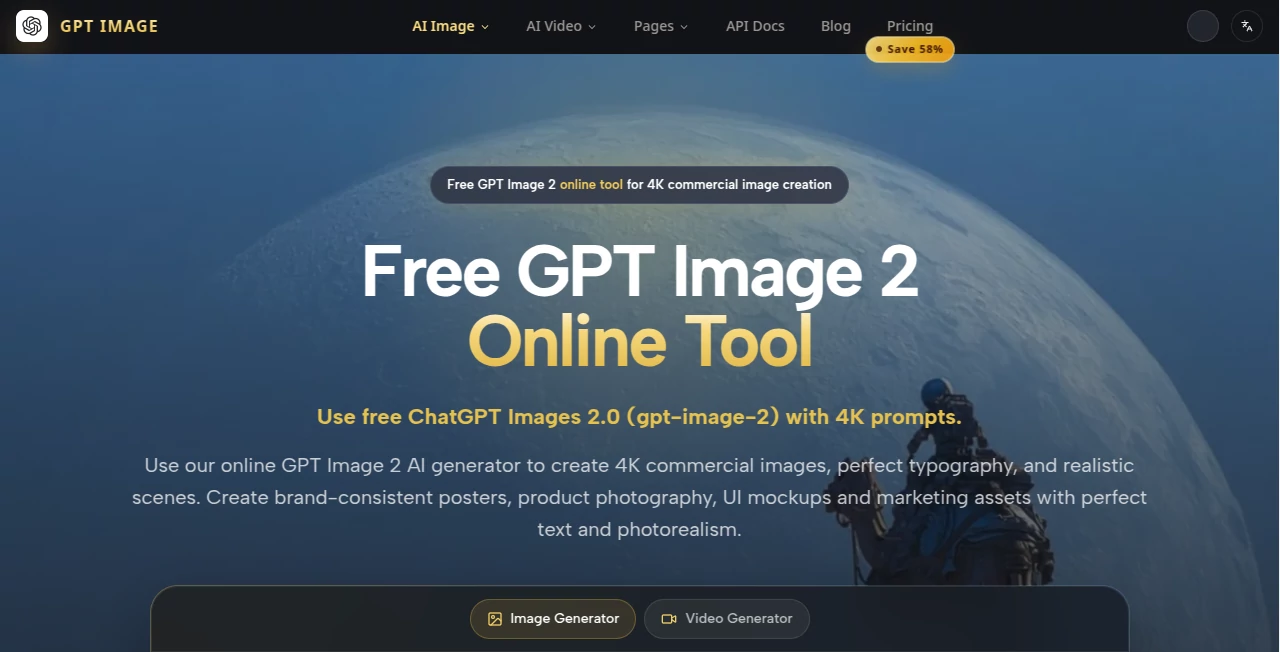
What is Free Gpt Image 2 online tools?
There’s a special kind of frustration when you generate an image only to find the text is garbled, the product looks fake, or the composition feels off. This tool quietly solves those problems. It turns detailed prompts into clean, 4K commercial-ready images where logos stay readable, typography looks intentional, and scenes feel like they belong in a real campaign. I’ve watched marketers go from hours of back-and-forth with designers to getting polished mockups in minutes. The difference is noticeable the moment you see a poster with crisp, correctly spelled text floating naturally in the scene.
Introduction
Most image generators are great for artistic concepts but fall apart when you need something that actually looks professional—product shots, marketing posters, UI mockups, or branded content. This platform focuses on exactly those use cases. Powered by GPT Image 2.0, it excels at understanding commercial requirements: accurate text rendering, consistent branding, realistic lighting, and production-ready detail. Whether you’re a solo founder building landing pages or a marketing team iterating campaigns, it removes the usual pain points and lets you move faster from idea to visual that actually works.
Key Features
User Interface
The workspace is refreshingly straightforward. A large prompt box with helpful examples, an optional reference image upload, size selection, and a clean generate button. Results appear with side-by-side comparison options, and you can continue refining directly in the workspace. No overwhelming menus or hidden settings. It feels like the tool was built by people who actually create marketing assets every day—fast, focused, and practical.
Accuracy & Performance
Text rendering stands out as one of its strongest points—logos, headlines, and body text come through clearly and correctly spelled far more reliably than most tools. Product photography maintains realistic materials and lighting, while UI mockups keep clean lines and proper proportions. Generation is quick enough to support real iteration, and the 4K output quality holds up for both digital and print use. It consistently delivers that “this looks like it came from a designer” feeling.
Capabilities
It shines at brand-consistent posters, realistic product photography, clean UI mockups, and detailed marketing visuals. You can guide it with reference images for style consistency, use advanced prompts for complex scenes, and generate multiple variations quickly. The model handles typography exceptionally well, supports commercial use cases, and produces images that feel polished enough to drop straight into campaigns or client presentations.
Security & Privacy
Your prompts and generated images are handled responsibly. The platform doesn’t store your work permanently unless you choose to save it, and there’s no aggressive data collection. For teams working with brand assets or client projects, that thoughtful approach provides welcome peace of mind.
Use Cases
A DTC brand founder generates hero product shots with perfect label text in minutes instead of waiting on a photographer. A SaaS team creates polished UI mockups for landing pages without opening Figma. A marketer builds a full campaign poster series with consistent branding and readable headlines across all assets. A content creator turns simple ideas into scroll-stopping visuals for social campaigns. Wherever you need images that look intentional and professional, this tool delivers speed without sacrificing quality.
Pros and Cons
Pros:
- Exceptional text rendering—finally an AI that gets logos and headlines right.
- Strong commercial focus with realistic product and marketing visuals.
- Fast iteration cycle that fits real workflow demands.
- Clean, production-ready 4K outputs.
- Free access lets you test quality before committing.
Cons:
- Highly abstract or artistic prompts can sometimes be less consistent than commercial ones.
- Advanced batch features and unlimited generations require paid access.
Pricing Plans
It starts with generous free access so you can experience the quality firsthand. Paid plans unlock higher limits, faster generation, priority access during peak times, and additional features for heavier users. Pricing is straightforward and scales with your needs—reasonable for the time and design cost it saves on every project.
How to Use GPT Image
Head to the generator, write a clear, detailed prompt describing your scene, product, or mockup. Upload a reference image if you want to match a specific style or brand aesthetic. Choose your preferred size, then generate. Review the results, refine your prompt or reference as needed, and download the 4K image. For campaigns or multiple assets, iterate quickly by adjusting one element at a time. The whole process is fast enough that you can create several strong options in one sitting.
Comparison with Similar Tools
Many AI image generators struggle with readable text and realistic commercial scenes. This one stands apart by prioritizing exactly those production needs—clean typography, accurate branding, and polished marketing visuals. While artistic tools might offer more wild creativity, this platform delivers reliability and practicality that busy creators actually need day-to-day.
Conclusion
Great marketing and product visuals shouldn’t require a full design team or endless revisions. This tool brings professional-grade image creation within reach for solo founders, small teams, and agencies alike. It respects your time, understands commercial requirements, and consistently produces work you can actually use. When your visuals look this sharp this quickly, it changes how fast you can test ideas and reach your audience. For anyone who needs images that work—not just look cool—this is a genuine advantage.
Frequently Asked Questions (FAQ)
How good is the text rendering?
Exceptionally strong compared to most AI tools—logos and headlines usually come out clean and readable.
Can I use the images commercially?
Yes, generated images are available for commercial use, especially on paid plans.
Do I need to upload a reference image?
Not required, but adding one helps maintain brand consistency and specific styles.
How fast are generations?
Usually under a minute for most prompts, making real iteration possible.
Is there a free way to try it?
Yes—free access is generous enough to test real use cases before upgrading.
AI Photo & Image Generator , AI Design Generator , AI Product Description Generator , AI Text to Image .
These classifications represent its core capabilities and areas of application. For related tools, explore the linked categories above.
Free Gpt Image 2 online tools details
Website unavailable — View Alternatives
Pricing
- Free
Apps
- Web App
Categories

Free Gpt Image 2 online tools Alternatives Product
Picavo
Seedream 5.0

Berrioo
LogoAI

LongCat Image

Genmi AI

BananaPro
Ambigram Gen…

Flux2 Klein
