


















GPTDrive
What is GPTDrive?
There’s a special kind of relief when you can finally talk to your files instead of endlessly searching through folders. This platform turns your cloud storage into something truly smart — you upload documents, notes, contracts, or research, and then simply ask questions or request summaries as if you were chatting with a very knowledgeable assistant. I’ve watched busy professionals go from digging through dozens of files to getting instant answers and organized insights. It feels less like traditional storage and more like having a sharp colleague who never forgets anything and is always ready to help.
Introduction
Managing documents has always been a necessary chore, but it doesn’t have to feel like one. GPT Drive combines reliable cloud storage with powerful AI that understands your content deeply. Instead of just storing files, it lets you chat with them, extract key information, generate summaries, compare documents, and find connections across your entire library. It’s particularly loved by teams and individuals who deal with lots of information — lawyers reviewing contracts, researchers organizing papers, or business owners keeping track of reports. The experience is smooth enough that it quickly becomes part of your daily workflow rather than another tool you have to remember to use.
Key Features
User Interface
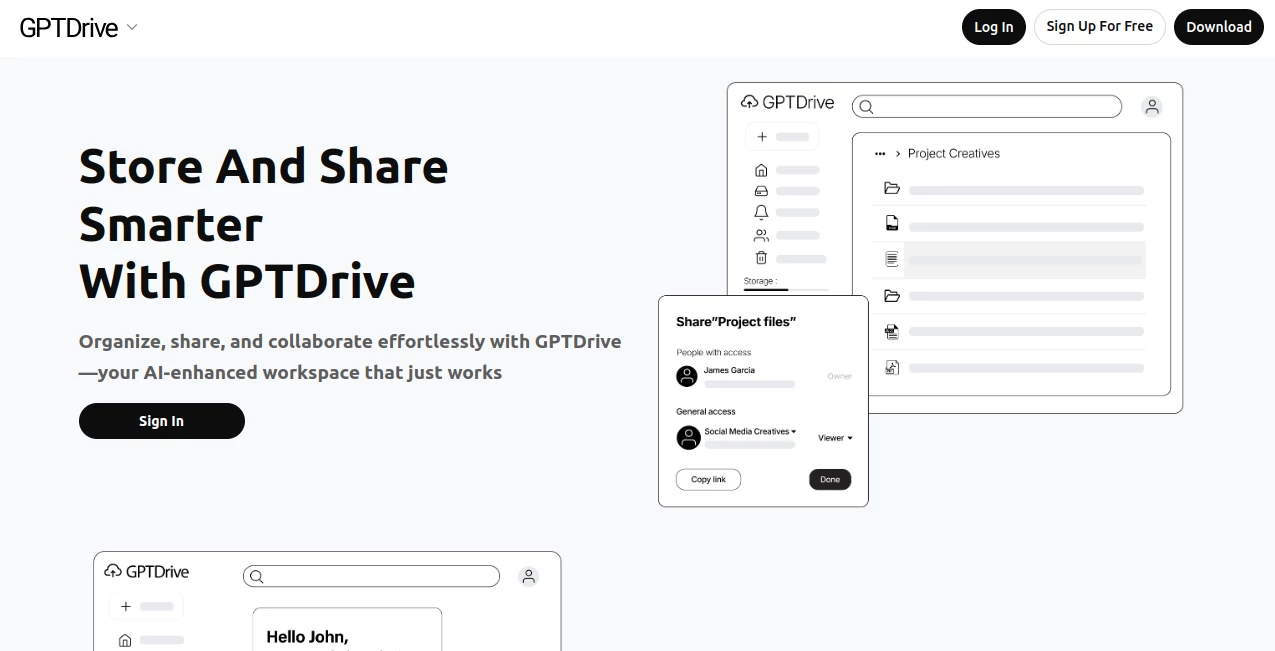
The dashboard feels familiar yet smarter than most cloud drives. A clean file browser sits alongside a prominent chat window where you can ask questions about any document or your entire collection. Uploading is drag-and-drop simple, and the AI chat understands context so you can say things like “summarize the key points from last month’s reports” or “compare the two contract versions.” Everything is thoughtfully laid out so you spend less time navigating and more time actually working with your information.
Accuracy & Performance
The AI is impressively accurate at pulling relevant information even from long or complex documents. It understands nuance in contracts, research papers, and reports, and delivers answers with proper context rather than generic summaries. Search across all your files is lightning fast, and the system maintains accuracy even as your library grows. Users often mention how it saves them from re-reading entire documents because the insights are reliable and well-sourced.
Capabilities
Beyond basic storage, you get conversational search, automatic summarization, document comparison, key point extraction, content generation based on your files, and smart organization suggestions. It supports multiple file types including PDFs, Word docs, spreadsheets, and images with text. Teams can collaborate with shared libraries while keeping sensitive files private. The combination of storage and intelligence makes it feel like your personal knowledge base that actually thinks with you.
Security & Privacy
Your files stay private and encrypted, with strong access controls for shared workspaces. The AI processes content securely without using your data for general training. Enterprise options add extra compliance layers. For anyone handling sensitive business or personal documents, that thoughtful approach to security builds real confidence.
Use Cases
A consultant uploads client reports and quickly generates executive summaries for meetings. A researcher keeps hundreds of academic papers in one place and asks targeted questions across all of them. A small business owner stores invoices and contracts and gets instant financial overviews or clause comparisons. Students organize lecture notes and study materials, turning scattered files into a smart study companion. It shines anywhere information volume meets the need for quick, intelligent access.
Pros and Cons
Pros:
- Conversational interface makes finding and using information feel natural.
- Strong accuracy when pulling insights from complex documents.
- Combines reliable storage with genuinely useful AI features.
- Good balance between simplicity for individuals and power for teams.
Cons:
- Heavy daily usage may require a paid plan for unlimited interactions.
- Very large libraries benefit from some initial organization for best results.
Pricing Plans
It offers a generous free tier for individuals getting started with basic storage and AI features. Paid plans unlock higher limits, advanced collaboration tools, priority processing, and larger storage capacity. The pricing feels reasonable for the time and insight it returns — many users say it pays for itself through hours saved hunting for information.
How to Use GPT Drive
Sign up and start uploading your documents — PDFs, Word files, spreadsheets, whatever you work with. Once files are in, open the chat and start asking questions like “What are the main risks in this contract?” or “Summarize the key findings from all Q3 reports.” Use folders for organization if you want, or let the AI help suggest structure. For team use, invite members and set appropriate permissions. The more you use it, the smarter it becomes at understanding your specific needs and style.
Comparison with Similar Tools
Traditional cloud drives store files but don’t understand them. Pure AI chat tools lack reliable long-term storage and organization. This one brings both together in a balanced way — better document intelligence than basic storage solutions and more practical file management than standalone AI assistants. It’s particularly strong for users who want one place where their information lives and actively helps them work.
Conclusion
In a world overflowing with information, having storage that actually understands and helps you use what you’ve saved is incredibly valuable. GPT Drive turns passive file hoarding into an active, intelligent knowledge partner. It respects your time, protects your data, and makes working with documents feel smoother and more productive. For professionals, teams, or anyone tired of digging through folders, it’s one of those tools that quickly becomes indispensable.
Frequently Asked Questions (FAQ)
Can I upload scanned PDFs?
Yes — it handles both native and scanned documents with good text recognition.
Is my data private?
Yes — files are encrypted and processed securely with strong privacy controls.
How well does it work for large document collections?
Very well — the more documents you add, the more powerful the cross-file insights become.
Can teams collaborate on the same files?
Absolutely — with clear permission controls and shared workspaces.
AI Knowledge Management , AI Documents Assistant , AI Files Assistant , AI Notes Assistant .
These classifications represent its core capabilities and areas of application. For related tools, explore the linked categories above.

GPTDrive Alternatives Product

DocReplacer

MindSnapz

photo to URL

Watermark in…

ukamiru

ChatView-AI …

VideoText

Lynote

Meet-Ting
