

















ChatView-AI Chat Share
What is ChatView-AI Chat Share?
I still remember the first time I wanted to show a friend an interesting conversation I had with an AI. Copying and pasting felt messy, screenshots looked ugly, and sharing a raw link didn’t capture the flow. Then I found this tool and everything changed. It turns long, messy chat threads into clean, elegant, readable pages that look professional and are actually enjoyable to read. The difference is night and day — suddenly people actually engage with what you’re sharing instead of skimming past it.
Introduction
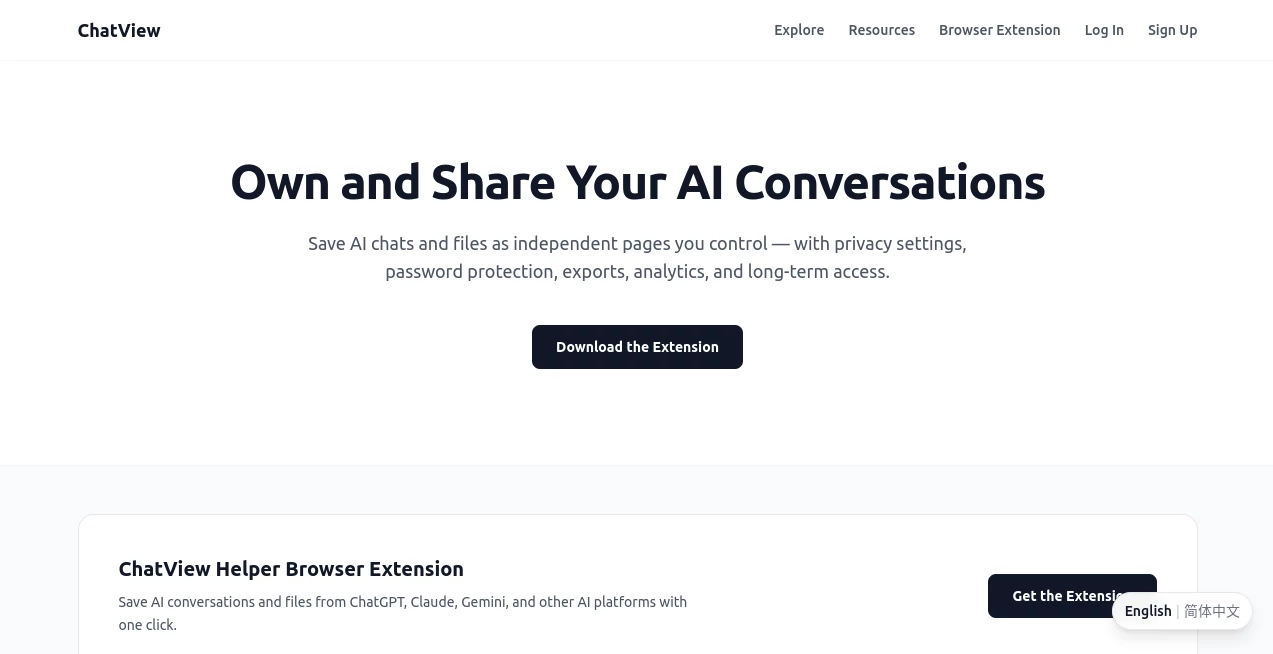
AI conversations contain real value — ideas, insights, code, strategies, stories — but sharing them effectively has always been awkward. This platform solves that problem beautifully. It takes raw chat exports (especially from ChatGPT, Claude, Gemini, and others) and transforms them into polished, readable, and shareable pages. No more ugly screenshots or endless scrolling text. The result looks like a proper article or conversation record that you’d actually want to send to colleagues, friends, or clients. It’s become one of those quiet tools that makes everyday digital life noticeably better.
Key Features
User Interface
The experience is delightfully simple. You paste your chat export or connect directly, choose a clean theme, and watch it instantly turn into a beautiful formatted page. You can customize titles, add descriptions, toggle between light and dark modes, and even hide specific messages if needed. The editor is intuitive — no steep learning curve. It feels like someone finally designed the sharing experience with care instead of treating it as an afterthought.
Accuracy & Performance
It preserves the original conversation flow perfectly while making it far more readable. Messages stay in order, roles are clearly distinguished, and code blocks, images, and formatting are handled intelligently. Loading and rendering are fast even with very long threads. The output looks consistent and professional every time, which builds confidence when you share something important.
Capabilities
Supports major AI platforms, offers multiple beautiful themes, allows custom titles and descriptions, generates shareable links, provides embed options, and includes export to PDF or image. You can create public or private views, organize multiple conversations into collections, and even add your own branding on paid plans. It turns raw chat data into something you’re proud to show others.
Security & Privacy
Your conversations remain private by default. You control who can see each shared view, and nothing is indexed by search engines unless you choose to make it public. The platform doesn’t train on your data or sell insights. For anyone sharing sensitive work discussions, client conversations, or personal chats, that respect for privacy is genuinely reassuring.
Use Cases
A developer shares a long debugging session with their team in a clean, readable format instead of messy screenshots. A student turns their research conversation with an AI into a beautiful study guide they can reference later. A content creator shares prompt experiments with their audience in an attractive way that builds engagement. A consultant packages client strategy sessions into professional-looking deliverables. The common thread is turning hidden value in chats into something shareable and useful.
Pros and Cons
Pros:
- Transforms messy chats into beautiful, professional-looking pages.
- Extremely easy to use — paste and publish in seconds.
- Multiple themes and customization options for different needs.
- Great for both personal sharing and professional presentations.
- Respects privacy while giving you full control over visibility.
Cons:
- Free plan has limitations on number of public shares.
- Some very complex formatting (nested code, tables) may need minor cleanup.
Pricing Plans
The free tier is generous enough for occasional personal use and testing. Paid plans unlock unlimited shares, custom domains, advanced themes, branding options, and analytics on who’s viewing your conversations. The pricing feels fair for how much polish and professionalism it adds to your shared work.
How to Use ChatView
Copy your chat export from ChatGPT, Claude, or whichever model you’re using. Paste it into the tool, give your conversation a clear title, choose a theme you like, and click publish. You’ll get a clean shareable link instantly. You can make it public, password-protected, or keep it private. For ongoing projects, save the conversation to your dashboard and update it later as the chat evolves. It’s simple enough that you’ll be sharing your first conversation within a minute of trying it.
Comparison with Similar Tools
Most chat sharing methods rely on ugly screenshots or plain text exports that lose formatting. This platform stands out by turning conversations into something visually appealing and easy to read. While other tools focus only on export, this one focuses on presentation and shareability. The combination of beauty, simplicity, and control makes it the clear choice for anyone who regularly shares AI conversations.
Conclusion
AI conversations contain real value, but only if other people can actually read and appreciate them. This tool bridges that gap elegantly, turning raw chats into polished, professional, and enjoyable experiences. Whether you’re collaborating with a team, sharing knowledge with an audience, or simply keeping beautiful records of your best conversations, it makes the whole process feel effortless and rewarding. In a world full of messy digital communication, this kind of thoughtful presentation is a breath of fresh air.
Frequently Asked Questions (FAQ)
Which AI platforms does it support?
It works beautifully with ChatGPT, Claude, Gemini, Grok, and most others that allow export.
Can I make conversations private?
Yes — you control visibility for every shared chat.
Is there a limit on conversation length?
It handles very long threads well, though extremely massive ones may need splitting.
Can I customize the look?
Yes — multiple themes and customization options are available, with more on paid plans.