GPT Image 2
What is GPT Image 2?
Creating professional visuals no longer requires advanced design skills or expensive software. This platform brings together AI-powered image generation and editing in a single workspace, allowing anyone to transform simple text prompts into polished graphics within seconds. Whether you are designing marketing materials, product showcases, social media posts, concept art, or presentation visuals, the experience is fast, intuitive, and surprisingly flexible.
One of its strongest advantages is the balance between creativity and control. Instead of producing random results, it allows users to refine ideas with reference images, customize aspect ratios, choose resolutions, and continue improving generated content until it matches their vision. The result is a workflow that feels practical for both everyday creators and professional teams.
Key Features
- Create high-quality images from natural language prompts.
- Edit existing images using reference uploads.
- Generate product photos, posters, infographics, and social media graphics.
- Support for multiple aspect ratios and output resolutions.
- Generate multiple image variations in one request.
- High-quality text rendering inside generated visuals.
- Commercial usage support on paid plans.
- Private workspace for managing creative projects.
- Watermark-free exports.
- Simple workflow suitable for beginners and professionals.
User Interface
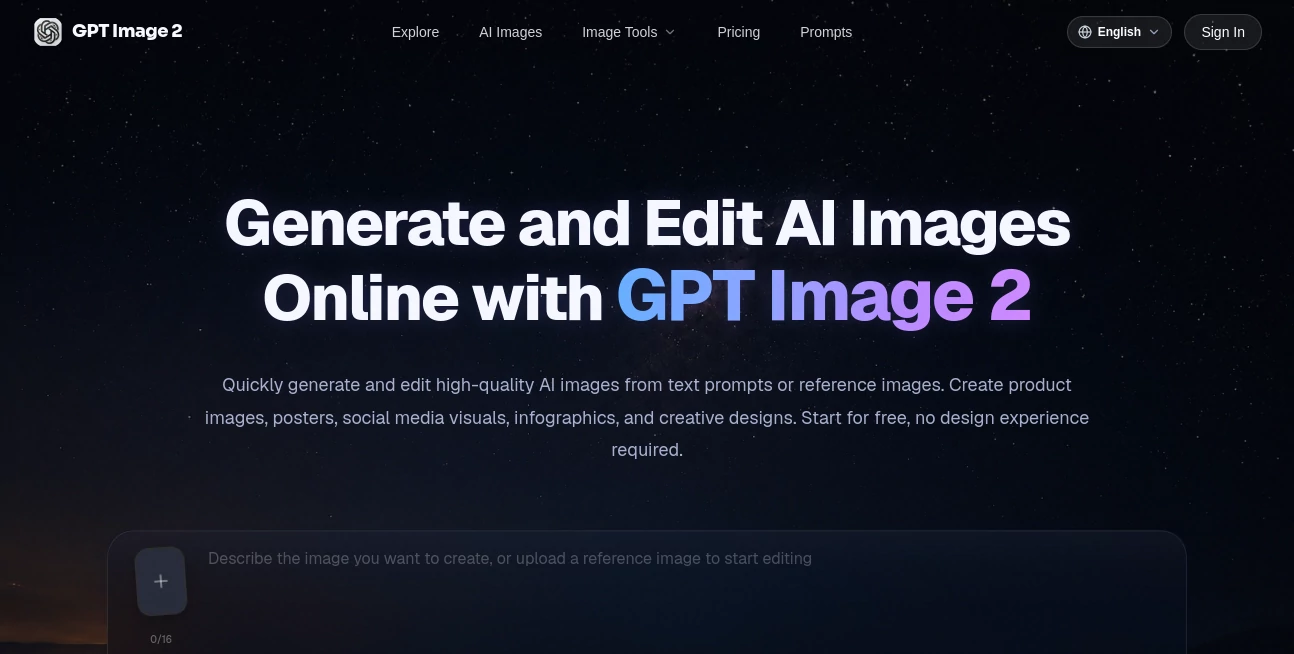
The interface is clean and easy to understand from the first visit. Users simply enter a prompt, choose image settings, and start the generation process without navigating through unnecessary menus. Helpful previews, prompt examples, and inspiration galleries make it easy to experiment with different ideas. The editing workflow is equally straightforward, making revisions feel like a natural extension of the creative process.
Accuracy & Performance
The platform performs particularly well when prompts contain detailed instructions. It produces visually consistent results with impressive control over layouts, typography, object placement, and commercial-style graphics. Creative professionals who frequently need multiple versions of the same design can quickly iterate until the desired outcome is achieved without rebuilding projects from scratch.
Capabilities
The service supports a wide variety of creative tasks, including product photography, advertising materials, blog illustrations, posters, UI mockups, marketing assets, avatars, presentation graphics, brand visuals, and social media content. Image editing extends these capabilities further by allowing users to replace backgrounds, modify visual styles, improve image quality, or regenerate selected elements using reference images.
Security & Privacy
The platform provides private creation workspaces for subscribers and outlines how user information, uploaded files, prompts, and generated images are handled through publicly available privacy documentation. Users are encouraged to review the published privacy policy and terms of service before uploading sensitive material or commercial assets.
Use Cases
- Creating product images for online stores.
- Designing social media campaigns.
- Building marketing advertisements.
- Producing blog illustrations.
- Generating presentation graphics.
- Designing posters and promotional materials.
- Creating UI concepts and mockups.
- Producing branded content for businesses.
- Generating creative artwork for personal projects.
Pros and Cons
Pros
- Simple workflow suitable for all experience levels.
- Strong image editing capabilities alongside image generation.
- Excellent support for commercial design tasks.
- Flexible resolution and aspect ratio options.
- High-quality exported images.
- Reference image support improves creative control.
Cons
- Advanced features require a paid subscription.
- Image credits limit monthly generation volume.
- Complex prompts may still require several refinement attempts.
Pricing Plans
A free experience is available for users who want to explore the platform before upgrading. Paid subscriptions include Basic, Pro, and Premium plans with increasing monthly AI credits, faster generation speeds, higher export quality, commercial usage rights, private workspaces, and enhanced customer support for professional creators and teams.
How to Use GPT Image 2
- Describe the image you want to create using a natural language prompt.
- Optionally upload a reference image for more accurate results.
- Select the desired aspect ratio, style, and resolution.
- Generate the image.
- Review the output and refine the prompt if needed.
- Download or continue editing the final version.
Comparison with Similar Tools
Compared with many traditional AI image generators, this solution places greater emphasis on controllable image creation rather than unpredictable artistic output. It performs especially well when creating structured graphics such as advertisements, product images, infographics, and layouts containing readable text. The combination of generation and editing in one workflow also reduces the need to switch between multiple design applications during production.
Conclusion
For creators who want a practical AI-powered design environment rather than a simple image generator, this platform delivers an excellent balance of quality, flexibility, and usability. From marketing teams and entrepreneurs to designers and content creators, it offers an efficient workflow capable of producing professional visuals in minutes while keeping the creative process approachable. Its editing tools, commercial focus, and intuitive interface make it a compelling choice for anyone looking to accelerate visual content production.
Frequently Asked Questions (FAQ)
Can beginners use this platform?
Yes. The interface is designed to be accessible even for users with no previous design experience.
Can existing images be edited?
Yes. Users can upload reference images and request modifications such as style changes, background replacement, or image refinement.
Is commercial usage supported?
Commercial usage rights are included with eligible paid plans.
What kinds of images can be created?
Users can generate product photos, posters, advertisements, illustrations, social media graphics, UI concepts, blog images, and many other visual assets.
Can different image sizes be generated?
Yes. Multiple aspect ratios and output resolutions are available to match different publishing requirements.
AI Photo & Image Generator , Photo & Image Editor , AI Image to Image , AI Text to Image .
These classifications represent its core capabilities and areas of application. For related tools, explore the linked categories above.

GPT Image 2 Alternatives Product

Flux 2 Cloud

KOOX AI
Luma AI

AI Clothes

CozAIPhoto
NanoBananaPro

XIMAGIN

Sketchready
Free GPT IMG