
















GPTIMG2 AI
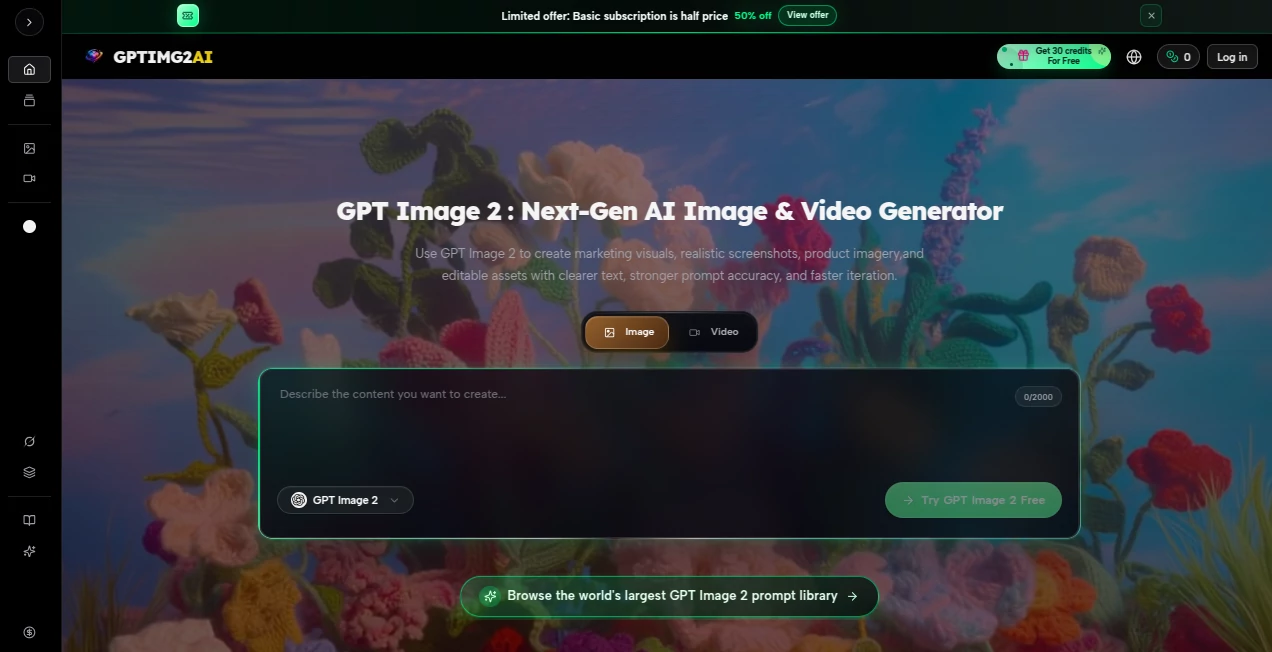
What is GPTIMG2 AI?
Let’s be honest for a second. For years, when you asked an AI to draw something specific, you’d cross your fingers. You’d type out a perfect prompt, visualize exactly what you wanted, and then… bam. Some weird sixth finger, text that looked like alien hieroglyphics, or a total misunderstanding of “the cat is sitting on the left side of the dog.” It was frustrating. It felt like the AI was guessing, not actually reading your mind. Well, those days just ended. The newest generation of image technology has finally cracked the code, and the core of that breakthrough is something called “thinking mode.” It is no longer just a fast artist; it has become a thoughtful designer.
I remember trying to create a simple birthday invitation last month with older tools. The date was wrong, the colors were muddy, and the RSVP link looked like a typo disaster. I gave up after an hour. But when I tested this new engine, the same request took thirty seconds. It held the formatting, spaced the letters perfectly, and even understood the casual, excited tone I wanted. This isn't just a tech upgrade. It feels like a superpower for anyone who needs visuals to communicate.
Key Features
What makes this specific iteration of image generation stand out from the crowd? It certainly isn't just about making things look “prettier.” It is about raw, functional accuracy. It understands physics, spacing, and even vibes better than anything before it.
User Interface
If you are using this through the standard ChatGPT portal, you will notice the interface hasn’t changed much. That is the beautiful part. There is no confusing dashboard or scary sliders. You just type. However, the magic happens behind the button. You usually get two distinct modes to play with. There is the Instant Mode, which is lightning fast and perfect for brainstorming or rough drafts. Then there is the headline act: Thinking Mode. In Thinking Mode, the engine takes a few extra seconds. You can watch it “think”—breaking your sentence down into parts. It asks itself: “What objects go where? What is the lighting supposed to feel like? Does the text make sense?” It’s like having a junior designer who actually listens before moving a mouse.
Accuracy & Performance
This is where this tool utterly destroys the competition. Older models hovered around 90-95% accuracy for text rendering. That sounds high, but in practice, it meant one out of every twenty letters looked broken, ruining the whole image. The current version jumps to over 99% accuracy . For non-Latin scripts like Chinese, Japanese, or Hindi, the improvement is even more staggering. No more garbled nonsense where a logo should be. Performance-wise, it is also incredibly fast. Generating a complex 2K resolution image takes a fraction of the time it used to. You can ask for up to eight variations of a specific scene in one go, and the AI keeps the character’s face consistent across all eight images. That consistency is a lifesaver for storyboards or ad campaigns.
Capabilities
The capabilities extend far beyond just making static pictures. Because the model has reasoning skills, it can now handle dense UI mockups. Imagine asking it to generate a realistic screenshot of a Spotify playlist, a Photoshop editing panel, or a video game inventory screen. It places tiny icons, sliders, and text boxes exactly where they belong . It also supports a massive range of aspect ratios, stretching from a super wide 3:1 cinematic banner to a tall 1:3 vertical phone screen. You can generate 4K resolution images with crisp edges. Need an edit? You can upload a reference image and ask it to tweak just one object, keeping the lighting and style perfectly intact.
Security & Privacy
Now, let’s talk about the elephant in the room. A tool this powerful comes with huge responsibility—and risks. On the technical security side, the API offers enterprise-grade protections like data isolation and audit logs. However, as a user, you must be aware of the social risks. Because this model is so good at faking UI and documents, it has raised serious concerns about “fake evidence.” There have been reported instances of people creating fake receipts, news alerts, or even identification cards . The platform has some safety filters, but they aren't perfect. If you use this, use it ethically. Creating misleading content isn't just dangerous; it breaks the trust we have in visual information. Always disclose when something is AI-generated.
Use Cases
So, who actually benefits from this leap in technology? Pretty much anyone who stares at a blank canvas or a blank screen.
- Marketers & Advertisers: You can generate multiple ad variants for Facebook, TikTok, and Instagram in seconds. Need a banner that says “50% Off” in specific brand colors? Done. You can even generate product shots without expensive photoshoots.
- UI/UX Designers: Stop wasting time on “copycat” UI kits. Describe the app interface you want (e.g., “a dark-mode finance dashboard with a green line graph and a left side menu”), and the AI spits out a usable wireframe or high-fidelity mockup instantly .
- E-commerce Owners: Create catalogs, lifestyle images, and product descriptions with integrated visuals. You can generate a t-shirt design on a model in a specific location like a beach or a city street without hiring a photographer.
- Content Creators: YouTubers and TikTokers can generate custom, weird thumbnails that actually have readable text. No more generic shocked faces. You can create manga panels or comic strips where the characters look the same in every frame .
Pros and Cons
Pros (+)
+ Text Rendering: It finally works. No more garbled mess. You can trust it to write paragraphs on a poster.
+ Reasoning: The “Thinking Mode” understands complex spatial instructions (e.g., “put the red ball behind the blue box”).
+ Consistency: Generating 8 images of the same character is seamless.
+ Speed: 4K images in seconds, not minutes.
+ UI/UX Mastery: It understands app interfaces, which no other model does as well.
Cons (-)
- Ethical Risks: It is so good that it can easily create deceptive content like fake IDs or news screenshots .
- Safety Gaps: Some users have bypassed safety filters to create deepfakes of celebrities or forge documents.
- Cost: While the standard ChatGPT subscription is fine, heavy API users might find the token-based pricing adds up, especially for high-quality edits .
- Occasional Hallucinations: Rarely, it still misplaces very tiny details in super dense crowds.
Pricing Plans
The pricing structure depends on how you access it. For the average user, it is bundled into the standard ChatGPT subscriptions. ChatGPT Plus runs at about $20/month and gives you access to the higher tiers and “Thinking Mode.” If you are a freelancer using it for social media, the $20 plan is honestly all you need. However, if you are a developer integrating the engine via the API, the pricing is token-based. Image input costs roughly $8 per million tokens, while image output is $30 per million tokens . Estimates put a single 1024x1024 image at about $0.053 (medium quality) and up to $0.211 (high quality) . For bulk batch processing where you can wait a day, the Batch API halves those prices. For most individuals just having fun or doing light work, the subscription is the better deal.
How to Use This Tool
Getting started is surprisingly straightforward. First, head over to the ChatGPT website or app. You do not need a separate login. If you are a free user, you get limited access, but to really see the magic, you will want the Plus subscription to unlock “Thinking Mode” and higher resolution outputs. Once you are in, simply start a new chat and ask it to generate an image. Here is the secret sauce: because this model “thinks,” you don't need magical “prompt engineering” as much anymore. Just talk naturally. Say, “Create a realistic photo of a cozy coffee shop at night, viewed from the street, with a neon sign that says 'Open' in pink.” That’s it. Let it think for a few seconds. If the first result isn't perfect, just reply like you would to a human: “Make the lighting warmer” or “Move the sign to the left side.” You can edit existing images by uploading a picture and asking for specific changes. It really is that conversational.
Comparison with Similar Tools
How does it stack up against the competition? The immediate rivals are models like Midjourney, Google's Nano Banana, and Stable Diffusion. In terms of pure artistic “vibe” or moody lighting, Midjourney is still a heavy hitter. It produces very atmospheric, cinematic art. However, when it comes to text clarity, layout design, and UI generation, this new tool completely blows Midjourney out of the water. Midjourney still struggles to write a simple menu correctly. Regarding Google's offering, the difference is in the “reasoning.” Google's models often misunderstand complex spatial relationships (like “the dog looking at the cat through a window”). This model’s “Thinking Mode” reduces those errors significantly . Stable Diffusion offers open-source flexibility but requires technical know-how and rarely nails text rendering out of the box. For the average user who needs functional design (ads, posters, logos), this is currently the undisputed king.
Conclusion
We have finally crossed the threshold from “AI guesswork” to “AI understanding.” This image generator isn't just a tool for making pretty fantasy art anymore. It is a legitimate, reliable partner for real-world productivity. Whether you are a designer tired of tedious UI mockups, a marketer rushing to hit a deadline, or just someone who wants to make a birthday card with perfect calligraphy, this engine delivers. It has flaws—specifically the terrifying potential for misuse regarding fake imagery—but as a piece of technology, it is a marvel. It saves time, protects your brand from ugly typos, and turns your messy descriptions into clean, professional visuals. You should definitely give it a spin if you value your time.
Frequently Asked Questions (FAQ)
Q: Is it free to use?
A: There is a free tier available with ChatGPT, but it comes with heavy rate limits and usually does not include the high-powered “Thinking Mode” or 2K resolution outputs. For serious work, the Plus subscription is necessary.
Q: Can I use it for commercial projects?
A: Yes, generally outputs can be used commercially, but you should always check the specific terms of service for the platform you are using (OpenAI's policies apply). You cannot use it to create misleading illegal content or deepfakes without consent.
Q: How accurate is the text really?
A: Extremely accurate. For short text like logos, headlines, and buttons, it hits nearly 100% accuracy. For very long paragraphs (like 2000+ words on a single image), it might hallucinate a few letters or crowd the sentences, but for 99% of real-world use cases, it is flawless .
Q: Can it edit my existing photos?
A: Absolutely. You can upload a reference image and ask it to change specific elements. However, editing usually incurs higher processing costs because the AI has to read the original image at high fidelity .