
GreenmorMail
What is GreenmorMail?
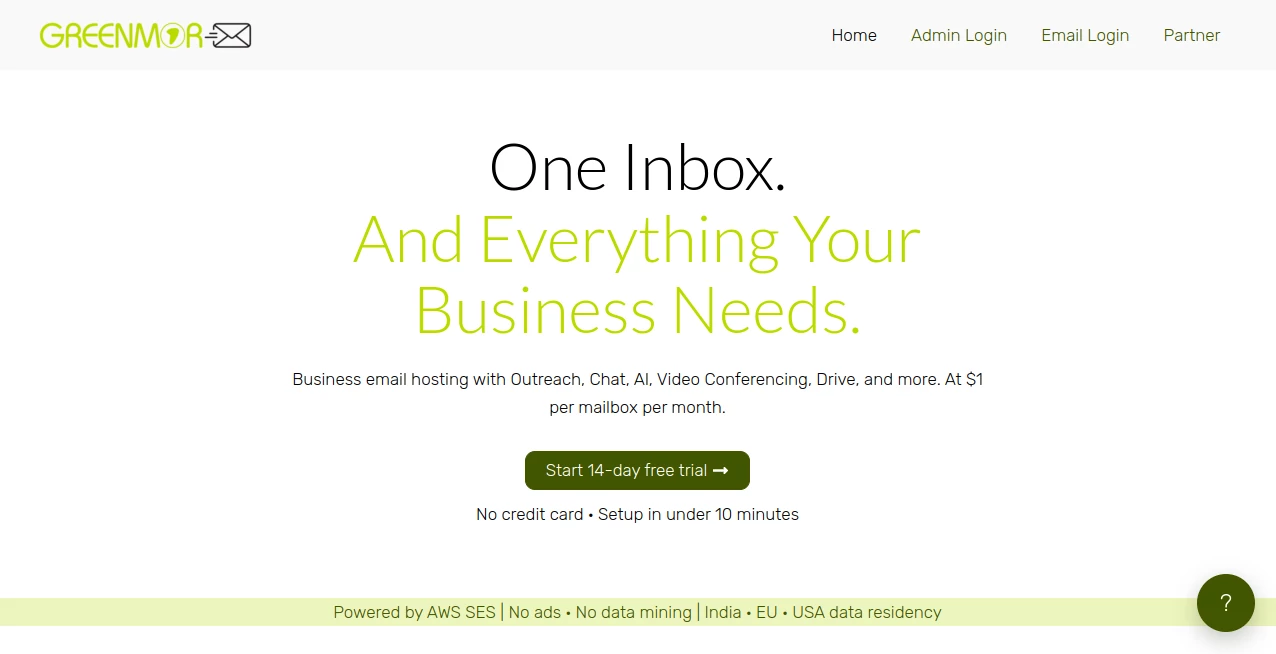
Managing business communication often means juggling multiple apps for email, meetings, file sharing, calendars, and team collaboration. This platform brings everything together in a single workspace, making everyday communication more organized and efficient. Instead of switching between separate services, teams can manage conversations, schedule meetings, store files, and collaborate without leaving their inbox.
Designed for businesses of all sizes, the service combines professional email hosting with productivity tools that help simplify daily workflows. Privacy is treated as a priority rather than an afterthought, while flexible mailbox management, custom domain support, and scalable plans make it suitable for startups, agencies, freelancers, and growing companies looking for a reliable communication solution.
Key Features
- Professional business email hosting with custom domains
- Integrated AI assistant for writing and summarizing emails
- Built-in outreach and email campaign tools
- Calendar and appointment scheduling
- Video conferencing for team meetings
- Secure cloud drive for file storage
- Notes and task management
- Real-time discussions directly inside email threads
- Unlimited email aliases
- End-to-end encryption support
- Two-factor authentication
- Spam filtering and mailbox protection
- IMAP and SMTP compatibility
- Flexible storage and sending limits
- White-label reseller options
User Interface
The interface is clean, modern, and designed around productivity. Mail, calendar, contacts, notes, drive, and meetings are accessible from one dashboard, allowing users to move between tasks without feeling overwhelmed. Navigation remains intuitive even when managing multiple mailboxes, making the learning curve surprisingly short for new users.
Accuracy & Performance
Email delivery is powered by enterprise-grade infrastructure that focuses on dependable sending and receiving performance. Messages load quickly, search results are responsive, and threaded conversations remain easy to follow. AI-powered writing assistance also produces helpful drafts and summaries that save time without interrupting the natural workflow.
Capabilities
Beyond traditional email hosting, the platform acts as a complete business productivity suite. Teams can launch outreach campaigns, organize meetings, collaborate on conversations, manage files, create notes, and even generate AI-assisted email replies from one environment. This combination reduces the need for several separate subscriptions while keeping collaboration centralized.
Security & Privacy
Security features include end-to-end encryption support, two-factor authentication, spam filtering, secure mailbox access, and flexible data residency options. Businesses can choose hosting regions based on their compliance requirements, while the provider emphasizes an ad-free experience without data mining. These measures help organizations maintain greater control over business communications and sensitive information.
Use Cases
- Businesses using professional email with custom domains
- Sales teams running outreach campaigns
- Remote teams collaborating on email conversations
- Freelancers managing client communications
- Startups replacing multiple productivity applications
- Marketing teams organizing campaigns and follow-ups
- Companies requiring secure internal communication
- Agencies managing multiple business mailboxes
Pros and Cons
Pros
- Combines email, meetings, storage, and collaboration in one platform
- AI assistance improves productivity
- Strong privacy-focused approach
- Supports custom business domains
- Flexible mailbox scaling
- White-label reseller capabilities
- Compatible with standard email clients through IMAP and SMTP
- Simple onboarding with a free trial
Cons
- Requires a custom domain for business mailboxes
- Advanced features may be unnecessary for very small personal users
- Some AI capabilities depend on API configuration or available credits
Pricing Plans
The service offers a 14-day free trial without requiring a credit card. Business plans start at an affordable per-mailbox annual price, with additional options for increased storage and higher daily sending limits. Organizations can expand resources as their communication needs grow instead of paying for oversized plans from the beginning.
How to Use GreenmorMail
- Create a new account.
- Verify your email address.
- Add your business domain.
- Configure the required DNS records.
- Create professional mailboxes.
- Import existing emails if needed.
- Invite team members.
- Start using email, calendar, meetings, drive, notes, and outreach tools from a single workspace.
Comparison with Similar Tools
Compared with traditional business email services, this solution goes beyond mailbox hosting by integrating collaboration, AI assistance, outreach, file storage, meetings, and productivity tools into one platform. Organizations looking to reduce software complexity may appreciate having these capabilities available without relying on numerous third-party applications. Its emphasis on privacy, customizable hosting regions, and white-label support also makes it attractive for businesses seeking greater control over their communication infrastructure.
Conclusion
For organizations searching for more than a standard business mailbox, this platform delivers an impressive combination of communication and productivity features. Professional email hosting, AI-powered assistance, collaboration tools, secure storage, meetings, and outreach capabilities work together inside one unified environment. The result is a practical solution that helps businesses streamline communication, improve teamwork, and reduce the need for multiple disconnected services.
Frequently Asked Questions (FAQ)
Is a custom domain required?
Yes. Business mailboxes are designed to work with your own domain name.
Can existing emails be migrated?
Yes. Email migration through IMAP is supported, making it easier to move from another provider.
Does it work with desktop email applications?
Yes. Standard IMAP and SMTP support allows compatibility with popular email clients.
Is AI included?
Yes. AI features assist with composing, replying, and summarizing emails, with flexible configuration options.
Does it include collaboration tools?
Yes. The platform includes meetings, discussions, file storage, notes, calendars, and task-related productivity features alongside business email.
AI Productivity Tools , AI Email Assistant , AI Team Collaboration , AI Email Marketing .
These classifications represent its core capabilities and areas of application. For related tools, explore the linked categories above.

GreenmorMail Alternatives Product

Syncity AI

Toolquix

Miro

Create Filla…

Vibebot.gg

LorePanic

Astic AI

VisualGPT

Manus