
Mumble AI
What is Mumble AI?
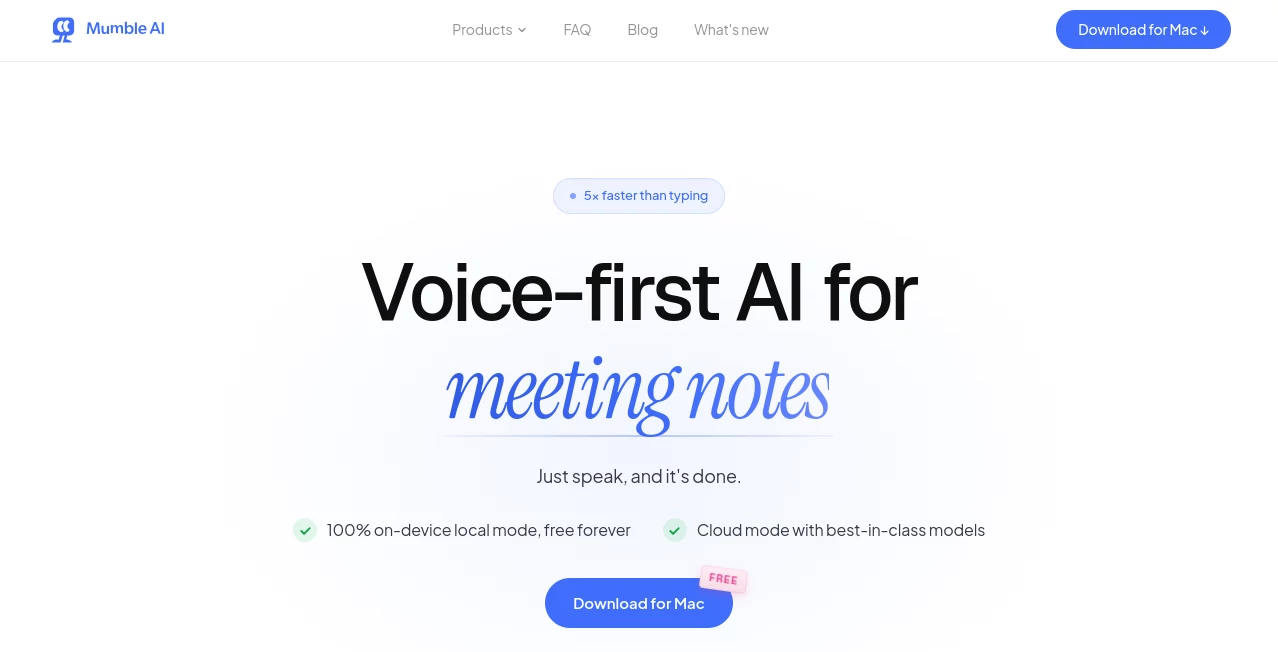
Modern work is filled with conversations, meetings, quick ideas, and information that can easily disappear before it gets written down. Mumble AI is a voice-first productivity assistant designed to turn spoken words into organized notes, meeting summaries, and polished text with minimal effort.
Built for Mac users who prefer speaking over typing, this tool helps professionals capture thoughts naturally, record meetings without adding a meeting bot, and transform everyday conversations into useful information. It combines AI transcription, smart note organization, and system-wide dictation into one simple workspace.
Whether you are managing a busy calendar, collecting creative ideas, or trying to reduce time spent writing notes after meetings, this solution offers a practical way to work faster while keeping your information structured and accessible.
Key Features
User Interface
The interface is designed around speed and simplicity. Instead of navigating through complicated menus, users can quickly start recording, dictate text, or review summaries from a clean workspace.
The application organizes meetings, notes, tasks, and conversations in a way that feels natural for daily workflows. The experience focuses on reducing friction, allowing users to capture ideas immediately when inspiration strikes.
Accuracy & Performance
The platform uses advanced speech recognition technology to convert conversations into accurate transcripts with speaker identification. Meeting discussions can be transformed into structured summaries, important decisions, and follow-up actions.
Users can choose between cloud processing for speed and high-quality results or local processing for privacy-focused workflows. The local option keeps recordings and transcription directly on the device, making it suitable for sensitive conversations.
Capabilities
This voice-based assistant provides several productivity features beyond simple transcription. It can capture meetings, create voice notes, format dictated text, and organize thoughts into cleaner documents.
- AI-powered meeting transcription with speaker labels
- Automatic meeting summaries and action items
- Voice notes converted into structured content
- System-wide dictation across Mac applications
- Custom formatting options for different writing needs
- Smart organization of related voice notes
- Support for multiple meeting platforms including popular video conferencing tools
- Templates for consistent note formats
Security & Privacy
Privacy is an important part of the product design. Users have control over how their audio is processed, choosing between cloud-based performance and on-device privacy.
With local processing enabled, recordings and transcripts remain on the Mac. This approach is especially useful for professionals handling confidential discussions, private client information, or internal company meetings.
Use Cases
This tool can support many different professional and personal workflows. It is especially valuable for people who spend hours in meetings or frequently need to capture ideas quickly.
- Business Professionals: Create meeting summaries, track decisions, and save important discussions.
- Managers: Capture team conversations and automatically identify follow-up tasks.
- Writers and Creators: Turn spoken ideas into organized drafts without interrupting creativity.
- Researchers: Record interviews and convert conversations into searchable notes.
- Developers and Product Teams: Document planning sessions and technical discussions.
- Students: Capture lectures and create structured study notes.
Pros and Cons
Pros
- Voice-first workflow reduces typing time
- No meeting bot joins calls
- Supports local processing for enhanced privacy
- Creates structured summaries instead of raw transcripts
- Works across different applications through dictation
- Useful for meetings, notes, and everyday productivity
Cons
- Currently focused primarily on Mac users
- Some advanced features require subscription plans
- Local processing may require more powerful hardware
Pricing Plans
The product offers flexible pricing options designed for different types of users. A free trial is available, allowing users to explore the main features before choosing a plan.
- Local Plan: A one-time purchase option focused on private on-device features, including unlimited voice notes, meeting summaries, and dictation.
- Starter Plan: A subscription option that adds mobile support, synchronization, encrypted backup, and additional AI capabilities.
- Pro Plan: Designed for heavy users who need unlimited usage and advanced voice automation features.
How to Use Mumble AI
Getting started is straightforward. After installing the application, users can configure permissions, select their preferred processing mode, and begin capturing voice content.
- Install the desktop application on a compatible Mac device.
- Choose whether to use cloud processing or local processing.
- Connect calendar services if automatic meeting detection is needed.
- Use keyboard shortcuts to start dictation, voice notes, or meeting capture.
- Review generated summaries, transcripts, and organized notes.
Comparison with Similar Tools
Many AI meeting assistants focus only on transcription. This solution takes a broader approach by combining meeting capture, voice notes, and system-wide dictation in one workflow.
Compared with traditional meeting transcription platforms, it provides more flexibility by avoiding the need for an external bot inside calls. Compared with standard dictation tools, it adds AI organization, summaries, and productivity-focused features.
For users who want a voice-centered workspace rather than separate applications for every task, this approach creates a more connected experience.
Conclusion
Voice technology is changing how people interact with computers, and this productivity assistant brings that idea into everyday work. By combining accurate transcription, intelligent summaries, private processing options, and flexible dictation, it helps users spend less time typing and more time focusing on meaningful work.
For professionals who attend frequent meetings, collect ideas constantly, or want a faster way to create written content, this tool offers a practical and modern workflow built around natural communication.
Frequently Asked Questions (FAQ)
Is this tool only for meetings?
No. Besides meeting assistance, it can also be used for voice notes, dictation, and converting spoken thoughts into organized written content.
Does it require a meeting bot?
No. Meetings can be captured directly from the computer environment without adding another participant to the call.
Can it work offline?
Yes. The local processing mode allows users to run recording and transcription directly on their device without sending audio to external servers.
What platforms are supported?
The application is designed mainly for Mac devices with supported hardware requirements. Companion mobile functionality is also available for voice note workflows.
Who can benefit most from this tool?
Professionals, managers, creators, researchers, and anyone who prefers speaking ideas instead of manually typing them can benefit from its workflow.
AI Productivity Tools , AI Meeting Assistant , AI Speech to Text , AI Notes Assistant .
These classifications represent its core capabilities and areas of application. For related tools, explore the linked categories above.
Mumble AI details
Website unavailable — View Alternatives
Pricing
- Free
Apps
- Web App
- Mac App
Categories

Mumble AI Alternatives Product

TuCanChat

MachineTrans…

Speechara

Overlap

Ovulation Ca…

Lexikon AI
TikoTranscri…

LLaMaRush

Mp3ToMidi