
















What is Speechara?
I still remember sitting in an important client call where half the conversation flew over my head because of accents and fast talking. I was trying to take notes, understand the nuance, and prepare a smart reply all at the same time — and failing at everything. Then I tried this tool and the whole experience shifted. Subtitles appear in real time, translations feel natural, and helpful AI suggestions pop up when I need them. It’s like having a sharp, discreet colleague sitting next to you during every call, quietly making sure you stay present and confident.
Introduction
Meetings, interviews, lectures, and cross-language conversations can be exhausting when you’re constantly trying to keep up. Speechara changes that by giving you live transcription, instant translation, and smart AI assistance right while people are speaking. It works with Zoom, Google Meet, Teams, phone calls, and even in-person conversations. The best part? It doesn’t force you to change your workflow — it simply adds a helpful layer on top. Many people who use it regularly say they finally feel present in conversations again instead of just trying to survive them.
Key Features
User Interface
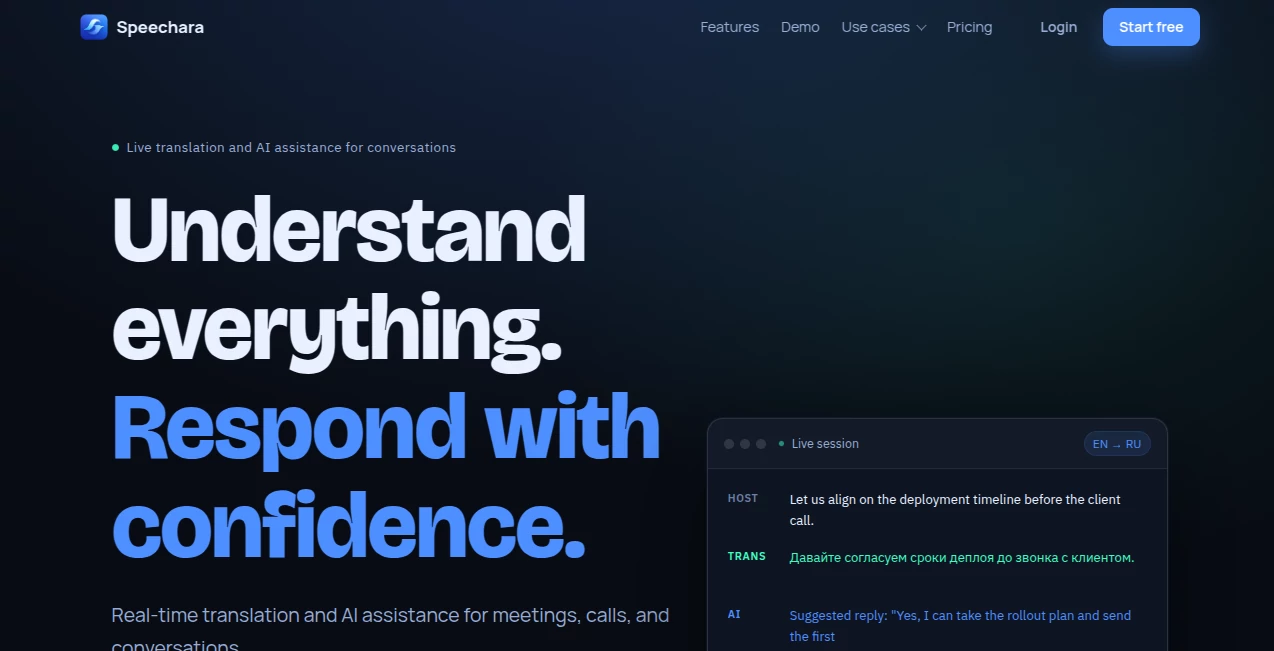
The interface is clean and respectful of your attention. You start a session, connect your audio source, and everything appears in a focused sidebar or overlay: live transcription, translation, and AI suggestions. It’s not cluttered with buttons or distractions — just the information you need at the right moment. Switching languages or adjusting settings feels natural, and the whole thing stays out of the way so you can focus on the actual conversation.
Accuracy & Performance
The transcription and translation are impressively accurate, even with different accents and technical topics. AI suggestions for replies come at the right moments without interrupting your flow. In real use, it handles fast-paced discussions well and produces clean, usable summaries afterward. The low latency means subtitles and help appear when you actually need them, not seconds too late.
Capabilities
Live transcription during any call or meeting, real-time translation between multiple languages, AI-powered reply suggestions, automatic structured summaries, action items, and searchable conversation history. It works across major video platforms and desktop audio, making it versatile for 1:1 calls, team meetings, interviews, lectures, and multilingual conversations. After the session, you get notes you can actually use instead of scattered scribbles.
Security & Privacy
Everything is encrypted by design, with private meeting history and the ability to delete data anytime. It’s built with privacy in mind — no unnecessary data retention and clear controls for users. For professionals handling sensitive discussions, that peace of mind matters a lot.
Use Cases
An international sales rep uses it during client calls to understand nuanced questions and respond confidently without awkward pauses. A student attending lectures in a non-native language gets real-time translation and clean notes for review later. A manager in multilingual team meetings stays fully engaged instead of constantly translating in their head. Job seekers practicing interviews in a second language get AI help formulating strong answers on the spot. It shines anywhere language or note-taking creates friction.
Pros and Cons
Pros:
- Real-time translation and transcription that actually keep up with natural speech.
- Helpful AI suggestions that feel supportive rather than intrusive.
- Works with the tools you already use — no need to switch platforms.
- Clear summaries and action items after every important conversation.
- Strong focus on privacy and data control.
Cons:
- Best performance still depends on decent audio input and internet stability.
- Free tier has limited minutes — heavier users will want a paid plan.
Pricing Plans
It starts with a generous free tier that includes enough minutes to test in real conversations. Paid plans offer more time, priority features, and additional capabilities for frequent users. The pricing feels fair — many people find the value in saved time and reduced stress quickly outweighs the cost, especially for professionals who have important calls regularly.
How to Use Speechara
Open the platform before your meeting or call, start a new session, and connect your audio source (Zoom, Meet, desktop audio, etc.). Choose languages if translation is needed. As people speak, watch live transcription and translation appear. Use AI suggestions when you need help replying. After the session, review the full transcript, summary, and action items. Delete or keep the history as you prefer. The whole flow feels natural and adds almost no extra effort to your existing meetings.
Comparison with Similar Tools
Many transcription tools focus only on recording after the fact, while others offer translation but lack smart reply assistance. This one brings everything together — live help, translation, and useful notes — in a single, privacy-conscious experience. It stands out by respecting your workflow instead of forcing you into a new one, making it feel like a true assistant rather than just another recording app.
Conclusion
Conversations should be about connection and ideas, not about struggling to keep up. Speechara quietly removes those barriers so you can stay present, understand more, and respond with confidence. Whether you’re bridging languages, taking better notes, or simply wanting to feel more in control during important calls, it delivers practical help that makes a noticeable difference. In a world full of noisy meetings and scattered thoughts, this kind of focused support feels genuinely valuable.
Frequently Asked Questions (FAQ)
Do I need to install anything?
No — it works directly in your browser and connects to your existing meeting tools.
How accurate is the translation?
It handles everyday and professional conversations very well, with especially strong performance between major languages.
Can I use it for in-person conversations?
Yes — it can capture desktop audio or use your microphone for face-to-face situations.
Are my conversations private?
Yes — conversations are encrypted and you control your history.
Is there a free way to try it?
Absolutely — the free tier includes enough minutes to test in real situations.