

















SKI
What is SKI?
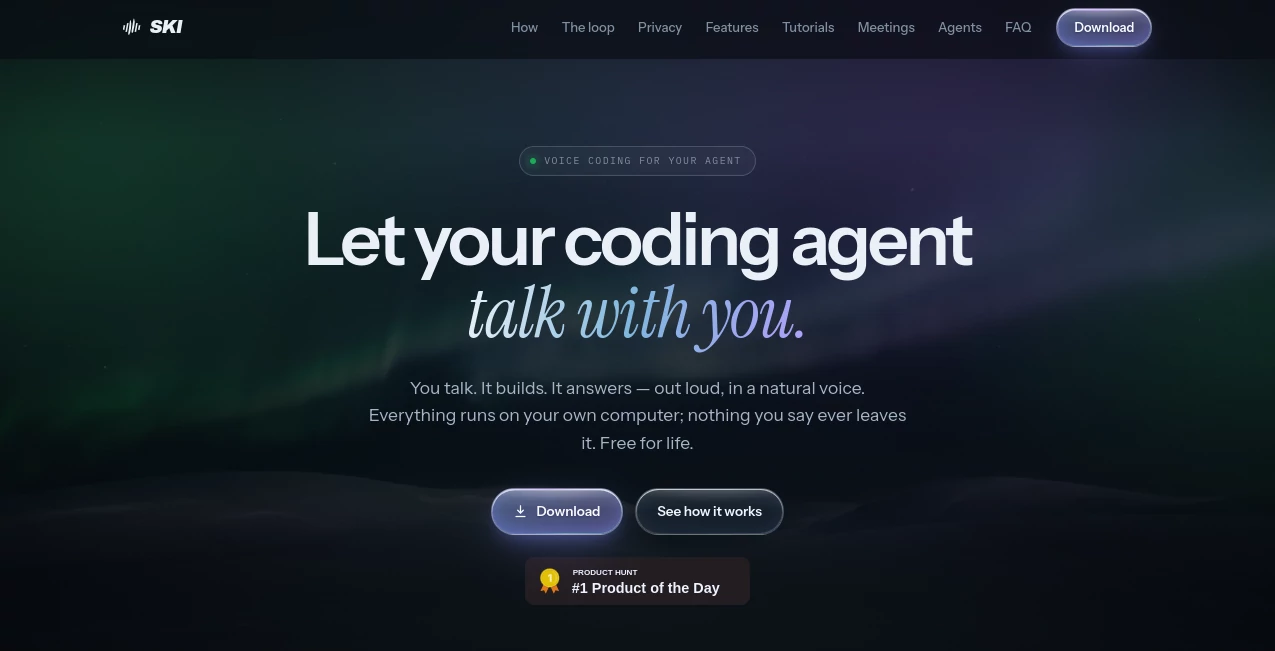
SKI brings a more natural way to work with AI coding agents: you talk, your coding agent works, and the response comes back as spoken audio. Instead of sitting in front of a terminal and typing every instruction, developers can describe what they need out loud and keep the conversation moving.
The application is designed for Mac and Windows and keeps its core voice processing on the user's own computer. Speech recognition and voice generation run locally, so spoken conversations do not need to be uploaded to a cloud service. It also works with several popular coding agents, including Claude Code, Cursor, Codex, Gemini CLI, Windsurf, and OpenClaw.
What makes the approach particularly interesting is that it is not simply voice dictation. A developer can ask an agent to inspect a project, fix a problem, run tests, or build something, then hear the result without constantly switching between typing and reading. For developers who spend hours working with AI coding assistants, that small change can make the interaction feel much more like a conversation.
Key Features
- On-device speech-to-text processing
- Natural neural voice output running locally
- Two-way voice conversations with coding agents
- Support for multiple coding agents and projects
- Full-duplex voice interaction with interruption support
- Live agent status indicator
- Global hotkeys for quick interaction
- Screenshot capture that can accompany voice requests
- Project-specific voices
- Offline voice operation
- Local meeting recording and transcription
- Optional meeting participation through an external agent service
- Approve-before-send mode for reviewing transcripts
User Interface
The interface is deliberately compact rather than trying to become another large developer dashboard. On Mac, the application can sit in the system notch or create its own notch-like area on compatible machines. Windows users get a floating pill that can be positioned where it is most convenient.
The small interface expands when there is something to say and then gets out of the way. A live indicator shows whether the connected agent is listening, while spoken requests and responses remain connected to the project being worked on.
This is particularly useful when coding is already taking place in another application. You do not need to leave your editor simply to issue a quick instruction such as asking an agent to run the tests or investigate an error.
Accuracy & Performance
Voice interaction is only useful when it keeps up with the person speaking. The application uses local speech recognition and includes smart end-of-speech detection, allowing spoken requests to be passed to the coding agent without relying on a push-to-talk workflow.
Its full-duplex audio system is another practical detail. Users can interrupt a spoken response and continue talking, which makes the interaction feel less rigid than traditional dictation systems.
Because the core voice processing happens on the computer, the experience does not depend on continuously sending audio to a remote speech service. Offline operation is also supported for the voice loop.
Capabilities
The main capability is connecting natural speech with an existing coding agent. Once an agent and project are connected, a developer can describe a task verbally while the agent handles the actual development work.
For example, you might say that a test is failing and ask the agent to investigate it. The agent can inspect project files, make changes, run tests, and then communicate the result back through voice. This creates a hands-free workflow that can be especially convenient during debugging or when reviewing work.
Multiple repositories can also be connected, with different projects assigned their own voice. Screenshot capture gives the agent additional visual context when necessary, while the meeting features extend the application beyond ordinary coding conversations.
Security & Privacy
Privacy is one of the strongest parts of the product design. Speech recognition and voice synthesis run on the user's device, and the company states that voice recordings are not uploaded to a cloud service.
The application also uses plain files inside the user's project for communication between the interface and the coding agent. This gives developers an opportunity to inspect what is being exchanged rather than relying on an opaque background service.
An optional approve-before-send mode adds another layer of control. Transcribed speech can appear in an editable area first, allowing the user to review or modify it before it reaches the coding agent.
Use Cases
- Hands-free coding: Describe development tasks verbally while the coding agent handles implementation.
- Debugging: Ask an agent to investigate failing tests, inspect errors, or check a particular part of a project.
- Rapid prototyping: Explain an idea conversationally and let the coding agent turn the instructions into working code.
- Code review: Ask questions about files, functions, or project behavior without constantly typing commands.
- Multi-project development: Connect several repositories and direct conversations toward the appropriate project.
- Meeting transcription: Record meetings locally with microphone and system audio and receive a local transcript.
- Developer meetings: Use the optional meeting integration when an AI agent needs to participate in a supported video call.
- Screen-aware requests: Capture a screenshot and include it with a spoken instruction when visual context matters.
Pros and Cons
Pros
- Core voice processing runs locally.
- Free for life on supported Mac and Windows systems.
- Works with several well-known coding agents.
- Supports natural two-way voice conversations rather than simple dictation.
- Can operate without an internet connection for its core voice features.
- Includes local meeting recording and transcription.
- Approve-before-send provides useful control over voice commands.
Cons
- English is the supported language at the current release.
- Linux support is not currently available.
- The computer must meet the specified operating-system and hardware requirements.
- AI agents themselves may have their own costs or usage limits.
- The optional cloud-based meeting participation feature is billed separately.
Pricing Plans
The core application is free for life on Mac and Windows, with no credit card required. Voice features and the local meeting transcriber are included rather than being locked behind a subscription.
The main exception is when an AI agent is sent into a video meeting through the optional AgentCall integration. That feature is charged by the minute and includes free usage hours. Users who only need local voice interaction and local meeting transcription can therefore use the core product without paying a recurring fee.
How to Use It
- Download and install the desktop application on a supported Mac or Windows computer.
- Complete the initial microphone, voice, and hotkey setup.
- Connect a supported coding agent such as Claude Code, Cursor, Codex, Gemini CLI, Windsurf, or OpenClaw.
- Select the project or repository you want to work with.
- Speak your request naturally through the floating interface.
- Let the connected coding agent inspect files, write code, run tests, or perform the requested task.
- Listen to the response and continue the conversation with another voice instruction.
- Use approve-before-send when you want to review transcribed requests before they reach the agent.
Comparison with Similar Tools
Traditional voice assistants and dictation applications usually focus on converting speech into text. That can be useful for writing a command or filling in a text field, but it still leaves the developer responsible for interacting with the coding environment.
This approach is different because the voice layer is designed around coding agents. The spoken request becomes part of a conversational loop: the developer talks, the agent performs development work, and the result is communicated back through speech.
Another important distinction is local processing. Developers working with private repositories or sensitive project discussions may appreciate having speech recognition and voice synthesis handled directly on their computer instead of continuously uploading recordings to a remote voice platform.
The meeting functionality also gives it a broader role. A developer can either record a meeting locally for transcription or, when needed, use the optional meeting integration to have an agent participate in supported video calls.
Conclusion
For developers who already rely on AI coding agents, voice can remove a surprisingly large amount of friction. Instead of translating every thought into a typed prompt, the conversation can happen naturally while the coding agent takes care of the technical work.
The combination of local speech processing, hands-free interaction, support for several coding agents, project-aware voice sessions, and local meeting transcription makes this a compelling option for developers who want a more conversational workflow.
The strongest reason to try it is also the simplest: the core experience is free for life, runs locally, and does not require sending your voice to a cloud service. If speaking to your coding assistant feels more natural than constantly typing instructions, this is a practical way to experiment with that workflow without committing to another monthly subscription.
Frequently Asked Questions (FAQ)
What does this application do?
It lets developers communicate with AI coding agents using their voice. You speak a request, the connected agent works on the project, and the response can be spoken back to you.
Does it require an internet connection?
The core listening, speech recognition, and voice output features run locally and can work offline. Internet access is only required for certain optional features, such as sending an agent into a video meeting.
Is my voice uploaded?
No. The core speech processing is performed on the user's computer, and the product states that voice audio is not uploaded to a cloud service.
Which coding agents are supported?
Supported integrations include Claude Code, Cursor, Codex, Gemini CLI, Windsurf, and OpenClaw.
Is it free?
Yes. The core application is free for life on supported Mac and Windows computers. The optional feature that allows an agent to participate in video meetings is charged separately.
Which operating systems are supported?
It currently supports Apple Silicon Macs running macOS 14.4 or newer and Windows 10 or 11 PCs. Linux support is planned but is not currently available.
AI Speech to Text , AI Speech Recognition , AI Developer Tools , AI Voice Assistants .
These classifications represent its core capabilities and areas of application. For related tools, explore the linked categories above.
SKI details
Website unavailable — View Alternatives
Pricing
- Free
Apps
- Web App
- Windows App
- Mac App
Categories

SKI Alternatives Product

Omni Voice

CtrlOps
Seed Audio

livetalktran…

WhispriNote

Adobe Podcast

SuperAI

JSON to TOON…

HY Motion
