


















HintMint
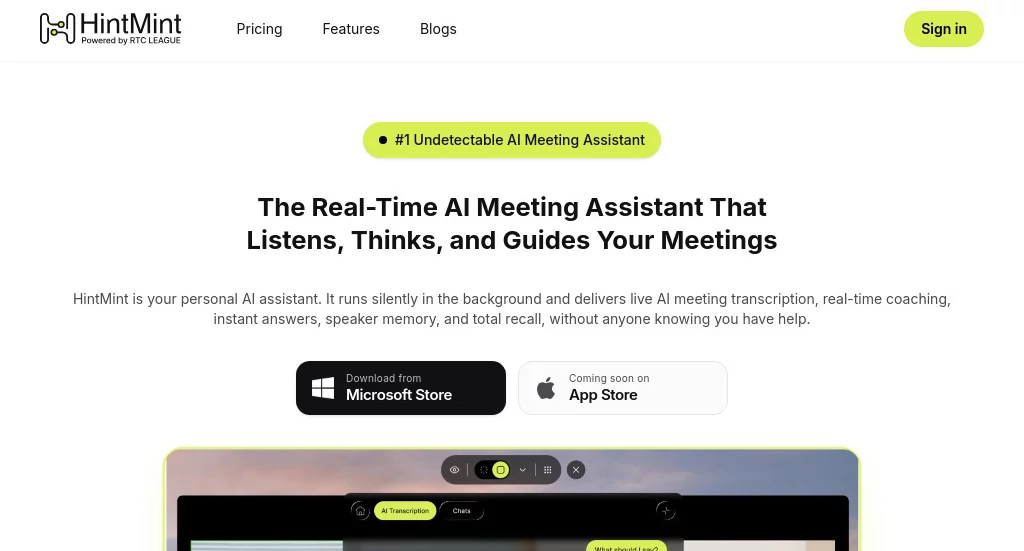
What is HintMint?
Modern meetings move fast. Important decisions, action items, customer objections, and key insights can easily disappear in a sea of notes. This platform was designed to solve that challenge by acting as a real-time meeting companion that listens, understands context, and helps professionals stay fully engaged in conversations.
Rather than forcing users to switch between note-taking apps, documents, and follow-up tools, it creates a seamless experience where meeting intelligence is captured automatically. From interviews and sales calls to team discussions and client meetings, it provides instant support, accurate transcripts, and contextual memory that carries knowledge across conversations.
What makes the platform particularly appealing is its ability to assist during live conversations. Users can focus on building relationships and making decisions while the system handles documentation, recall, and organization in the background.
Key Features
User Interface
The interface is designed with simplicity in mind. Navigation is straightforward, allowing users to access transcripts, meeting summaries, action items, and conversation history without unnecessary complexity. Information is presented clearly, making it easy to review discussions and locate important moments after meetings have ended.
Professionals who spend hours in virtual meetings will appreciate how quickly they can access insights without digging through lengthy recordings or scattered notes.
Accuracy & Performance
Reliable transcription and contextual understanding are at the core of the platform. Speaker-aware transcription helps distinguish participants, while intelligent conversation tracking ensures that important decisions and commitments are captured accurately.
Performance remains consistent across different meeting types, whether the discussion involves sales negotiations, candidate interviews, project planning sessions, or executive reviews. Real-time processing enables users to receive insights while conversations are still happening.
Capabilities
- Real-time meeting transcription.
- Speaker recognition and identification.
- Automated meeting summaries.
- Decision and action item tracking.
- Contextual memory across multiple meetings.
- Live coaching and conversation assistance.
- Interview and sales call support.
- Automated follow-up generation.
- Cross-platform meeting compatibility.
One particularly valuable capability is the ability to remember information from previous conversations. Instead of starting from scratch every time, users can access historical context that helps them enter meetings fully prepared.
Security & Privacy
Privacy remains a critical consideration for organizations handling sensitive discussions. The platform emphasizes user confidentiality by ensuring that meeting intelligence remains accessible only to authorized users. This approach is especially valuable for recruiters, consultants, executives, and sales professionals who regularly manage confidential information.
By reducing the need for manual note sharing and fragmented documentation, teams can maintain stronger control over their meeting data while improving collaboration and accountability.
Use Cases
- Sales Teams: Track customer objections, capture commitments, and receive assistance during critical conversations.
- Recruiters: Record candidate interviews, organize evaluations, and streamline hiring workflows.
- Consultants: Maintain detailed client histories and access previous discussions instantly.
- Executives: Monitor decisions, action items, and strategic discussions across multiple meetings.
- Remote Teams: Improve collaboration through searchable transcripts and meeting summaries.
- Project Managers: Keep track of responsibilities, deadlines, and project updates automatically.
Pros and Cons
Pros
- Provides real-time meeting intelligence.
- Reduces manual note-taking workload.
- Maintains contextual memory across conversations.
- Supports multiple professional use cases.
- Generates actionable meeting summaries.
- Improves preparation for future discussions.
- Easy to use with minimal learning curve.
Cons
- Advanced functionality may be more valuable for frequent meeting participants than occasional users.
- Internet connectivity can influence real-time performance.
- Some enterprise-focused features may require premium plans.
Pricing Plans
The platform offers trial access that allows users to explore its capabilities before committing to a subscription. Pricing structures are designed to accommodate individual professionals as well as teams seeking advanced meeting intelligence and productivity features.
Because plans may evolve over time, prospective users should review the latest pricing information directly through the official website for the most accurate details.
How to Use HintMint
Getting started is straightforward:
- Create an account and configure your workspace.
- Connect supported meeting platforms.
- Join or start a meeting as usual.
- Allow the assistant to capture and analyze conversations.
- Review transcripts, summaries, and action items after the meeting.
- Use historical meeting memory to prepare for future discussions.
Many users find value immediately after their first meeting because information becomes easier to organize, search, and revisit.
Comparison with Similar Tools
Many meeting assistants focus primarily on recording and transcription. While those functions are useful, they often stop at documentation. This platform goes further by combining transcription, contextual understanding, memory retention, coaching assistance, and follow-up generation in a single environment.
Compared with traditional note-taking solutions, it offers a more proactive experience. Rather than simply storing information, it helps users apply knowledge during and after conversations. This creates a workflow that feels more like having a personal meeting strategist than a passive recording tool.
For professionals who participate in high-stakes conversations regularly, the additional layer of intelligence can provide a meaningful productivity advantage.
Conclusion
Meetings are where decisions are made, opportunities are won, and relationships are built. Missing a key detail can have lasting consequences, especially for sales professionals, recruiters, consultants, and business leaders.
This platform transforms meetings into organized, searchable, and actionable knowledge. Its combination of real-time assistance, contextual memory, transcription accuracy, and workflow automation makes it a compelling solution for anyone looking to improve meeting productivity.
For professionals seeking a smarter way to capture, understand, and act on conversations, it delivers a practical and highly effective experience.
Frequently Asked Questions (FAQ)
What does this platform do?
It provides AI-powered meeting assistance, including transcription, summaries, contextual memory, and real-time support during conversations.
Can it be used for job interviews?
Yes. Recruiters and candidates can benefit from organized transcripts, conversation tracking, and interview support features.
Does it generate meeting summaries automatically?
Yes. It creates summaries, action items, and key takeaways after meetings.
Can it remember information from previous meetings?
Yes. Contextual memory allows users to reference historical discussions and decisions across multiple sessions.
Who benefits most from this tool?
Sales teams, recruiters, consultants, executives, project managers, and remote teams that participate in frequent meetings can gain significant value from its capabilities.
AI Productivity Tools , AI Team Collaboration , AI Meeting Assistant , AI Notes Assistant .
These classifications represent its core capabilities and areas of application. For related tools, explore the linked categories above.
HintMint details
Website unavailable — View Alternatives
Pricing
- Free
Apps
- Web App
- iOS App
- Android App
Categories

HintMint Alternatives Product

Project Mela

FINIITE AI

Maestra

Jamy.ai | Au…

Skygen AI

KarmaGuy

MeetAssist

DocReplacer

Nova AI
