
Home Design AI
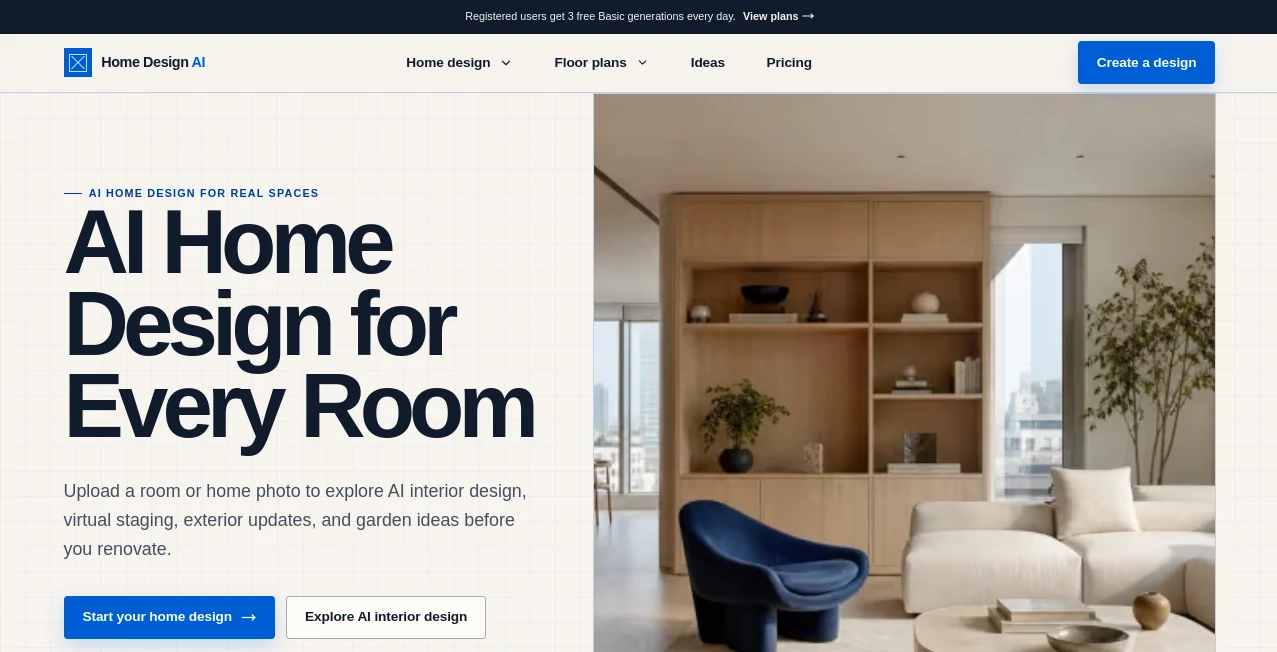
What is Home Design AI?
Designing or renovating a home often starts with imagination, but turning ideas into realistic visuals can be expensive and time-consuming. This AI-powered platform bridges that gap by allowing homeowners, interior designers, architects, landscapers, and real estate professionals to transform real photos into stunning design concepts within seconds. Instead of creating imaginary rooms, it works directly with existing spaces, preserving the original layout while experimenting with new furniture, colors, materials, lighting, and decorative styles.
Whether the goal is refreshing a living room, redesigning a house exterior, planning a beautiful backyard, or staging an empty property for sale, the platform provides an intuitive workflow that delivers photorealistic results quickly. With support for more than 160 design styles, intelligent material replacement, furniture detection, virtual staging, sketch-to-render conversion, and AI-powered visualization, it has become a valuable creative companion for both professionals and homeowners looking to make better design decisions before spending money on renovations.
Key Features
User Interface
The interface is designed for simplicity. Users only need to upload a photo, choose the desired room type or outdoor area, select a preferred design style, adjust customization settings, and generate multiple concepts in less than a minute. Navigation is straightforward, making the platform accessible even for people without any design experience.
Accuracy & Performance
One of its strongest advantages is maintaining the original structure of the uploaded space. Walls, windows, room proportions, and architectural layouts remain intact while only decorative elements and design features are transformed. This creates practical visualizations that closely represent real renovation possibilities rather than unrealistic artistic interpretations.
Capabilities
- AI interior redesign
- Exterior home transformation
- Garden and landscape visualization
- Virtual staging for empty properties
- Sketch-to-photorealistic rendering
- Furniture replacement and room decoration
- Material and texture swapping
- Wall and object color visualization
- Furniture identification with shopping assistance
- Weather and sky simulation
- High-resolution image exports
- 2D-to-3D floor plan generation
- Video creation from generated designs
- Commercial usage support for professionals
Security & Privacy
User-generated projects are stored inside private workspaces, allowing individuals and businesses to manage their own design collections securely. Uploaded images remain under the user's control, while customer support and refund policies provide additional confidence for those using the service in professional environments.
Use Cases
- Visualizing home renovations before construction begins.
- Experimenting with different interior design styles.
- Planning exterior remodeling projects.
- Designing gardens, patios, and outdoor living spaces.
- Creating virtual staging for real estate listings.
- Generating client proposals for architects and interior designers.
- Testing furniture arrangements before purchasing.
- Comparing flooring, paint colors, and construction materials.
- Producing marketing visuals for property developers.
- Creating inspiration boards for residential projects.
Pros and Cons
Pros
- Works directly with real photos instead of generating imaginary spaces.
- Fast image generation in approximately 30 seconds.
- Supports interiors, exteriors, gardens, and commercial projects.
- Large collection of professional design styles.
- Easy enough for beginners while offering advanced features for professionals.
- High-quality visual outputs suitable for presentations.
- Includes furniture discovery and shopping assistance.
- Available through web browsers on multiple devices.
Cons
- Advanced capabilities require a paid subscription.
- Generation quality depends on the uploaded photo.
- Some professional workflows may require multiple iterations.
- Internet access is required for image generation.
Pricing Plans
The platform offers multiple subscription options for individuals and professionals. Plans differ in monthly design credits, commercial licensing, and access to premium features. Annual subscriptions provide significant savings compared to monthly billing, while higher-tier plans include unlimited design generation and additional professional tools.
How to Use HomeDesignsAI
Start by uploading a clear image of your room, exterior, garden, blueprint, or sketch. Select the appropriate project type and choose from dozens of available design styles. Adjust customization options such as AI intervention level, colors, materials, or creative modes before generating the final visualization. Within seconds, multiple photorealistic concepts become available for download, sharing, or further refinement. Users can continue experimenting with different styles until they discover the perfect design for their project.
Comparison with Similar Tools
Many AI design platforms generate beautiful concepts but often replace the original room with completely fictional layouts. This platform focuses on preserving the existing architectural structure, making the generated results much more practical for renovation planning. It also combines interior design, landscaping, exterior remodeling, virtual staging, furniture visualization, floor plans, and AI video creation into a single ecosystem, reducing the need for multiple specialized applications.
Conclusion
For anyone looking to redesign living spaces without investing weeks in planning or thousands of dollars before seeing the results, this platform offers a practical and enjoyable solution. It combines speed, realism, flexibility, and professional-quality visualization into an accessible experience suitable for homeowners, architects, interior designers, builders, landscapers, and real estate agencies. The ability to work directly with real spaces rather than fictional renderings makes it especially valuable for renovation planning, property marketing, and creative exploration.
Frequently Asked Questions (FAQ)
Can beginners use this platform?
Yes. The workflow is designed to be simple enough for homeowners with no previous design experience.
Does it support outdoor projects?
Yes. Gardens, patios, landscaping, and complete house exteriors can all be redesigned using AI.
Can professionals use the generated images commercially?
Professional plans include commercial usage rights, making the platform suitable for client presentations and business projects.
How long does image generation take?
Most projects are completed within approximately 30 seconds, depending on the selected options.
Is it useful for real estate marketing?
Absolutely. Virtual staging, exterior enhancements, and renovation previews help create more attractive property listings and marketing materials.
AI Photo & Image Generator , AI Design Generator , AI Image to Image , AI Interior & Room Design .
These classifications represent its core capabilities and areas of application. For related tools, explore the linked categories above.

Home Design AI Alternatives Product

Nano Banana 2

NanoBanana2

Remove Handw…

Maginary

ModelsLab

Create a Car…

LoveGen AI

ColorChanger

Nano Banana …