
HousesDecorate
What is HousesDecorate?
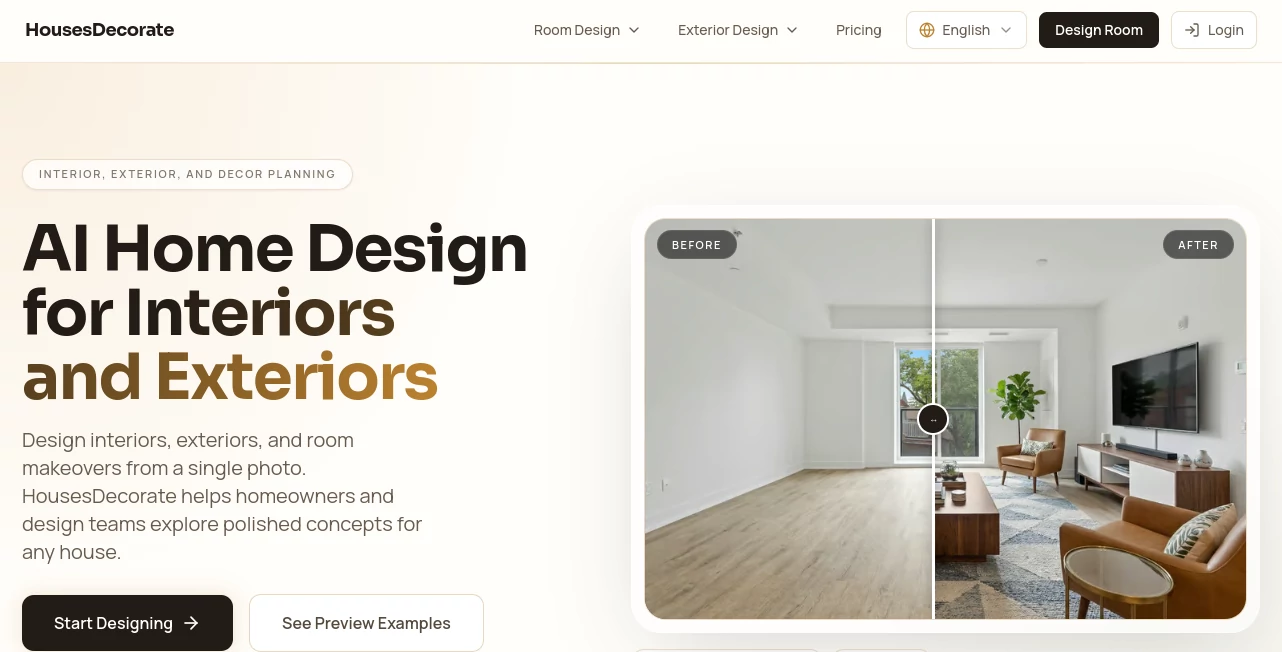
There’s something deeply satisfying about walking into a room and feeling like it finally looks and feels right. The problem is most of us don’t have the budget, time, or expertise of an interior designer. This platform bridges that gap beautifully. You upload a photo of your space, tell it what style you’re dreaming of, and it shows you realistic, beautifully designed versions of your own room. I’ve seen people go from “I have no idea what to do with this space” to confidently ordering furniture after seeing how different styles would actually look in their home. It makes good design feel achievable instead of intimidating.
Introduction
Redecorating a home is exciting but overwhelming. Between choosing colors, furniture, lighting, and layouts, it’s easy to get stuck or make expensive mistakes. Houses Decorate removes that stress by letting AI visualize exactly how your space could look before you spend a single dollar. Whether you’re moving into a new place, refreshing one room, or planning a full renovation, it gives you instant, realistic inspiration tailored to your actual room. The results feel personal because they’re based on your photos, not generic showroom images. It’s become a favorite for homeowners, renters, and even interior designers who want to show clients quick concepts.
Key Features
User Interface
The experience is pleasantly simple. Upload a clear photo of your room, choose a design style (modern, Scandinavian, bohemian, minimalist, etc.), and optionally add details like color preferences or specific furniture wishes. Within seconds you get multiple beautifully rendered versions of your space. You can compare them side by side, adjust prompts, and generate new variations until something clicks. It never feels technical — just fun and intuitive, like having a very talented designer friend who works instantly.
Accuracy & Performance
What impresses most is how well it understands your actual room. It keeps the proportions, windows, doors, and existing architecture intact while intelligently placing new furniture and decor. The lighting and shadows look natural, and the styles feel authentic rather than cartoonish. Generation is fast enough that you can explore many different directions in one sitting without losing momentum.
Capabilities
It supports a wide variety of interior styles and lets you mix elements — modern furniture in a classic room, for example. You can redesign single rooms or entire homes, generate different times of day, and even see seasonal variations. The outputs are high-resolution and realistic enough to use for planning, presentations, or simply getting inspired before shopping. It’s especially strong at showing how colors, textures, and layouts work together in your specific space.
Security & Privacy
Your uploaded photos stay private and are only used to generate designs for you. The platform doesn’t store or share your images beyond the generation process. For homeowners sharing photos of their living spaces, that respect for privacy is reassuring and appreciated.
Use Cases
A young couple redesigning their first apartment tries dozens of styles before deciding on the perfect one. A homeowner preparing to sell stages their living room virtually to create better listing photos. An interior designer shows clients multiple concepts in minutes instead of days. A renter experiments with different looks without buying anything permanent. Anyone overwhelmed by home decor decisions finds clarity and confidence through realistic visualizations of their own space.
Pros and Cons
Pros:
- Designs are based on your actual room photos, not generic templates.
- Wide variety of styles with realistic lighting and proportions.
- Fast iteration — try many ideas quickly without commitment.
- Helps you make smarter, more confident decorating decisions.
- Great value compared to hiring a professional designer for initial concepts.
Cons:
- Best results come from good, well-lit room photos.
- Extremely customized or highly detailed requests may need multiple generations.
Pricing Plans
It offers a free tier that lets you try several designs and see the quality for yourself. Paid plans unlock unlimited generations, higher resolution downloads, more style options, and advanced features. The pricing feels fair for the time, money, and potential mistakes it helps you avoid when decorating.
How to Use Houses Decorate
Take a few clear photos of your room from different angles. Upload your favorite one, choose the design style you like (or describe your own vision), and generate. Compare the variations, refine your prompt if needed, and download the ones you love. Use the results as inspiration when shopping, planning renovations, or presenting ideas to family or designers. The whole process is fast enough to do during a lunch break.
Comparison with Similar Tools
Many AI design tools generate beautiful rooms but often ignore your actual space dimensions and architecture. This one stands out by working with your real photos, keeping structural elements intact while beautifully reimagining the rest. It feels more practical and personal than tools that only create generic concept images.
Conclusion
Decorating your home should be exciting, not stressful. This tool takes away much of the uncertainty by letting you see beautiful possibilities in your own space before committing to any changes. It empowers you to make better decisions, save money, and ultimately create a home you truly love. For anyone thinking about refreshing their living space, it’s one of the most useful and enjoyable starting points available today.
Frequently Asked Questions (FAQ)
How realistic are the generated designs?
Very realistic — especially when using good source photos. The lighting and proportions feel natural.
Can I use it for my entire house?
Yes, you can redesign room by room or generate concepts for multiple spaces.
Do I need professional photos?
No — regular phone photos work well as long as the room is well-lit and not too cluttered.
Is it suitable for renters?
Absolutely — it’s perfect for visualizing temporary changes like paint colors, furniture arrangements, and decor.
AI Design Assistant , AI Design Generator , AI Graphic Design , AI Interior & Room Design .
These classifications represent its core capabilities and areas of application. For related tools, explore the linked categories above.

HousesDecorate Alternatives Product

NanoAI

gpt image

AI Raphael

nana banana …

Album Cover …

deck cleaner

BeadPattern

z image

AlpacaBag