
















BeadPattern
What is BeadPattern?
There's a particular kind of frustration that every bead crafter knows. You have a photo — your dog, a favourite anime character, a sunset you loved — and you want to turn it into a fuse bead project. So you spend an hour manually counting pixels, squinting at colour charts, trying to figure out which exact shade of Perler or Hama bead matches what you're seeing on screen. Then you realise you've miscounted a row, and you start over.
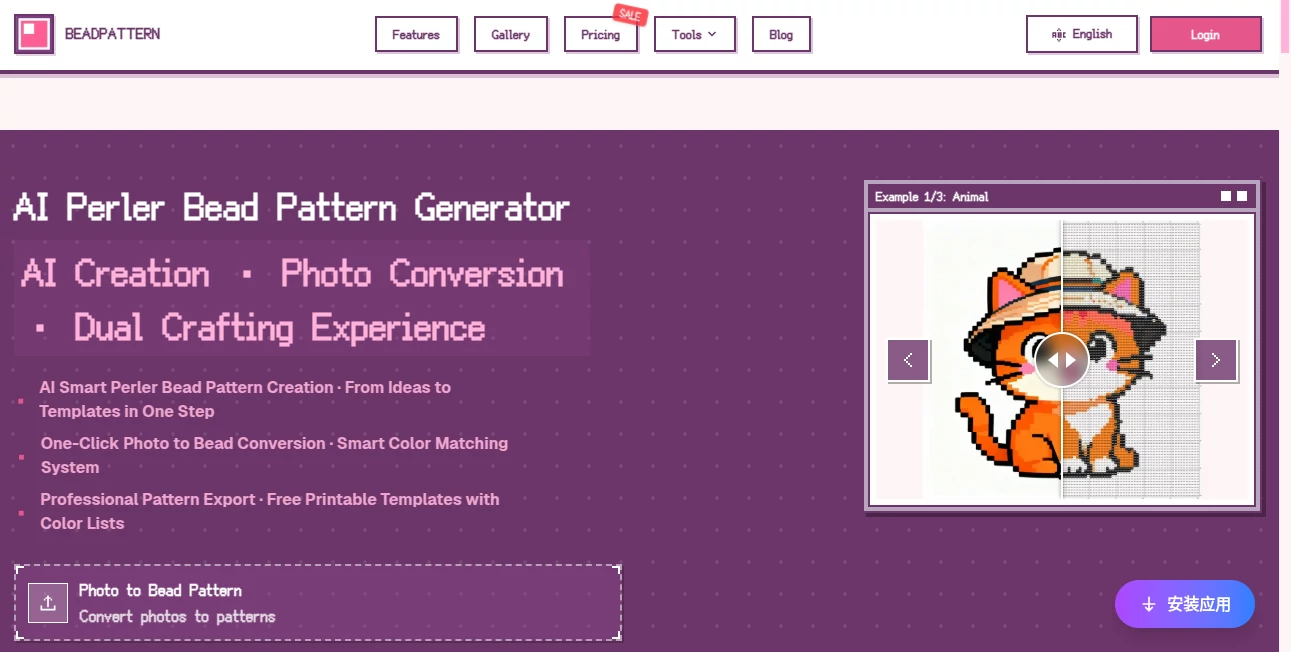
This is the problem that this platform was built to eliminate. It's a free online bead pattern maker that uses AI to convert photos into precise, printable patterns in seconds — or generate entirely new designs from a text description. It supports Perler, Hama, and Artkal bead colour systems, automatically counts the beads you'll need, and exports clean PDF templates you can print and use right away.
Over 10,000 bead artists are already using it daily. Whether you're a complete beginner tackling your first fuse bead project or an Etsy shop owner cranking out pixel art charms for paying customers, the workflow is the same: fast, accurate, and genuinely enjoyable to use.
Key Features
User Interface
The interface is clean and unintimidating — which matters a lot when your audience includes children, parents doing crafts with their kids on weekends, and beginners who've never touched pattern-making software before. The main tools are laid out clearly: text-to-pattern generation on one side, photo upload on the other, and a pixel image editor for fine-tuning your work.
Navigation is straightforward. You don't need a tutorial to figure out where things are. The gallery is browsable without an account, which is a smart choice — it lets curious first-timers explore dozens of example patterns (animals, cartoons, nature scenes, kawaii characters) before committing to anything. The undo/redo functionality in the editor is responsive, which is the kind of small detail that makes the difference between a tool you enjoy using and one you abandon after ten minutes.
Accuracy & Performance
The colour matching engine is where this tool genuinely earns its reputation. A common complaint with generic image-to-pixel converters is that they produce patterns with harsh black edges and colour choices that don't correspond to any actual bead colour you can buy. Here, a dominant colour algorithm is applied specifically to prevent that black-edge problem, and the output is matched against real colour codes from major bead brands.
AI-generated patterns — created from text prompts like "cute cat with hat" or "neon glow fox" — are optimised for physical crafting rather than just visual appeal. That's a meaningful distinction. A pattern that looks great on screen but requires seventeen different bead colours in quantities of three each is useless in practice. The AI accounts for this.
Capabilities
The feature set covers the full workflow from idea to finished printout:
- AI text-to-pattern generation: Describe what you want and the system generates multiple pattern options. Styles include cute, illustration, and pixel art. No reference image needed.
- Photo to bead pattern conversion: Upload a JPG or PNG and the tool converts it into a beadable pixel pattern with smart colour matching. Works with portraits, pet photos, landscapes — essentially anything.
- Five colour systems supported: Perler, Hama, Artkal, and others — so whatever bead brand you use, the colour codes in your exported pattern will actually match what's in your storage trays.
- Custom colour palette: You can restrict the output to only the bead colours you already own. This is a practical feature that beginners often overlook but experienced crafters consider essential.
- Shopping list generation: The tool automatically counts every bead in your pattern and produces a list by colour and quantity. Useful for buying exactly what you need before starting a project.
- Online pixel editor: Adjust individual bead positions after generation. Every cell is editable, with undo/redo support.
- PDF export: Professional printable templates with colour codes and bead counts included. The Pro plan removes watermarks and supports patterns up to 300 pixels on a side.
- Community gallery: Browse and draw inspiration from patterns created by other users — animals, cartoon characters, scenes, abstract designs.
Security & Privacy
The platform handles user accounts and cloud sync on the Pro plan, which includes storage for up to 500 projects. The free tier requires a login for downloads but keeps personal data requirements minimal. There's a clear privacy policy and terms of service linked from the footer. For a crafting tool handling photo uploads, that baseline transparency is what users reasonably expect — and it's there.
Use Cases
The range of people using this tool is wider than you might expect. Bead crafting is not a niche hobby — it spans primary school art classes, dedicated hobbyists, small business owners, cosplay communities, and collectors of pixel art. Each group gets something meaningfully different out of the same tool.
- Parents and children: A weekend craft session used to mean printing a template from a random website and hoping it wasn't too complex. Now you can turn a photo of the family pet into a followable pattern in under a minute. The shopping list tells you exactly what to buy before you go to the craft store.
- Etsy sellers and small makers: Designing new pixel art charms by hand takes hours. Generating a production-ready pattern from a photo or text description takes minutes. The shopping list feature helps with cost estimation per unit, which is a real operational benefit for anyone pricing handmade goods.
- Anime and cosplay fans: Converting character reference images into bead patterns is one of the most common use cases. The colour accuracy on complex gradients — something most converters handle poorly — is a genuine differentiator here.
- Art teachers: The interface is simple enough for students to use independently. It doubles as a colour education tool — understanding how a photographic image translates into a limited palette of physical colours is a genuinely instructive exercise.
- Experienced crafters working at scale: Multi-board support for large projects (50x50cm and beyond) makes it viable for ambitious installations or wall art, not just small keychains.
Pros and Cons
What works well:
- Genuinely free to start — the Starter plan isn't crippled, it just has size and download limits
- Colour matching is noticeably more accurate than generic pixel converters, especially on complex photos
- The shopping list feature is practically useful in a way most pattern tools don't bother with
- AI text-to-pattern generation produces results that are actually optimised for physical bead crafting, not just aesthetically
- Supports five major bead brands with real colour codes, not approximations
- Custom palette restriction is a feature experienced crafters will genuinely appreciate
- The community gallery provides genuine inspiration rather than just filler content
- Lifetime plan option avoids subscription fatigue for users who know they'll use it long-term
Limitations worth noting:
- Free tier caps patterns at 50 pixels per side, which limits larger projects without upgrading
- Downloads on the free plan include a watermark and are limited to three per month
- Payment options include Alipay and WeChat Pay, which may be less convenient for some international users
- The AI generation, while strong, occasionally needs a few prompt iterations for very specific character likenesses
Pricing Plans
Three tiers cover different levels of commitment:
- Starter — Free forever: Patterns up to 50 pixels per side, five colour systems, custom palette support. Exports include a watermark and are limited to three downloads per month (login required). A solid starting point for occasional crafters.
- Pro — $2.49/month (billed annually at $29.90): Removes the watermark, unlocks unlimited downloads, raises the pattern size limit to 300 pixels per side, and adds cloud sync with storage for 500 projects. The annual billing makes this genuinely affordable for regular users.
- Lifetime — $39.90 one-time: Same features as Pro, paid once. For anyone who uses the tool consistently, this pays for itself within a year and a half. A straightforward value proposition for dedicated crafters.
How to Use BeadPattern
The workflow is designed to take you from idea to printable template in three steps, and it genuinely delivers on that promise:
- Step 1 — Start with an idea or a photo: Either type a description of what you want to create ("pastel unicorn," "vintage fox with books," "emoji cat") and let the AI generate options, or upload a photo from your device. JPG and PNG are both supported.
- Step 2 — Configure your pattern: Select your bead brand (Perler, Hama, Artkal, or another supported system). If you want to restrict the output to colours you already own, set a custom palette at this stage. The AI applies smart colour matching and generates your pattern.
- Step 3 — Edit, review, and export: Use the pixel editor to adjust individual beads if needed. Review the bead count and shopping list. When you're happy, export to PDF — complete with colour codes, counts, and a printable grid.
For first-time users, browsing the gallery before starting your own project is worth five minutes of your time. Seeing what's achievable at different pattern sizes helps set realistic expectations and often sparks better ideas than staring at a blank prompt field.
Comparison with Similar Tools
Several tools exist for converting images to pixel art or bead patterns, and they're not all created equal. Generic pixel art converters — the kind built for game sprites or digital illustration — produce visually plausible results but rarely account for the realities of physical bead crafting. They don't know that a colour in your output needs to correspond to an actual Perler or Hama SKU you can purchase. They don't count beads. They don't generate shopping lists. For digital work, that's fine. For physical crafting, it creates extra work at every step.
Dedicated bead pattern software does exist — some desktop applications have been around for years — but they typically require installation, charge upfront, and have interfaces that feel dated. More importantly, none of them offer AI text-to-pattern generation. If you want to create a pattern from a description rather than a reference image, this platform is one of the only places that actually does it well.
The community gallery also sets it apart. Most pattern tools are purely functional — you put something in and get something out. Having a browsable library of community-created patterns provides a resource that standalone converters simply don't offer, and it makes the platform stickier for regular users who return for inspiration as much as generation.
Conclusion
Bead crafting is one of those hobbies where the gap between having an idea and executing it has always been wider than it needs to be. The manual work of translating a photo or concept into a usable pattern — with accurate colours, correct counts, and a printable format — used to be the hardest part of the whole project. It isn't anymore.
This platform has removed that friction almost entirely. The AI generation is genuinely useful rather than gimmicky, the colour matching is accurate enough to matter, and the practical features — shopping lists, custom palettes, PDF export — reflect a real understanding of how crafters actually work. The free tier is usable, not just a demo. And the lifetime plan pricing makes long-term commitment an easy decision.
For anyone who does bead crafting seriously, or wants to start, this is the tool that should be open in a browser tab before anything else.
Frequently Asked Questions (FAQ)
What image formats can I upload for pattern conversion?
The tool supports JPG and PNG formats. Most photos from phones and cameras export in one of these formats by default, so in practice almost any photo you want to use will work without any conversion.
How large can my patterns be?
On the free Starter plan, patterns are capped at 50 pixels per side. Upgrading to Pro or Lifetime raises that limit to 300 pixels per side, which is large enough for substantial wall art projects and multi-board installations.
Which bead brands are supported?
The platform supports five major fuse bead colour systems including Perler, Hama, and Artkal. Colour matching is done against real brand colour codes, so what you see in the pattern corresponds to actual products you can buy.
Can I use only the bead colours I already own?
Yes. The custom palette feature lets you define which colours are available to you, and the pattern generation will restrict itself to that set. This is especially useful for crafters working from an existing collection rather than buying new stock for each project.
What's included in the exported PDF?
The PDF includes a printable grid pattern, colour codes for each bead position, and a complete bead count by colour. Everything you need to execute the project without referring back to the screen.
Is the AI generation any good for specific characters or portraits?
The AI performs well for stylised descriptions — animals, cartoon-style characters, nature scenes, kawaii designs. For very specific character likenesses, the photo upload feature with smart colour matching tends to produce more accurate results than text prompts alone.
Is there a free trial for the Pro features?
The Starter plan is permanently free and functional — it's not a time-limited trial. You can use core features indefinitely without paying. The Pro and Lifetime plans unlock watermark-free exports, larger pattern sizes, cloud sync, and unlimited downloads.