HowToDraw
What is HowToDraw?
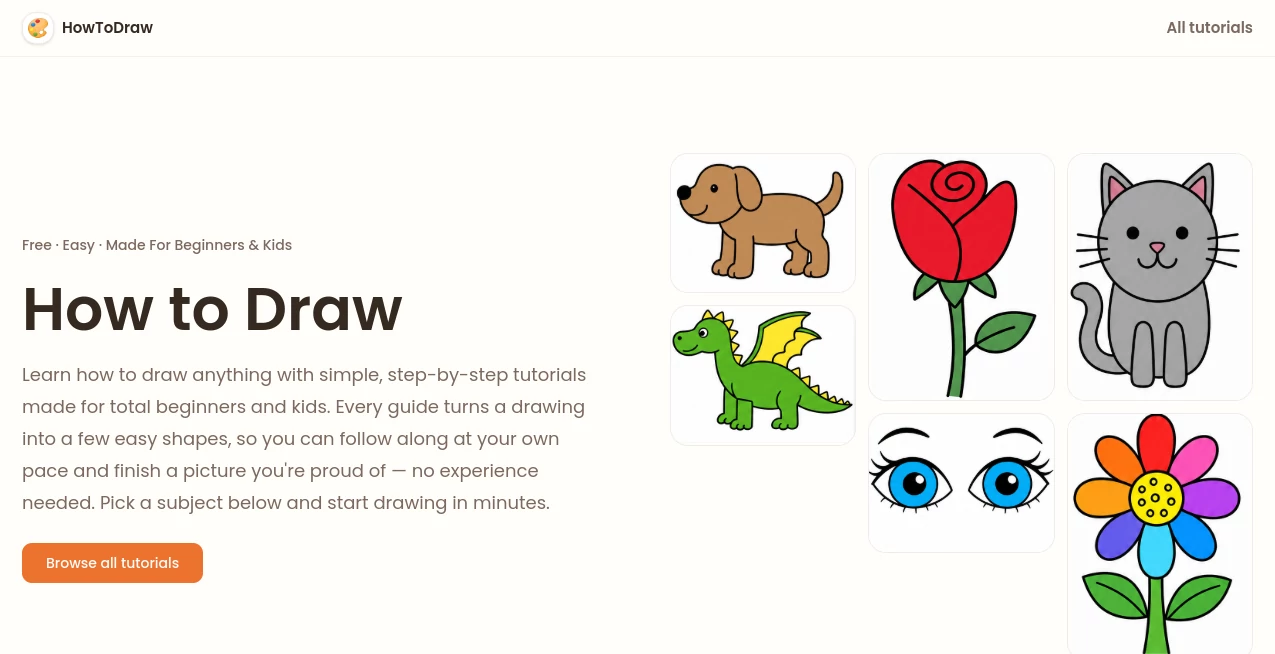
How to Draw is a free collection of simple, step-by-step drawing tutorials created for complete beginners and kids. Instead of asking learners to understand complicated art techniques from the start, each lesson turns a subject into a handful of familiar shapes, lines, and curves.
That approach makes drawing feel much less intimidating. A child who can draw a circle can begin, while an adult who has always believed they are “not good at drawing” can work through a lesson without needing previous experience. The result is a relaxed learning experience where every small step adds something visible to the picture.
The platform currently offers more than 50 free tutorials across 13 categories, covering subjects such as animals, people, objects, nature, and other fun drawing ideas. Most lessons can be completed in around 6 to 15 steps, making them suitable for short creative sessions at home or in the classroom.
Key Features
- 50+ free step-by-step drawing tutorials
- 13 drawing categories to explore
- Beginner-friendly instructions using simple shapes
- Large, clear visuals for every drawing step
- Short instructions that explain what to draw next
- Lessons designed for children and adults
- Most drawings can be completed in 6 to 15 steps
- Simple coloring without requiring advanced shading techniques
- Printable all-steps drawing overviews
- Subjects ranging from animals and people to everyday objects and nature
User Interface
The experience is deliberately straightforward. Visitors can browse drawing categories, choose a subject, and move through the lesson one step at a time. The large illustrations are particularly useful for younger learners because the change between steps is easy to see.
There is also very little to distract from the actual activity. Instead of filling the screen with complicated controls, the lessons keep attention on the drawing itself. For a parent sitting beside a child or a teacher preparing a quick classroom activity, that simplicity is a real advantage.
Accuracy & Performance
The strength of these lessons is not technical drawing theory; it is the consistency of the teaching method. Each picture is divided into manageable pieces, with one short instruction accompanying each visual step.
A face, for example, can be built from a head shape, ears, eyes, nose, mouth, hair, and a few finishing details. A person can start with a simple head and body before adding arms, legs, facial features, clothing, and color. This gradual progression gives beginners a clear target at every stage.
Because the lessons are intentionally simple, users can work at their own pace. There is no need to reproduce a complicated finished illustration immediately.
Capabilities
The collection goes beyond a single type of drawing. Users can practice animals such as penguins and bears, natural subjects such as leaves and roses, people and faces, and everyday objects such as books. The lessons also encourage small variations once the basic drawing has been completed.
For instance, learners can experiment with different hairstyles, facial expressions, accessories, colors, or other details. This is a useful touch because it turns a lesson from simple copying into an opportunity for personal creativity.
The printable overview is another practical feature. Instead of keeping the lesson open for every individual step, learners can use the complete sequence as a quick reference while drawing on paper.
Security & Privacy
The service is primarily presented as a browser-based collection of drawing lessons rather than a platform that requires users to upload personal files or creative projects. The public-facing experience focuses on accessing tutorials and following their visual instructions.
For children, parents, and teachers, this simple structure is convenient because the activity can be completed with ordinary drawing materials such as paper, a pencil, an eraser, and crayons or markers. As with any online service, users should still review the site's current privacy information before sharing personal information.
Use Cases
One of the best things about this collection is how easily it fits into everyday activities. A parent can choose a simple animal lesson for a rainy afternoon, while a teacher can use a printable sequence as a short art exercise in class.
- Kids' drawing practice: Children can build drawings from circles, ovals, straight lines, and curves without being overwhelmed by complex techniques.
- Adult beginners: People who have never taken an art class can use the short lessons to develop confidence gradually.
- Classroom activities: Teachers can use printable step sequences for guided drawing exercises.
- Family activities: Parents and children can draw together using only basic stationery.
- Homeschooling: The lessons can provide a quick, structured art activity alongside other subjects.
- Creative warm-ups: More experienced artists can use simple subjects as quick exercises before working on larger projects.
Imagine having fifteen minutes before dinner and wanting to give a child something creative to do. Choosing a simple animal, following a few visual steps, and finishing with crayons can turn that small window into a complete activity. That is where the site's straightforward format works especially well.
Pros and Cons
Pros
- Free tutorials are easy to access
- Very approachable for complete beginners
- Strong focus on children and early learners
- Clear visual progression from one step to the next
- Lessons generally take only a few minutes
- Printable all-steps references are useful for classrooms
- Wide range of subjects and categories
- No advanced art supplies are necessary
Cons
- The lessons are intentionally basic, so advanced artists may find them too simple
- The approach focuses more on guided drawing than formal art theory
- Beginners looking for advanced perspective, anatomy, or shading instruction will need additional resources
Pricing Plans
The tutorials are presented as free resources. The homepage currently highlights more than 50 free step-by-step tutorials, allowing beginners to start drawing without committing to a paid plan or purchasing specialized materials.
That makes the collection particularly appealing for parents, teachers, and casual learners who want a low-cost creative activity. A pencil, some paper, an eraser, and optional crayons or markers are enough to get started.
How to Use It
Getting started is simple. First, browse the available drawing categories and choose a subject that matches your interests or skill level. If you are completely new to drawing, starting with a familiar animal or object can make the first lesson feel more comfortable.
Next, follow the visual instructions from the first step onward. Keep your initial pencil marks light so that unnecessary guidelines can be erased later. Each new step adds a small number of lines or shapes to the previous one.
Once the outline is complete, add simple colors. There is no requirement to use complicated blending or shading. You can also make the drawing your own by changing colors, expressions, hairstyles, accessories, or other small details.
For classroom or group activities, the printable overview can be especially useful because everyone can see the complete sequence while working independently.
Comparison with Similar Tools
Many online drawing resources focus on finished artwork, detailed demonstrations, or professional techniques. This collection takes a different route by concentrating on the first steps of learning: understanding a shape, adding a few lines, and gradually recognizing the finished subject.
Compared with advanced drawing courses, the lessons are much shorter and easier to approach. Compared with simply copying a finished picture, the step-by-step structure gives learners a clear sequence to follow.
That makes it a particularly good choice for young artists, parents looking for screen-light activities, teachers who need quick classroom exercises, and adults who want to start drawing without feeling that they need to master art theory first.
Conclusion
Learning to draw does not have to begin with complicated techniques or expensive supplies. A blank sheet of paper and a few simple shapes can be enough to create something surprisingly satisfying.
This collection succeeds because it keeps that idea at the center of the experience. The tutorials are short, visual, friendly, and designed around achievable progress. With more than 50 free lessons, 13 categories, and drawings that generally take between 6 and 15 steps, there is plenty for beginners to explore.
For children discovering drawing for the first time, parents planning a creative activity, teachers preparing an art exercise, or adults finally deciding to give drawing a try, it is a practical place to start. The biggest benefit may be the confidence that comes from finishing a picture yourself, one small line at a time.
Frequently Asked Questions (FAQ)
Is it suitable for complete beginners?
Yes. The tutorials are specifically designed for people with little or no drawing experience. Lessons break subjects into simple shapes and manageable steps.
Can children use the drawing tutorials?
Yes. The lessons are designed with kids and beginners in mind, and the site states that its tutorials are suitable for ages 4 and up.
How long does a typical drawing take?
Most tutorials are designed to take between 6 and 15 short steps. Individual lessons may take around 10 to 15 minutes depending on the subject and the learner's pace.
What supplies do I need?
A pencil, paper, and eraser are enough to begin. Crayons, colored pencils, or markers can be added when you reach the coloring stage.
Are the tutorials free?
Yes. The collection currently offers more than 50 free step-by-step drawing tutorials.
Can I print the drawing instructions?
Yes. The lessons include printable all-steps overviews, which can be useful for classroom activities, homeschooling, or drawing away from the screen.
Do I need to know advanced drawing techniques?
No. The lessons intentionally avoid complicated shading and advanced techniques. They focus on basic shapes, lines, curves, and simple coloring so beginners can concentrate on building the drawing one stage at a time.
What subjects can I learn to draw?
The collection includes a variety of animals, people, nature subjects, characters, and everyday objects. New subjects can be explored through the available drawing categories.
AI Tutorial , AI Fun Tools , AI Education Assistant .
These classifications represent its core capabilities and areas of application. For related tools, explore the linked categories above.

HowToDraw Alternatives Product

Pixel Flow L…

Ask Bishop

LongCat Image

The Influenc…

EduSolver: A…

Fig0

AI page tran…

text to 3d w…

Youshow IELTS