


















humbot.ai
What is humbot.ai?
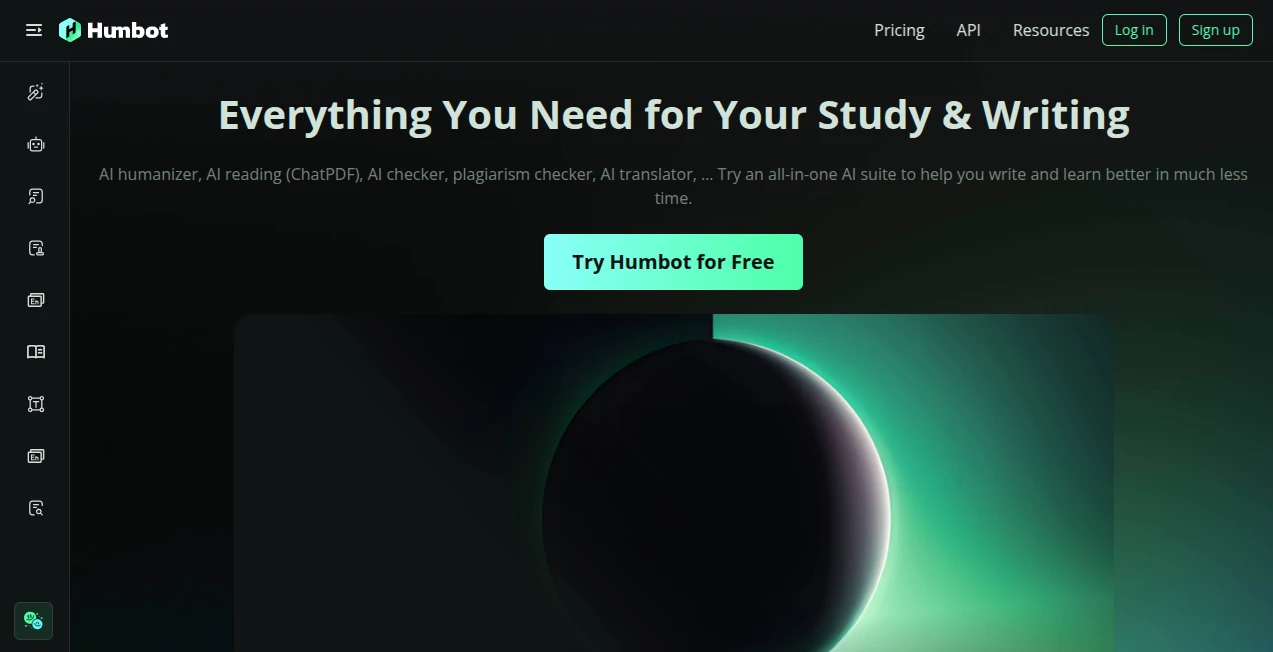
Some days you sit down to write an essay, summarize a long PDF, or polish an article, and the words just don’t come easily. Humbot steps in like a reliable study buddy who’s always ready to help. It humanizes stiff AI text, catches grammar slips, checks for plagiarism, translates between languages, and even lets you chat with documents. I’ve seen students turn robotic drafts into natural-sounding essays and researchers quickly grasp dense papers through its ChatPDF feature. It doesn’t replace your thinking — it simply removes the friction so you can focus on the ideas that matter.
Introduction
Writing and studying today involve juggling many small tasks: making text sound human, ensuring originality, fixing grammar, citing sources properly, and understanding complex material fast. Humbot brings all these tools together in one place. It’s built for students, teachers, content creators, and professionals who want to work smarter, not harder. What stands out is how practical it feels. The humanizer turns AI-generated content into natural writing that passes detectors, while the rest of the suite handles everything from summarization to accurate translations. Many users say it cut their study or writing time in half while actually improving the final quality.
Key Features
User Interface
The dashboard is clean and welcoming. Each tool has its own clear space, whether you’re humanizing text, chatting with a PDF, or running a plagiarism check. Navigation feels intuitive — you’re never more than a click away from what you need. The design stays out of your way so you can stay focused on your work instead of figuring out where things are hidden.
Accuracy & Performance
The humanizer consistently produces natural-sounding text that bypasses major AI detectors while keeping your original meaning intact. Grammar checks catch subtle issues, plagiarism scanning is thorough, and ChatPDF delivers relevant answers even from dense academic papers. Speed is excellent across the board — you get fast results without sacrificing quality. Users often mention how reliable the outputs are compared to juggling multiple separate tools.
Capabilities
You get a full suite: AI humanizer for natural writing, plagiarism and AI content detectors, grammar checker, article rewriter, translator supporting many languages, citation generator, AI summarizer, and ChatPDF for interactive document reading. It’s particularly strong at combining these features — you can humanize text, check it for originality, and generate citations all in one flow. Whether you’re writing essays, preparing reports, or studying, it covers the entire process from first draft to polished final version.
Security & Privacy
Your documents and writing stay private. The platform processes content responsibly without using it for training unless you explicitly allow it. This matters a lot for students and professionals handling sensitive or original work. The focus on user control and clean data handling makes it a trustworthy choice for academic and professional use.
Use Cases
Students use it to turn AI drafts into natural essays that sound like their own voice while passing university detectors. Researchers quickly summarize and chat with long papers to extract key insights. Content creators humanize AI-generated articles and check for originality before publishing. Teachers run AI and plagiarism checks on student submissions to save grading time. Professionals polish reports and generate accurate citations without switching between different websites. It fits naturally into any workflow that involves writing, reading, or learning.
Pros and Cons
Pros:
- All essential writing and study tools in one convenient place.
- Strong humanizer that preserves meaning while sounding natural.
- Helpful for both native and non-native English speakers.
- Fast performance across all features.
- Generous free access to try the full suite.
Cons:
- Heavy daily use benefits from a paid plan for unlimited access.
- Some advanced academic citation styles may need minor manual tweaks.
Pricing Plans
Humbot offers a solid free tier that lets you test most features and complete smaller tasks comfortably. Paid plans unlock unlimited usage, faster processing, and priority access to the latest models. Many students and professionals find the upgrade worthwhile once they start relying on it daily. The pricing feels fair for the time and effort it saves across an entire semester or project cycle.
How to Use Humbot
Start by heading to the tool you need — humanizer for polishing text, ChatPDF for reading documents, or the full dashboard to explore everything. Paste your content or upload a file, choose the action, and review the results. For humanizing, compare the before and after side-by-side. Make small edits if needed, then export or copy your final version. The interface guides you naturally, so you spend less time learning the tool and more time on your actual work.
Comparison with Similar Tools
Many platforms offer one or two strong features but force you to switch between different sites for a complete workflow. Humbot brings humanizing, detection, grammar, summarization, and document chat together without losing quality in any area. It feels more balanced and student-friendly than tools that focus heavily on one specialty while neglecting others. For users who want an all-in-one solution that actually works well across tasks, it often becomes the preferred choice.
Conclusion
Writing and studying don’t have to be lonely or overwhelming. Humbot acts like a capable, always-available assistant that helps you produce better work in less time. It respects your voice while giving you the tools to make it clearer, more original, and more professional. Whether you’re a student racing deadlines, a teacher managing heavy workloads, or a professional aiming for polished communication, it delivers consistent value. In a world full of scattered tools, having everything you need in one reliable place feels like a genuine advantage.
Frequently Asked Questions (FAQ)
Is Humbot free to use?
Yes, there’s a generous free tier. Paid plans are available for heavier or unlimited usage.
Does the humanizer really bypass AI detectors?
It significantly improves natural flow and consistently lowers detection scores on major tools.
Can I use it for academic work?
Many students and educators do. Always follow your institution’s guidelines on AI assistance.
How does ChatPDF work?
Upload any document and ask questions about it — the AI reads and answers based on the actual content.
Is my data private?
Yes, your documents and writing are handled securely and not used for training without permission.
AI Content Generator , AI Summarizer , AI Checker Essay , AI Writing Assistants .
These classifications represent its core capabilities and areas of application. For related tools, explore the linked categories above.

humbot.ai Alternatives Product

LinkedIn Spe…
TranscribeYT

UndetectedGPT

ReezoAI

QuotaWake

Drafted AI

UPDF AI

Aiso

Prompt Sloth
