Hypnotype
What is Hypnotype?
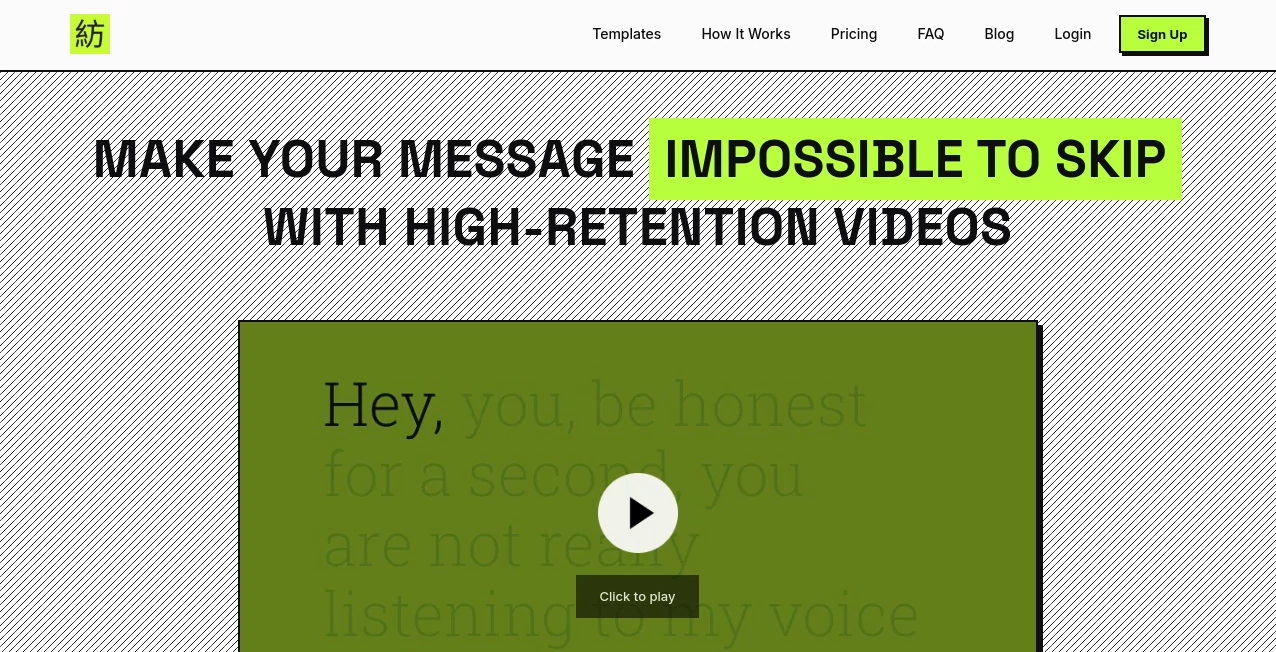
Creating a good video is not always about adding more effects, transitions, or stock footage. Sometimes, the strongest visual is simply the right words appearing at exactly the right moment. This browser-based AI video creation platform is built around that idea, turning scripts and audio into clean, read-along videos with synchronized typography.
The approach is particularly useful for creators who have something worth saying but do not want to spend hours inside a traditional editing timeline. Instead of building every text animation manually, users can upload audio or paste a script, select a visual style, and generate a finished video designed for platforms such as YouTube, TikTok, Reels, and sales pages.
What makes the concept appealing is its restraint. The videos are designed to keep attention on the message rather than surrounding it with unnecessary visual noise. For a podcast clip, educational explanation, sales message, or faceless video, that can make the content feel considerably more focused.
Key Features
- Convert audio or written scripts into synchronized text videos.
- AI-powered transcription and word-level timing through an AI Sync Engine.
- Seven retention-focused visual layouts for different types of content.
- Support for both vertical 9:16 and widescreen 16:9 formats.
- Customizable typography and colors for maintaining a recognizable visual identity.
- Cloud-based rendering without requiring a traditional desktop editing application.
- MP4 export suitable for social media, YouTube, podcasts, and sales pages.
- Templates designed specifically around kinetic typography and read-along viewing.
User Interface
The workflow is intentionally simple. Rather than presenting users with a crowded professional editing timeline, the platform centers the process around a few straightforward decisions: provide the audio or script, choose a visual identity, adjust the design, and render the final video.
This makes the interface particularly approachable for writers, podcasters, marketers, and faceless creators who may have little interest in learning complicated motion-design software. The drag-and-drop workflow also means that experimenting with different visual treatments does not have to become a technical project.
A creator working on a podcast clip, for example, can concentrate on choosing the strongest section of the recording instead of worrying about manually placing hundreds of individual text layers.
Accuracy & Performance
The platform uses AI transcription with word-level synchronization, allowing on-screen text to follow the spoken audio closely. This timing is important for kinetic typography because even a small delay between speech and animation can make a video feel awkward.
The service is also designed around cloud rendering, so users do not need to rely on the processing power of their own computer for the final render. The company states that creators can move from a script or audio file to a finished video in under five minutes in many cases.
Actual processing time can still vary depending on the length of the source material, selected output, and current rendering workload. For longer projects, the higher-tier plan also provides priority rendering.
Capabilities
The core capability goes beyond ordinary automatic subtitles. Words can become part of the visual composition itself, appearing, changing, or being emphasized in sync with the speaker. This creates a more deliberate viewing experience than simply placing a static caption block at the bottom of a video.
There are seven layouts covering different creative situations. Some focus almost entirely on large typography, while others combine a portrait, waveform, cover artwork, or other visual elements with synchronized text.
The available formats also make the workflow practical for content repurposing. A creator can work with a widescreen layout for YouTube or a VSL and use a vertical format for Shorts, Reels, and TikTok without rebuilding the entire concept from scratch.
Security & Privacy
Because the workflow involves uploading audio or video content and potentially unpublished scripts, privacy is an important consideration for professional users. The service provides dedicated legal and privacy documentation, and users should review those policies before uploading confidential recordings, customer information, or unreleased commercial material.
For everyday marketing clips, podcasts, educational recordings, and publicly intended content, the browser-based workflow provides a convenient way to move production into the cloud without installing a large editing application locally.
Use Cases
Faceless content: Creators can turn narration about finance, history, education, commentary, or news into visually engaging videos without appearing on camera.
Podcasts: Audio episodes can be transformed into visual clips with synchronized typography and waveform elements, giving creators more material to publish across social platforms.
Writers and ghostwriters: Essays, newsletters, social posts, and other written ideas can be repurposed into short visual stories rather than remaining locked inside text-based platforms.
B2B marketing: Businesses can use focused text-based videos for product explanations, thought leadership, presentations, and promotional messages where clarity matters more than flashy editing.
VSL content: Sales letters and persuasive scripts can be turned into clean video experiences where the words remain the main visual element.
Educational content: Teachers, coaches, and creators can highlight important phrases while explaining a concept, giving viewers a visual reference point throughout the narration.
Pros and Cons
- Pros: Very simple workflow with little editing knowledge required.
- Pros: Word-level synchronization makes kinetic typography much easier to produce.
- Pros: Strong minimalist visual direction that avoids clutter.
- Pros: Useful vertical and widescreen formats for different publishing channels.
- Pros: Suitable for faceless creators, podcasters, writers, and marketing teams.
- Pros: Cloud rendering reduces dependence on local computer hardware.
- Cons: The design philosophy is intentionally text-focused, so it is not intended to replace a full professional video editor.
- Cons: Users looking for complex visual effects, advanced compositing, or extensive timeline control may need another application.
- Cons: Higher-resolution output and longer audio limits depend on the selected plan.
Pricing Plans
The pricing page currently presents annual DealFuel offers alongside the regular pricing presentation. The Creator plan is shown at $29 with an $80/year reference price and includes 100,000 credits per month, watermark-free exports, 720p HD output, audio files up to 30 minutes, standard rendering priority, all templates, and a commercial license.
The Pro plan is shown at $80 with a $190/year reference price. It increases the allowance to 400,000 credits per month and adds 1080p Full HD output, support for audio files up to two hours, priority rendering, all templates, a commercial license, and priority support.
The service states that 100 credits correspond to one minute of audio transcription. Pricing and promotional availability can change, so users should check the current pricing page before purchasing.
How to Use It
Start by uploading an audio file or pasting the script you want to turn into a video. The AI transcription and synchronization system processes the spoken content and prepares the text timing.
Next, choose a visual layout that matches the type of content you are creating. A large-text design can work well for motivational clips or strong statements, while a podcast-oriented layout may be more appropriate for interviews and longer-form discussions.
After selecting the layout, adjust the visual identity by changing available typography and color settings. This is useful when you want several videos to share the same recognizable style.
Finally, render and export the MP4 file. The resulting video can then be published to platforms such as YouTube, TikTok, Reels, or used on a sales page.
Comparison with Similar Tools
Traditional video editors provide considerably more control, but that flexibility comes with a learning curve. Creating word-by-word kinetic typography manually can require a large number of text layers, keyframes, timing adjustments, and repeated previews.
General-purpose AI video generators take a different approach by combining scripts with stock footage, generated visuals, avatars, or other media. That can be useful when the story needs many visual elements, but it may be unnecessary when the words themselves are the most important part of the content.
This solution sits somewhere between those two approaches. It focuses specifically on synchronized typography and clean layouts, making it a stronger fit for creators who want their narration or writing to remain the center of attention rather than disappear beneath layers of visual effects.
For someone who normally spends hours creating animated captions manually, the difference can be substantial. The real advantage is not having more editing controls; it is having fewer things to manage before a publishable video is ready.
Conclusion
For creators whose strongest asset is their voice, writing, or ideas, turning that material into video does not necessarily require a complicated production setup. A well-timed word, a clean layout, and a little movement can be enough to make an otherwise static piece of content feel alive.
This platform takes a focused approach to that problem. Its combination of AI transcription, word-level synchronization, retention-oriented templates, simple customization, and cloud rendering creates a practical workflow for people who want to publish more video without becoming full-time editors.
It will not replace a complete professional editing suite for every project, and that is not really the point. Its strength is doing one particular job well: transforming spoken or written ideas into polished kinetic-typography videos with as little production friction as possible.
Frequently Asked Questions (FAQ)
Do I need video editing experience?
No. The workflow is designed for users who do not want to learn a complex editing application. You provide the audio or script, choose a layout, customize the visual identity, and render the result.
Can I create videos without showing my face?
Yes. Several layouts are specifically suitable for faceless content, allowing the narration and synchronized typography to carry the video without requiring a camera.
Can I use it for podcasts?
Yes. Podcast creators can transform audio episodes and selected clips into visual content using synchronized text, waveforms, portraits, and other available layouts.
Which video formats are supported?
The platform supports 9:16 vertical videos for formats such as TikTok, Reels, and Shorts, as well as 16:9 widescreen videos for YouTube, podcasts, and VSL pages.
Can I customize the videos for my brand?
Yes. The workflow includes options for customizing typography and colors so that generated videos can better match an existing visual identity.
Does it generate subtitles automatically?
It uses AI transcription to create synchronized text from uploaded audio, with timing designed to follow the spoken words at the word level.
Can I use the generated videos commercially?
The listed Creator and Pro plans include a commercial license, making them suitable for commercial content creation according to the plan terms.
Is there a free option?
The website provides an option to start creating for free, allowing users to explore the workflow before committing to a paid plan.
AI Video Generator , AI Video Editor , AI Text to Video , AI Podcast Assistant .
These classifications represent its core capabilities and areas of application. For related tools, explore the linked categories above.

Hypnotype Alternatives Product

Sora AI Vide…

renderpop

pvz fusion

Quso AI

AISeedance2

Grok Imagine…
Seedance 2.0

v04 ai

Sora-2.co