

















renderpop
What is renderpop?
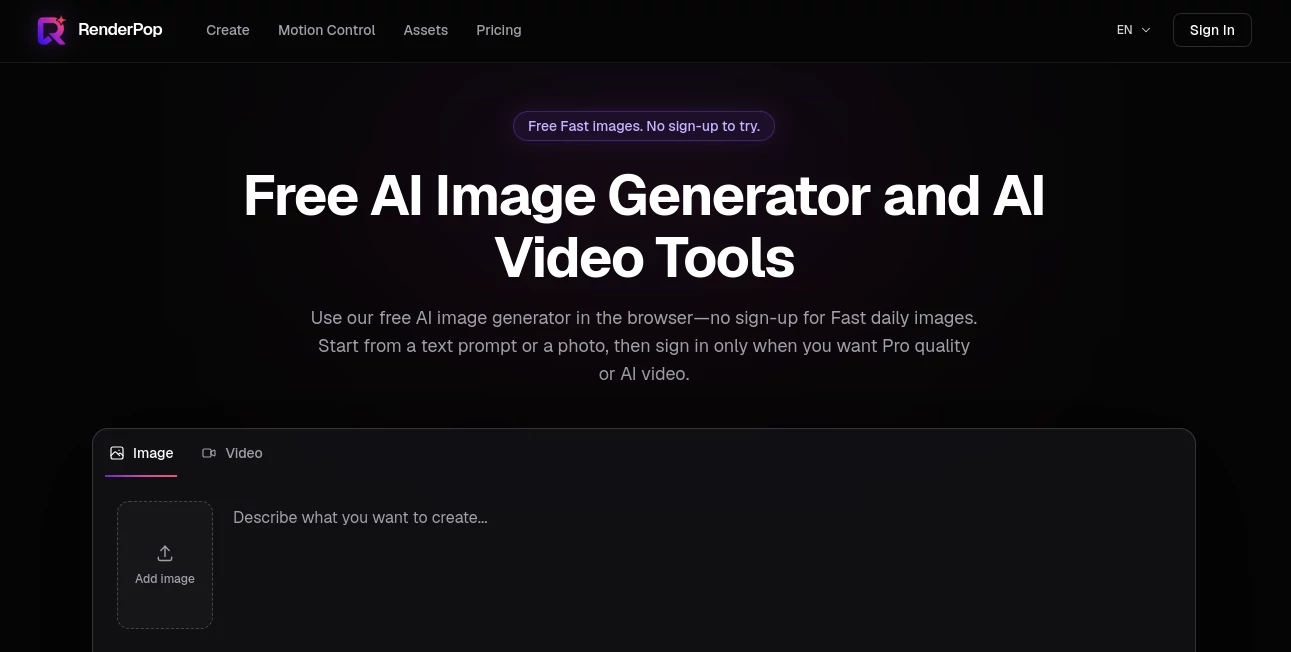
RenderPop is a browser-based creative workspace for generating AI images and videos from text prompts, photos, and other source media. It gives creators a straightforward way to experiment with visual ideas without having to install software, configure models, or jump between several separate platforms.
One of its most appealing features is the ability to try Fast image generation without creating an account. Users can start with a simple prompt, explore different visual directions, and decide whether they need the more advanced creation options. For people who regularly move between still images and short-form video, keeping both workflows in the same workspace can make the creative process considerably easier.
The platform also brings together a broad selection of image, video, and audio models. This makes it useful for everything from profile imagery and social content to product concepts, fashion visuals, storyboards, and image-to-video experiments.
Key Features
- AI image generation from text prompts
- Image creation from source photos
- Fast image generation with a free daily try
- Pro image generation using credits
- AI text-to-video generation
- Image-to-video generation
- AI motion control and dance video creation
- Support for a large selection of image and video models
- Integrated image and video creation workspace
- Saved creations for signed-in users
- Credit requirements shown before generation
- Portrait, fashion, product, social media, and storyboard workflows
User Interface
The interface is designed around a simple creation flow rather than a complicated production environment. Users can begin by describing what they want to make or adding a source image, select an appropriate generation mode, and then review the credit requirement before starting.
The separation between Fast and Pro image modes is particularly practical for experimentation. Someone working on an early concept can try the faster option first, while a creator who needs a more advanced result can move to the credit-based workflow.
Keeping image, video, and image-to-video tools within one workspace is another useful touch. Instead of exporting a still image to another service just to animate it, users can continue the project within the same environment.
Accuracy & Performance
Generative media does not behave like a traditional image editor, so results can vary between generations. The platform itself notes that the same prompt may produce different variations, which is normal for generative systems and can actually be useful when exploring creative directions.
Fast image generation is positioned as the quick starting point, while more advanced image and video creation uses credits. Video and Dance workflows display their required credits before generation, giving users an opportunity to check the cost before committing to a generation.
For practical creative work, the strongest advantage is less about producing an identical result every time and more about quickly exploring multiple visual possibilities.
Capabilities
The range of available models is one of the platform's standout characteristics. Its current model selection includes numerous image and video generation systems, along with audio and voice models. Availability can change as new models are added or existing options are updated.
Image workflows can start from a text description or source photo. Video workflows can create moving content from prompts or transform a still image into a video. The Dance feature adds another creative option by combining an authorized photo with a dance template or an authorized reference video.
These capabilities make the workspace suitable for both casual experimentation and more structured visual development. A creator might begin with a portrait concept, develop several variations, turn a preferred image into a short clip, and keep the resulting work associated with the same account.
Security & Privacy
Privacy is an important consideration when working with uploaded photographs and videos. The service processes account information, prompts, uploaded media, generated results, credit information, and technical information needed to operate the platform.
Users are expected to upload only media they have permission to use. The service also advises against including sensitive personal information unless it is necessary for the intended creation. Its terms prohibit using submitted media to create non-consensual sexualized, deceptive, or impersonation-based content.
The privacy policy explains that third-party providers may be used for areas such as authentication, cloud infrastructure, AI processing, analytics, and payments. As with any online creative service, users should review the current privacy policy and terms before uploading material that contains confidential or sensitive information.
Use Cases
Social Media Content: Creators can develop fresh visual concepts for social posts, campaigns, lookbooks, and personal projects without organizing a full photography session for every idea.
Profile and Avatar Images: Portrait prompts can be used to explore different styles for profile pictures, personal websites, creator pages, and online identities.
Product and Fashion Concepts: Designers and marketers can test visual directions before investing time and money into professional photography or a larger production.
Image-to-Video Projects: A finished still image can become the starting point for a short video, making it easier to explore movement and animation from an existing visual.
Storyboards: Filmmakers, advertisers, and content creators can use generated images to explore framing, atmosphere, scenes, and camera ideas before production begins.
Dance Content: Users can combine an authorized photo with a suitable dance template or authorized reference video to explore motion-controlled video concepts.
Pros and Cons
Pros
- Fast image generation can be tried without signing up
- Images and videos are available within one workspace
- Supports a wide selection of generation models
- Offers both text-to-image and image-to-video workflows
- Useful for portraits, social content, products, fashion, and storyboards
- Credit requirements are shown before credit-based generations
- Saved creations are available for signed-in users
Cons
- Video generation requires an account and credits
- Advanced creation is not entirely free
- Generative results can vary from one generation to another
- Model availability and features may change over time
- Users need to pay attention to rights and permissions for uploaded media
Pricing Plans
The platform uses a combination of free access, memberships, and credit-based generation. Fast image generation includes a free daily try without requiring an account, making it possible to test the basic image workflow before committing to the service.
More advanced features, including Pro image generation and video creation, use credits and require a signed-in account. The pricing system also includes monthly memberships and separate credit packs. Membership credits are granted during each billing cycle, while unused membership credits can roll over up to twice the monthly allocation. Credit Pack credits are one-time purchases and remain valid for 12 months.
Because available plans, credit requirements, models, and prices can change, users should check the pricing page before purchasing. The service displays the applicable generation requirements and purchase information before transactions are completed.
How to Use RenderPop
Start by opening the creation workspace and deciding whether you want to generate a new image or work from existing media.
For a text-based image, describe the subject, environment, visual style, composition, or other details in the prompt. Fast image generation can be tested without signing in, which is useful for getting a feel for the workflow.
When you want to use Pro image generation, video creation, or other credit-based features, sign in to your account. Choose the creation mode that matches the project and check the displayed credit requirement.
For image-to-video work, upload an appropriate source image and describe the desired result. For motion-controlled dance videos, select a template or provide an authorized reference video together with an authorized photo.
After generation, review the result carefully before publishing or using it commercially. Generated media can contain unexpected details, so a final quality and rights check is worthwhile.
Comparison with Similar Tools
Many AI creative platforms focus heavily on either image generation or video generation. This workspace takes a broader approach by bringing several forms of generative media creation into the same browser-based environment.
For someone interested only in basic text-to-image generation, a dedicated image generator may provide a more specialized experience. However, creators who regularly move from images to video may appreciate having both workflows available together.
Another distinction is the model selection. Instead of requiring users to choose and configure individual generation services separately, the platform presents multiple image, video, and audio models within one workspace. That can reduce the amount of technical setup involved when comparing different creative approaches.
The free Fast image option is also useful for newcomers. It allows someone to test the basic image workflow first rather than immediately creating an account or purchasing credits.
Conclusion
For creators who want an accessible place to experiment with AI-generated visuals, this platform offers a practical combination of image and video tools. The ability to start with a free Fast image generation trial lowers the barrier to entry, while the broader credit-based workspace provides room for more advanced projects.
Its support for text-to-image, image-to-video, text-to-video, and motion-controlled creation makes it more versatile than a simple image generator. The wide model selection is another strong point, particularly for users who like comparing different approaches without managing several separate services.
It is not a replacement for every professional production workflow, and users should still review generated content and confirm that they have the necessary rights for their source media. But for concept development, social content, portraits, product ideas, fashion visuals, storyboards, and short AI video experiments, it provides a convenient place to turn an idea into something visual.
Frequently Asked Questions (FAQ)
Can I use the AI image generator for free?
Yes. Fast image generation can be tried without signing in and includes a free daily try. Credit-based features require an account.
Can I create AI videos?
Yes. The platform supports both text-to-video and image-to-video workflows. Video generation requires a signed-in account and credits.
Can I turn an image into a video?
Yes. You can upload a still image and use it as the starting point for an image-to-video generation. Video creation uses credits.
Does it support motion-controlled dance videos?
Yes. The Dance workflow lets users select a dance template or upload an authorized reference video and pair it with an authorized photo.
Do I need an account to generate images?
Not for the Fast image trial. You can try Fast image generation without signing up. An account is required for video, Dance, and other credit-based creation features.
Do unused credits expire?
Membership credits can roll over into the next billing cycle up to twice the plan's monthly allocation. Credit Pack credits are valid for 12 months.
Can I use my own photos and videos?
Yes, where the relevant creation feature supports source media. You should only upload photos and videos that you have permission to use and should review the applicable terms before sharing generated results.
Why can the same prompt produce different images?
AI generation includes an element of randomness, so repeated prompts can produce different variations. This can be useful when exploring several visual directions for the same idea.