

















Ideavibes AI
Verified Blue CheckMark
Verified Blue CheckMark products are featured above free or unverified listings.
This badge indicates authenticity and builds trust, giving your product higher visibility across the platform.
Upgrade to get verified
Verified Blue CheckMark products are featured above free or unverified listings. This badge indicates authenticity and builds trust, giving your product higher visibility across the platform.
Upgrade to get verified
What is Ideavibes AI?
Turning an idea into a working software product usually involves much more than writing code. There are product decisions to make, user flows to define, databases to connect, authentication to configure, payments to integrate, and deployments to manage. For founders, creators, and small teams without a dedicated engineering department, that process can become the biggest obstacle between a good idea and a product people can actually use.
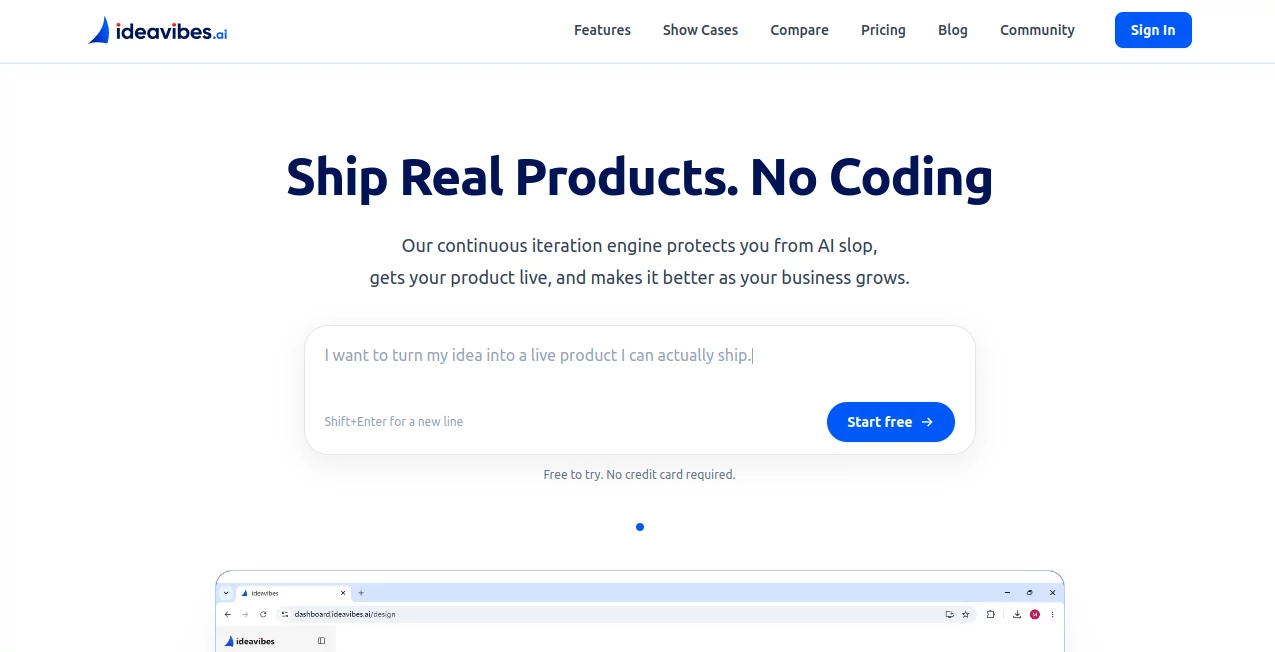
Ideavibes AI takes a different approach by treating AI software creation as an end-to-end product journey rather than simply generating a prototype. Users can describe an idea in natural language and work through a process that covers planning, implementation, review, deployment, and continued iteration. The platform is designed around the idea of shipping something real rather than stopping when a polished-looking demo appears on screen.
A particularly useful aspect is that the workflow does not require users to begin with a perfectly written technical specification. An initial idea can be described in ordinary language, after which the platform helps turn that concept into specifications, user stories, and executable tasks. This makes the experience appealing to both technical builders and people who understand the problem they want to solve but do not want to spend their time writing every line of code.
Key Features
- AI agent collaboration: Different AI agents take on planning, building, reviewing, and shipping responsibilities instead of relying on a single agent for every stage.
- Intent Engine: The platform transforms a user's goal into structured, actionable work that AI agents can understand and execute.
- Full-stack integrations: Database, authentication, object storage, email, and payment capabilities are available as part of the product-building workflow.
- Multiple technology stacks: Projects can work with technologies and languages including Python, TypeScript, Rust, and Go.
- Continuous iteration: Changes are broken into defined tasks that can be reviewed, paused, cancelled, or rolled back.
- Automatic deployment: Applications can move from development into production without requiring a traditional manual release process.
- Automatic scaling: Deployed applications can adjust capacity according to demand, helping avoid unnecessary resource usage when traffic is low.
- GitHub ownership: Generated code is committed to the user's own GitHub repository from the beginning rather than being trapped inside a proprietary export system.
- Audit trail: Development actions are represented through GitHub Issues, making decisions, implementation work, and reviews easier to inspect.
User Interface
The interface is built around conversation and project progress rather than a traditional development environment. A user can start with a paragraph describing what they want to create and then refine the concept through interaction with the Idea Designer and Intent Engine.
The workflow is particularly helpful for people who know what they want to build but may not know the technical vocabulary needed to explain it. Instead of forcing users to translate an idea into framework-specific instructions immediately, the system helps organize the concept into something that can be acted upon.
For someone working on a small product after business hours, this approach can feel considerably less intimidating than opening a blank code editor and trying to decide where to begin.
Accuracy & Performance
The platform places considerable emphasis on maintaining quality during repeated changes. Its continuous iteration process breaks work into clearly defined issues, allowing individual changes to be reviewed before they become part of the next production version.
This is an important distinction for real products. A first version may look impressive, but the real test often comes weeks later when requirements change. The planning, building, reviewing, and shipping cycle is designed to provide a consistent process for those later iterations rather than treating the first successful build as the finish line.
Every change is reviewed before shipping, and work that is not considered ready can return for another iteration. This does not eliminate the need for human testing or product judgment, but it provides a structured engineering process around AI-generated work.
Capabilities
The platform can be used for a surprisingly broad range of software projects. Examples presented by the service include real-time browser games, e-commerce storefronts, event websites, professional tools, interactive simulations, and content-focused websites.
It can also handle the supporting infrastructure that many AI coding products leave to the user. Authentication, payments, databases, email, storage, domains, deployment, and scaling can all form part of the same product-building journey.
The technology flexibility is another advantage. Rather than forcing every project into one predefined stack, the system supports several programming languages and project structures. That can make it more suitable for products that need something beyond a standard JavaScript prototype.
Security & Privacy
One of the strongest ownership features is the treatment of source code. The generated project is placed in the user's own GitHub repository from day one, giving the owner direct access to the code and its history.
The platform also provides an audit trail through GitHub Issues, which can make it easier to understand what was decided, what was built, and what was reviewed during development.
Users should still review generated applications before putting them into production. Authentication settings, payment integrations, permissions, sensitive data handling, and third-party services deserve the same security checks they would receive in a traditionally developed application.
Use Cases
- Startup MVPs: Founders can move from an initial product concept toward a working application without first assembling a complete engineering team.
- Internal business tools: Small companies can create specialized dashboards, workflow applications, calculators, management tools, and other software for their operations.
- E-commerce projects: Storefronts, catalogs, and comparison-shopping experiences can be developed with supporting infrastructure rather than only a visual interface.
- Educational applications: Teachers and students can turn classroom ideas into interactive applications and deployed projects.
- Solo businesses: Consultants, creators, and one-person companies can experiment with software products without building an entire technical organization.
- Existing prototypes: Teams that already created a prototype with another AI development platform can use a more production-focused workflow for deployment, ownership, and continued development.
- Interactive products: Games, simulations, specialized canvases, and browser-based experiences can be developed as complete products rather than static demonstrations.
Pros and Cons
- Pros: End-to-end product workflow, collaborative AI agents, natural-language planning, full-stack integrations, GitHub code ownership, automated deployment, multiple technology stacks, continuous iteration, and a free starting plan.
- Pros: Paid plans separate the cost of building and iterating from the included live running hours, which can make ongoing development easier to budget.
- Pros: The platform is designed for products that need to keep changing after the initial launch.
- Cons: Users building highly specialized or unusually complex systems may still need experienced developers for architecture, security, testing, and advanced integrations.
- Cons: Live applications use running hours, and usage beyond the included allowance is billed through additional running credits.
- Cons: AI-generated software still requires human validation, particularly before handling sensitive information, real customers, or financial transactions.
Pricing Plans
The service offers a Free plan, making it possible to experiment before committing to a subscription. The free tier includes access to the Idea Designer, two trial projects, six trial builds, and three trial deployments. It also places generated code in the user's own GitHub repository.
- Free: $0 per month, with two trial projects, six trial builds, and three trial deployments.
- Starter: $19 per month, with up to 20 projects, ongoing iteration, two custom domains, two team seats, and 20 hours of live running time per month.
- Pro: $39 per month, with up to 40 projects, four custom domains, four team seats, and 40 hours of live running time per month.
- Business: $99 per month, with up to 100 projects, ten custom domains, ten team seats, and 100 hours of live running time per month.
Annual billing is also available with two months free. The included running hours apply to deployed applications, while building and iterating remain covered by the plan. Once the included live-running allowance is exceeded, additional running credits are charged according to actual compute usage.
How to Use It
- Describe the idea: Start with a simple description of the product you want to create. The initial input does not need to be written as a technical specification.
- Refine the concept: Use the Idea Designer to clarify the problem, define the product direction, and turn the initial idea into a more structured plan.
- Review the plan: The resulting specifications, user stories, and task list give you an opportunity to understand what will be built before implementation begins.
- Start the build: Builder agents work through the defined tasks and create the actual application code.
- Review changes: Each change goes through a review stage before it is shipped. If something is not ready, it can be sent back for further work.
- Deploy: Once the application is ready, it can be deployed and connected to a custom domain on supported paid plans.
- Keep improving: Continue the conversation as requirements evolve. The same plan-build-review-ship process can be used for subsequent changes.
Comparison with Similar Tools
Tools such as Lovable, Bolt, v0, and Replit are well suited to quickly turning an idea into a visible prototype. The main difference here is the emphasis on what happens after that first version works.
Instead of focusing primarily on generating an interface or an initial application, the workflow is designed around the complete path from idea to deployment. Planning, code generation, review, authentication, payments, custom domains, deployment, and continued iteration are treated as parts of one process.
Another meaningful difference is the pricing model. Building and iterating are covered by flat subscription plans, while deployed applications have included running hours. This can be easier to understand for teams that expect to make many changes to the same project rather than repeatedly spending generation credits.
Code ownership also stands out. Because projects are stored in the user's own GitHub repository, developers can access the source code and continue working with it outside the platform when necessary.
Conclusion
For anyone who has ever had a promising software idea but stopped at the prototype stage, this platform offers a compelling alternative. Its strongest quality is not simply that it can generate code. The more interesting proposition is the complete workflow surrounding that code.
The combination of AI planning, specialized agents, code review, full-stack services, deployment, scaling, and GitHub ownership makes it especially attractive to founders, indie makers, small teams, and non-technical creators who want to build something that can actually reach users.
It is not a replacement for thoughtful product decisions or professional engineering judgment in every situation. However, for many web products, it can remove a substantial amount of the technical friction between having an idea and putting a functioning product online.
If your goal is to experiment with another disposable prototype, there are many options. If the goal is to take an idea through development and toward a product that you can own, deploy, and continue improving, this approach is considerably more interesting.
Frequently Asked Questions (FAQ)
Can I start without knowing how to code?
Yes. The platform is designed to let users begin by describing their product idea in natural language. The AI workflow then helps turn that idea into structured development tasks.
Do I own the code generated for my project?
Yes. The generated code is committed to the user's own GitHub repository from the beginning, so the project is not dependent on an export process.
Can I build a full-stack application?
Yes. The platform supports full-stack capabilities including databases, authentication, object storage, email, and payment integrations.
What programming languages are supported?
The platform supports multiple technology stacks, including Python, TypeScript, Rust, and Go.
Can I use my own domain?
Yes. Custom domains are available on paid plans. The Starter plan includes two custom domains, Pro includes four, and Business includes ten.
Does the free plan require a credit card?
No. The service states that users can start for free without providing a credit card.
What happens when I use all my included running hours?
The application is not automatically taken down. Users are notified and can add additional running capacity through running credits. Deployed applications can also sleep while idle and wake when they receive a request.
Is it suitable for startups?
Yes. The combination of product planning, application development, deployment, authentication, payments, custom domains, and continued iteration makes it particularly relevant for founders validating and launching web products.
Can developers still work on the project?
Yes. Because the source code lives in the user's GitHub repository, a human developer can access the project and continue development when more specialized engineering work is required.
Is human review still necessary?
Yes. AI can accelerate software creation, but production applications should still be tested and reviewed for functionality, security, performance, privacy, and business requirements before being used by real customers.