

















What is Fugte?
Adding a small interactive feature to a website often sounds simple until it becomes a development task. A pricing table, countdown, contact form, quiz, FAQ, or promotional widget can require code, hosting, testing, and repeated developer help whenever something needs to change.
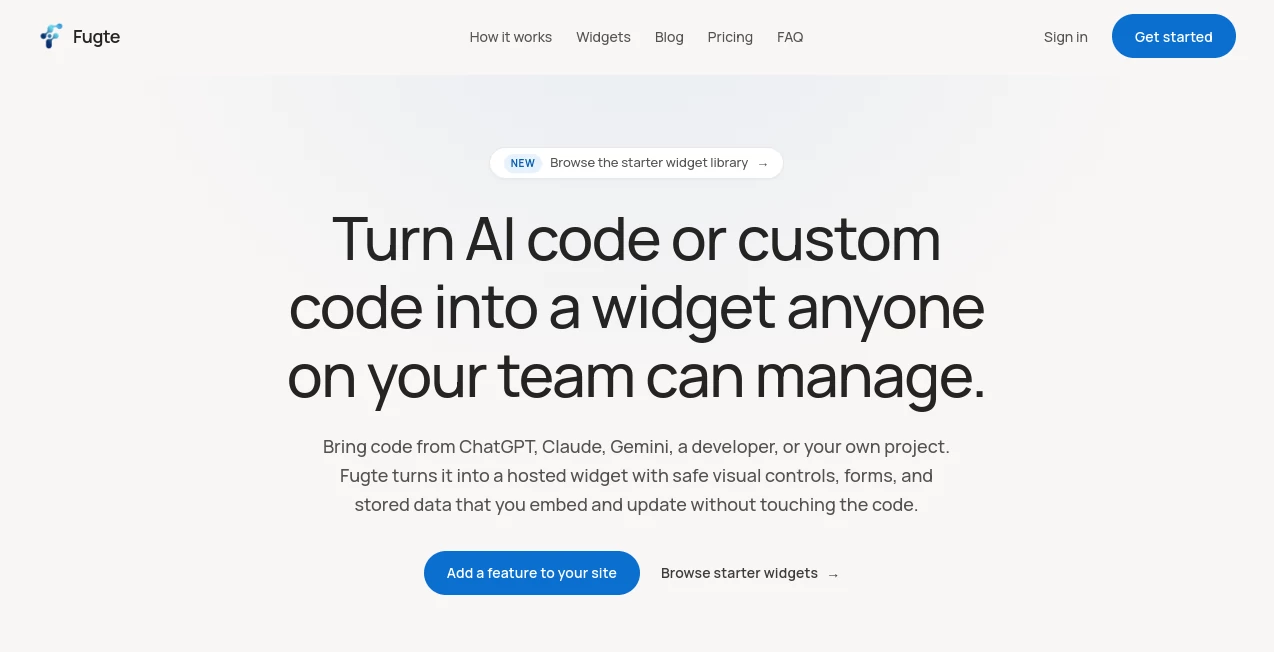
Fugte takes a different approach. It lets users create interactive website widgets with built-in AI, existing starter templates, or their own HTML, CSS, and JavaScript. The resulting widget can then be customized through visual controls and embedded across platforms without rebuilding the original website.
The idea is particularly useful for small businesses, marketers, creators, designers, agencies, and anyone who wants to add a focused feature to a website without maintaining another development project.
Key Features
- AI-powered widget generation from a plain-language description
- Support for existing HTML, CSS, and JavaScript code
- No-code visual customization
- Reusable starter widget library
- Hosted widgets with stable embed links
- Iframe-based embedding for websites and supported platforms
- Lead capture forms with stored submissions
- Spam protection for supported forms
- Brand customization for text, colors, images, and other editable elements
- API integration readiness
- Downloadable widget source code
User Interface
The workflow is designed around a straightforward create, customize, and publish process. Users can start with an idea, choose a starter, or bring code they already have. Once the widget is available, selected elements can be exposed as simple visual fields rather than requiring users to edit the underlying source.
This is a practical touch for teams where the person responsible for marketing or content changes is not the same person who originally built the widget. A price, headline, image, date, or color can be adjusted without reopening the development workflow.
Accuracy & Performance
Performance is important for embedded components because a widget should add functionality without becoming an unnecessary burden on the host page. Published widgets are precompiled and served through a global CDN, while the embedded experience runs inside a sandboxed, cross-origin iframe.
The approach also makes updates convenient. Once a widget is embedded, changes can be published from the dashboard and the existing embeds can receive the updated version without requiring a new snippet each time.
Capabilities
The platform covers a surprisingly broad range of small website features. Its starter library includes options such as pricing tables, contact forms, countdown timers, FAQ sections, image galleries, testimonial carousels, newsletter signups, goal counters, music players, and other interactive components.
For people working with AI-generated code, another useful capability is the ability to bring code created with popular AI assistants or by a developer. Instead of leaving that code as a one-off experiment, it can be turned into a hosted widget with selected parts made editable.
Security & Privacy
Embedded widgets run inside a sandboxed, cross-origin iframe. This separation is designed to prevent the widget code from reading or interfering with cookies, sessions, or the surrounding page. Forms can also use stored submissions and spam protection, giving businesses a more practical way to collect information than relying on a purely visual form.
Another positive point is code ownership. Users can download a self-contained copy containing the widget's HTML, CSS, and JavaScript, which reduces the concern of being permanently dependent on the hosting service for access to the source.
Use Cases
For a small online store, a countdown timer or pricing table can be added to a campaign page without changing the store theme. A marketer could create a newsletter signup or promotional component and update its wording later without asking a developer for another deployment.
Designers and agencies can also use the workflow for client projects. A polished widget can be delivered with selected fields exposed as safe controls, allowing a client to change text, imagery, colors, or other content on their own.
Creators working with Canva, Shopify, WordPress, Notion, Webflow, Wix, or Carrd can use embeddable components to add interactive functionality where the platform's native features may be limited.
It can also be useful for developers and AI-assisted builders who frequently generate small pieces of front-end code but need somewhere practical to host, customize, and distribute those components.
Pros and Cons
- Pros: AI-assisted widget creation, no-code editing, reusable starters, simple embedding, hosted delivery, client-friendly customization, form support, and downloadable source code.
- Pros: Existing AI-generated or custom front-end code can be brought into the workflow instead of starting from scratch.
- Pros: Updating an embedded widget does not normally require replacing the embed code.
- Cons: The service is focused on individual website features rather than replacing a complete website builder or full application development environment.
- Cons: Free accounts include branding and limited AI credits and storage, so businesses with heavier requirements may need a paid plan.
Pricing Plans
The pricing structure starts with a free plan intended for individuals and smaller experiments. It includes unlimited widgets and views, one live form with a submissions inbox, starter widgets, 200 AI credits per month, 10 MB of storage, and platform branding.
The Basic plan costs $9.99 per month and increases the allowance to three live forms, 500 AI credits per month, and 30 MB of storage. It also removes the platform branding and includes email support.
A Creator plan is listed as coming soon at $29.99 per month. The planned package includes 15 live forms, 2,000 AI credits per month, 200 MB of storage, and priority support.
How to Use the Tool
- Start by describing the widget you want to create in plain language.
- Alternatively, choose a starter widget or bring your own HTML, CSS, and JavaScript.
- Preview the result and decide which elements should remain editable.
- Use the visual controls to adjust text, colors, images, links, numbers, or other available settings.
- Publish the widget to receive a hosted link.
- Copy the available embed or iframe code into the website or platform where the widget should appear.
- When the widget needs an update, change the relevant fields and publish the new version rather than rebuilding the entire component.
Comparison with Similar Tools
Traditional website builders are excellent when the goal is to create or manage an entire website, but they can be more than necessary for adding one focused interactive feature. Widget libraries, meanwhile, often provide fixed components with limited customization.
This approach sits somewhere between those two options. It focuses on small, self-contained website features while allowing users to create or modify the underlying component. The combination of AI generation, editable controls, hosting, and simple embedding makes it especially interesting for users who already work with AI-generated front-end code but do not want every small change to become a coding task.
For agencies and freelancers, the client-editable workflow is another distinction. Instead of handing over a block of code and asking clients not to touch it, selected settings can be turned into controlled fields that are easier for non-technical users to manage.
Conclusion
Fugte is a practical solution for a very specific but common problem: getting useful interactive features onto a website without turning every widget into a development project. Its AI-assisted creation, starter library, no-code customization, hosting, and cross-platform embedding work together in a workflow that feels particularly well suited to small businesses and modern AI-assisted creators.
The free plan makes it easy to experiment before committing to a subscription, while the paid options provide additional forms, AI credits, storage, and support for more serious projects. For anyone who regularly thinks, “I just need one small feature on this page,” this is the kind of tool worth trying.
Frequently Asked Questions (FAQ)
Do I need coding knowledge to create a widget?
No. Widgets can be created through AI prompts or starter templates and then customized using visual controls. Developers can also bring their own front-end code when they want more control.
Can I use AI-generated code?
Yes. Existing code created with AI assistants or written by a developer can be brought into the platform and converted into a hosted, editable widget.
Where can I embed the widgets?
Widgets can be embedded on platforms that support links, HTML, or iframe-style embeds. Supported examples include Shopify, WordPress, Canva, Notion, Webflow, Wix, and Carrd.
Do I need to replace the embed code after making an update?
Normally, no. Published widgets use a stable hosted URL, so updates made through the dashboard can be reflected in existing embeds without manually replacing the original snippet.
Is there a free plan?
Yes. The free plan is available indefinitely and includes unlimited widgets and views, starter widgets, 200 AI credits per month, 10 MB of storage, and one live form with a submissions inbox.
Can I download the code I create?
Yes. The source can be downloaded as a self-contained copy containing HTML, CSS, and JavaScript, allowing users to retain their code independently of the hosted widget.
Is the widget isolated from my website?
Published widgets run inside a sandboxed, cross-origin iframe, which helps isolate the widget from the surrounding website's cookies, sessions, and page environment.
Who is this tool best suited for?
It is a strong fit for small businesses, creators, marketers, designers, agencies, developers, and AI-assisted builders who need focused interactive website features without maintaining a separate development project for every component.